%20{%20:root%20{%20--deepread-stroke:%20%23E5E7EB;%20}%20}%20.dark%20{%20--deepread-stroke:%20%23E5E7EB;%20}%20%3c/style%3e%3crect%20x='40'%20y='30'%20width='220'%20height='260'%20rx='28'%20ry='28'%20stroke='var(--deepread-stroke)'%20stroke-width='16'%20fill='none'/%3e%3cpath%20d='M180%2030v52c0%2010%208%2018%2018%2018h62'%20stroke='var(--deepread-stroke)'%20stroke-width='16'%20fill='none'/%3e%3cline%20x1='70'%20y1='130'%20x2='200'%20y2='130'%20stroke='var(--deepread-stroke)'%20stroke-width='16'%20stroke-linecap='round'/%3e%3cline%20x1='70'%20y1='165'%20x2='200'%20y2='165'%20stroke='var(--deepread-stroke)'%20stroke-width='16'%20stroke-linecap='round'/%3e%3cline%20x1='70'%20y1='200'%20x2='170'%20y2='200'%20stroke='var(--deepread-stroke)'%20stroke-width='16'%20stroke-linecap='round'/%3e%3c!--%20green%20download%20arrow%20in%20bottom%20right%20corner%20--%3e%3cpath%20d='M210%20202v58'%20stroke='var(--deepread-accent)'%20stroke-width='18'%20stroke-linecap='round'/%3e%3cpath%20d='M195%20245l15%2015%2015-15'%20fill='none'%20stroke='var(--deepread-accent)'%20stroke-width='18'%20stroke-linecap='round'%20stroke-linejoin='round'/%3e%3c/svg%3e)
AI Document Processing vs Manual Review
AI document processing vs manual review compared on speed, accuracy, cost, and scale, with a 15,000-page cost example, a hybrid model, and APIs to shortlist.
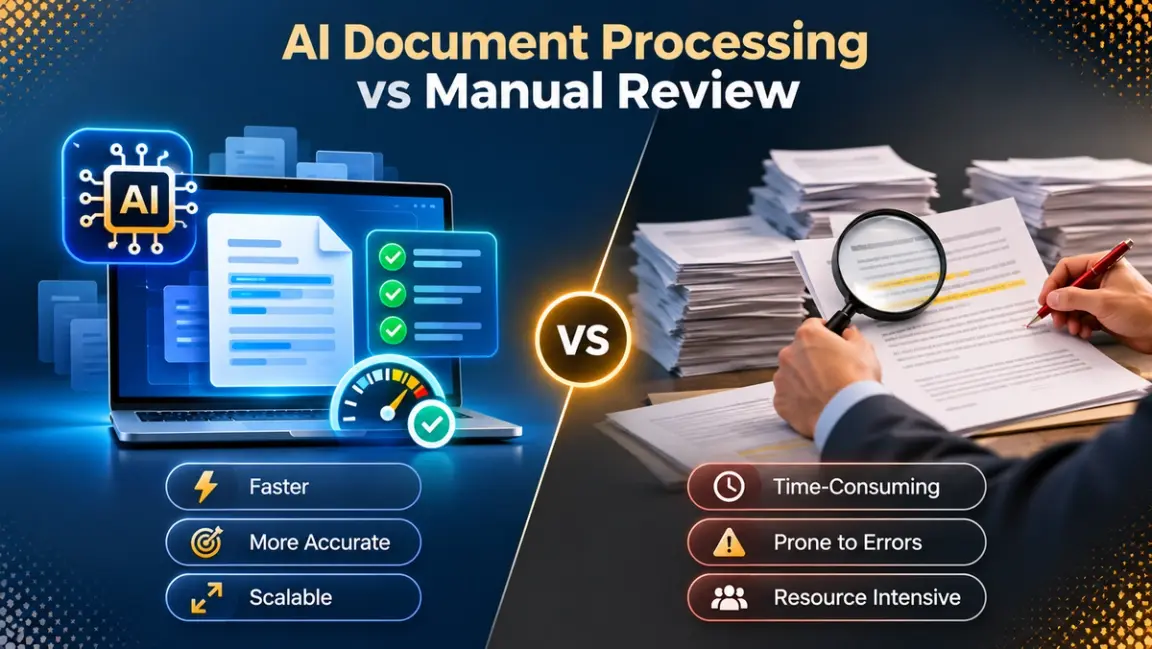
The AI document processing vs manual review comparison usually gets framed as a contest, but the useful question is narrower: which steps need a person, and which only need a person when something looks wrong? Manual review means people read documents and key values into a system. AI document processing means software reads the documents, extracts the fields, and checks them, with people stepping in on exceptions. This guide compares the two on speed, accuracy, cost, and scale, works through a 15,000-page example, describes the hybrid model most teams settle on, and compares six APIs on how much post-processing they leave you. Prices come from vendor pages and should be confirmed before you buy.
What Is AI Document Processing?
AI document processing is software that reads documents and turns them into structured data without a person typing in the values. It takes in PDFs, scans, photos, and emailed attachments, recognizes the text and layout, finds the fields you care about, and returns them in a usable format such as JSON. Most modern services combine OCR, which converts the image into text, with language models that work out what each value means, so an invoice total, a policy number, or a line item comes back as a labeled field and not a block of text.
Many of these services let you define a schema, the list of fields and types you want back, and return output that matches it. Good ones also flag values they are unsure about, so a person checks only those. That makes AI document processing a way to remove routine reading and keying, not a way to remove people entirely. DeepRead's overview of intelligent document workflow automation shows how this fits into a wider process.
What Is Manual Review?
Manual review is the traditional approach, where people read each document and enter or verify its contents themselves. A reviewer opens the document, finds the values that matter, keys them into a system, and checks them against the source. In some teams, a second person repeats the check on a sample or on high-value items. The process needs no special software, which is why it is still common in areas such as accounts payable, and it handles ambiguous, unusual, and damaged documents well because a person can use context and judgment.
The weakness is scale. Effort grows in a straight line with volume, so a busy month means more staff or a longer queue. Accuracy also depends on the reviewer, since fatigue, interruptions, and long batches lead to typos and missed fields. DeepRead's guide to AI document processing for AP automation shows where this strain appears first. In practice, manual review is most valuable not as the default for every document but as the step that handles exceptions, approvals, and anything the software cannot read with confidence.
AI Document Processing vs Manual Review at a Glance
- Speed: AI returns results in seconds per document and runs around the clock. Manual work depends on staffing and shifts.
- Accuracy: manual accuracy drops with fatigue, volume, and poor scans. AI is consistent, but it can misread damaged pages or return a plausible wrong value, so it needs validation.
- Cost: manual cost is mostly labor and scales with volume. AI cost is mostly per-page fees plus review time for exceptions.
- Scale: AI absorbs a sudden jump in volume. Manual teams need hiring and training.
- Consistency: AI applies the same rules to every document. People interpret fields differently.
- Judgment: people are better at ambiguous, unusual, or high-stakes decisions.
- Auditability: AI can log every extraction and attach the source location. Manual work leaves a trail only if someone records it.
- Setup: manual work starts immediately. AI needs a pilot, a schema, and a review process.
Speed and Throughput
A person processes a document at human speed, and the queue grows when volume spikes. AI extraction runs in parallel, so large batches finish much sooner than a team could clear them, limited by the rate limits and page limits of the service you choose. The trade-off is that fast output is only valuable if it is right, which is why speed should be measured as time to a verified result, not time to first output.
Accuracy and Errors
Both approaches make mistakes, but of different kinds. People mistype, skip fields, and tire over long batches. AI reads consistently but can misread a damaged page or return a plausible value that is not in the document, especially when a field is missing.
Measure accuracy at the field level and separately for line items and tables, since a correct total can hide a wrong row. For how to run that test on your own documents, see DeepRead's review of the most reliable data extraction service. Be careful with vendor accuracy claims. They rarely state whether they count fields or documents, whether flagged values count as errors, or whether scoring is strict.
Cost: How to Compare Fairly
Compare cost per finished document, not per page. For manual work that means loaded labor cost for the time to read, key, and check. For AI it means service fees, plus the time people spend on flagged values, plus setup. The billing unit changes the result, and DeepRead's breakdown of per-document vs per-page pricing shows how.
Accounts payable gives one documented benchmark. Ardent Partners' 2019 State of ePayables report, as cited by Corcentric, put best-in-class cost at $2.18 per invoice, against an average of about $10 for the typical company. That is old data and the average comes from the same coverage, so use it only to see the size of the gap and calculate your own numbers.
Worked example, 15,000 pages (illustrative assumptions):
- Manual: at 3 minutes per page for reading, keying, and checking, 15,000 pages take 750 hours. At a loaded cost of $25 an hour, that is $18,750.
- AI with review: at DeepRead's $15 per 1,000 pages for Extract, 15,000 pages cost $225, or $525 at the $35 Deep Extract rate. If 10% of pages (1,500) need 3 minutes of human review, that adds 75 hours, or $1,875. The total is about $2,100 to $2,400.
Replace the 3 minutes, $25 an hour, and 10% review rate with your own numbers. If the review rate is 30% instead, the same example comes to about $5,850, which is why the review rate is the number to watch.
High-Volume Document Processing: 15,000+ Pages
At 15,000 pages and above, the question shifts from whether a service can read a document to how it behaves when thousands arrive at once. A pipeline that works on a 50-page test can stall in production for reasons that have nothing to do with accuracy. These are the checks worth making before you commit.
- Batch and asynchronous processing. Large volumes should run as jobs you submit and collect later, not as blocking calls. Services differ here. AWS Textract, for example, accepts only 1 page per synchronous PDF call but up to 3,000 pages and 500 MB per asynchronous job, and Google Document AI offers batch processing for large files. Confirm that the service you pick has a batch or asynchronous path and what its per-job limits are.
- Rate limits and concurrency. Each API caps requests per minute and sometimes the number of pages processed at once. Divide your expected peak by those caps to see how long a backlog takes to clear, and check whether limits rise on higher plans. DeepRead, for instance, allows 10 requests a minute on its Free plan and 100 on Standard, so the plan you pick changes how fast a large batch can be submitted.
- Plan caps and free tiers. Free tiers are built for testing, not for volume. Some cap monthly pages, as DeepRead's Free plan does at 2,000 pages a month, and some expire, as Textract's does after three months. Work out which plan your volume actually needs before you compare prices.
- Failure handling. At volume, some jobs will fail. Look at whether failed jobs are billed, whether you receive a webhook or can poll for status, and whether retries are safe. Google does not bill failed requests, and DeepRead reserves credits when a job starts and charges only on completion, so a failed job costs nothing. DeepRead also offers webhooks on its Standard and Enterprise plans, which saves polling for results. Policies differ, so read the billing terms of any service you consider.
- Review capacity. If 10% of 15,000 pages are flagged, someone has to clear 1,500 reviews. Plan the review queue with the same care as the pipeline, including who reviews, how fast, and what happens to anything left waiting.
- Cost at volume. Per-page pricing is simple to scale, while credit and workflow-based pricing needs more modeling. At list rates, 15,000 pages cost roughly $225 to $525 at DeepRead, $300 to $600 at Reducto, $150 to $1,050 at Textract depending on the feature, and about $450 at Google's Form Parser rate. These services return different things, so use the figures to see how billing models differ, not as a ranking.
Teams that process shipping paperwork deal with these constraints daily, and DeepRead's overview of AI document processing in logistics shows how document-heavy operations run at volume.
List-rate cost for 15,000 pages (not like for like):
- DeepRead: $225 for Extract, $525 for Deep Extract.
- Reducto: $300 for Extract with parsing included, $600 for Deep Extract.
- Extend: $105 to $750 for extraction depending on mode, plus parsing at $75 to $300.
- AWS Textract: $300 for tables plus queries, $1,050 for forms, tables, and queries, $150 for expense analysis.
- Google Document AI: about $450 at the $30 per 1,000 pages Form Parser rate, and about $21 for Enterprise Document OCR after the free first 1,000.
These services return different things, so treat the list as a view of billing models and not a ranking.
When Manual Review Still Wins
- Ambiguous or unusual documents, where a field could be read two ways and context decides.
- Damaged, handwritten, or very low-quality pages, where even good models are unreliable.
- High-stakes sign-off, such as final approval of a large payment or a legal commitment.
- New document types, where you have not yet defined a schema or learned the failure patterns.
- Low volume, where setup cost outweighs the labor saved.
The point is not to remove people but to spend their time where it matters.
The Hybrid Model: AI Processing With Targeted Review
Most teams end up with AI processing every document and people reviewing only what needs it. Three mechanisms make this work:
- Uncertainty signals. The service marks values it is unsure about so you can route them. Some return confidence scores, and others return review flags with reasons. DeepRead returns a needs_review flag with a stated reason, and does not return a numeric confidence score.
- Validation rules. Your own checks run on every document: totals that add up, required fields present, dates in range, duplicates caught.
- Sampling. A small random sample of unflagged documents is checked regularly, which catches errors the flags miss.
A reviewer should see the flagged value, the reason, and the place on the page it came from. DeepRead returns each field with its page, bounding box, and source text, which makes the check quick.
How to Run Your Own Comparison
- Collect 100 to 200 real documents, including your worst scans and your most important types.
- Define the fields and the schema you need.
- Record the correct values with one person keying and a second checking.
- Run the manual process and two or three AI services on the same sample.
- Score fields and line items separately, counting wrong, missing, and flagged values.
- Measure review load: how many documents reach a person and how long each takes.
- Compute total cost per finished document, including fees, review time, and setup.
- Set decision thresholds in advance, so the result is not argued after the fact.
Common Mistakes to Avoid
- Comparing AI per-page fees with manual cost without counting review time.
- Treating a vendor's accuracy figure as a result on your documents.
- Removing human review entirely instead of narrowing it.
- Skipping validation rules because extraction looks accurate.
- Ignoring failure handling and retries at volume.
- Choosing by headline price without a common unit.
Conclusion
AI document processing beats manual review on speed, scale, and consistency, and manual review beats it on judgment and the hardest documents. The practical answer is a hybrid: let software read every document, validate what it can, and send people only the values it flags or that fail a check. Run a pilot on your own documents, compare cost per finished document, and keep the review rate in view, since it decides whether the savings are real.
Frequently Asked Questions
What is the difference between AI document processing and manual review?
Manual review has people read documents and key the values. AI document processing has software read the documents and extract and validate fields, with people handling exceptions.
Is AI document processing more accurate than manual review?
It depends on the documents and what you measure. AI is consistent and does not tire, but it can misread damaged pages or return a plausible wrong value. Score fields and line items separately on your own sample, and use validation and review to catch errors.
Can AI fully replace manual review?
Rarely. Most teams keep people for uncertain values, high-stakes approvals, and new document types, and let AI handle the routine volume.
How much does it cost to process 15,000 pages?
At list rates, extraction services range from about $225 to $1,050 for 15,000 pages, depending on the service and features; for example, DeepRead at $225 for Extract and Textract at $1,050 for forms, tables, and queries together. Add the cost of human review for flagged values.
Which AI document capture APIs need the least post-processing?
Look for APIs that return typed fields against your schema, a source location for each value, and an uncertainty signal. DeepRead, Reducto, and Extend return schema-based output with citations or flags, while Textract and Google's OCR products usually need more assembly.
What does a human-in-the-loop workflow look like?
The software processes every document, flags uncertain values, runs validation rules, and routes only those items to a reviewer who sees the value, the reason, and its place on the page. A small sample of unflagged documents is checked regularly.
Does DeepRead return confidence scores?
No. DeepRead returns a needs_review flag with a stated reason, plus each field's page, bounding box, and source text.
More articles

Business Card OCR API
Compare business card OCR API and software options: fields returned, accuracy checks, pricing units, limits, privacy, and how to test on your own cards.

LLM OCR Accuracy Leaderboard
An LLM OCR leaderboard guide: current top scores on OmniDocBench, olmOCR-Bench, OCRBench v2, and the IDP Leaderboard, what each measures, and how to read them.