%20{%20:root%20{%20--deepread-stroke:%20%23E5E7EB;%20}%20}%20.dark%20{%20--deepread-stroke:%20%23E5E7EB;%20}%20%3c/style%3e%3crect%20x='40'%20y='30'%20width='220'%20height='260'%20rx='28'%20ry='28'%20stroke='var(--deepread-stroke)'%20stroke-width='16'%20fill='none'/%3e%3cpath%20d='M180%2030v52c0%2010%208%2018%2018%2018h62'%20stroke='var(--deepread-stroke)'%20stroke-width='16'%20fill='none'/%3e%3cline%20x1='70'%20y1='130'%20x2='200'%20y2='130'%20stroke='var(--deepread-stroke)'%20stroke-width='16'%20stroke-linecap='round'/%3e%3cline%20x1='70'%20y1='165'%20x2='200'%20y2='165'%20stroke='var(--deepread-stroke)'%20stroke-width='16'%20stroke-linecap='round'/%3e%3cline%20x1='70'%20y1='200'%20x2='170'%20y2='200'%20stroke='var(--deepread-stroke)'%20stroke-width='16'%20stroke-linecap='round'/%3e%3c!--%20green%20download%20arrow%20in%20bottom%20right%20corner%20--%3e%3cpath%20d='M210%20202v58'%20stroke='var(--deepread-accent)'%20stroke-width='18'%20stroke-linecap='round'/%3e%3cpath%20d='M195%20245l15%2015%2015-15'%20fill='none'%20stroke='var(--deepread-accent)'%20stroke-width='18'%20stroke-linecap='round'%20stroke-linejoin='round'/%3e%3c/svg%3e)
Most Reliable Data Extraction Service: How to Choose, Test, and Compare (2026)
How to pick the most reliable data extraction service: what reliability means, how to test it, and 8 document extraction platforms compared on price and limits.
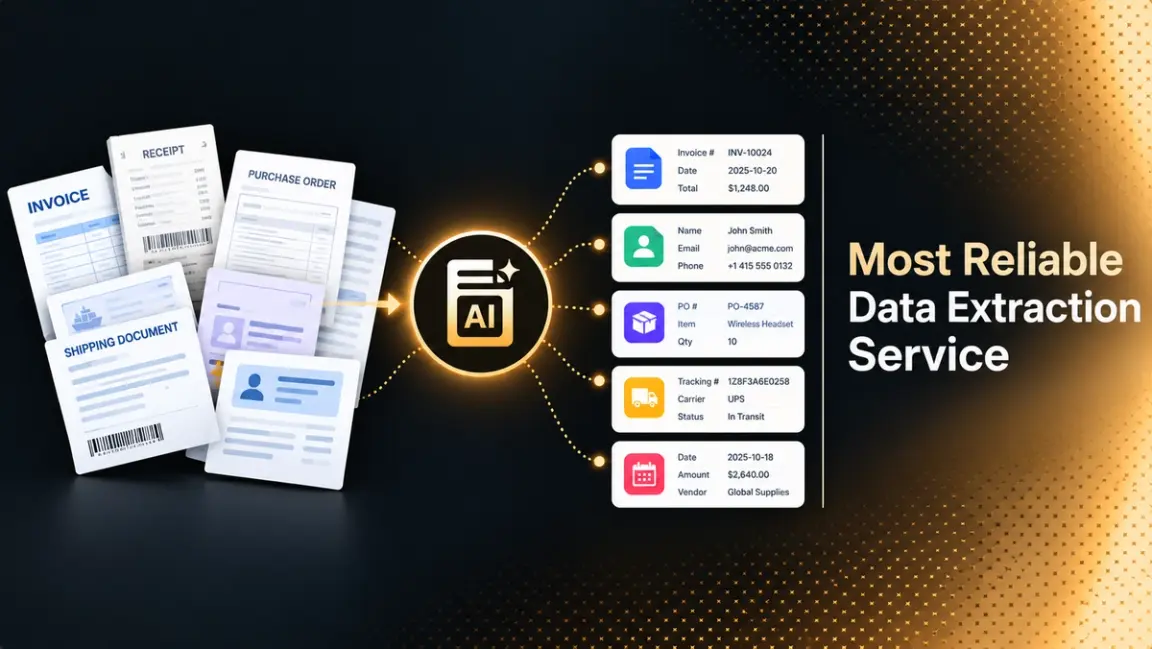
Every data extraction service looks reliable in a demo. The difference shows up in month three, when a new supplier changes its invoice layout, a scanner produces a skewed page, or a long contract runs past a page limit and the pipeline quietly drops fields. Reliability is not a feature on a pricing page. It is how a service behaves on your documents, at your volume, when something goes wrong.
This guide explains what reliability means for a data extraction service, how to measure it before you commit, and what affordable and low-effort really look like once you count review time and engineering. It then compares eight platforms using their own published pricing and limits, and ends with a pilot you can run in a week.
What "Data Extraction Service" Means Here
The phrase covers three different markets, and the top search results mix them.
- Web data extraction. Managed scraping providers collect data from websites and deliver it as files or feeds. Most of the established "best data extraction services" lists you will find are in this category.
- Outsourced data entry. Human teams key data from documents into your systems, sometimes with software assistance.
- Document data extraction. Software reads PDFs, scans, photos, and forms, and returns structured data such as fields, tables, and line items. This is the category with APIs and per-page pricing.
This guide focuses on document data extraction: invoices, forms, statements, contracts, reports, and other files where the data is trapped in a layout. If you need website data, the reliability questions below about testing, support, and exit terms still apply, but the platform comparison does not. For a deeper look at the output side of document extraction, read DeepRead's explainer on structured data extraction.
What Reliable Actually Means
A reliable extraction service does six things consistently.
- It is accurate on your documents. Accuracy on a vendor's benchmark tells you little about your supplier mix, your scan quality, or your table layouts.
- It is consistent. The same document produces the same result tomorrow, and a model update does not silently change your output.
- It knows when it is unsure. Fields it cannot read well are flagged for review instead of returned as confident guesses.
- It fails visibly. Oversized files, unsupported formats, and timeouts return clear errors, and failed jobs do not corrupt your data or your bill.
- It stays available. Uptime, rate limits, and latency hold up at your peak volume.
- It handles data responsibly. Retention, residency, access controls, and compliance documents match your obligations.
The second and third items matter most in practice. A service that is 95% accurate and flags its doubtful 5% is far more useful than one that is 97% accurate and hides its errors, because a silent error reaches your database while a flagged one reaches a reviewer.
Most Reliable Data Extraction Services Compared (2026)
The platforms below cover cloud APIs, developer-focused extraction services, and workflow platforms. Prices come from each vendor's own pages and should be confirmed before you buy. Where a vendor did not publish a figure on the pages reviewed, it is noted.
DeepRead
- What it automates: Turning a document into data you can trust field by field. Extract reads the file into Markdown with layout blocks and bounding boxes and, when you supply a schema, returns your fields as JSON. Deep Extract targets the documents that usually break pipelines, such as scans, photos, and handwriting, by running two OCR engines, reconciling where they disagree, and checking every value in a verification pass.
- Pricing: Two per-page rates on a single API: $15 per 1,000 pages for Extract and $35 for Deep Extract, chosen per request. The Free plan covers 2,000 pages a month without a card, Standard has no monthly page cap, and Enterprise is negotiated. Credits are reserved when a job starts and charged only when it completes, so a failed job is not billed. Up to $1,000 in migration credits is available for teams switching from another processor.
- Limits: Free handles documents up to 50 pages and 15 MB at 10 requests a minute. Standard raises that to 1,000 pages, 50 MB, and 100 requests a minute. Enterprise goes to 2,000 pages and 500 MB and adds retention controls, PII redaction, bring-your-own model keys, EU and AU data residency, and SSO. By default, documents are processed and stored in US East and kept for up to three years on Free and Standard. DeepRead has no self-hosted deployment and no BAA on any plan.
- Best for: Teams for whom reliability means knowing which values to trust. Each field arrives with its location on the page, and anything doubtful is flagged with a reason, so a reviewer checks the exceptions instead of rereading every document.
- Pros: Per-field page, bounding box, and source text, review flags with reasons and a review UI on every plan, a verification pass on Deep Extract, and public per-page rates.
- Cons: Teams that need a BAA or on-premises hosting will have to look elsewhere, and DeepRead stops at extraction, so approvals and downstream steps are yours to build.
AWS Textract
- What it automates: OCR, tables, forms, queries, expense documents, and identity documents through separate APIs on Amazon Web Services.
- Pricing: Pay per page and per feature. In the US West (Oregon) region, AWS lists text detection at $0.0015 per page, tables at $0.015, forms at $0.05, queries at $0.015, expense analysis at $0.01, and ID analysis at $0.025 for the first 100,000 pages, with lower rates at higher volumes. New AWS customers get a limited three-month free tier.
- Limits: Features are priced separately, so combining tables and forms adds up. Page and file limits differ between synchronous and asynchronous calls, so check the current quotas for your document sizes.
- Best for: Teams already on AWS that want managed OCR and form or table extraction.
- Pros: Granular feature pricing, a free tier for testing, and integration with the AWS ecosystem.
- Cons: You assemble schemas, review flows, and validation yourself, and costs rise when several features run on each page.
Google Document AI
- What it automates: Enterprise Document OCR, a Form Parser, a Layout Parser, an invoice parser, and custom extractors.
- Pricing: Google lists Enterprise Document OCR at $1.50 per 1,000 pages with the first 1,000 free, Form Parser and custom extractors at $30 per 1,000 pages, Layout Parser at $10 per 1,000, and the invoice parser at $0.10 per count, where a count covers up to 10 pages. Failed requests are not billed.
- Limits: Online processing accepts files up to 40 MB, and most processors allow 15 pages online, or 30 with imageless mode. Batch processing accepts files up to 1 GB, with up to 5,000 files per request, and per-file page limits vary by processor, such as 200 for the invoice parser and 100 for the Form Parser.
- Best for: Teams on Google Cloud, and companies that need specialized parsers for invoices and similar documents.
- Pros: Published tiered pricing, specialized processors, and no charge for failed requests.
- Cons: Page limits vary by processor, so long documents need batch processing, and you build the review layer.
Mistral OCR
- What it automates: OCR that returns document text, paragraph-level bounding boxes, labeled structural blocks, and a confidence score for each block, with structured annotations and a batch endpoint.
- Pricing: Mistral lists OCR 4.1 at $4 per 1,000 pages, or $5 per 1,000 annotated pages, and OCR 3 at $2 per 1,000 pages.
- Limits: The pricing and model pages reviewed did not state file size, page limits, or data retention terms, so confirm those in the OCR overview and legal pages.
- Best for: Developers who want low-cost OCR with layout information and are comfortable building the extraction logic.
- Pros: Low published per-page price, bounding boxes, and block-level confidence scores.
- Cons: It is a parsing layer first, so field extraction, validation, and review are mostly your work.
Reducto
- What it automates: Parse, Extract against a schema, Split for multi-document files, Classify, and Edit for filling forms.
- Pricing: The Standard plan is pay as you go at $10 per 1,000 pages for Parse, $20 for Extract, $40 for Deep Extract, $20 for Split, and $7.50 for Classify. Standard includes $150 in free usage, and Growth and Enterprise are custom.
- Limits: Growth adds BAA and zero data retention agreements and EU or Australian data residency endpoints, while VPC and on-premises deployment, a custom SLA, and SSO are Enterprise features.
- Best for: AI teams that need parsing and extraction with options for self-hosting.
- Pros: Published tiered pricing, bounding-box citations, SOC 2 and HIPAA compliance stated by the vendor, and a self-hosted option.
- Cons: Its uptime and scale claims are vendor-reported, and Deep Extract at $40 per 1,000 pages is the highest list rate among the schema-based extraction services in this guide.
Extend
- What it automates: Parsing, extraction, splitting, classification, and a document fraud detection API, with workflows, schema tooling, and evals.
- Pricing: Pay as you go includes 10,000 free credits, worth $100, then $0.01 per credit. Parse costs $5 per 1,000 pages in Light mode and $20 in Performance mode. Extract costs $7 in Light, $30 in Performance, and $50 in Operator-1 mode, with parsing billed separately. Growth and Enterprise are custom.
- Limits: Growth adds HIPAA and BAA, and Enterprise adds BYOC or VPC deployment, SSO, and custom SLAs.
- Best for: Teams that want a full document pipeline with evaluation tools and several accuracy and cost modes.
- Pros: Multiple speed and accuracy modes, confidence scoring through a multi-pass review agent, US or EU hosting, and SOC 2, HIPAA, and GDPR compliance stated by the vendor.
- Cons: Cost depends on which mode you choose and on separate parsing charges, so model your own pipeline before comparing it with other services.
LandingAI Agentic Document Extraction
- What it automates: Document parsing and schema-based extraction through its agentic document extraction APIs.
- Pricing: The Explore plan is pay-as-you-go at $0.01 per credit with 1,000 free credits that expire after 90 days. Team starts at $250 per month for 25,000 to 200,000 credits, and Enterprise is custom. A typical business page uses about 1.5 credits with its DPT-3 Pro parsing model on the Standard tier, which is roughly $0.015 per page at list price, and extraction uses about 1.5 credits per typical document.
- Limits: Zero data retention is available only on Team and Enterprise; HIPAA processing needs both zero retention and a signed BAA; and VPC or on-premises deployment, SLAs, and SSO are Enterprise features. The cost depends on page content, so content-heavy pages cost more.
- Best for: Teams that want credit-based pricing with a compliance path for regulated data.
- Pros: Published credit rates, SOC 2 Type II compliance stated by the vendor, and a zero data retention option.
- Cons: Per-page cost varies with content, which makes budgeting harder than a flat per-page rate.
Nanonets
- What it automates: Document workflows rather than a bare extraction call. Files arrive from email, PDFs, scans, EDI, or supplier portals, and the workflow extracts, validates, matches, and codes the data before posting it to systems such as SAP or NetSuite. Items the model is unsure about go to a reviewer along with the supporting documents.
- Pricing: Usage-based, counted in workflow block runs. The free Starter plan comes with $50 in credits and no card, then costs $100 per month for 100 credits. A simple operation runs $0.02, standard AI such as classification or validation runs $0.10, and complex AI such as extraction runs $0.30. Growth is quoted with discounts up to 40%, and Enterprise is custom. Nanonets puts a typical invoice workflow at under $2 per document.
- Limits: Starter caps you at 3 users with community support. Classification, generative AI blocks, and ERP integrations start on Growth. SSO, SOC 2 and HIPAA compliance, private cloud or on-premises hosting, and data residency sit on Enterprise.
- Best for: Teams whose reliability problem is the process around extraction, such as matching, exceptions, and posting, and who would rather configure than code.
- Pros: Review routing is part of the product, intake covers many channels, and the per-run rates are public.
- Cons: Because you pay per workflow step, the price per document moves with how many steps you build, so it takes a worked example to compare with a flat per-page rate.
Quick Comparison
- Lowest-cost text recognition: Google Enterprise Document OCR and Mistral OCR.
- Already on a major cloud: AWS Textract on AWS, Google Document AI on Google Cloud.
- Schema-based extraction with citations and review flags: DeepRead, Reducto, and Extend.
- Self-hosting or a BAA required: Reducto, Extend, and LandingAI list these options on their Growth or Enterprise tiers, and DeepRead does not offer them.
- Extraction plus workflow and ERP posting: Nanonets.
- Most predictable budgeting: Services with flat per-page rates, such as DeepRead and Reducto, are easier to forecast than credit or block-based pricing.
How to Measure Reliability Before You Buy
Run the same sample through every service you are considering and score the results yourself.
- Build a representative set. Use 100 to 200 real documents, including the worst 10%: skewed scans, photos, stamped or handwritten pages, and unusual layouts.
- Define the fields. Decide which fields you must have, and which tables or line items matter.
- Create ground truth. Have someone on your team record the correct values once.
- Score at the field level. Count wrong, missing, and flagged values separately. Score tables and line items apart from header fields, since a correct total can hide a wrong row.
- Measure what reaches a person. The share of documents that can pass straight through is often a better reliability number than raw accuracy.
- Repeat the run. Send the same documents again a few days later to check consistency.
Teams moving from a pilot to production volume will find the next steps in DeepRead's guide to scaling unstructured document processing.
Why Vendor Accuracy Numbers Need Context
Most accuracy figures in this market are vendor-reported. Extend says it scores 95.7% on a benchmark it calls RealDoc-Bench, and Reducto states 99.9% or better uptime on its own site. These may be true for the conditions measured, but neither is an independent test of your documents. Ask what was measured, on how many documents, whether scoring was exact or lenient, and whether flagged items counted as errors.
Confidence, Review Flags, and Human Review
How a service handles uncertainty is a better reliability signal than its headline accuracy. Look for these capabilities.
- Flags with reasons. A flag that says a value is ambiguous or missing is actionable. A bare low-confidence marker is less so.
- Locations and citations. If the response shows where each value came from on the page, a reviewer can confirm it in seconds.
- A review interface or webhooks. You need a way to send flagged items to a person and bring the corrected result back.
- Validation hooks. Arithmetic checks, required fields, and format rules catch errors a model will not.
Mistral OCR 4.1, for example, returns bounding boxes and a confidence score for each block, according to Mistral's documentation. Extend describes a multi-pass review agent that flags potential output errors. DeepRead returns review flags with reasons and field locations on every plan. Compare how each one exposes uncertainty and how easily you can build a review step around it.
Security, Compliance, and Data Handling
Reliability includes trust. Before sending real documents to any service, get answers to these questions in writing.
- Where are documents processed and stored, and can you choose a region?
- How long are documents retained by default, and can retention be shortened or turned off?
- Is the service SOC 2 audited, and can it share the report?
- Does it sign a business associate agreement (BAA) if you handle health data?
- Can it be deployed in your own cloud account or on premises?
- Are your documents used to train models?
- What are the uptime commitments and support response times in the contract?
Answers differ widely. Extend and Reducto state SOC 2 and HIPAA compliance, and LandingAI states SOC 2 Type II compliance with zero data retention available on its Team and Enterprise plans. DeepRead processes and stores data in US East by default, has no self-hosted option, and does not offer a BAA on any plan, so teams that need a BAA should choose a different vendor. Enterprise buyers who need EU or Australian residency can ask DeepRead about its Enterprise plan.
Affordable and Effortless: What They Really Mean
Cheap per page is not the same as affordable. Total cost includes four things.
- Usage fees: the per-page, per-credit, or per-request price, and which features cost extra.
- Review time: every document a person must check costs staff time, so a slightly cheaper but less accurate service can cost more overall.
- Engineering time: building schemas, error handling, retries, and integrations.
- Minimums and contracts: monthly platform fees, annual commitments, and seat charges.
Effortless is similarly measurable. Count how long it takes to get a first correct result, whether you can define fields in plain language or must train a model, whether the service handles format changes without retraining, and whether it includes the review tools you would otherwise build.
What Published Prices Look Like
List prices vary by an order of magnitude depending on what is included, so compare like with like. These are vendor-published prices at the time of review.
- Basic text recognition (OCR only): Mistral OCR 4.1 lists $4 per 1,000 pages, and Google's Enterprise Document OCR lists $1.50 per 1,000 pages after a free first 1,000.
- Tables and forms: AWS Textract prices features separately, from about $15 per 1,000 pages for tables to $50 per 1,000 for forms. Google's Form Parser lists $30 per 1,000 pages.
- Parse plus schema-based extraction: DeepRead lists $15 per 1,000 pages for Extract and $35 for Deep Extract. Reducto lists $20 for Extract and $40 for Deep Extract, and Extend lists $7 to $50 for extraction depending on mode, with parsing billed separately.
Note the difference in what each price buys. A low OCR price returns text that you still have to turn into fields, while a higher extraction price returns structured data.
Managed Service, API, or Software: Which Route Fits
- Managed or outsourced services take on the work, including review, and suit teams with little engineering capacity. They usually cost more per document and offer less transparency.
- Extraction APIs return structured data from a single call and suit teams building the extraction into their own product or workflow. You control the pipeline and carry the integration work.
- No-code and workflow platforms add forms, approvals, and integrations around extraction. They suit operations teams that want a finished process.
- Open-source engines such as Tesseract cost nothing to license but leave field extraction, tables, and validation to you.
If extraction is one step in a larger back-office process, DeepRead's overview of intelligent document workflow automation shows how the pieces connect.
Red Flags When Choosing a Service
- Accuracy claims with no description of the test set.
- No way to see why a value was flagged, or where it came from on the page.
- No free tier, trial, or sample run on your own documents.
- Pricing that hides add-ons, such as separate parsing, per-feature, or per-seat charges.
- Vague answers on data retention, training on your documents, or deletion.
- No clear policy on failed jobs, oversized files, and errors.
- Weak exit terms, such as no way to export your schemas and configuration.
How to Run a Pilot
- Pick one document type. Start with the type that causes the most manual work.
- Build the sample. Collect 100 to 200 real documents, including your worst scans.
- Create ground truth. Record the correct values once, with a second person checking.
- Run two or three services. Use each one's free tier or trial where available.
- Score fields and tables separately. Count wrong, missing, and flagged values.
- Measure review load. Record how many documents need a person and how long each takes.
- Test the edge cases. Try oversized files, bad scans, and a changed layout.
- Compare total cost. Add usage fees, review time, and engineering effort at your expected volume.
- Decide by threshold. Set accuracy and pass-through targets before you see the results.
After launch, track results continuously. DeepRead's guide to metrics to measure the ROI of document workflow automation lists the numbers worth watching.
Conclusion
The most reliable data extraction service is not the one with the highest published accuracy. It is the one that performs well on your documents, flags what it cannot read, fails visibly, and handles your data the way your policies require. Test two or three services on a real sample, compare total cost rather than per-page price, and confirm security terms before you send production documents.
Frequently Asked Questions
What is the most reliable data extraction service?
There is no single answer, because reliability depends on your documents, volume, and compliance needs. The most reliable choice is the service that scores best on a pilot with your own documents, flags uncertain values, and meets your security requirements.
What is a data extraction service?
It is a service that pulls structured data out of unstructured sources. For documents, that means reading PDFs, scans, and images and returning fields, tables, and line items. For websites, it means collecting data from web pages.
How do I measure the reliability of a data extraction service?
Run 100 to 200 real documents through each service, compare the results with verified answers at the field level, count flagged values separately, and repeat the run later to check consistency.
What makes a data extraction service affordable?
The lowest total cost, not the lowest per-page price. Add usage fees, the review time for flagged documents, engineering effort, and any minimums or seat charges.
What does effortless data extraction mean in practice?
A quick first result, field definitions in plain language or a schema instead of model training, tolerance for layout changes, and built-in review tools, so you write less glue code.
Is OCR the same as data extraction?
No. OCR converts an image to text. Data extraction identifies which text is which field and returns it in a structured format such as JSON.
Should I use an API or a managed service?
Use an API if you have engineers and want control, and a managed or workflow platform if you want a finished process with less engineering.
Do I need a BAA for data extraction?
If the documents contain protected health information, yes. Reducto, Extend, and LandingAI list BAA options on higher tiers, while DeepRead does not offer a BAA on any plan.
How much does document data extraction cost?
Published prices range from about $1.50 per 1,000 pages for basic OCR to $15 to $50 per 1,000 pages for extraction, depending on the service and the features used. DeepRead lists $15 per 1,000 pages for Extract and $35 for Deep Extract, after a free 2,000 pages a month.
More articles
AI Document Extraction Platform for Insurance Underwriting: Aggregation, Platforms, and What to Test (2026)
Compare AI document extraction and aggregation platforms for insurance underwriting: ACORDs, SOVs, loss runs, P&L, policies, accuracy claims, and what to test.
AI Document Processing for AP Automation: How It Works, Platforms Compared, and How to Choose (2026)
See how AI document processing works in AP automation, from invoice capture to validation and approvals, with 8 platforms compared on price and limits.