%20{%20:root%20{%20--deepread-stroke:%20%23E5E7EB;%20}%20}%20.dark%20{%20--deepread-stroke:%20%23E5E7EB;%20}%20%3c/style%3e%3crect%20x='40'%20y='30'%20width='220'%20height='260'%20rx='28'%20ry='28'%20stroke='var(--deepread-stroke)'%20stroke-width='16'%20fill='none'/%3e%3cpath%20d='M180%2030v52c0%2010%208%2018%2018%2018h62'%20stroke='var(--deepread-stroke)'%20stroke-width='16'%20fill='none'/%3e%3cline%20x1='70'%20y1='130'%20x2='200'%20y2='130'%20stroke='var(--deepread-stroke)'%20stroke-width='16'%20stroke-linecap='round'/%3e%3cline%20x1='70'%20y1='165'%20x2='200'%20y2='165'%20stroke='var(--deepread-stroke)'%20stroke-width='16'%20stroke-linecap='round'/%3e%3cline%20x1='70'%20y1='200'%20x2='170'%20y2='200'%20stroke='var(--deepread-stroke)'%20stroke-width='16'%20stroke-linecap='round'/%3e%3c!--%20green%20download%20arrow%20in%20bottom%20right%20corner%20--%3e%3cpath%20d='M210%20202v58'%20stroke='var(--deepread-accent)'%20stroke-width='18'%20stroke-linecap='round'/%3e%3cpath%20d='M195%20245l15%2015%2015-15'%20fill='none'%20stroke='var(--deepread-accent)'%20stroke-width='18'%20stroke-linecap='round'%20stroke-linejoin='round'/%3e%3c/svg%3e)
AI Document Processing in Logistics: Platforms, Delay Reduction, and How to Implement It (2026)
How AI document processing works in logistics: BOLs, PODs, rate confirmations, customs, delay reduction, nine platforms compared, and how to run a pilot.
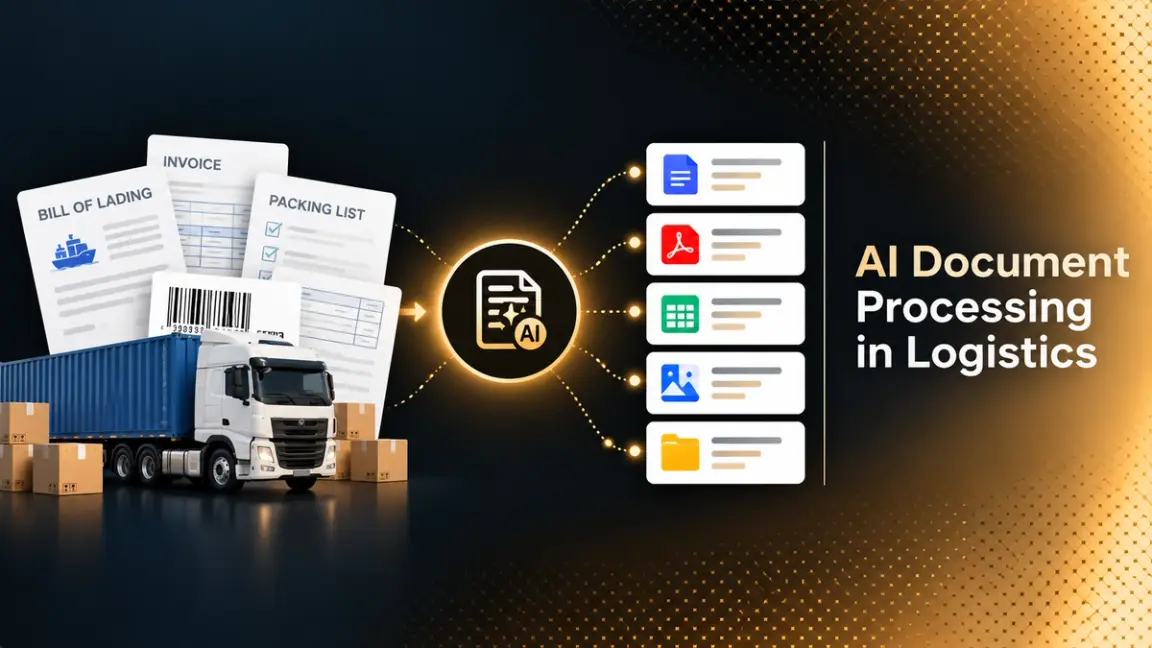
A single load can generate a stack of paperwork: a rate confirmation, a bill of lading (BOL), a proof of delivery (POD), a carrier invoice, and sometimes lumper receipts or scale tickets. International shipments add commercial invoices, packing lists, air waybills, and customs declarations. Each document comes from a different party in a different format, and someone has to read it, key the data into a transportation management system (TMS), and match it to the right shipment before anyone gets paid or cleared.
AI document processing in logistics automates that reading, checking, and matching. It captures documents from email, portals, and mobile uploads, extracts the fields, validates them, flags exceptions, and sends clean data to the TMS, ERP, or customs system. This guide covers the documents involved, how AI affects shipping delays (and the limits of that effect), nine named platforms, and how organizations implement it without disrupting live operations. How extraction turns a document into structured fields is covered in structured data extraction.
Who This Is For
- Freight brokers, 3PLs, and carriers evaluating software that automates document OCR for BOLs, PODs, rate confirmations, and carrier invoices.
- Freight forwarders and customs teams handling commercial invoices, packing lists, and declarations.
- Operations and finance leaders who need a business case for reducing manual paperwork.
- Engineering teams building document capture into a TMS or logistics platform.
Why Logistics Documents Are Hard
Logistics paperwork is difficult for reasons that go beyond OCR accuracy.
- Many senders, no standard layout. Every carrier, shipper, and customs broker produces its own format. A BOL from one carrier looks nothing like another's.
- Poor image quality. PODs are often photographs taken in a truck cab, signed on paper, and uploaded from a phone. Faxed and scanned pages are still common.
- Bundled files. A single PDF may contain a BOL, a POD, and an invoice that need to be separated before any of them can be read.
- Handwriting and signatures. Delivery notes carry handwritten details, and a signature or stamp can decide whether a delivery counts as complete.
- Matching, not just reading. A BOL number, PRO number, or load ID has to link each document to the right shipment, rate agreement, and invoice.
- Multiple languages and regimes. International shipments carry documents in several languages and customs rules that differ by country.
Manual handling remains a widespread problem. A 2025 Deep Analysis study of more than 300 North American transportation and logistics leaders, sponsored by Hyperscience and CSCMP, found that 82% said manual document processing remains a significant hurdle. Hyperscience sells document processing software, so read the survey as vendor-sponsored. Paper is also slow to disappear: DCSA data reported by Breakbulk put electronic bill of lading adoption at 11% in mid-2025, with nine major ocean carriers committed to 100% electronic bills by 2030.
Platforms Compared
Descriptions below reflect each vendor's own pages, checked in October 2026. Most vendors in this category do not publish pricing, and performance figures are vendor-stated unless noted. Confirm current capabilities and terms directly before committing.
Freight Broker and Carrier Software
Transflo
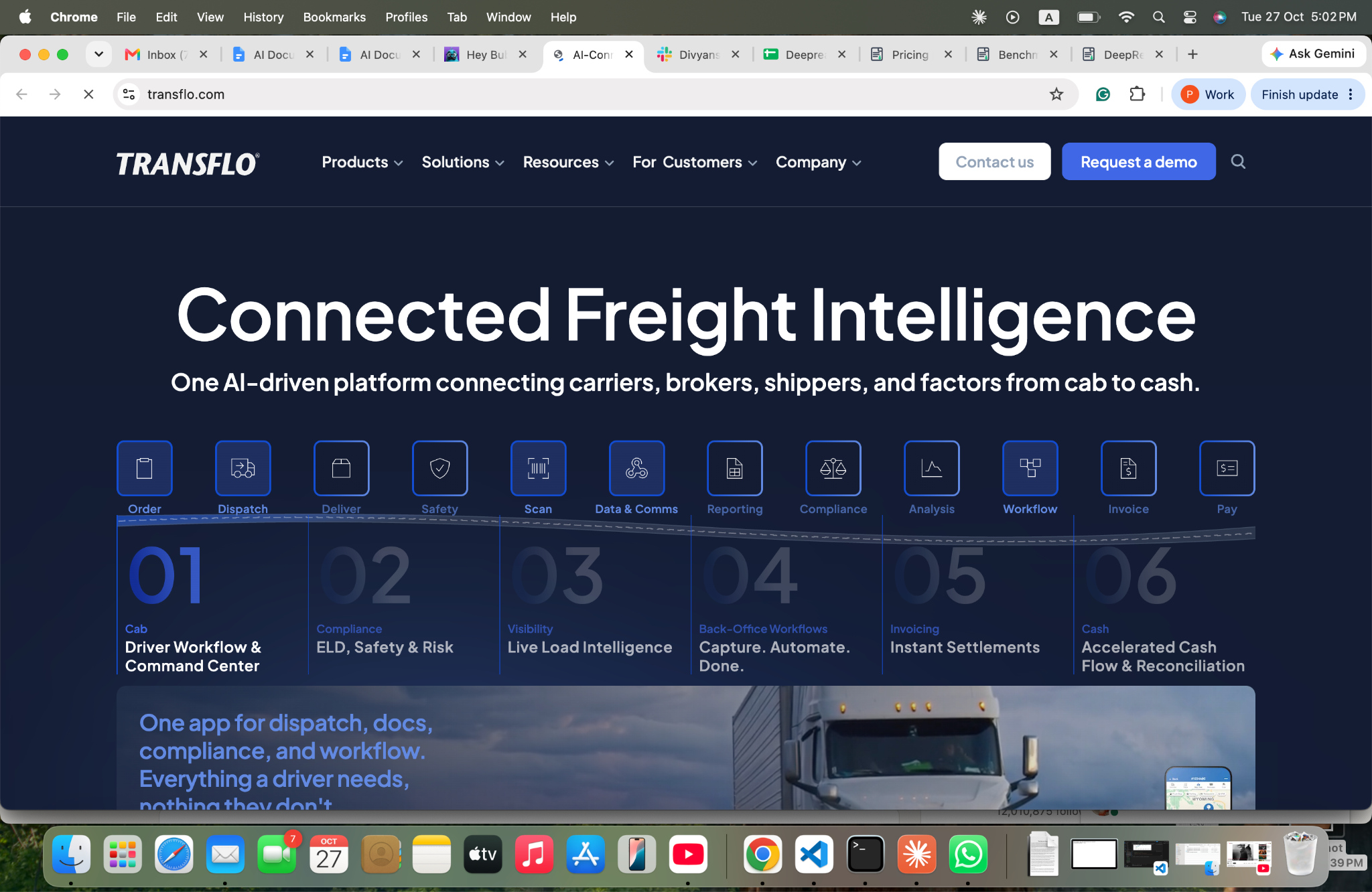
- What it automates: Workflow AI extracts data from invoices, BOLs, PODs, and other documents and loads it into back-office systems. It ingests documents from email, mobile apps, portals, and truckstop kiosks, and can retrieve missing PODs. It flags discrepancies against rules, notifies carriers, supports configurable audit rules, and flags possible double brokering and rate confirmation changes.
- Pricing: Not published; demo request.
- Limits: Its figures (75% to 80% automation, 95% to 98% accuracy) are stated with comparisons to unnamed competitors and no method. The page names no specific TMS integrations and no certifications.
- Best for: Freight brokers with high carrier paperwork volume who want exception handling and fraud flags alongside extraction.
- Pros: Covers capture, exceptions, audit rules, and carrier follow-up in one product, with open APIs to TMS and ERP systems.
- Cons: No public pricing, and accuracy claims cannot be checked without a pilot.
Bubba

- What it automates: Rate confirmations. It ingests PDFs by email, webhook, cloud storage, or upload, and extracts the load ID, line-haul rate, fuel surcharge, accessorials, total rate, pickup and delivery windows, and equipment type. It checks the total rate and schedule against the TMS booking and the driver's hours of service, writes clean matches back to the TMS, and flags mismatches for a dispatcher.
- Pricing: Not listed; free trial or demo.
- Limits: Multi-table parsing and handwriting recognition are still in beta on its page. The "under 45 seconds" processing time is vendor-stated, and it states support for SOC 2 Type II and HIPAA standards rather than naming certifications.
- Best for: Brokers and carriers whose bottleneck is checking rate confirmations against bookings.
- Pros: Validates against the TMS before write-back, and names McLeod as a TMS example.
- Cons: Narrow focus on rate confirmations, so BOLs, PODs, and invoices need other tools.
Vektor BillIQ
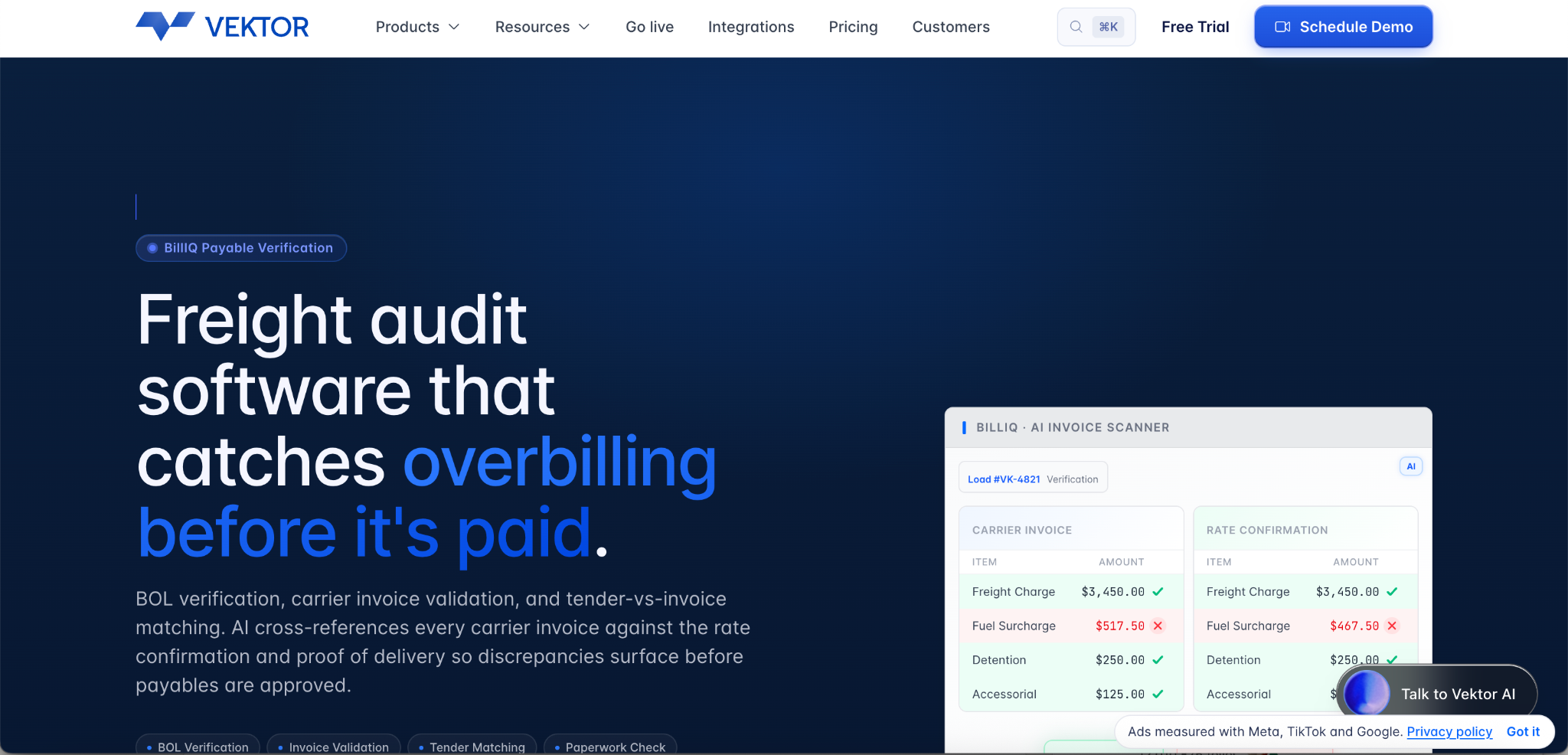
- What it automates: Freight audit and payment for brokers. It checks carrier invoices against the rate confirmation and POD before payables are approved, extracts BOL fields and matches them by PRO or reference number, checks paperwork completeness against configurable checklists, and compares tender rates with invoices using tolerance thresholds. Documents handled include carrier invoices, rate confirmations, PODs, BOLs, lumper receipts, scale tickets, and accessorial authorizations.
- Pricing: Not on the product page; a separate pricing page and demo are offered.
- Limits: The page gives no hours-saved or match-rate values, and it does not say whether BillIQ can be used without Vektor's TMS.
- Best for: Brokers that want invoice audit and document checks tied to their payables process.
- Pros: Flags discrepancies line by line and covers missing-document alerts to carriers.
- Cons: It is part of a TMS vendor's product line, so fit depends on your TMS.
IDP Platforms and Customs Specialists
Parseur
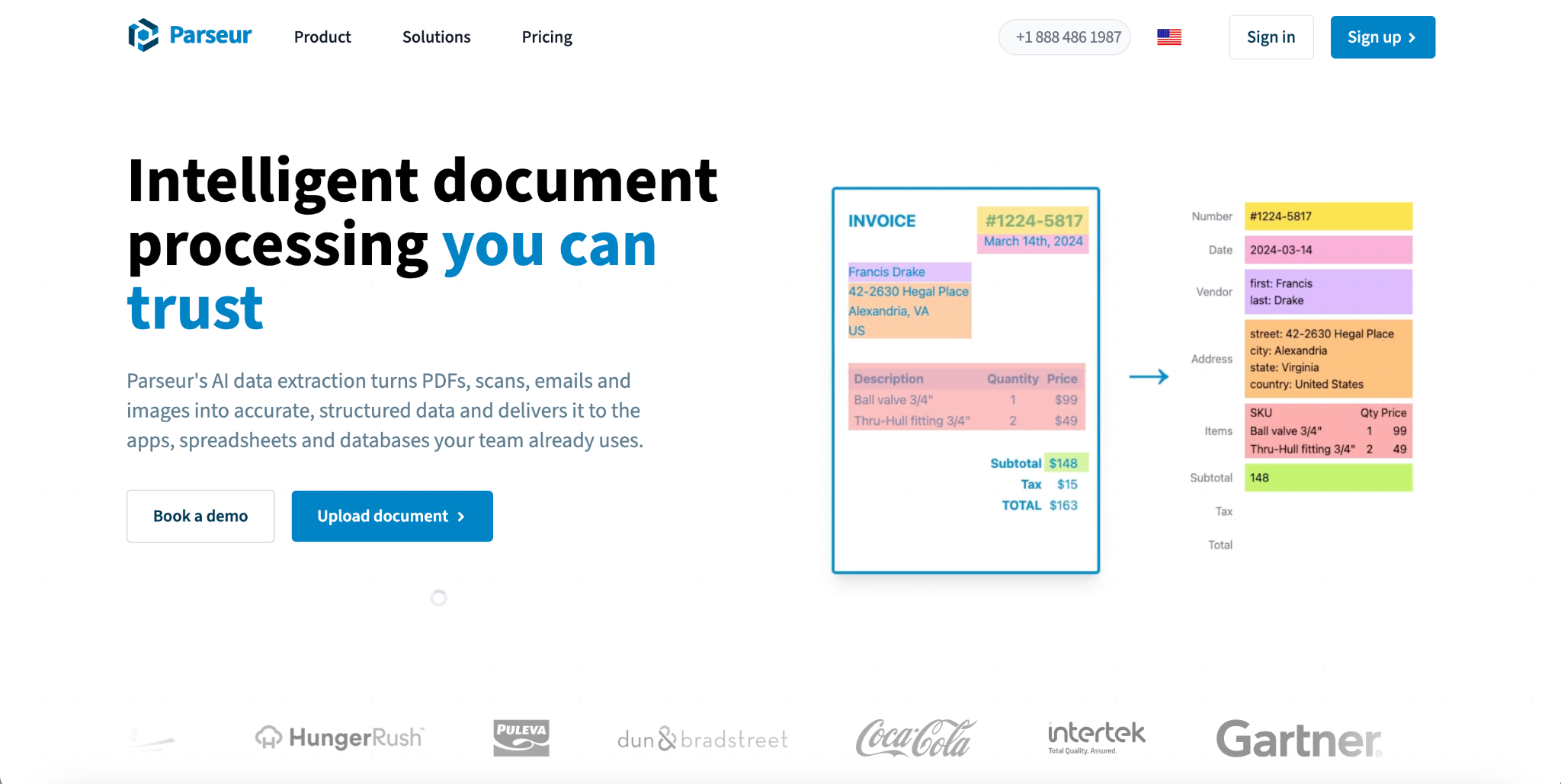
- What it automates: A self-serve document processing platform. Its freight guide covers BOLs, PODs, rate confirmations, carrier invoices, delivery notes, commercial invoices and packing lists, and customs declarations. It splits bundled PDFs and extracts load, PRO, and BOL numbers.
- Pricing: "Free to start with, then pay as you grow," with plans based on monthly page volume; specific prices are not on the page.
- Limits: Its own comparison states that it does not provide per-field confidence scores. It names no specific TMS and lists API, webhooks, file exports, and Zapier, Make, Power Automate, and n8n connections. Its benchmark results (200 of 200 fields) are vendor-reported.
- Best for: Brokers, carriers, and shippers who receive documents from many senders and want to configure extraction without developers.
- Pros: Quick to start, with a free entry point and broad no-code connectors.
- Cons: No per-field confidence scores, so review routing depends on your own rules.
Affinda
- What it automates: Logistics documents including bills of lading, air waybills, customs declarations, certificates of origin, commercial invoices, manifests, delivery dockets, PODs, and packing lists. It splits mixed shipment packs, applies validation rules written in natural language, separates clean files from exceptions in review queues, and recognises handwriting and signatures.
- Pricing: Billed by pages processed, with no seats or feature tiers; per-page rates are not listed and a free trial is offered.
- Limits: Its figures (1 billion documents processed, 95% reduction in manual processing, Northline's 82% straight-through rate) are vendor-reported without methods.
- Best for: Teams that want one platform for mixed document packs, validation rules, and review queues.
- Pros: Lists SOC 2 and ISO 27001:2022 on its site, and offers an agent, an API, and an AI connector for integration.
- Cons: Integrations to a specific TMS need to be confirmed, and per-page pricing requires a quote.
Novacap
- What it automates: An AI document processing platform from NOVADOC ECM B.V. (Utrecht, the Netherlands), built on the AIDocBuilder engine and offered as SaaS. It handles invoices, logistics manifests, customs forms, purchase orders, bills of lading, transport orders, and customs declarations. It classifies documents, extracts fields, line items, and tables, and outputs JSON to ERPs, CRMs, and supply chain systems, with audit trails and version logs.
- Pricing: Not stated; demo booking.
- Limits: Its figures (100,000-plus documents a month, $3 million in annual savings, 7 minutes to 3 seconds per document) are vendor-stated without methodology. The site names no customers and lists no certifications.
- Best for: Logistics and trade teams that need local, hybrid, or cloud deployment, including OpenShift Kubernetes, and a modular API into ERP and ECM systems.
- Pros: Flexible deployment options and a stated focus on supply chain, freight, and customs documents.
- Cons: Few public details on accuracy, integrations by name, or pricing.
ABBYY Vantage
- What it automates: Pre-trained document skills in its marketplace, including bill of lading, delivery note, commercial invoice, packing list, and air waybill. The bill of lading skill extracts the BOL number and date, PO number, shipper, carrier, consignee, shipment ID and date, terms, ports of entry and exit, and hazardous material information.
- Pricing: The skill is listed as paid, with no price shown.
- Limits: Line items are not yet trained in the bill of lading skill, and the page gives no accuracy metrics. Enterprise rollouts take planning.
- Best for: Large forwarders and 3PLs that want pre-trained skills for standard shipping documents and optional human-in-the-loop review.
- Pros: Fully trained skills that do not require training on your own documents, per the listing, with continuous learning from review feedback.
- Cons: Enterprise scope and cost, and line-item extraction needs another route.
iCustoms

- What it automates: Trade compliance for customs declarations. Its document processing extracts, validates, and verifies trade documents, and it adds HS/HTS code classification (32-plus countries) and filing products for the UK, Ireland, and EU, including ICS2.
- Pricing: Not listed; registration or demo.
- Limits: Its figures (99% accuracy, 30 minutes to 3 minutes, ICS2 declarations in under 90 seconds) are vendor claims. It lists no formal certifications, and its page focuses on UK, Irish, and EU filings.
- Best for: Customs agents and forwarders preparing declarations in the UK and EU.
- Pros: Combines extraction, tariff classification, and filing in one platform.
- Cons: Customs-specific, so freight billing and POD workflows need other tools.
General-Purpose Extraction API
DeepRead
What it automates: A schema-driven extraction API. You define the fields for each document type, such as BOL number, shipper, consignee, rate, and delivery date, and it returns structured JSON. Each field comes with its page, bounding box, and source text, and uncertain values come back marked needs_review with a reason. There are two products on one API key: Extract (the document as Markdown with layout blocks and bounding boxes, plus your fields as JSON) and Deep Extract (two OCR engines, adjudicated disagreements, and a verification pass, aimed at scans, photos, and handwriting, which fits phone-photographed PODs).
- Pricing: Free for 2,000 pages a month with no card, up to 50 pages per document and 15 MB per file, with both products included. Standard is pay per page with no monthly page limit, at $15 per 1,000 pages for Extract and $35 for Deep Extract, with documents up to 1,000 pages, webhooks, and no charge for a failed job. Enterprise is custom, adding documents up to 2,000 pages, retention controls, incognito processing, PII redaction, bring-your-own model keys, EU and AU data residency, SSO and SAML, and a custom SLA and MSA.
- Limits: It is not freight-specific, so TMS integrations, shipment matching, audit rules, and customs filing are yours to build. Its published benchmark is run by DeepRead itself and covers DocILE business documents, UK charity annual reports, and long PDFs with large tables, not logistics documents.
Deep Extract averages 92.0% and Extract 91.1% there, against 89.9% for Extend Operator, with 2,614 pages per system. DocILE, which covers invoices and orders, is the closest match, and there Deep Extract scores 85.8% against 77.8% for Extend Operator. DeepRead reports $15 per 1,000 pages for Extract against $88 for Extend Operator, which it describes as 5.9x cheaper than the system ranked third on accuracy. DeepRead says processing and storage run in the US (US East) by default with no self-hosted option, and that Free and Standard keep documents for up to 3 years by default under its privacy policy, while Enterprise can set retention from 1 to 365 days or use incognito processing. It holds no ISO 27001 certification.
- Best for: Logistics software teams and 3PL engineering groups building document capture into their own TMS or platform, who want source citations, review flags, and transparent per-page pricing.
- Pros: Published pricing and a free tier for testing on your own documents, field-level citations, review flags with reasons, and new document types defined by naming the fields instead of training a model.
- Cons: No logistics workflow, so matching and integrations are your build, and its benchmark does not include shipping documents.
Quick Comparison
- Broker paperwork, PODs, and carrier payments: Transflo, Vektor BillIQ, and Bubba focus on this workflow. Test them on your own TMS and carrier mix.
- Mixed document packs and no-code setup: Parseur and Affinda handle many document types, with Affinda offering validation rules and review queues.
- Pre-trained shipping document skills at enterprise scale: ABBYY Vantage.
- Customs declarations in the UK and EU: iCustoms.
- Flexible deployment and a modular API: Novacap.
- An extraction API to build on: DeepRead offers published pricing from $15 per 1,000 pages, a free tier of 2,000 pages a month, and source citations with review flags, with the logistics workflow left to you.
The Documents That Move Through a Shipment
Bills of Lading
The BOL is the contract of carriage and the receipt for the goods. Fields that matter include the BOL number and date, shipper, consignee, carrier, shipment ID, ports of entry and exit, commodity details, terms, and hazardous material information. Signature checks matter for freight audit.
Proofs of Delivery
A POD confirms that the consignee received the freight. It is often a photograph or scan of a signed paper form. Carriers cannot bill, and brokers cannot close out loads, until the POD is in hand, so late or missing PODs delay cash.
Rate Confirmations
A rate confirmation records the agreed price and terms for a load: line-haul rate, fuel surcharge, accessorials, pickup and delivery windows, and equipment type. Checking it against the TMS booking catches errors before the load moves.
Carrier Invoices and Supporting Receipts
Carrier invoices have to be matched against the rate confirmation and the POD before payment. Lumper receipts, scale tickets, and accessorial authorizations support extra charges and need the same checks.
Customs and International Documents
Commercial invoices, packing lists, air waybills, certificates of origin, manifests, CMR consignment notes for road freight, dangerous goods declarations, and customs declarations feed clearance. Errors in values, descriptions, or tariff codes can trigger fines or holds. Scanned and degraded documents are where OCR and LLM-based approaches diverge most, as compared in LLMs vs OCR software.
Contracts and Compliance Documents
Carrier agreements, certificates of insurance, and safety or compliance certifications are documents too. Extraction can capture rates, terms, and expiry dates so that renewals and inspections do not depend on someone remembering to check a folder.
OCR, IDP, and Why the Difference Matters in Logistics
Optical character recognition (OCR) reads text from an image. It does not know whether a number is a BOL number or a weight, whether two pages belong to the same document, or whether an invoice matches a rate confirmation. Intelligent document processing (IDP) adds the layers around OCR: classification, field extraction, validation against business rules, exception routing, and delivery to a TMS, WMS, or ERP. In logistics, where the same shipment generates documents from many parties, those added layers do most of the work.
How AI Document Processing Works in a Logistics Workflow
A pipeline that works in production usually follows these steps:
- Capture. Collect documents from email, carrier portals, mobile apps, EDI, and uploads.
- Classify and split. Identify each document type and separate bundled files.
- Extract. Pull the fields defined for each document type, such as load, PRO, and BOL numbers, rates, dates, and parties.
- Validate. Check arithmetic and logic: invoice totals against line items, dates against shipment windows, and rates against the agreed tender.
- Match. Link each document to its shipment, rate confirmation, and invoice using identifiers.
- Route exceptions. Send missing, low-confidence, or conflicting items to a person with the reason attached.
- Hand off. Write clean data to the TMS, ERP, accounting system, or customs filing.
- Monitor. Track exception rates, turnaround time, and per-document-type accuracy.
The same shape is described in intelligent document workflow automation. Step 5 is where logistics differs most from other industries, because paperwork has little value until it is tied to a load.
How AI Reduces Shipping Delays, and Where It Does Not
AI document processing shortens the paperwork part of the shipment timeline. It works in four ways:
- Faster data entry. Extraction replaces keying, which shortens the time between a document arriving and being usable. ABBYY cites an e-book in which a global 3PL found that 28% of its total customs clearance time went to manually entering and validating commercial invoice data.
- Errors caught before filing. Validation flags missing fields, mismatched values, and incomplete document sets before a declaration or invoice is submitted, which avoids holds and corrections.
- Faster billing and payment. Automatically matching PODs to invoices and rate confirmations shortens the time from delivery to payable or billable.
- Exception-only handling. Staff work on the documents the system cannot resolve rather than every document.
Vendor-reported results illustrate the range. iCustoms describes an anonymous mid-sized freight forwarder that cut customs clearance time by 50% during a four-week pilot. Affinda reports that logistics customer Northline processes 120,000 proof-of-delivery documents a year and straight-through processed 82% in its first weeks. These figures come from the vendors, name no baseline method, and in the iCustoms case do not identify the customer.
Documents are also only one cause of delay. Carrier capacity, port congestion, inspections, and weather affect transit time regardless of how fast paperwork moves. AI shortens the administrative lag around a shipment, not the physical journey, so measure the delay you are targeting before you automate.
How Organizations Implement AI to Streamline Document-Heavy Processes
Successful rollouts tend to follow a similar pattern. For logistics, the practical sequence is:
- Pick one document type and one workflow, such as PODs to invoice matching or rate confirmation checks, where delay and volume are both high.
- Baseline the current process: documents per month, minutes per document, error rate, and days from delivery to invoice.
- Run a pilot on real documents, including the worst: phone photos, faxed pages, and handwritten delivery notes.
- Set review rules: which exceptions go to people, with what information, and how quickly.
- Integrate with the TMS or ERP, and test write-back on a small set of loads before scaling.
- Expand to the next document type, and track the same metrics. The formulas for the business case are in metrics to measure the ROI of document workflow automation.
The common obstacles are inconsistent source documents, integrations that take longer than the extraction, and review queues that are not staffed. Plan for all three before launch.
Build, Buy, or Use an API
Teams generally choose among three routes:
- Off-the-shelf platforms suit standard documents and teams that want to configure rather than code. Check how each handles your carrier mix and your TMS.
- Extraction APIs suit software teams that want to build document capture into their own TMS or platform and keep control of the workflow.
- Custom builds suit fragmented operations with non-standard formats, business-specific rules, or deep integration requirements, but they carry the longest timeline and maintenance burden.
For small and stable volumes, a packaged tool or a better workflow setup in the systems you already use may be enough. Decide based on document complexity, validation needs, and how deeply the output has to integrate.
How to Read Vendor Claims
Most logistics vendors publish figures such as 95% accuracy, 80% less manual work, or processing in seconds. Few explain how they were measured. Ask four questions:
- What counts as correct? Character accuracy and field-level accuracy are different measures, and a single wrong digit in a PRO number breaks the match.
- Which documents? Results on clean typed invoices say little about phone-photographed PODs.
- What is the baseline? A "95% faster" claim needs a starting point.
- What happens to errors? A wrong field with no flag is worse than a flagged one
How to Run a Pilot
- Assemble 100 to 200 real documents across your main types, including phone-photographed PODs, faxed pages, and handwritten notes.
- Key the correct values by hand for the fields that drive payment or clearance.
- Score at field level and per document type, not as a blended average.
- Measure the review burden: how many documents a person must touch, and how long each takes.
- Test failure behaviour with a rotated page, a different document type, and a corrupted file. Check that uncertain fields are flagged with a reason.
- Test matching: a POD with a mistyped load number, an invoice that disagrees with its rate confirmation.
- Test the TMS or ERP write-back on a small set of live loads.
- Review security and data handling: retention, residency, sub-processors, whether your documents train the vendor's models, and certifications.
Conclusion
AI document processing in logistics pays off when it shortens the lag between a document arriving and a decision being made: paying a carrier, closing a load, or clearing a shipment. Match the tool to your role (broker, forwarder, customs agent, or software builder), test on your worst documents, and weight exception handling at least as heavily as headline accuracy. Treat published figures as starting points, and measure your own delay before and after.
FAQ
What is AI document processing in logistics?
It is software that reads shipping and freight documents such as BOLs, PODs, rate confirmations, invoices, and customs declarations, extracts the key fields, validates them, and sends clean data to a TMS, ERP, or customs system. Exceptions go to a person.
What is the best OCR document automation software for the logistics industry?
There is no single best option because the tools solve different problems. Brokers often look at Transflo, Bubba, or Vektor BillIQ. Mixed-document teams look at Parseur or Affinda, and enterprises with large estates look at ABBYY Vantage. Shortlist three and test them on your own documents.
What freight broker software has automated document OCR?
Some broker software bundles document capture, such as Vektor's BillIQ for freight audit and payment, and standalone tools such as Transflo Workflow AI and Bubba connect to existing TMS platforms. Confirm which TMS each integrates with before committing.
What is the difference between OCR and IDP in logistics?
OCR reads text from an image. IDP adds classification, field extraction, validation, exception routing, and delivery to a TMS, WMS, or ERP, which is what logistics teams need to match documents to shipments.
What is IDP software for logistics?
Intelligent document processing (IDP) combines OCR with classification, extraction, validation, and review for documents of varying layout. In logistics it handles bundled files, handwriting, and photographs better than template-based OCR.
How does AI reduce shipping delays?
It reduces the administrative lag around a shipment through faster data entry, validation before filing, quicker matching of PODs to invoices, and exception-only handling. It does not change transit time itself. Reported results, such as a 50% cut in customs clearance time in one pilot, come from vendors and should be tested.
What is Novacap?
Novacap is an AI document processing platform from NOVADOC ECM B.V., built on the AIDocBuilder engine and offered as SaaS, with a focus on supply chain, freight, and customs documents. A private equity firm of the same name also appears in search results; this guide covers only the document processing platform at novacap.ai.
How do organizations implement AI to streamline document-heavy processes?
They start with one document type and one workflow, baseline the current process, pilot on real documents, set review rules, integrate with the TMS or ERP, and then expand while tracking the same metrics.
How much does logistics document automation cost?
Most vendors do not publish prices. DeepRead, an API, lists a free tier of 2,000 pages a month and paid use from $15 per 1,000 pages for Extract and $35 for Deep Extract. Model the full cost, including the review time for flagged documents.
Does DeepRead replace a TMS or a logistics document platform?
No. It is a general-purpose extraction API that returns structured fields with citations and review flags. Shipment matching, audit rules, TMS integrations, and customs filing are separate functions you would build or buy elsewhere.
Should logistics companies build or buy document automation?
It depends on document complexity and integration depth. Off-the-shelf platforms suit standard documents, extraction APIs suit software teams that want control, and custom builds suit non-standard formats or deep integrations. For small and stable volumes, a packaged tool may be enough.
More articles
AI Document Extraction Platform for Insurance Underwriting: Aggregation, Platforms, and What to Test (2026)
Compare AI document extraction and aggregation platforms for insurance underwriting: ACORDs, SOVs, loss runs, P&L, policies, accuracy claims, and what to test.
Most Reliable Data Extraction Service: How to Choose, Test, and Compare (2026)
How to pick the most reliable data extraction service: what reliability means, how to test it, and 8 document extraction platforms compared on price and limits.