%20{%20:root%20{%20--deepread-stroke:%20%23E5E7EB;%20}%20}%20.dark%20{%20--deepread-stroke:%20%23E5E7EB;%20}%20%3c/style%3e%3crect%20x='40'%20y='30'%20width='220'%20height='260'%20rx='28'%20ry='28'%20stroke='var(--deepread-stroke)'%20stroke-width='16'%20fill='none'/%3e%3cpath%20d='M180%2030v52c0%2010%208%2018%2018%2018h62'%20stroke='var(--deepread-stroke)'%20stroke-width='16'%20fill='none'/%3e%3cline%20x1='70'%20y1='130'%20x2='200'%20y2='130'%20stroke='var(--deepread-stroke)'%20stroke-width='16'%20stroke-linecap='round'/%3e%3cline%20x1='70'%20y1='165'%20x2='200'%20y2='165'%20stroke='var(--deepread-stroke)'%20stroke-width='16'%20stroke-linecap='round'/%3e%3cline%20x1='70'%20y1='200'%20x2='170'%20y2='200'%20stroke='var(--deepread-stroke)'%20stroke-width='16'%20stroke-linecap='round'/%3e%3c!--%20green%20download%20arrow%20in%20bottom%20right%20corner%20--%3e%3cpath%20d='M210%20202v58'%20stroke='var(--deepread-accent)'%20stroke-width='18'%20stroke-linecap='round'/%3e%3cpath%20d='M195%20245l15%2015%2015-15'%20fill='none'%20stroke='var(--deepread-accent)'%20stroke-width='18'%20stroke-linecap='round'%20stroke-linejoin='round'/%3e%3c/svg%3e)
OCR Software for Handwritten Text: What Works, What Doesn't, and How to Choose (2026)
Compare OCR software for handwritten text: handwriting OCR APIs, free tools, cursive and Chinese support, real pricing and limits, and how to test accuracy.
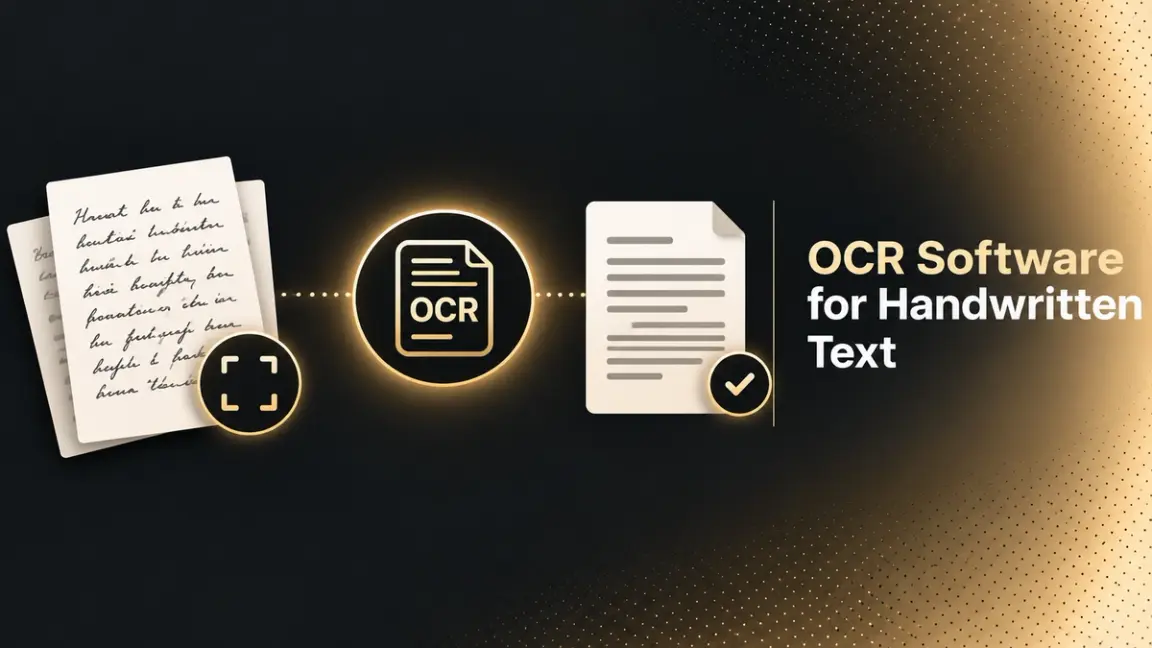
Searching for OCR software for handwritten text usually ends in disappointment, because most OCR software was built for printed text. Handwriting is a different problem: letters vary from person to person, strokes connect, and there is no fixed font to match against. This guide explains what handwriting recognition can and cannot do today. It compares the main tools and APIs with their verified pricing and limits, and shows how to test any of them on your own pages before you commit.
Who This Is For
- Individuals and small teams who want to turn handwritten notes, letters, or journals into editable text.
- Researchers and archivists working with historical or cursive documents.
- Developers choosing a handwriting OCR API for an app, form-processing flow, or document pipeline.
- Operations teams digitizing handwritten forms, logs, or field notes at volume.
Teams in that last group may also want to see how AI document processing solutions fit around OCR once the text is captured.
Can OCR Software Read Handwriting?
Yes, but how well depends on the kind of handwriting and the kind of engine.
- Printed text: Classic OCR matches characters in consistent fonts. This is the easy case.
- Hand-printed text: Separated block letters, such as those on forms. Modern engines read these reasonably well.
- Cursive and connected handwriting: Letters join and overlap, so the engine has to read whole words or lines rather than isolated characters. This is the hardest case, and results vary the most.
The engine matters as much as the handwriting. Tesseract's own FAQ says you can use it for handwriting, "but it won't work very well, as Tesseract is designed for printed text." An ABBYY support reply says handwriting recognition is not supported in FineReader PDF and is offered in other ABBYY products. Software that treats handwriting as a first-class feature is a different category, often called handwritten text recognition (HTR) or intelligent character recognition (ICR).
For a wider comparison of older OCR engines and newer model-based approaches, see DeepRead's breakdown of LLMs vs OCR software.
How Handwriting Recognition Works
Handwriting engines generally read a line of text at a time instead of one character at a time. A neural network takes the image of the line and predicts the most likely sequence of characters, using the surrounding letters and words as context. That context is why a tool can read a sloppy letter correctly when the rest of the word is clear.
Transkribus describes its approach in these terms: neural networks trained on handwritten text rather than matching individual characters, which lets it handle connected and overlapping letters, faded ink, and damaged paper. Some newer tools, such as PaddleOCR-VL, use vision-language models instead. For a deeper look at the models behind this, see DeepRead's guide to machine learning algorithms for OCR.
What Affects Handwriting OCR Accuracy
Before comparing tools, it helps to know what you can control.
- Image quality: Sharp, evenly lit, high-contrast photos or scans help every engine. Google's own guidance for converting images in Drive asks for even lighting and clear contrast.
- Writing style: Block letters beat cursive. Consistent spacing beats cramped lines.
- Language and script: Support differs by tool, and some tools support handwriting in far fewer languages than they support for print.
- Layout: Tables, margins, crossed-out words, and notes written around a page are harder than a clean page of lines.
- Ink and paper: Faint pencil, bleed-through, and aged paper reduce accuracy.
Whatever the vendor claims, the only accuracy figure that matters is the one you measure on your own documents. Take 20 to 30 representative pages, run them through two or three tools, and compare the output by hand.
Best OCR Software for Handwritten Text
The tools below are grouped by how you will use them. Prices are the vendors' published rates at the time of writing.
Dedicated Handwriting Converters
Handwriting OCR
Handwriting OCR is a web service where you upload a photo or PDF and get back a transcription.
- Handwriting support: The vendor says it reads cursive, faded ink, and mixed text, supports more than 300 languages, and reports a word error rate under 1% on everyday handwriting. That is a vendor claim, so test it on your own pages.
- Pricing: One credit per page. Pay as you go is about $15 per 100 pages. Subscriptions run $19 per month for 250 pages, $59 per month for 1,000 pages, and $499 per month for 10,000 pages. New accounts get free trial credits without a card.
- Limits: Accepts PDF, JPG, PNG, GIF, HEIC, and TIFF, and exports Word, Markdown, plain text, and PDF. Excel export for tables is on the Pro and Business plans. The FAQ says all users can access the API, but the plan comparison lists REST API access for only some tiers, so confirm which plan you need.
- Best for: People who want results from a browser without writing code.
Transkribus
Transkribus was originally built for historical document research and is the strongest fit for old cursive handwriting.
- Handwriting support: It offers more than 300 AI models for specific scripts, languages, and time periods, plus a general-purpose model for cursive and print, and gives confidence scores per line. It lists specialist support for German Kurrent and Sütterlin, English copperplate, and Russian cursive.
- Pricing: A free plan with 50 credits per month, roughly 50 pages. Scholar is about 99 euros per year for 900 credits and includes API access. Handwritten text recognition costs one credit per page.
- Limits: API jobs on Scholar and above use half the credits of the same job in the app. Credits are consumed per page, so volume planning matters.
- Best for: Archives, genealogy, and academic work, especially with historical hands.
Handwriting OCR APIs
If you are building handwriting recognition into software, you want an API. Check three things in every case: handwriting support in your language, the per-page cost, and how the result reports its own uncertainty.
Google Cloud Vision
Google Cloud Vision is Google's image analysis API, and its DOCUMENT_TEXT_DETECTION feature handles dense text and handwriting.
- Handwriting support: Returns text with bounding boxes and confidence values at page, block, paragraph, and word level. You can set a language hint such as en-t-i0-handwrit, but Google says an empty hint usually works best because language detection is automatic.
- Pricing: The first 1,000 units each month are free, then $1.50 per 1,000 units up to 5 million, and $0.60 per 1,000 beyond that. Each page of a PDF counts as one unit per feature.
- Limits: A wrong language hint can significantly hurt results. Offline batch annotation supports up to 2,000 image files. The documentation states no handwriting-specific accuracy figures.
- Best for: Teams already on Google Cloud who want a simple, low-cost handwriting OCR API.
Azure AI Document Intelligence
Azure AI Document Intelligence is Microsoft's document analysis service, and its Read model (prebuilt-read) extracts printed and handwritten text.
- Handwriting support: Microsoft's language support page lists nine languages for handwriting in the Read model: English, Chinese Simplified, French, German, Italian, Japanese, Korean, Portuguese, and Spanish. Word-level confidence scores are returned, and a styles collection flags which lines are handwritten, which helps on pages that mix printed forms with handwritten entries.
- Pricing: A free tier of 500 pages per month. The Azure pricing page renders its per-page rates dynamically, so use the Azure pricing calculator for the current Read rate.
- Limits: The Read documentation does not mention cursive specifically. Microsoft advises not to force a language code unless you are sure of the language.
- Best for: Mixed forms where printed and handwritten fields appear on the same page, and Chinese Simplified handwriting.
Amazon Textract
Amazon Textract is AWS's document text and data extraction service. Its Analyze Document API adds forms, tables, and queries on top of text detection.
- Handwriting support: It detects typed and handwritten text. AWS's documentation states that handwritten character recognition is only supported in English.
- Pricing (US West, Oregon): Detect Document Text is $0.0015 per page for the first million pages. Tables are $0.015 per page, Forms $0.05, and Tables plus Forms plus Queries $0.07. New AWS customers get a three-month free tier that includes 1,000 pages per month of Detect Document Text.
- Limits: Synchronous calls suit single-page documents, and asynchronous calls are needed for multi-page files. The English-only handwriting limit rules it out for many multilingual use cases.
- Best for: English-language forms already flowing through AWS.
Mistral OCR
Mistral OCR is Mistral's document OCR model, available through its API.
- Handwriting support: Mistral's OCR 4 launch page does not make handwriting claims or report handwriting benchmarks, so treat handwriting performance as something to test rather than assume.
- Pricing: OCR 4 is $4 per 1,000 pages through the API, or $2 per 1,000 pages through the Batch API.
- Limits: Mistral says OCR 4 supports 170 languages. It accepts images such as PNG and JPEG, and documents such as PDF, PPTX, and DOCX.
- Best for: Developers who want one model for printed documents in many languages and are willing to validate handwriting on their own samples.
Free and Open-Source Options
If you only need to turn an image into text once or twice, start with a free tool. The four below differ a lot in how much they can do with handwriting.
OCR.space
OCR.space is an OCR API with a free tier and several recognition engines.
- Handwriting support: Only its Engine 3 is described as having handwriting recognition, which the page calls "strong." It gives no handwriting accuracy figures.
- Pricing: Free tier of 25,000 requests per month. PRO is $30 per month for 300,000 requests, and PRO PDF is $60 per month.
- Limits: The free tier has a 1 MB file limit, three PDF pages per document, and 500 requests per day per IP address. PRO raises the file limit to 5 MB. The free tier has no service-level agreement.
- Best for: Testing a handwriting OCR API for free before choosing a paid one.
Google Drive
Google Drive has a built-in image-to-text conversion: right-click a file and choose Open with, then Google Docs.
- Handwriting support: Google's help page does not address handwriting, so results on handwritten notes vary.
- Pricing: Included with Google Drive. Google's help page lists no separate OCR fee.
- Limits: Files must be JPEG, PNG, GIF, or PDF and 2 MB or smaller. Lists, tables, and columns are unlikely to survive the conversion.
- Best for: A free two-minute test on a clean, single page of notes.
Tesseract
Tesseract is the best-known open-source OCR engine.
- Handwriting support: Weak. Its FAQ says you can use it for handwriting, "but it won't work very well, as Tesseract is designed for printed text."
- Pricing: Free, released under the Apache 2.0 license.
- Limits: Built for printed text, and input image quality strongly affects results. Handwriting needs a different project.
- Best for: Clean printed documents, not handwritten notes.
PaddleOCR
PaddleOCR is an open-source OCR and document parsing toolkit.
- Handwriting support: Its project page describes the PaddleOCR-VL model as suited to handwritten text and historical documents. It does not publish handwriting accuracy figures there.
- Pricing: Free under the Apache 2.0 license, plus your own infrastructure costs.
- Limits: Requires developer setup and hosting. Chinese, English, and Japanese are listed as core languages in PP-OCRv6.
- Best for: Teams that want control, including Chinese-language workloads, and have the skills to run it.
Where Desktop OCR Fits
ABBYY
ABBYY makes FineReader PDF for desktop OCR and separate enterprise capture products.
- Handwriting support: An ABBYY support reply states that handwriting recognition is not supported in FineReader PDF. Handwritten text recognition is available in ABBYY OCR Container, Vantage, and FlexiCapture.
- Pricing: FineReader PDF for Windows is $99 per year on Standard and $165 per year on Corporate. ABBYY lists volume discounts through its sales team.
- Limits: The desktop product is for printed documents. In ABBYY's engine documentation, handwriting support also depends on the recognition language.
- Best for: Printed-document OCR on a Windows desktop. If your main need is handwriting, FineReader PDF is the wrong product.
OCR Software for Cursive Handwriting
Cursive is where most general-purpose OCR fails, because the engine cannot isolate letters. Look for tools that read whole lines with a neural model and let you choose a model by script or period.
- For historical cursive: Transkribus, which publishes specialist support for several historical scripts.
- For modern cursive in a web app: Handwriting OCR, which states that it reads cursive.
- For developers: run your own cursive samples through Google Cloud Vision, Azure Read, and any other API you are considering. None of the vendor pages reviewed for this guide publish a cursive accuracy figure, so a side-by-side test is the only reliable comparison.
If a tool gives line-level confidence scores, use them. Route low-confidence lines to a person for review and let the rest through.
OCR Software for Chinese Character Recognition
Chinese handwriting is a separate challenge because of the large character set and the many ways a character can be written.
- Azure AI Document Intelligence lists Chinese Simplified among its handwritten languages for the Read model. Microsoft's language pages label some tables inconsistently, so confirm the current handwriting list on the live page before relying on it, especially for Traditional Chinese.
- PaddleOCR treats Chinese as a core language and is an open-source option.
- Handwriting OCR states support for over 300 languages including many Asian scripts.
- Google Cloud Vision supports a language hint for handwriting, but you need to check the supported language list for your specific script.
For any Chinese use case, test on real samples from your writers, because accuracy depends heavily on writing style.
OCR Software for Windows XP
Windows XP is a harder question than it looks. Microsoft ended XP support in 2014, and modern handwriting OCR runs in the cloud and needs a current browser or API client. Mozilla's last XP release was Firefox 52.9.0 ESR, and Chrome ended XP support as well. Realistically:
- Capture or scan the page on a device that can run a modern browser, such as a phone, then upload it to a cloud tool.
- Use XP only as a scanner host, and do the recognition elsewhere.
- For printed documents only, some older desktop OCR products still list XP support. PDF-XChange's OCR plugin, for example, lists Windows XP compatibility for versions 5, 6, and 7, while version 10 requires Windows 10 or later. That listing says nothing about handwriting, and older engines are generally weaker on it.
If you maintain a legacy machine for a business reason, the practical path is to move the image, not the software.
Handwriting OCR API: What Developers Should Compare
When you evaluate a handwriting OCR API, compare the following:
- Handwriting languages: Textract is English only for handwriting, while Azure lists nine languages. Always check handwriting separately from print.
- Output detail: Do you get words, lines, bounding boxes, and confidence scores? Google Vision and Azure both return confidence values.
- Handwriting flags: Azure marks lines as handwritten, which helps on mixed pages.
- Pricing model: Per page, per feature, and per volume tier. Textract and Google both price by page, and Azure's free tier covers 500 pages per month.
- Limits: File size, page count, and rate limits. OCR.space's free tier caps files at 1 MB.
- Batch and async support: Textract notes that synchronous calls suit single pages and asynchronous calls suit multi-page documents.
For a broader view of how document APIs fit together, DeepRead's guide to the document processing API explains how OCR sits alongside parsing and extraction.
When You Need More Than Text
Transcribing a journal needs text. Processing handwritten forms, intake sheets, or field logs needs fields: a name, a date, a quantity, each tied back to its place on the page. That is structured data extraction, and it is a different job from transcription. DeepRead's overview of structured data extraction covers how it works.
For that second job, DeepRead is a developer-first OCR and document AI API that returns structured JSON with the page, bounding box, and source text for each field. It flags uncertain results with needs_review and a review_reason rather than a numeric confidence score. DeepRead's public pages do not state handwriting performance specifically, so run your own handwritten samples before you rely on it for them. The free tier covers 2,000 pages per month, which is enough for that test. Current rates are on the pricing page.
How to Test Handwriting OCR Before You Commit
- Collect a sample set. 20 to 30 pages that represent the real mix: neat and messy, ruled and blank, different writers.
- Scan consistently. Use the same resolution and lighting for all samples.
- Run two or three candidates. Use the free tiers: Google Vision's first 1,000 units, Azure's 500 pages, OCR.space, or Transkribus's free plan.
- Score by hand. Count the words that are wrong or missing on each page, then compare tools on the same pages.
- Check the failure mode. Does the tool flag uncertain text, or does it return wrong text with no warning?
- Price the real volume. Multiply your monthly pages by the per-page cost and check file and page limits.
Conclusion
OCR software for handwritten text is practical today for hand-printed writing and increasingly workable for cursive, but only with engines designed for handwriting. Dedicated tools like Handwriting OCR and Transkribus are the easiest starting point for individuals and researchers. Google Cloud Vision, Azure AI Document Intelligence, Amazon Textract, and Mistral OCR cover the API route, each with different language coverage and pricing. Free tools are good for a first test, and Tesseract and FineReader PDF are better kept for printed text. Whichever you choose, trust your own sample results over any vendor accuracy claim.
FAQ
Can OCR software read handwriting?
Yes, if it is built for handwriting. Tools such as Transkribus, Handwriting OCR, Google Cloud Vision, Azure AI Document Intelligence, and Amazon Textract recognize handwritten text. Accuracy is highest on neat, hand-printed writing and lower on cursive or poor scans.
What is the best OCR software for handwritten notes?
For a browser-based service, Handwriting OCR and Transkribus are the two dedicated options reviewed here. For a developer API, compare Google Cloud Vision and Azure AI Document Intelligence first. The best choice is the one that scores highest on a sample of your own notes.
Is there free handwriting OCR software?
Yes, with limits. Transkribus offers a free plan of about 50 pages per month, OCR.space has a free API tier, Google Cloud Vision includes 1,000 free units per month, and Azure offers 500 free pages per month. Google Drive can also convert images to text, though its help page does not address handwriting.
Can OCR read cursive writing?
Some tools can. Transkribus and Handwriting OCR both state support for cursive. Results depend on the writer, the image, and the language, so test on your own pages.
Is there OCR software for Chinese handwriting?
Azure AI Document Intelligence lists Chinese Simplified for handwriting in its Read model, and PaddleOCR supports Chinese as a core language. Verify Traditional Chinese and your specific writing style with a test before committing.
Can I use handwriting OCR on Windows XP?
Not directly with modern tools, since cloud OCR requires a current browser or client. Capture the image on a supported device, or use the XP machine only to scan, and run recognition elsewhere.
What is the best handwriting OCR API?
There is no single answer. Textract handwriting is English only, Azure lists nine handwriting languages, and Google Cloud Vision offers a low per-page price after a free monthly allowance. Compare language coverage, output detail, and cost on your own samples.
Why does Tesseract struggle with handwriting?
Tesseract was designed for printed text. Its FAQ says it can be used for handwriting but will not work very well. Handwriting-focused engines read whole lines with neural models instead of matching characters.
More articles
Healthcare Document OCR: Medical Records, Prescriptions, and Top Tools (2026)
Healthcare document OCR for medical records and handwritten prescriptions: document types, how it works, real accuracy limits, and leading tools compared.
AI Parse Document: How AI Document Parsing Works and Which Tools to Use (2026)
How AI parse document works: Databricks ai_parse_document vs Snowflake AI_PARSE_DOCUMENT, costs, limits, other tools, and BOQ and supplier quote extraction.