%20{%20:root%20{%20--deepread-stroke:%20%23E5E7EB;%20}%20}%20.dark%20{%20--deepread-stroke:%20%23E5E7EB;%20}%20%3c/style%3e%3crect%20x='40'%20y='30'%20width='220'%20height='260'%20rx='28'%20ry='28'%20stroke='var(--deepread-stroke)'%20stroke-width='16'%20fill='none'/%3e%3cpath%20d='M180%2030v52c0%2010%208%2018%2018%2018h62'%20stroke='var(--deepread-stroke)'%20stroke-width='16'%20fill='none'/%3e%3cline%20x1='70'%20y1='130'%20x2='200'%20y2='130'%20stroke='var(--deepread-stroke)'%20stroke-width='16'%20stroke-linecap='round'/%3e%3cline%20x1='70'%20y1='165'%20x2='200'%20y2='165'%20stroke='var(--deepread-stroke)'%20stroke-width='16'%20stroke-linecap='round'/%3e%3cline%20x1='70'%20y1='200'%20x2='170'%20y2='200'%20stroke='var(--deepread-stroke)'%20stroke-width='16'%20stroke-linecap='round'/%3e%3c!--%20green%20download%20arrow%20in%20bottom%20right%20corner%20--%3e%3cpath%20d='M210%20202v58'%20stroke='var(--deepread-accent)'%20stroke-width='18'%20stroke-linecap='round'/%3e%3cpath%20d='M195%20245l15%2015%2015-15'%20fill='none'%20stroke='var(--deepread-accent)'%20stroke-width='18'%20stroke-linecap='round'%20stroke-linejoin='round'/%3e%3c/svg%3e)
AI Document Processing Solutions: A Business Guide to the Category
What AI document processing solutions actually are, what manual document work still costs a business, and how to evaluate the category before you buy or build.
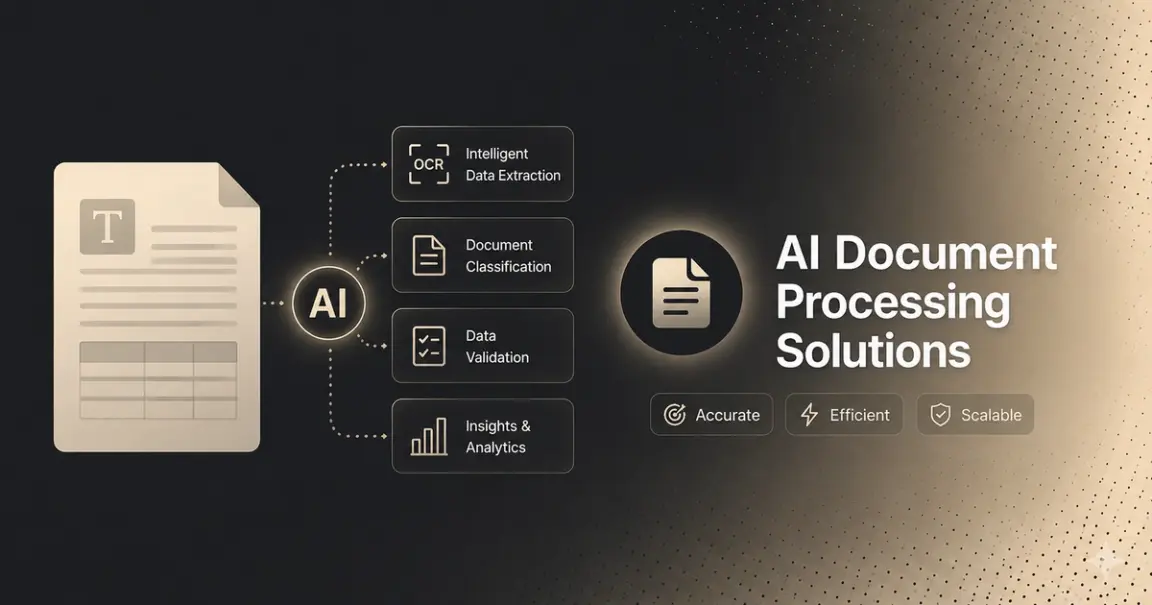
Every year, more vendors describe what they sell as "AI document processing." Fewer of them can say precisely what that means, or show it holding up past a demo. For a team trying to fix a real bottleneck — invoices piling up faster than anyone can key them in, claims forms still processed by hand, freight paperwork that never quite matches a template — that gap between the marketing language and what the software actually does is where budget and engineering time get wasted.
This is a plain look at what AI document processing solutions are, what changed in the category recently, what manual document handling actually costs a business, where the category gets used, how the solutions differ from each other, and how to evaluate one before committing to it.
Who This Guide Is For
- Ops and finance leaders who know manual document handling is consuming capacity somewhere in the business, but haven't yet mapped that to a specific category of software or a budget line.
- IT and procurement teams starting to scope a document automation project, trying to understand the landscape before they start taking vendor calls.
- Compliance and privacy officers at regulated businesses who need to know what automated document handling actually implies for PII exposure and audit readiness, not just processing speed.
- Engineering and product leads deciding whether this is a platform to buy, or a capability to build on top of an extraction API, before they've committed to either path.
If you already know you need OCR specifically, a narrower guide focused on extraction engines, deployment types, and how to choose between them will serve you better than this one. If you're already scoping a build and want reference architecture and integration patterns, that's a more technical conversation than this piece gets into. This piece stays a level above both: the category, the business case, and how to think about the decision before you're deep in either.
What "AI Document Processing" Actually Means
Strip the marketing language and the category is doing one job: turning a document — a scan, a photo, a PDF, a fax- into data a system can act on without a person retyping it. What's changed is how well software can now do that on documents it wasn't specifically built for.
Older tools in this space were rules-based: templates, fixed field positions, pattern matching tuned to a specific layout. They tended to work well on documents that closely matched the ones they were tuned to, and could struggle or misread anything that didn't. RPA platforms automated the clicks and data entry around that extraction layer. Still, the extraction itself was often the weak point — a bot faithfully re-keying whatever the underlying OCR got wrong.
AI-native document processing works differently. Instead of matching a document against a fixed template, it's trained to understand document structure and meaning, recognizing that a number near the words "total due" is probably an invoice total, regardless of where it sits on the page or what font it's in. This generally reduces how often a new template is needed when a vendor changes their invoice layout, though the degree varies by tool, document type, and configuration — it's not a clean binary between systems that need retraining and ones that never do. It's also why the more useful output from these systems isn't just text; it's structured, schema-mapped data with a confidence score per field, ready to drop into a database instead of a wall of characters someone still has to parse.
What Manual Document Processing Actually Costs
The business case is rarely a single dramatic number; it's the accumulation of a few costs that compound quietly:
- Ops capacity spent on re-keying, not judgment. Every hour a skilled person spends retyping an invoice or claims form is an hour not spent on the exceptions and decisions that actually need a human. Manual document work doesn't scale with volume; it just requires proportionally more headcount.
- Error rates that surface downstream, not at entry. A mistyped total or misread date doesn't usually get caught at the point of entry; it surfaces later, as a payment discrepancy, a compliance gap, or a customer service issue, at which point it's more expensive to fix than it would have been to catch.
- Processing delays that ripple into cash flow and service levels. Manual document queues back up during volume spikes precisely when speed matters most: month-end invoice runs, claims surges after an event, seasonal application volume.
- A compliance surface that's hard to audit. When document handling is manual, "what happened to this specific document and who touched it" is often reconstructed after the fact rather than logged automatically, a weak position to be in during an actual audit.
None of this requires an inflated statistic to make the case; the cost is structural. It's built into paying people to do work a well-built system can do in seconds, at a volume that scales without proportional headcount growth.
Where AI Document Processing Solutions Get Used
The category concentrates where document volume is high, formats are inconsistent, and the manual alternative is expensive to keep running:
- Freight and logistics — bills of lading, proofs of delivery, and carrier invoices that vary by carrier and rarely arrive in a consistent format.
- Banking and financial services — bank statements, loan documents, and account-opening paperwork, often under strict accuracy and audit requirements.
- Healthcare — medical bills, insurance claims, and patient intake forms, where PII exposure is a first-class concern, not an afterthought.
- Insurance — claims documentation and policy paperwork, where processing speed and accuracy both affect customer experience directly.
- Real estate — leases, title documents, and closing paperwork, typically long, dense, and inconsistent in structure from one document to the next.
The common thread isn't the industry; it's the combination of volume, format inconsistency, and a clear cost to the manual alternative.
How These Solutions Actually Differ
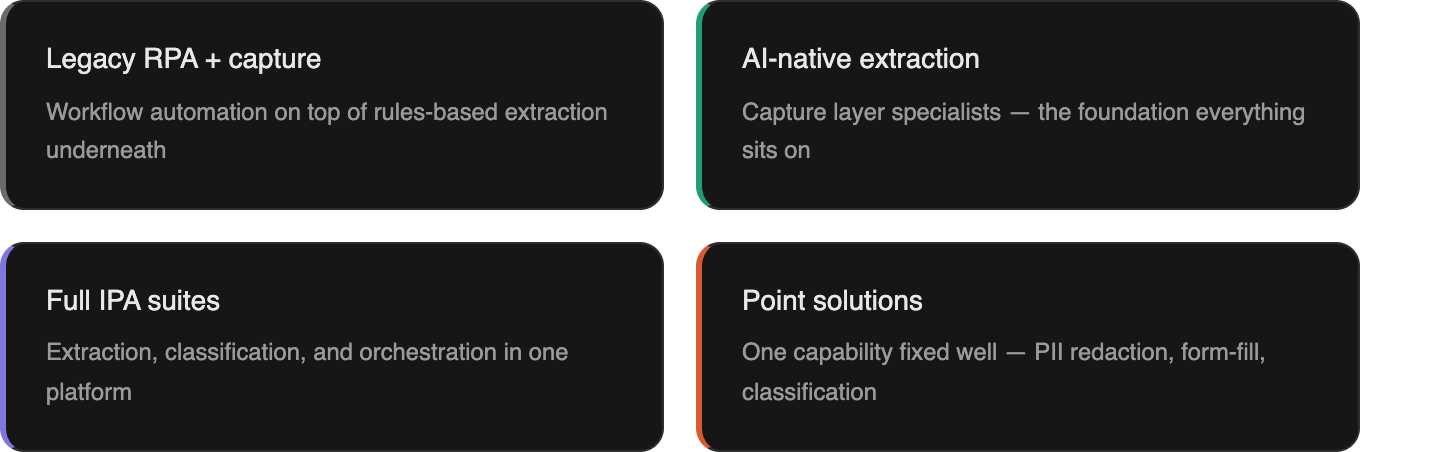
"AI document processing solution" covers a wider range of products than the label suggests:
- Legacy RPA platforms with document capture bolted on. These automate the workflow — routing, approvals, system updates around an extraction layer that's often still rules-based underneath. They can look sophisticated in a demo on a clean sample document and still struggle on the messy, real version.
- AI-native extraction platforms and APIs. These specialize in the capture layer itself — reading varied, messy, or handwritten documents and returning structured output, often without a model retrained for every new document type. This is the layer everything else in the category depends on.
- Full intelligent process automation suites. These combine extraction, classification, validation, exception routing, and orchestration into one platform, sometimes with an agentic decisioning layer on top. Useful when a team wants an end-to-end platform rather than assembling one; the trade-off is usually a longer implementation timeline and less control over any single stage.
- Point solutions for a specific problem. PII detection and redaction, form-fill automation, and document classification are increasingly available as standalone capabilities rather than only inside a full suite.
None of these is categorically "better" — the right fit depends on whether your documents are standard, whether you have engineering resources to build with, and whether you need a full workflow platform or one specific capability fixed well. How RPA, IDP, and full IPA specifically relate to each other is worth understanding in more depth if you're at the build-scoping stage rather than the category-mapping stage this guide is written for.
PII, Compliance, and What the EU AI Act Actually Requires
Compliance and privacy teams evaluating this category often start from an assumption that's more restrictive than reality. Regulatory frameworks like the EU AI Act apply obligations based on risk classification and specific use case, not a blanket rule that every document-processing workflow is automatically high-risk. A standard invoice-extraction pipeline is treated differently than a system making automated decisions about credit, employment, or identity verification, which face stricter requirements. Obligations under the Act are also phasing in over several years rather than applying all at once.
The practical takeaway: check whether your specific use case and document types fall into a higher-risk category before assuming you need extensive explainability tooling built in from day one. That said, a few things are worth building into any document processing implementation regardless of current classification, since regulatory scope in this area tends to expand over time:
- Audit logging by default — what was extracted, what was flagged, who reviewed it, reconstructable on demand.
- PII detection and handling as a first-class step, not an afterthought bolted on after extraction.
- Decision traceability — for any document, the ability to explain exactly why it was auto-processed or routed to a human.
If PII handling is still a manual review step in your process today, that's usually the clearest sign the tool you're evaluating wasn't built with compliance as a core requirement.
How to Evaluate an AI Document Processing Solution
Before you're deep in a specific vendor comparison, a handful of questions do most of the filtering work:
- Does it hold up on your actual documents, not a clean demo set? Bring your messiest, most representative documents to any evaluation.
- Is the accuracy claim independently checkable? Ask what the number was measured against, whether the methodology is public, and whether you can verify it yourself.
- What happens to the documents it can't process confidently? A system that flags uncertain fields for review is more trustworthy than one with a similar accuracy score that fails silently.
- Does it fit how you'll actually integrate it? A full platform with a UI suits a team that wants to buy something finished. A schema-driven API with async processing and webhook delivery suits a team building document handling into an existing product or pipeline.
- What does compliance actually require for your specific use case? Not the maximum standard — the one that applies to your document types and risk classification.
This is the same filter, at a higher level, that applies whether you end up buying an accounts-payable platform, an enterprise IDP suite, or building a custom workflow on a document extraction API — the specifics of that decision differ by category and are worth a closer look once you know which one you're making.
Where the Extraction Layer Fits
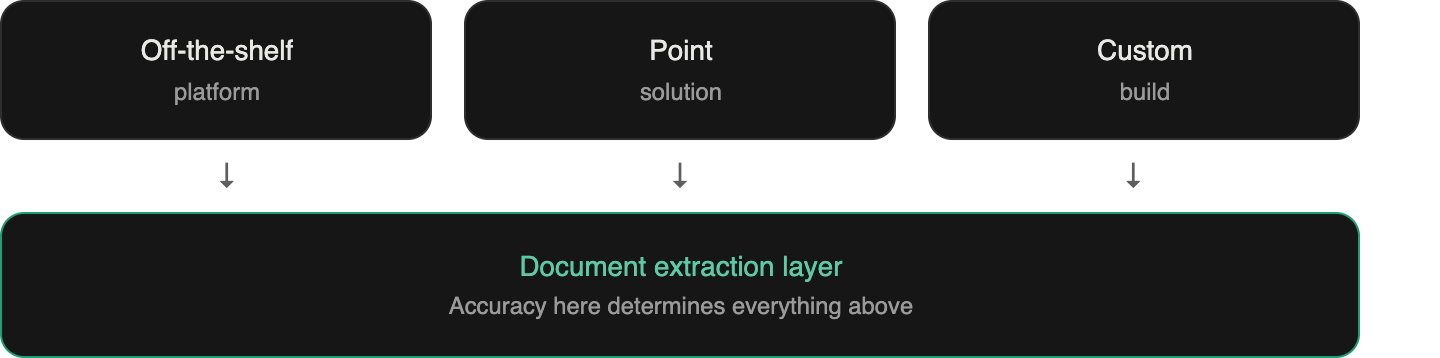
Whichever direction a team goes — buying a platform, adopting a point solution, or building custom- everything downstream depends on one thing being accurate: the extraction layer. A workflow, an approval chain, or an agentic decisioning step built on top of inaccurate extraction just automates the production of errors faster than a person would have made them.
DeepRead is one example built specifically for that layer — schema-driven extraction with a confidence score per field, benchmarked publicly against Nanonets, Reducto, and Landing AI on the benchmarks page rather than asserted as a marketing number. Integration details are in the API documentation.
Conclusion
"AI document processing" has become broad enough as a label that it no longer tells a buyer much on its own. What separates a solution that actually removes manual work from one that just adds a nicer interface on top of it comes down to a few specifics: how it performs on your real documents rather than a demo, what happens to the documents it can't process confidently, whether the accuracy claim is something you can check yourself, and whether the deployment shape — full platform, point solution, or extraction API to build on, actually fits how your team works.
None of that requires picking a vendor today. It requires knowing which category you're actually shopping in, and testing the specific claim that matters most, accuracy on your documents, before anything else.
FAQ
What's the difference between AI document processing and traditional OCR?
Traditional OCR reads characters and returns text. AI document processing goes further: it classifies the document, understands what each piece of text represents, and returns structured, schema-mapped data rather than a wall of unstructured text someone still has to parse.
Is AI document processing the same as RPA?
No, though they're often bundled together. RPA automates repetitive actions based on fixed rules and can become brittle when inputs change. AI document processing (often called IDP) specifically handles the harder problem of reading variable, messy, or unfamiliar document formats. Many platforms combine both, layering workflow automation on top of an extraction layer.
How much does an AI document processing solution cost?
It varies enormously by category — SMB-focused platforms often have published self-serve pricing, enterprise suites are typically quote-based with implementation costs on top, and developer APIs are frequently usage-based with a free tier for testing. Cost should be evaluated alongside implementation timeline and accuracy on your actual documents, not in isolation.
Do I need developers to implement an AI document processing solution?
Not necessarily. Off-the-shelf platforms with a UI are built for non-technical teams to configure directly. Building on a document extraction API requires engineering resources, but gives you control over schema, integration, and workflow logic that a fixed platform template doesn't offer.
How is document extraction accuracy actually measured?
Rigorously, it should be checkable: the same set of documents run through multiple engines, compared against a manually verified ground truth, with the methodology and results published rather than asserted. If a vendor's accuracy claim doesn't specify what it was measured against, that's worth asking about directly.
Does the EU AI Act mean every document processing workflow needs explainability tooling?
No. Obligations are risk- and use-case-based, not a blanket requirement, and they're phasing in over several years. A standard document-extraction workflow is treated differently than a system making automated decisions about credit, employment, or identity. It's still worth building audit logging and traceability in from the start, since regulatory scope in this area continues to evolve.
More articles
Structured Data Extraction: A Technical Guide
How to extract structured data from documents using an AI API, the architecture, grounding, and named tools compared.
Key Features of AI Document Workflow Automation
AI document workflow automation features, governance, prioritization framework, and real examples with measurable benefits for 2026.