%20{%20:root%20{%20--deepread-stroke:%20%23E5E7EB;%20}%20}%20.dark%20{%20--deepread-stroke:%20%23E5E7EB;%20}%20%3c/style%3e%3crect%20x='40'%20y='30'%20width='220'%20height='260'%20rx='28'%20ry='28'%20stroke='var(--deepread-stroke)'%20stroke-width='16'%20fill='none'/%3e%3cpath%20d='M180%2030v52c0%2010%208%2018%2018%2018h62'%20stroke='var(--deepread-stroke)'%20stroke-width='16'%20fill='none'/%3e%3cline%20x1='70'%20y1='130'%20x2='200'%20y2='130'%20stroke='var(--deepread-stroke)'%20stroke-width='16'%20stroke-linecap='round'/%3e%3cline%20x1='70'%20y1='165'%20x2='200'%20y2='165'%20stroke='var(--deepread-stroke)'%20stroke-width='16'%20stroke-linecap='round'/%3e%3cline%20x1='70'%20y1='200'%20x2='170'%20y2='200'%20stroke='var(--deepread-stroke)'%20stroke-width='16'%20stroke-linecap='round'/%3e%3c!--%20green%20download%20arrow%20in%20bottom%20right%20corner%20--%3e%3cpath%20d='M210%20202v58'%20stroke='var(--deepread-accent)'%20stroke-width='18'%20stroke-linecap='round'/%3e%3cpath%20d='M195%20245l15%2015%2015-15'%20fill='none'%20stroke='var(--deepread-accent)'%20stroke-width='18'%20stroke-linecap='round'%20stroke-linejoin='round'/%3e%3c/svg%3e)
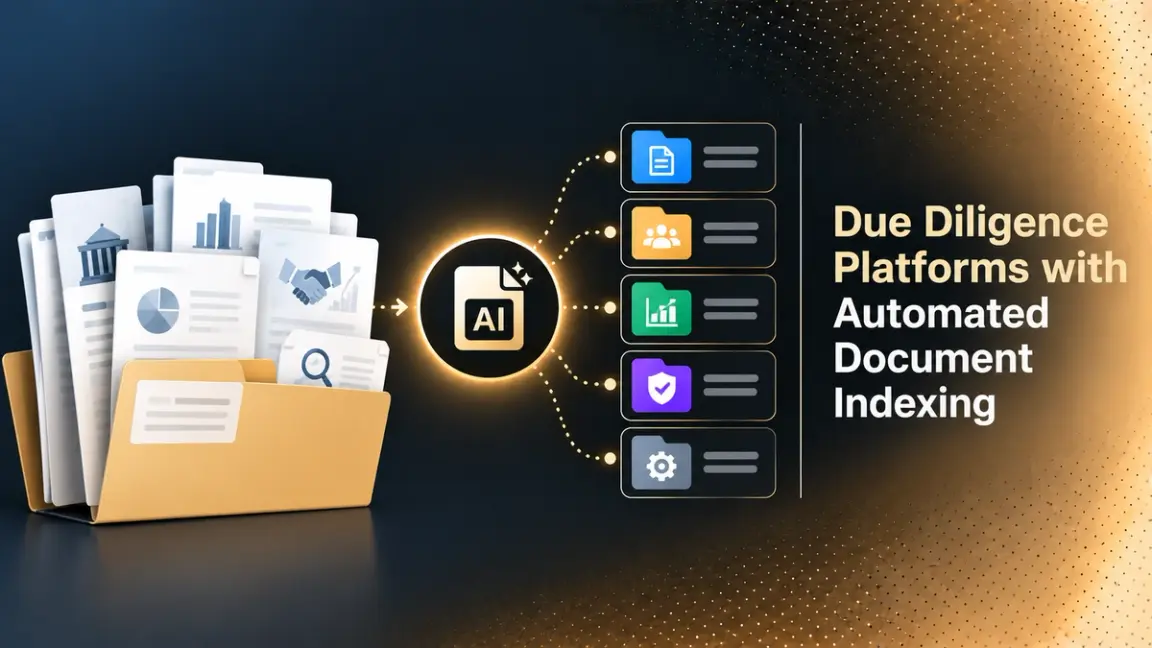
Due Diligence Platforms with Automated Document Indexing: How They Work and How to Choose (2026)
Compare due diligence platforms with automated document indexing: what each automates, pricing, pros and cons, VC compliance tools, and how to run a pilot.
AI Summary:
Due diligence platforms with automated document indexing sort uploaded files into a structured index so deal teams skip manual folder building. This guide explains how automated indexing works, its benefits, use cases, and security needs, and compares Datasite, Imprima, Ansarada, iDeals, Intralinks, DealRoom, and FirmRoom on what they automate, pricing, limits, pros and cons. It also covers automation tools for venture capital compliance documents, including Vestlane, Ontra, DataSnipper and Legalfly, and where a document extraction API fits once files are organized.
Meta Title: Due Diligence Platforms with Automated Document Indexing
Meta Description: Compare due diligence platforms with automated document indexing: what each automates, pricing, pros and cons, VC compliance tools, and how to run a pilot.
Due Diligence Platforms with Automated Document Indexing: How They Work and How to Choose (2026)
Building the folder index is one of the slowest parts of any diligence project. Thousands of files arrive with inconsistent names, and someone has to sort them into a structure that matches the request list before buyers or investors can find anything. Due diligence platforms with automated document indexing take over that sorting. This guide explains what automated indexing does, compares the main platforms using what each vendor publishes, covers tools for venture capital compliance documents, and shows how to test a platform before you commit.
Who This Is For
- Deal teams in M&A, private equity, and venture capital who run data rooms and want less manual setup.
- Fund operations and compliance staff who collect investor documents, KYC files, and side letters.
- Legal and finance teams preparing sell-side or buy-side diligence packages.
- Technical teams building document pipelines around a data room.
What Automated Document Indexing Means in Due Diligence
An index is the numbered folder structure of a data room, usually mirroring a diligence request list: corporate documents, financials, contracts, employment, intellectual property, and so on. Automated document indexing uses software to place each uploaded file in the right spot in that structure, and often to name or number it, instead of a person dragging files one by one.
It helps to separate three jobs that vendors sometimes blur together:
- Indexing and organization: deciding where each file belongs in the folder structure.
- Search: finding words or topics inside documents after they are filed.
- Data extraction: pulling specific fields, such as revenue figures or contract dates, out of the documents.
Many platforms do the first well, some add the second, and few do the third inside the data room itself. Knowing which one you are buying keeps you from expecting extraction from a tool that only sorts.
Diligence rooms are also a good example of unstructured document volume, where scans, spreadsheets, and contracts all arrive in mixed formats. For how teams handle that at scale, see DeepRead’s guide to scaling unstructured documents processing.
Types of Platforms That Offer Automated Document Organization
Not every product in this space is the same kind of tool, and mixing them up leads to bad comparisons.
- Virtual data rooms (VDRs): Secure rooms for sharing documents with buyers, investors, or advisers. Indexing, permissions, redaction, and Q&A live here. Examples in this guide: Datasite, Imprima, Ansarada, iDeals, Intralinks, and FirmRoom.
- Deal management platforms: Software that tracks the deal pipeline and diligence tasks, often with a built-in data room. DealRoom is the example here.
- AI review and extraction tools: Products that read the documents to flag risks or pull out data, rather than store them. Examples here: Legalfly and DataSnipper, with DeepRead as an API option.
- Fund operations platforms: Tools built around investor onboarding, KYC, and fund documents. Examples here: Vestlane and Ontra.
Many teams combine two of these, for example, a data room for sharing and an AI review tool for analysis. For a broader look at the AI tools in the third group, see DeepRead's overview of AI document processing solutions.
How Automated Indexing Works
Vendors describe a few common approaches:
- Index from a request list or prompt: Datasite says you can build folders from a request list or a simple prompt, and build a custom index with its AI when you start a project.
- Learning from a reference room: Imprima says its Smart Index can use one existing data room as a guide, learn its categories, and generate a matching index and folder structure for new uploads.
- Interactive training: Imprima also describes structuring a small share of documents manually, less than 20% by its account, while the machine learning tool structures the rest and improves from your choices.
- AI sorting on upload: Ansarada describes AI-Sort as classifying files and placing uploads into a cleaner room structure.
None of these removes human review. Treat automated placement as a first pass that a person confirms, especially for sensitive or ambiguous documents. For how workflow automation is built around document steps like this, see DeepRead’s overview of intelligent document workflow automation.
Benefits of Automated Document Indexing
- Faster room setup: Teams spend less time dragging files into folders. Imprima claims savings of at least 90% of indexing time, which is a vendor claim worth testing on your own files.
- More consistent structure: The same logic applies to every upload, which helps when several people add files.
- Easier navigation for reviewers: Buyers and investors find documents where they expect them, which cuts follow-up questions.
- Cleaner audit trail: When placement, access, and changes are logged, it is easier to show what was shared and when.
- Better foundation for later steps: Redaction, translation, and data extraction all work better on a well-organized room.
What a Typical Due Diligence Index Looks Like
Indexes vary by deal, but most follow the request list. A typical top-level structure includes:
- Corporate and organizational documents
- Financial statements and projections
- Tax records
- Material contracts and customer agreements
- Employment and benefits
- Intellectual property
- Litigation and regulatory matters
- Real estate and leases, where relevant
- Information technology and data privacy
- Insurance
Automated indexing works best when you give the tool this structure, or a reference room that already follows it, rather than asking it to invent one.
What to Look for in Due Diligence Platforms with Automated Indexing
- How the index is created: From a template, a request list, a reference room, or a prompt.
- Human control: Can reviewers see, move, and correct placements, and does the tool learn from corrections?
- Languages and formats: Check which file types and languages the indexing supports, since vendors rarely state this on their product pages.
- Redaction and permissions: Indexing is only useful if access controls and redaction work on the same structure.
- Security and certifications: Look for ISO 27001 and SOC 2 reports, and ask which apply to the AI features.
- Pricing model: Per project, per storage, per page, or per deal volume. AI features are sometimes an add-on.
- Audit trail: Every move and access event should be logged for later review.
Use Cases for Due Diligence Platforms with Automated Indexing
- M&A transactions: Sell-side teams prepare a room for buyers, and buy-side teams organize what they receive.
- Private equity and venture capital investments: Investors request and review company documents before funding.
- Fund fundraising: Funds share documents with prospective limited partners, who run their own diligence.
- Real estate: Imprima lists real estate due diligence, including lease abstraction, among its use cases.
- Post-deal integration: Imprima also lists post-merger integration as a workflow, so indexed rooms stay useful after closing.
Due Diligence Platforms with Automated Document Indexing
Most platforms in this category do not publish prices, so the pricing bullet below reports exactly what each vendor says. Verify current terms with the vendor before you decide.
Virtual Data Room Platforms
Datasite
Datasite Diligence is a virtual data room for M&A and other transactions.
- What it automates: Its product page says you can build a custom index using Datasite AI and build folders from a request list or a simple prompt. Redaction AI identifies and redacts 120+ types of PII and sensitive data, and the page lists full document translation across 17+ languages with original formatting preserved.
- Pricing: No figures. Datasite says pricing is customized for every transaction and quotes are tailored to scope, requirements, and timeline.
- Limits: The page does not describe file types, size limits, or processing steps for indexing, and does not mention OCR, so confirm scanned-file handling with the vendor.
- Best for: Larger transactions where a quote-based enterprise platform with broad AI features and security certifications is acceptable.
- Pros: AI index from a request list or prompt, redaction for 120+ data types, translation in 17+ languages, and a broad set of certifications.
- Cons: Quote-based only, and the page does not mention OCR.
Imprima
Imprima is a virtual data room provider whose Smart Index tool is built specifically for indexing.
- What it automates: Smart Index categorizes and structures documents in the data room, either by learning from an existing reference room or by being trained interactively on a small share of your documents.
- Pricing: No figures. Imprima’s pages direct buyers to request a proposal or a demo.
- Limits: The vendor claims it can save at least 90% of the time spent on indexing, which is a vendor claim, so test it on your own files. The page does not state supported languages for Smart Index or limits on volume.
- Best for: Teams whose main pain is setup time and who run repeated deals with similar index structures.
- Pros: Smart Index can learn from a reference room or from interactive training, with under 20% manual structuring by Imprima’s account.
- Cons: No published pricing, no stated language support, and the time-saving figure is a vendor claim.
Ansarada
Ansarada is a virtual data room with AI features branded Ansarada Intelligence.
- What it automates: AI-Sort classifies uploaded files and places them into a cleaner data room structure, and it is separate from AiDA, Ansarada’s assistant for questions and insights.
- Pricing: No figures. Ansarada offers a free trial and a sales conversation. Its own comparison article presents an unlimited-user model as a way to avoid per-user pricing surprises, which is a self-published claim.
- Limits: The AI-Sort page gives no details on how classification works, supported formats, or measured time savings. It describes savings qualitatively.
- Best for: Deal teams that want AI sorting and also expect to add many users without per-seat charges.
- Pros: AI-Sort classifies uploads, there is a free trial, and the unlimited-user model is attractive for large teams.
- Cons: No detail on how classification works and no published prices.
iDeals
iDeals is a virtual data room provider with usage-based pricing.
- What it automates: The iDeals site credits auto-indexing and smart search with simplifying due diligence, and lists AI to automate routine deal work. It also offers an MCP connection that lets assistants such as Claude, Copilot, or ChatGPT connect to a data room.
- Pricing: Usage-based, based on the storage you use, with a single rate for all file types and no per-page charges. It lists Core, Premier, and Enterprise plans and a free trial with full functionality. Cost estimates come from an account manager.
- Limits: The page gives no technical detail on how auto-indexing works. It lists SOC, ISO/IEC 27001, 27017, and 27701 certifications.
- Best for: Teams that want storage-based pricing and a free trial to test indexing on real files.
- Pros: Storage-based pricing with no per-page charges, a free trial, and a wide set of certifications.
- Cons: No technical detail on auto-indexing, and cost estimates come through an account manager.
Intralinks
Intralinks VDRPro is a virtual data room from SS&C.
- What it automates: Intralinks’ VDRPro page describes AI-powered redaction for personally identifiable information and documents. The page does not mention indexing or automatic organization, so confirm directly whether your use case is covered before you assume it is.
- Pricing: No figures. The page directs buyers to request a quote.
- Limits: The page says VDRPro is the first VDR to earn ISO 27701 certification, and a separate redaction service is advertised as covering 50+ languages.
- Best for: Teams that prioritize redaction, a Q&A workflow, and an established vendor, and that will organize the index themselves.
- Pros: AI redaction, a separate 50+ language redaction service, and a bulk Q&A import tool.
- Cons: No indexing described on its page, and quote-based pricing.
DealRoom
DealRoom is a deal management platform that includes a data room and due diligence tracking.
- What it automates: It lists AI-powered document analysis and organization as an add-on, including an AI Document Intelligence feature and a Document Organizer, plus a separate DealRoom AI for Diligence add-on that generates a deal playbook and extracts insights from contracts.
- Pricing: Priced by deal volume, with all users included and an annual commitment required. Volume discounts are case by case, and the company offers a walkthrough call instead of a free trial.
- Limits: The page gives no detail on how the Document Organizer indexes or organizes files, and AI features cost extra.
- Best for: Teams that want deal workflow and diligence tracking in one place and are comfortable with an annual commitment.
- Pros: All users included, plus deal workflow and diligence tracking in one product.
- Cons: AI organization is an add-on, an annual commitment is required, and there is no free trial.
FirmRoom
FirmRoom is a lower-cost virtual data room with published flat monthly plans.
- What it automates: Its pricing page lists Smart Search and Indexing, described as searching document contents across files, folders, and dates. The page does not describe automatic placement of files into folders.
- Pricing: $395 per month for 2GB (about 20,000 pages, up to 1 active room), $795 per month for 5GB (about 50,000 pages, up to 3 rooms), and $1,195 per month for 10GB (about 100,000 pages, up to 5 rooms). The page states no hidden fees or per-page charges and offers a 14-day free trial without a card.
- Limits: The page does not explain how indexing is triggered, supported file types, or search accuracy. Storage is shared across active rooms.
- Best for: Smaller deals and budget-conscious teams that want transparent pricing and strong search more than automatic folder placement.
- Pros: Published prices and a free 14-day trial.
- Cons: Indexing is search-based, and the plans cap active rooms and storage.
Automation Tools for Venture Capital Compliance Documents
Venture capital compliance is mostly a document-collection problem. Funds gather investor identity documents, subscription paperwork, side letters, tax forms, and ongoing evidence for audits, and they need to keep everything findable. The documents that typically need handling include:
- Investor KYC and AML files: Identity documents and screening results.
- Fund documents: LPAs and side letters, with the investor-specific obligations they create.
- Tax documents: DataSnipper’s PE and VC page lists K-1, W-8, and W-9 processing and reconciliation.
- Capital notices: The same page covers verifying capital calls and distributions against source data.
- Quarterly reporting: Consistency checks and version control for investor reports.
- Investor questionnaires: Ontra lists DDQ, an automated questionnaire product, for investor diligence.
Data rooms handle sharing and indexing, while the tools below focus on fund operations, fund documents, and review.
A workflow article from Capcade on private fund KYC and AML describes four building blocks: standardized document collection, risk tiering with AML screening, approval workflows with audit trails, and ongoing monitoring. For how banks apply a similar pipeline, see DeepRead’s guide to automating KYC and customer document verification.
Fund Operations Platforms
Vestlane
Vestlane is a fund operations platform for private markets, with a focus on European funds.
- What it automates: KYC and AML for investor onboarding and other counterparties, identity verification at different customer due diligence levels, real-time name screening and ongoing monitoring through ComplyAdvantage for PEPs, sanctions, and adverse media, and task automation with a dashboard. Plans also include a data room with unlimited users.
- Pricing: No figures. Silver, Gold, and Platinum plans each lead to a demo request. Gold adds AML risk assessments and an account manager with legal expertise, and Platinum adds priority handling and API integration.
- Limits: The page says Vestlane does not offer portfolio company reporting. It states SOC 2 Type II certification and a focus on European private markets.
- Best for: VC and private equity funds that want investor onboarding, KYC, and a data room in one platform.
- Pros: KYC, AML, screening, and a data room in one platform, with SOC 2 Type II.
- Cons: No portfolio company reporting, a European focus, and demo-based pricing.
Ontra
Ontra provides AI contract and fund document tools for private markets.
- What it automates: Its Insight for Funds product centralizes LPAs, side letters, and other fund documents, summarizes and categorizes obligations, and offers AI search, provision comparison, and digital MFN elections. Ontra says its AI extracts, digitizes, and categorizes contract commitments with human oversight from industry lawyers.
- Pricing: No figures on the product page, which links to a separate pricing page.
- Limits: The page does not state accuracy rates. Ontra also lists DDQ, an automated questionnaire product, without details of how it works.
- Best for: Funds with many side letters and MFN obligations that need a searchable record of investor commitments.
- Pros: Centralizes LPAs and side letters, with lawyer oversight of AI extraction.
- Cons: No accuracy rates published, and pricing is on a separate page.
For a legal-side view of document automation, see DeepRead’s guide to AI in legal document automation.
AI Review and Extraction Tools
DataSnipper
DataSnipper provides AI agents for audit and finance teams that work in Excel.
- What it automates: Extracting and cross-referencing data from complex documents, pulling tabular data from agreements, extracting data from tax forms, and reconciling financial documents. Its PE and VC page covers pitch deck and board deck extraction, K-1, W-8, and W-9 processing, capital notice verification, and quarterly reporting checks.
- Pricing: No figures. DataSnipper lists Start, Accelerate, and Elevate tiers and directs buyers to book a demo or contact sales.
- Limits: The homepage focuses on audit and finance and does not mention data room indexing. The page lists SOC 2 compliance and a no-training-on-your-data commitment, and its time-saving figures come from vendor case studies.
- Best for: Finance and fund teams that already work in Excel and want to match and extract figures from diligence documents.
- Pros: Excel-based workflow, tax form and capital notice coverage, and SOC 2 compliance.
- Cons: No published prices, and it is not a data room.
Legalfly
Legalfly is a legal AI platform with a multi-document review feature aimed at due diligence.
- What it automates: Multi Review reviews large document sets at once using your playbooks, extracts key terms, flags risks, and surfaces inconsistencies across data rooms. It also lists anonymisation, contract review against playbooks, and workflows triggered from email, Slack, or Teams.
- Pricing: No figures. The only call to action is to book a demo.
- Limits: The site states jurisdiction coverage as both 110+ and 130+, so confirm the current figure. Its security claims, including on-premise deployment, are described only briefly on the page I reviewed.
- Best for: Legal teams reviewing large contract sets in a data room who want playbook-based risk flagging.
- Pros: Playbook-based review applied consistently across documents, and Word and Outlook add-ins.
- Cons: No published prices, an inconsistent jurisdiction count, and it reviews documents rather than organizing a room.
Beyond Indexing: Extracting Data from Diligence Documents
An index tells you where a financial statement lives. It does not turn the figures inside it into data. Once files are organized, teams often need to pull specific fields into a tracker or model: revenue lines from financials, key dates from contracts, or invoice totals from vendor files.
DeepRead
DeepRead is a developer-first OCR and document AI API that turns documents into structured data. It is not a data room and does not replace one.
- What it automates: Extraction of structured fields from documents, returned with the page, bounding box, and source text for each field, so a reviewer can verify a number against the original. Uncertain results are flagged with needs_review and a review_reason rather than a numeric confidence score.
- Pricing: A free tier of 2,000 pages per month, with up to 50 pages and 15 MB per document. The Standard plan is $10, $20, and $40 per 1,000 pages for Parse, Extract, and Deep Extract, with documents up to 1,000 pages and 50 MB. Enterprise pricing is custom.
- Limits: PII redaction, retention controls, and regional data residency are Enterprise-only. DeepRead does not place files into a data room index, so pair it with a platform above.
- Best for: Engineering and operations teams that want to feed data from organized diligence files into their own systems through an API.
- Pros: Per-field page, bounding box, and source text, review flags, and published pricing with a free tier.
- Cons: It is not a data room and does not index, and PII redaction is Enterprise-only.
For how extraction works in practice, see DeepRead’s overview of structured data extraction.
Quick Comparison
- DeepRead: Structured extraction API with a free tier of 2,000 pages per month.
- Datasite: AI-built index from a request list or prompt, redaction, translation. Quote-based.
- Imprima: Smart Index learns from a reference room or from interactive training. Quote-based.
- Ansarada: AI-Sort classifies uploads, free trial. Quote-based.
- iDeals: Auto-indexing credited on its site, storage-based pricing, free trial.
- Intralinks: AI redaction and Q&A, no indexing described on its page. Quote-based.
- DealRoom: Document organization as an add-on, priced by deal volume, annual commitment.
- FirmRoom: Smart Search and Indexing, plans from $395 per month.
- Vestlane: KYC, AML, and a data room for funds. Demo-based pricing.
- Ontra: LPAs, side letters, and investor obligations. Pricing on a separate page.
- DataSnipper: Excel-based extraction and matching, including tax forms and capital notices.
- Legalfly: Multi-document legal review against playbooks.
Security and Compliance for Diligence Platforms
Diligence rooms hold confidential financial, legal, and personal data, so security belongs on the shortlist criteria, not at the end of the process.
- Certifications: Datasite lists ISO/IEC 27001, 27017, 27018, 27701, and 42001, and SOC 2 Type II. iDeals lists SOC, ISO/IEC 27001, 27017, and 27701. Intralinks says VDRPro is the first VDR to earn ISO 27701 certification. Vestlane states SOC 2 Type II.
- AI-specific questions: Ask whether your documents are used to train models, where AI features run, and whether certifications cover them.
- Access control: Permissions should follow the index so a folder move never exposes a file by accident.
- Data residency and retention: Confirm where data is hosted and how long it is kept after the deal.
Redaction and Privacy in Diligence Rooms
Indexing and redaction are linked: once documents are in the right folders, you can apply access rules and redact personal data consistently. Datasite lists Redaction AI for 120+ types of sensitive data, and Intralinks describes AI-powered redaction for PII. If personal data is in scope for your deal, compare redaction features side by side. DeepRead’s guide to automated document redaction tools covers the category.
How to Pilot a Platform Before You Commit
- Build a sample set. 200 to 500 real, anonymized files from a past deal, with messy names and mixed formats.
- Write the expected index. Decide in advance where each file should go.
- Run two or three platforms. Use free trials, where offered, and book demos for quote-only vendors, asking them to index your sample.
- Measure placement accuracy. Count files that landed in the wrong folder, and record how long corrections take.
- Test the edge cases. Scanned PDFs, non-English documents, and duplicate files.
- Check logs and permissions. Confirm that every move is recorded and that access follows the index.
- Price the real scenario. Include storage, users, AI add-ons, and the length of the commitment.
Conclusion
Due diligence platforms with automated document indexing save the most time at the start of a deal, when thousands of files need a structure. Datasite, Imprima, and Ansarada describe AI that builds or fills the index, iDeals credits auto-indexing without detail, DealRoom sells document organization as an add-on, and Intralinks’ own page emphasizes redaction rather than indexing. For venture capital compliance, Vestlane and Ontra cover investor onboarding, KYC, and fund documents, while DataSnipper and Legalfly add extraction and review. Whatever you choose, test indexing on your own files, and plan a separate step if you also need data pulled out of the documents.
FAQ
What is automated document indexing in due diligence?
It is software that sorts uploaded files into a structured, numbered folder index, often matching a diligence request list, instead of a person placing each file manually.
Which due diligence platforms have automated document indexing?
Datasite, Imprima, and Ansarada describe AI features that build or fill the index. iDeals credits auto-indexing on its site, and DealRoom lists document organization as an add-on. Intralinks’ VDRPro page does not mention indexing, so confirm with the vendor.
What features should due diligence platforms with automated document indexing have?
Look for index creation from a request list or reference room, human review of placements, redaction, audit logs, and security certifications that cover the AI features.
How much do due diligence platforms with automated indexing cost?
Most do not publish prices. FirmRoom lists $395, $795, and $1,195 per month plans, iDeals prices by storage used, and DealRoom prices by deal volume with an annual commitment. Datasite, Imprima, Ansarada, and Intralinks quote on request.
Can automated indexing be fully trusted?
Treat it as a first pass. Vendors describe human-in-the-loop training and review, so plan for a person to confirm placements and fix errors, especially for sensitive documents.
Is automated document indexing safe for confidential documents?
It can be, if the vendor’s security controls cover the AI features. Ask about certifications, whether your documents are used for model training, and where the AI processing runs.
What are the best automation tools for venture capital compliance documents?
Vestlane covers investor KYC and AML, onboarding, and a data room for funds, and Ontra centralizes LPAs, side letters, and investor obligations. DataSnipper handles extraction and matching in Excel, including tax forms and capital notices. Your choice depends on whether your biggest burden is onboarding, side letter management, or reporting.
Do venture capital firms need a data room?
Funds use data rooms to share documents with prospective investors and to run diligence on companies they invest in. Fund compliance documents, such as KYC files and side letters, are often handled in fund operations tools alongside a data room.
What is the difference between a data room and a document extraction API?
A data room stores, organizes, and shares files with access controls. A document extraction API reads documents and returns structured data from them. Many teams use both.
Are there platforms that automate document organization for due diligence on a small budget?
FirmRoom publishes flat monthly pricing starting at $395 per month, though its page describes search and indexing rather than automatic folder placement. Ask any vendor to run your sample files through its tool during a trial.
More articles
Automating Insurance Claims Document Processing: Pipeline, RAG, and Platforms (2026)
How to automate claims document processing: pipeline, RAG for claim document analysis, platform comparison with pricing, compliance, KPIs, and a pilot plan.
Passport OCR API and Software: A Technical Guide
Passport OCR APIs and software compared: MRZ parsing, ICAO 9303 check digits, named vendors, use cases, and pricing.