%20{%20:root%20{%20--deepread-stroke:%20%23E5E7EB;%20}%20}%20.dark%20{%20--deepread-stroke:%20%23E5E7EB;%20}%20%3c/style%3e%3crect%20x='40'%20y='30'%20width='220'%20height='260'%20rx='28'%20ry='28'%20stroke='var(--deepread-stroke)'%20stroke-width='16'%20fill='none'/%3e%3cpath%20d='M180%2030v52c0%2010%208%2018%2018%2018h62'%20stroke='var(--deepread-stroke)'%20stroke-width='16'%20fill='none'/%3e%3cline%20x1='70'%20y1='130'%20x2='200'%20y2='130'%20stroke='var(--deepread-stroke)'%20stroke-width='16'%20stroke-linecap='round'/%3e%3cline%20x1='70'%20y1='165'%20x2='200'%20y2='165'%20stroke='var(--deepread-stroke)'%20stroke-width='16'%20stroke-linecap='round'/%3e%3cline%20x1='70'%20y1='200'%20x2='170'%20y2='200'%20stroke='var(--deepread-stroke)'%20stroke-width='16'%20stroke-linecap='round'/%3e%3c!--%20green%20download%20arrow%20in%20bottom%20right%20corner%20--%3e%3cpath%20d='M210%20202v58'%20stroke='var(--deepread-accent)'%20stroke-width='18'%20stroke-linecap='round'/%3e%3cpath%20d='M195%20245l15%2015%2015-15'%20fill='none'%20stroke='var(--deepread-accent)'%20stroke-width='18'%20stroke-linecap='round'%20stroke-linejoin='round'/%3e%3c/svg%3e)
Automated Document Redaction Tools (2026)
Automated document redaction tools compared - comparison and reporting at scale, cross-platform SDKs, and secure delivery, with verified detail.
Automated document redaction has moved past simple "find and black out the SSNs" tooling into a broader set of capabilities: comparing document versions and redacting consistently across them, reporting on what was redacted at scale for audit purposes, embedding redaction directly into internal systems via SDK, and securely delivering and sharing redacted output with the people who need it. This guide covers those specifically, since they're less commonly written about together than basic PII detection.
For the fundamentals — the difference between true redaction and visual-only redaction, and document versus multimedia redaction as two separate categories, see our dedicated AI-powered redaction software guide, which covers that ground in depth. This piece builds on it rather than repeating it.
Who This Is For
- Legal, compliance, and records teams processing document sets at genuine scale — hundreds or thousands of documents per request, not one-off redactions.
- Engineering teams needing to embed redaction directly into an internal system or application rather than using a standalone tool.
- Deal teams and due diligence professionals handling multilingual, high-volume document review under real-time pressure.
- Anyone responsible for secure delivery and sharing of redacted documents with external parties, opposing counsel, regulators, the public.
Why This Is Being Automated at Real Scale Now
Two forces are driving this beyond general "AI is everywhere" momentum. First, the actual cost comparison is stark and verifiable: a 50-page document that takes a human reviewer 2–3 hours to carefully read, identify sensitive content, and manually redact can be processed by AI-driven redaction in under 10 minutes, a reduction reported in the 85–90% range for automated redaction versus manual review generally.
Second, the risk case has real data behind it: Verizon's 2026 Data Breach Investigations Report, the largest breach dataset in the report's 19-year history, found the human element present in 62% of breaches, up from 60% the year before. Manual redaction is exactly the kind of high-volume, repetitive human task where a single missed instance creates outsized risk, which is a large part of why this category is automating faster than adjacent document work.
Document Comparison, Redaction, and Reporting at Scale
This is a genuinely distinct workflow from single-document redaction, worth treating separately:
- Comparison-driven redaction matters when the same sensitive information appears across multiple versions of a document, or across a related document set — a redaction tool that only processes one file at a time misses the consistency problem entirely: the same person's name redacted correctly in one document and missed in a near-identical companion document.
- Batch reporting is what makes large-scale redaction defensible, not just fast — a report showing exactly what category of information was redacted, in which document, and why (an exemption code or reason), reconstructable after the fact for an audit or a legal challenge to the redaction itself.
- Mixed-format batch processing is a real, practical requirement at scale — a single request (a FOIA response, a due diligence document set) commonly includes PDFs, Word files, scanned images, and email threads together, and processing them in one workflow without switching tools is a genuine time saver, not a minor convenience.
Cross-Platform SDKs for Redaction
For teams embedding redaction directly into their own application or internal system rather than using a standalone tool, SDK availability and platform coverage matter as much as detection accuracy. A few named platforms lead this category:
- Nutrient (formerly PSPDFKit) — cross-platform SDKs spanning web, mobile, and server, with a dedicated redaction solution offering manual, semi-automated, and batch redaction modes, regex-powered pattern search, and stated GDPR/HIPAA compliance-readiness. SOC 2 Type 2 audited, with flexible deployment (client-side WebAssembly, self-hosted Docker/Kubernetes, or vendor-managed cloud) and component-based licensing.
- Apryse (formerly PDFTron, now including iText) — a comprehensive cross-platform SDK supporting self-hosted deployment specifically for organizations prioritizing data control and compliance, built for high-volume enterprise workflows with direct engineering support rather than routing through a third-party rendering engine.
- Foxit PDF Services API — handles redaction as part of a broader large-scale PDF processing suite (conversion, extraction, optimization), with separate APIs for document generation and e-signature workflows.
- ComPDFKit — explicitly built for cross-platform coverage: Windows, web, Android, iOS, macOS, and Linux, plus cross-platform frameworks like React Native, Flutter, and Electron, the most directly "cross-platform-first" option among the named vendors here.
- Aspose.PDF — a .NET-specific processing library; redaction, OCR, and other capabilities are licensed as separate libraries (Aspose.PDF, Aspose.OCR) rather than one unified platform, worth knowing before assuming bundled functionality.
- EmbedPDF — an open-source, MIT-licensed alternative built on PDFium (the same rendering engine behind Chrome's PDF viewer), relevant for teams wanting to avoid vendor lock-in and retain full control over the codebase.
Worth checking directly before committing: whether redaction is a first-class SDK feature (as with Nutrient's dedicated redaction page) or something you'd need to build on top of general annotation/editing capabilities and whether the underlying license (some legacy tools in this space use AGPL, which can force open-sourcing your own application) fits your project.
Secure Delivery and Sharing After Redaction
Redaction accuracy is only half the problem; how the redacted output actually gets to its recipient and stays controlled afterward is the other half:
- Automatic file deletion policies — some tools delete uploaded and processed files after a set window (some as short as one hour) specifically to reduce the exposure window for the sensitive source document.
- Encryption in transit and at rest, plus relevant certifications (ISO/IEC 27001, SOC 2) confirmed directly rather than assumed.
- Delivery integration — direct integration with the platforms documents actually need to move through (Dropbox, Google Drive, OneDrive, Box) rather than a manual download-and-reupload step that reintroduces the exact human-error risk automation is meant to reduce.
- Ongoing access control for shared documents, distinct from one-time delivery — link expiration, view-only access, and revocable sharing matter specifically when a redacted document needs to remain accessible to a recipient over time rather than being sent once and forgotten.
Named Tools
A note on how to read this list: descriptions reflect public positioning and, where noted, vendor-published testing — not a single controlled benchmark measuring all of them on identical documents. Verify current capability directly.
DeepRead
DeepRead is one of the few platforms in this comparison where redaction isn't a bolted-on feature — it's built into the same document-understanding pipeline used for structured extraction, which is a genuinely different architecture than a redaction tool operating as a standalone layer on top of a document viewer.
- AI-driven PII detection and automated black-bar redaction run through the same pipeline DeepRead uses for schema-driven extraction, meaning the system already understands document structure and context before it decides what to redact, rather than pattern-matching against raw text in isolation
- Compliance workflow automation is a named, first-class part of the offering, not an add-on module
- Async processing handles redaction across large document batches without a blocking, one-at-a-time workflow — directly relevant to the "at scale" theme this entire guide is built around
- Honest limitations, stated plainly: no independently published redaction-specific accuracy benchmark exists for this piece to cite (unlike Imprima's published multilingual recall figures below); no comparison-driven redaction workflow across document versions; and no dedicated secure-delivery layer the way purpose-built redaction tools like Objective Redact or the SDK platforms above offer. Confirm current redaction-specific capability directly against your requirements before assuming feature parity with dedicated redaction specialists.
- Pricing: free tier — 2,000 documents/month, no credit card required
CaseGuard
- Automatically redacts 30+ categories of PII, plus custom word/phrase lists and specific patterns (PINs, CVV codes, and similar) beyond standard PII categories
- Processes mixed-format batches — PDFs, Word files, scanned images, and email threads — in a single workflow, directly relevant to real FOIA or discovery response scenarios
- States automated redaction typically reduces processing time by 85–90% compared to manual review, with a specific benchmark of a 50-page document dropping from 2–3 hours to under 10 minutes
- Maintains a complete audit log of every redaction action across thousands of documents
- Best fit: teams processing large, mixed-format document sets needing both broad and highly specific pattern-based redaction in one tool
Imprima Smart Redaction
- Built specifically for complex, multilingual due diligence inside a Virtual Data Room — a genuinely different use case than general-purpose redaction tools
- States recall rates of 91–98% across documents in four languages in internal testing — a specific, vendor-published number worth treating as vendor-stated performance rather than independently verified, but notably more precise than most vendor accuracy claims in this category
- Best fit: M&A and deal teams handling multilingual due diligence document sets, where format and language variety is the central challenge rather than domestic single-language redaction
Objective Redact
- Uses a genuinely distinct workflow model: creates a working copy for team review, and only generates the final redacted copy (plus an optional audit copy) once the redaction is approved — the original document is never altered in the process
- Permanently removes hidden metadata (authors, creation dates, and similar file attributes) alongside visible text
- Supports exemption codes and annotations attached to each redaction, letting a recipient see why specific content was withheld
- Best fit: compliance and disclosure teams needing a clear, auditable review-and-approval step before redaction is finalized
ReadyRedact
- Markets AI-driven redaction across text, images, and other media, with stated compliance coverage for GDPR, CCPA, and HIPAA
- Best fit: teams wanting broad file-format and compliance-framework coverage in a single, straightforward tool
What to Evaluate
- Whether the tool handles document comparison and batch reporting, not just single-document redaction, if consistency across a related document set matters to your use case.
- SDK availability, platform coverage, and licensing model, if you're embedding redaction directly rather than using a standalone tool.
- Secure delivery and ongoing sharing mechanics — file retention policy, encryption, and link-level access control for documents that need to stay accessible over time, not just delivered once.
- Multilingual performance specifically, if your document sets span multiple languages — general accuracy claims don't reliably predict this.
- Whether pattern-based redaction covers your specific data types (custom terms, PINs, account numbers) beyond standard name/SSN/address detection.
- Whether the accuracy claim is independently checkable — ask what document set and language mix any number was measured against.
Common Pitfalls
- Redacting document versions inconsistently when the same sensitive information appears across a related document set, because the tool processes only one file at a time and lacks comparison logic.
- Treating fast redaction as sufficient without an audit trail — speed without a reconstructable record of what was redacted and why creates its own legal exposure.
- Manual download-and-reupload steps after redaction, reintroducing exactly the human-error risk automation was meant to reduce.
- Assuming general accuracy claims transfer to multilingual document sets, when language-specific performance can vary significantly and rarely gets tested explicitly before a real due diligence deadline.
- Choosing an SDK based on feature breadth alone, without checking the underlying license terms — some open-source options carry licensing conditions (like AGPL) that can affect your own application's licensing obligations.
Conclusion
Automated document redaction has grown beyond single-document PII detection into a broader set of genuinely distinct capabilities: comparison-driven redaction and batch reporting for consistency across large document sets, SDK integration for teams building redaction into their own systems, and secure delivery and sharing mechanics for getting redacted output to its recipient without reintroducing manual risk.
DeepRead's redaction runs through the same document-understanding pipeline as its structured extraction, a real architectural difference worth weighing against dedicated redaction specialists — Imprima on multilingual due-diligence accuracy with a published benchmark, Objective Redact on a defensible working-copy-to-audit-copy workflow, CaseGuard on granular pattern-based redaction, and cross-platform SDKs like Nutrient, Apryse, and ComPDFKit for teams embedding redaction directly into their own applications.
Whatever tool you evaluate, the same standard applies: confirm redaction is genuinely permanent, not just visually hidden, and test on document sets that resemble your actual scale and format variety.
FAQ
How is this different from general redaction software?
This covers capabilities that show up specifically at scale — document comparison and consistency across a related document set, batch reporting for audit defensibility, SDK integration for embedding redaction into internal systems, and secure delivery and sharing mechanics. For core redaction fundamentals (true vs. visual-only redaction, document vs. multimedia redaction), see our broader redaction software guide.
How much faster is automated redaction than manual review?
Reported figures cluster around an 85–90% time reduction compared to manual review, with one specific vendor benchmark showing a 50-page document dropping from 2–3 hours of manual work to under 10 minutes with automated redaction — though actual speed depends on document complexity and volume.
What's the risk case for automating redaction, beyond speed?
Verizon's 2026 Data Breach Investigations Report found the human element present in 62% of breaches. Manual redaction is a high-volume, repetitive human task where a single missed instance creates real exposure — automation reduces that specific risk, not just processing time.
What's the difference between DeepRead's redaction and a dedicated redaction SDK like Nutrient or Apryse?
DeepRead's redaction runs through the same document-understanding pipeline used for structured extraction, giving it context-aware detection built on top of extraction rather than a standalone layer. Dedicated redaction SDKs are purpose-built for document viewing, editing, and redaction specifically, with deeper platform coverage, comparison workflows, and secure-delivery features DeepRead doesn't offer natively — the right choice depends on whether redaction is one part of a broader document-understanding need or the entire requirement.
Why does redaction need a comparison feature specifically?
When the same sensitive information appears across multiple related documents, a tool that processes only one file at a time can correctly redact it in one document and miss it in a near-identical companion document; comparison-driven redaction is what catches that inconsistency.
More articles
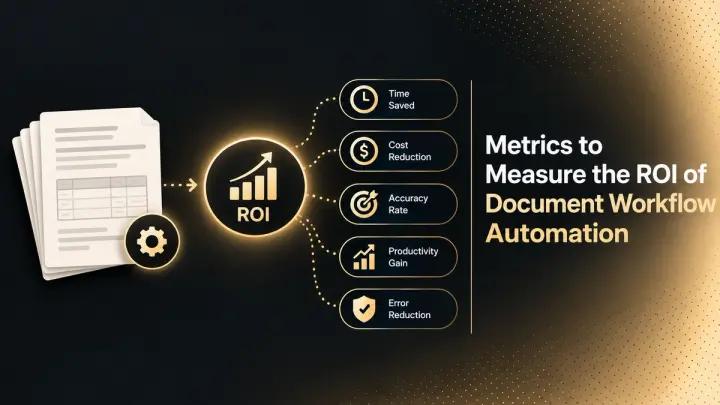
Metrics to Measure the ROI of Document Workflow Automation (2026)
The metrics that measure document workflow automation ROI: baselines, formulas, cost per document, STP rate, payback, and how to read the statistics.
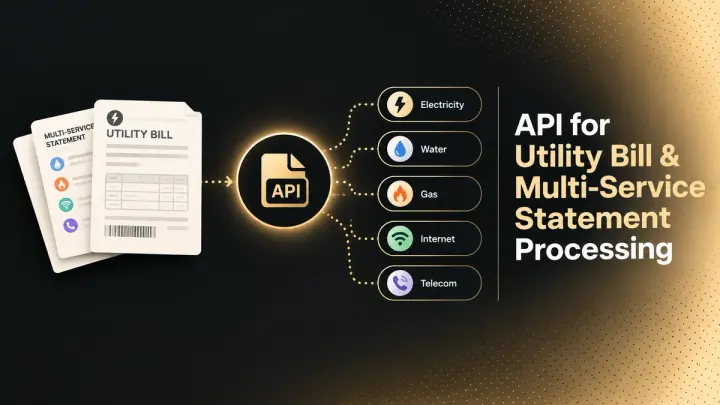
API for Utility Bill and Multi-Service Statement Processing (2026)
How document processing APIs handle utility bills and multi-service statements: how the market splits, schema design, validation, and named options.