%20{%20:root%20{%20--deepread-stroke:%20%23E5E7EB;%20}%20}%20.dark%20{%20--deepread-stroke:%20%23E5E7EB;%20}%20%3c/style%3e%3crect%20x='40'%20y='30'%20width='220'%20height='260'%20rx='28'%20ry='28'%20stroke='var(--deepread-stroke)'%20stroke-width='16'%20fill='none'/%3e%3cpath%20d='M180%2030v52c0%2010%208%2018%2018%2018h62'%20stroke='var(--deepread-stroke)'%20stroke-width='16'%20fill='none'/%3e%3cline%20x1='70'%20y1='130'%20x2='200'%20y2='130'%20stroke='var(--deepread-stroke)'%20stroke-width='16'%20stroke-linecap='round'/%3e%3cline%20x1='70'%20y1='165'%20x2='200'%20y2='165'%20stroke='var(--deepread-stroke)'%20stroke-width='16'%20stroke-linecap='round'/%3e%3cline%20x1='70'%20y1='200'%20x2='170'%20y2='200'%20stroke='var(--deepread-stroke)'%20stroke-width='16'%20stroke-linecap='round'/%3e%3c!--%20green%20download%20arrow%20in%20bottom%20right%20corner%20--%3e%3cpath%20d='M210%20202v58'%20stroke='var(--deepread-accent)'%20stroke-width='18'%20stroke-linecap='round'/%3e%3cpath%20d='M195%20245l15%2015%2015-15'%20fill='none'%20stroke='var(--deepread-accent)'%20stroke-width='18'%20stroke-linecap='round'%20stroke-linejoin='round'/%3e%3c/svg%3e)
Automating Insurance Claims Document Processing: Pipeline, RAG, and Platforms (2026)
How to automate claims document processing: pipeline, RAG for claim document analysis, platform comparison with pricing, compliance, KPIs, and a pilot plan.
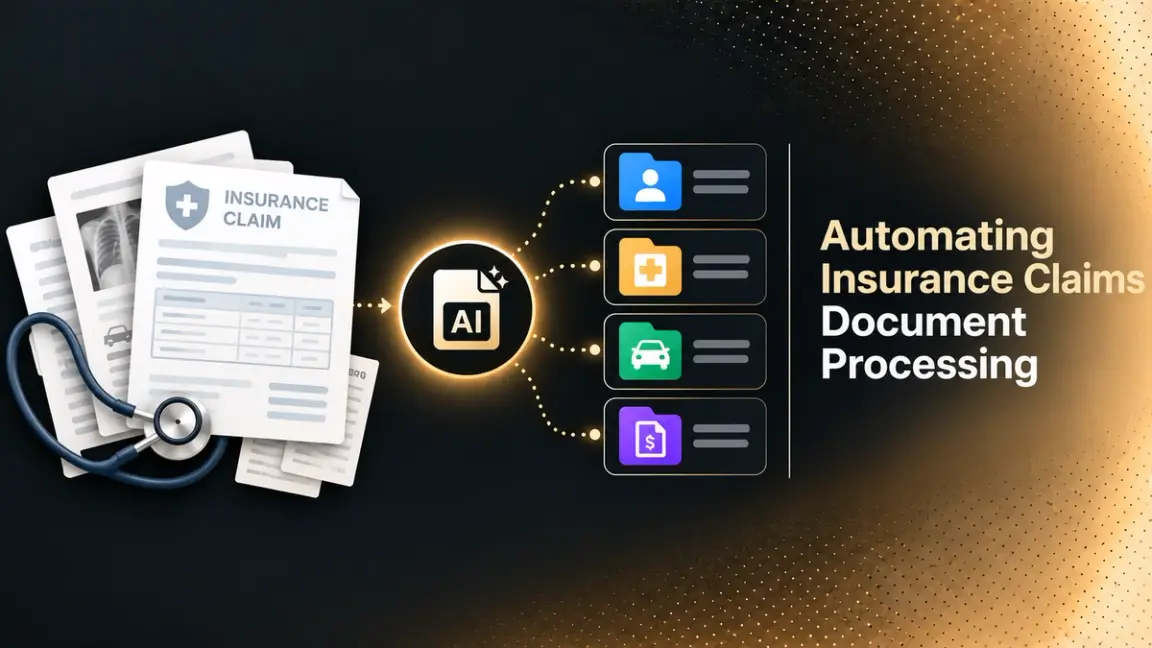
Every claim arrives as a pile of documents: a loss notice, photos, repair estimates, medical bills, police reports, emails, and adjuster notes. Automating claims document processing replaces most of the manual reading, typing, and filing with software that classifies each document, extracts the fields adjusters need, and flags what a person should check. This guide explains how the pipeline works, how insurance companies use RAG to automate claim document analysis, which platforms are worth comparing, and how to pilot and govern the result.
Who This Is For
- Claims operations leaders at carriers, MGAs, and third-party administrators evaluating automation.
- Insurtech and engineering teams building claims document pipelines or RAG assistants.
- Compliance and risk teams reviewing AI use in claims.
- Procurement teams comparing claims AI vendors and cloud services.
What Automating Claims Document Processing Means
Claims document processing is the work of getting information out of claim files and into the claims system, then using it to make decisions. Automation covers four jobs that are easy to confuse:
- Capture and recognition: reading scans, PDFs, photos, and emails into machine-readable text.
- Classification and routing: deciding what each document is and where it goes.
- Extraction and validation: pulling specific fields, such as policy number, date of loss, and amounts, and checking them against rules and the policy.
- Analysis and summarization: answering questions about a claim file, comparing it with policy terms, and drafting summaries, which is where RAG and large language models come in.
Most platforms cover the first three well. The fourth is newer and needs more governance, which is why it gets its own section below. For a wider view of the category, see DeepRead’s guide to AI document processing solutions.
Claims Documents That Need Automating
Claims teams handle a wide mix. AltexSoft’s guide to insurance document automation lists first notice of loss (FNOL) forms, repair estimates, damage photos, police and fire reports, medical bills, adjuster and inspection notes, medical records, and legal correspondence. Grouped by how hard they are to process:
Structured and Semi-Structured Documents
- FNOL and claim forms, including ACORD forms.
- Invoices from contractors, repair shops, and providers.
- Explanation of benefits (EOB) documents and bills.
Unstructured Documents
- Medical records and provider notes.
- Demand letters and legal correspondence.
- Adjuster notes, emails, and attachments.
Visual Evidence
- Damage photos and inspection images.
- Handwritten statements and signed forms.
The unstructured and handwritten groups are where template-based OCR breaks down, so they usually decide which tool you need.
How Claims Document Processing Automation Works
Several sources describe a similar pipeline. V7 Labs, an AI vendor, lists intake, multi-format processing, classification and routing, type-specific extraction, validation and error handling, and integration with claims systems. In practice:
- Intake: Documents arrive by email, portal, mobile app, or broker feed, often as mixed packets.
- Recognition: OCR and layout analysis turn pages into text, tables, and fields. Handwriting needs engines built for it.
- Classification and splitting: The system identifies each document type and separates combined files.
- Extraction: Fields are pulled per document type, such as invoice totals, dates of service, and codes.
- Validation: Extracted data is checked against policy data, business rules, and other documents.
- Human review: Low-confidence or conflicting items go to an adjuster with the source highlighted.
- Integration: Clean data flows into the claims system through APIs or workflow tools.
DeepRead’s overview of structured data extraction explains how the extraction step works for field-level output with source references.
How Insurance Companies Use RAG to Automate Claim Document Analysis
Retrieval-augmented generation, or RAG, lets a language model answer questions using your own documents instead of only what it learned in training. For claims, that means an adjuster can ask about a specific claim file or policy and get an answer grounded in the actual pages.
How RAG Works on Claim Files
Amazon’s Bedrock documentation describes the standard pattern:
- Ingestion: Documents are converted to text, split into chunks, and each chunk is embedded as a vector in an index, with a mapping back to the original document.
- Retrieval: At question time, the query is embedded and the index returns the most similar chunks.
- Generation: The retrieved chunks are added to the prompt, and the model writes an answer from them.
- Attribution: Because each chunk maps to its source, the answer can quote or point to the original document.
What Claims Teams Use It For
Vendor and consultancy sources describe uses such as summarizing claim files, comparing loss details against policy terms, surfacing similar past settlements, and drafting correspondence. Bevaya, for example, lists claim file summarization and claim-to-policy comparison among its claims agents. Treat these as vendor-described use cases, and test them on your own files.
RAG, Fine-Tuning, and Classic Extraction
STX Next, a software company, argues that fine-tuning suits stable, repeatable tasks such as classification and routing, while RAG suits questions that depend on current policy wording and claim-specific facts, since retraining for every policy change is slow. It also notes that a fine-tuned model cannot cite a source for what it learned. In practice, insurers often combine:
- Extraction pipelines for structured fields that feed the claims system.
- RAG for open-ended questions and summaries over claim files and policy documents.
For how language models and traditional OCR differ in this mix, see DeepRead’s comparison of LLMs vs OCR software.
What Good Claims RAG Needs
- Page-level citations: STX Next notes that claims teams need the specific page, clause, or paragraph, not just the document name, so adjusters can verify an answer.
- Access control: Microsoft’s Azure AI Search documentation lists security as a core RAG challenge, with document-level trimming and identity-based filters so users only retrieve what they are authorized to see.
- Contradiction handling: Conflicting documents, such as a policy and a prior claim, can produce a confident wrong answer unless the system flags the conflict.
- Sensitive data controls: Medical and personal data may require tighter deployment options and audit trails.
Fraud, Photos, and Precedent Search
Claims teams also use RAG and document AI for three adjacent jobs. Precedent search retrieves similar past claims and settlements so an adjuster can compare them with the current file. Fraud checks compare extracted details across documents, and some platforms screen for forged documents at intake, as Hyperscience does through its Resistant AI partnership. Photo analysis, such as damage severity classification, is a separate computer vision task from text extraction, so evaluate it separately from document tools. Treat any fraud or damage score as a flag for human review, not a decision.
Evaluating RAG Answers
Check answers on a labeled set of real claim questions. Measure whether the answer is correct, whether the cited page supports it, and whether the system declines when the files do not contain the answer. Re-run the set when you change the model, the chunking, or the policy documents.
Where RAG Falls Short
RAG does not fix poor inputs. If scans are unreadable or the index is built on badly extracted text, the answers inherit those errors. It also does not replace a decision process: a human should keep judgment over coverage and settlement, which is also good governance practice, as covered below.
Platforms for Automating Claims Document Processing
Most vendors in this space do not publish prices, so each pricing bullet reports exactly what the vendor says. Confirm current terms before you decide.
Claims-Focused AI Platforms
Hyperscience
Hyperscience is an intelligent document processing platform with an insurance solution.
- What it automates: Extraction and validation for claim forms, submission forms, damage assessment reports, and medical records. Its site says it reads printed and handwritten text, checkboxes, and signatures, and offers pre-built models for ACORD forms and EOBs. A Resistant AI partnership screens for document forgery at ingestion.
- Pricing: No figures on the page I reviewed.
- Limits: The site cites 99.5% extraction accuracy and 98% automation, which are vendor figures. A typical implementation takes about 90 days, according to the site.
- Best for: Carriers with high document volume and handwritten forms that run core systems such as Guidewire or Duck Creek, as the site’s integration list suggests.
- Pros: Lists integrations with Guidewire InsuranceSuite, Duck Creek, Applied Epic, Sapiens, and Vertafore AMS360, plus a reviewer feedback loop that fine-tunes models on your documents. QBE says it processes claim forms and invoices in 20% of the previous time.
- Cons: No published pricing, and the 90-day implementation is a real commitment.
Instabase
Instabase is a document AI platform with insurance workflows across underwriting, claims, and policy administration.
- What it automates: Extracting information from claims documents, and extracting, verifying, and comparing customer and claims data to flag potential fraud. It also lists broker submission packets, loss runs, and bordereau documents.
- Pricing: No figures. The page offers a demo and shows a “Try AI Hub for free” heading without trial details.
- Limits: The page makes no quantified accuracy or ROI claims and describes no deployment options.
- Best for: Insurers that handle both claims and submission-style documents and want one document platform.
- Pros: Broad document coverage and an auditable, verifiable insights approach.
- Cons: No pricing, no accuracy figures, and no deployment details on the page.
Indico Data
Indico Data is an insurance-focused document AI platform built around agents.
- What it automates: Extraction agents that unbundle submissions and claims, enrichment agents that fill gaps and classify details, and orchestration agents that route validated work to systems and teams. Human review and exception handling are built in, with confidence scoring, data lineage, and explainability.
- Pricing: No figures. The call to action is a demo.
- Limits: Its performance claims, such as processing statements of values and loss runs in under 30 seconds, relate mostly to submissions rather than claims. The page links to a notice of a data security incident without describing it, so ask the vendor about it during security review.
- Best for: Carriers and MGAs that process both submissions and claims and want explainable outputs.
- Pros: Built-in human review, confidence scoring, and data lineage.
- Cons: No published pricing, claims-specific performance figures are limited, and the incident notice needs follow-up.
Sprout.ai
Sprout.ai provides an AI layer for claims processing, coverage checking, and fraud detection.
- What it automates: Turning unstructured inputs such as reports, invoices, handwritten notes, and patient records into structured data, with solutions by line of business: Health, Life and Disability; Motor and Auto; Home and Property; and Commercial.
- Pricing: No figures on the page.
- Limits: The headline metrics on its page show placeholder values, so no verified figures are published. Customer testimonials from MetLife, AdvanceCare, Scottish Widows, and AXA describe benefits without metrics.
- Best for: Insurers that want a claims-specific AI layer organized by line of business.
- Pros: Lists ISO 27001 certification and offers a Claims AI Readiness Diagnostic.
- Cons: No published pricing or verified performance figures.
Bevaya
Bevaya, the name used by Roots Automation, Inc., is an AI agent platform for insurance covering underwriting, claims, and policy servicing.
- What it automates: Claim indexing (classify, index, and route claim documents), legal demand extraction, medical bill extraction of CPT and ICD codes, invoice payment processing, claim file summarization, FNOL setup, and claim-to-policy comparison.
- Pricing: No figures. The site has a pricing link without plan details.
- Limits: The site cites 98%+ extraction accuracy and up to 99% no-touch processing for claim indexing, both vendor-reported. It links to security and responsible AI pages but names no certifications in the content I reviewed, and it names no specific integrations.
- Best for: Carriers that want a broad set of claims agents, including file summarization and policy comparison.
- Pros: Lists claim indexing, demand and medical bill extraction, invoice processing, file summarization, FNOL setup, and policy comparison, with human-in-the-loop review and grounded explainability pages.
- Cons: No pricing, compliance claims not verifiable from the page, and the Roots-to-Bevaya naming can confuse searches.
Cloud and Developer Platforms
Google Document AI
Google Document AI is Google Cloud’s document processing service with OCR, parsers, and custom extractors.
- What it automates: Text digitization with Enterprise Document OCR, structured extraction with Form Parser and custom extractors, layout parsing with chunking, and classification and splitting.
- Pricing (per 1,000 pages): Enterprise Document OCR is $1.50 up to 5 million pages a month. Form Parser and custom extractor are $30 up to 1 million pages, then $20. Layout Parser is $10, and custom classifier and splitter are $5. Google’s page lists no separate price for generative extraction, and says the custom extractor rate applies.
- Limits: Rates drop at volume thresholds, 5 million pages a month for OCR and 1 million for the other processors. It is a developer toolkit, not a claims application.
- Best for: Engineering teams that want to build their own claims pipeline on Google Cloud.
- Pros: Transparent per-page pricing and no billing for failed requests.
- Cons: You build the claims workflow, validation, and review yourself.
Amazon Textract
Amazon Textract is AWS’s document text and data extraction service.
- What it automates: Detecting printed and handwritten text, and extracting forms, tables, and queries from documents.
- Pricing (US West, Oregon): Detect Document Text is $0.0015 per page for the first million pages. Forms are $0.05, Queries $0.015, and Tables plus Forms plus Queries $0.07 per page. New AWS customers get a three-month free tier of 1,000 pages a month for text detection and 100 pages a month for Forms, Queries, and combined features.
- Limits: AWS documentation states that handwritten character recognition is only supported in English. Synchronous calls suit single pages, and asynchronous calls are needed for multi-page files.
- Best for: Teams on AWS building claims pipelines for English-language documents.
- Pros: Published per-page pricing and a native fit with other AWS services.
- Cons: English-only handwriting, and no claims logic included.
Docsumo
Docsumo is a document AI platform with plans and a free trial.
- What it automates: Pre-trained models with field and table extraction, an AI reviewer, and integrations. Higher plans add auto-classification and splitting, and cross-document validation and case management for loan, claim, and eligibility files.
- Pricing: A free 14-day trial with a cap of 1,000 pages and 10 seats. Business and Enterprise plans are custom priced by volume, with setup fees billed separately. Unused monthly credits don't carry over, and cancellation requires 30 days’ notice.
- Limits: The pricing page does not say which insurance features come with each tier, so confirm with sales.
- Best for: Teams that want a trial before committing and a lighter-weight document platform.
- Pros: A self-serve trial and published billing rules.
- Cons: Business and Enterprise prices are not published, and insurance-specific tier details are unclear.
RAG Building Blocks
Amazon Bedrock Knowledge Bases
Amazon Bedrock Knowledge Bases is a managed RAG capability on AWS.
- What it automates: Ingestion, chunking, embedding, retrieval, and source attribution, so a claims assistant can answer from your documents with sources. Answers can be direct quotations or natural responses.
- Pricing: For managed knowledge bases, index storage is $5.00 per GB of raw data per month, and standard retrieval is $1.00 per 1,000 API calls. The page lists parsing, embeddings, and re-ranking with managed models at $0. Agentic retrieval adds $4.00 per 1,000 calls, plus $1.00 per 1,000 underlying retrieve calls.
- Limits: The citation format is not detailed on the overview page, and the pricing page did not list per-page rates for Bedrock Data Automation for documents. Self-managed options add model provider charges.
- Best for: AWS teams building a claims question-answering assistant over claim files and policy documents.
- Pros: Managed pipeline with source attribution and published retrieval pricing.
- Cons: You still design governance, review, and claims integration.
Azure AI Search
Azure AI Search is Microsoft’s retrieval service for RAG applications.
- What it automates: Classic RAG with hybrid keyword and vector search, and agentic retrieval where a language model plans subqueries and returns structured responses with citations. Indexers pull from more than 10 Azure data sources, and skillsets handle chunking and vectorization.
- Pricing: Microsoft’s page lists Free, Basic, and Standard S1 tiers but showed no rates when I reviewed it, so use the Azure pricing calculator. The page says the first 50 million agentic retrieval tokens each month are free.
- Limits: Query planning in agentic retrieval is in preview. Classic RAG works with generally available features only.
- Best for: Microsoft-centered insurers that need document-level security and Entra ID access control.
- Pros: Document-level trimming, support for more than 50 language analyzers, and the choice of classic or agentic retrieval.
- Cons: Agentic features include preview components, and building the claims logic is up to you.
Extraction API
DeepRead
DeepRead is a developer-first OCR and document AI API that turns documents into structured data. It is not a claims system and does not make coverage or settlement decisions.
- What it automates: Extraction of structured fields from documents such as invoices and forms, returned with the page, bounding box, and source text for each field. Uncertain results are flagged with needs_review and a review_reason rather than a numeric confidence score.
- Pricing: A free tier of 2,000 pages per month, with up to 50 pages and 15 MB per document. The Standard plan is $10, $20, and $40 per 1,000 pages for Parse, Extract, and Deep Extract, with documents up to 1,000 pages and 50 MB. Webhooks are on Standard and Enterprise. Enterprise pricing is custom.
- Limits: PII redaction, retention controls, and regional data residency are Enterprise-only. DeepRead’s public pages do not state handwriting performance or claims-specific models, so test your own samples first.
- Best for: Engineering teams that want an API for field-level extraction with source references to feed their own claims workflow or RAG index.
- Pros: Source-linked fields, review flags, and published pricing with a free tier.
- Cons: No claims workflow, classification of claim types, or policy comparison included.
Quick Comparison
- Hyperscience: Handwriting and ACORD form extraction, named core system integrations, about a 90-day implementation.
- Instabase: Claims and submission documents on one platform, no published pricing.
- Indico Data: Agents for claims and submissions, with built-in human review and lineage.
- Sprout.ai: Claims AI layer organized by line of business, ISO 27001 listed.
- Bevaya: Claims agents including summarization and claim-to-policy comparison.
- Google Document AI: Per-page pricing, from $1.50 per 1,000 pages for OCR.
- Amazon Textract: Per-page pricing from $0.0015, English-only handwriting.
- Docsumo: Free 14-day trial up to 1,000 pages, custom pricing after.
- Amazon Bedrock Knowledge Bases: Managed RAG with source attribution, priced by storage and retrieval.
- Azure AI Search: RAG retrieval with document-level security, classic and agentic modes.
- DeepRead: Source-linked extraction API with a free tier of 2,000 pages per month.
Compliance, Security, and Governance
Claims automation touches personal and medical information, and regulators are paying attention to AI in insurance.
- NAIC AI model bulletin: The NAIC adopted its model bulletin on the use of artificial intelligence systems by insurers on December 4, 2023. The NAIC’s adoption map listed 29 jurisdictions as having adopted it as of October 8, 2026, including 27 states plus the District of Columbia and Puerto Rico. California, Colorado, New York, and Texas are listed separately under their own insurance-specific rules or guidance. Check your state’s current requirements, and review the bulletin text for what it expects from insurers.
- HIPAA: HHS guidance says a vendor that handles protected health information for a covered entity is generally a business associate, and a business associate agreement is generally required before PHI is shared. Whether HIPAA applies to your claims depends on whether you are a covered entity or business associate, so confirm with counsel.
- Human oversight: Keep people responsible for coverage and settlement decisions, and log what the system extracted, suggested, and changed.
- Vendor security: Ask for certifications, data residency, retention terms, and whether your documents are used to train models.
For document handling under health privacy rules, see DeepRead’s guide to HIPAA-compliant document processing.
Build vs Buy for Claims Document Automation
- Buy a claims platform if you want pre-built claims models, integrations with core systems, and a vendor to support you. Expect a quote-based process and an implementation period, such as the 90 days Hyperscience cites.
- Build on cloud services if you have engineering capacity and want control. Google Document AI, Amazon Textract, and RAG services such as Bedrock Knowledge Bases or Azure AI Search provide the parts, and you provide validation, review screens, and integration.
- Mix both by using an extraction API for fields and a RAG layer for questions over the claim file, while keeping decisions in your claims system.
Whichever route you choose, start with one line of business and one document flow, such as FNOL intake or medical bill extraction, rather than the whole claims lifecycle.
Measuring Success
Pick a baseline before you start, then track:
- Straight-through rate: the share of documents processed without human touch.
- Extraction accuracy: field-level accuracy against a hand-checked sample.
- Review rate and time: how many items go to adjusters and how long each takes.
- Cycle time: from first notice of loss to each handling milestone.
- Rework and errors: corrections after payment or downstream.
- Cost per claim: including software, review labor, and infrastructure.
Treat vendor accuracy and automation figures as claims to test, not results. For a framework on which metrics to track, see DeepRead’s guide to metrics to measure the ROI of document workflow automation.
How to Pilot Claims Document Automation
- Choose one flow. For example, FNOL intake, medical bills, or repair invoices for one line of business.
- Collect a sample. 200 to 500 real, anonymized claim documents including scans, handwriting, and bad photos.
- Define the answer key. Label the fields and document types you expect.
- Test two or three options. Run vendors or cloud services on the same sample.
- Measure accuracy and review load. Count errors, missed fields, and items sent to review.
- Test RAG separately. Ask 30 to 50 realistic questions about sample claim files, and check each answer against page-level sources.
- Check security and governance. Confirm data handling, audit logs, and alignment with your state’s AI requirements.
- Price the volume. Include page costs, setup, review labor, and integration work.
Conclusion
Automating claims document processing works best as a pipeline: recognize and classify the documents, extract and validate the fields, route exceptions to people, and use RAG for questions and summaries over the claim file with page-level citations. Claims-focused platforms such as Hyperscience, Instabase, Indico Data, Sprout.ai, and Bevaya come with insurance workflows but mostly quote pricing privately, while Google Document AI, Amazon Textract, Bedrock Knowledge Bases, and Azure AI Search give engineering teams the building blocks with published pricing. Start with one document flow, measure against your own baseline, keep humans in charge of decisions, and check your state’s AI requirements before you scale.
FAQ
What is automating claims document processing?
It is the use of OCR, classification, extraction, and validation software to read claim documents, pull out the data adjusters need, and route exceptions to people, instead of keying and filing everything by hand.
How do insurance companies use RAG to automate claim document analysis?
They index claim files and policy documents as searchable chunks, retrieve the passages relevant to a question, and have a language model answer or summarize from them, with citations back to the source pages. Adjusters verify the answer against the cited pages.
Is RAG a replacement for OCR and extraction?
No. Extraction feeds structured fields into claims systems, while RAG answers open-ended questions over documents. RAG also depends on good text from OCR, so the two work together.
Which claims documents are easiest to automate?
Structured forms and invoices are the easiest. Handwritten notes, medical records, and legal correspondence are harder and usually need human review for low-confidence items.
What does claims document automation cost?
It varies. Cloud services publish per-page prices, such as $1.50 per 1,000 pages for Google Document AI OCR and $0.0015 per page for Amazon Textract text detection. Most claims-focused platforms quote privately.
Do insurers need to worry about HIPAA?
It depends on whether the insurer is a covered entity or business associate for the claims involved. HHS guidance says a vendor handling protected health information is generally a business associate and a business associate agreement is generally required. Confirm applicability with counsel.
Are there regulations on insurers using AI in claims?
The NAIC adopted a model bulletin on AI use by insurers in December 2023, and its adoption map listed 29 jurisdictions as of October 8, 2026. States vary, so check the current rules where you operate.
How long does implementation take?
Hyperscience says a typical implementation takes about 90 days. Cloud-based builds vary with your engineering scope, and a focused pilot on one document flow is usually the fastest way to learn.
Can small teams automate claims document processing?
Yes. Services with free tiers or trials, such as DeepRead’s free tier of 2,000 pages per month and Docsumo’s 14-day trial, let small teams test extraction before committing.
More articles
Due Diligence Platforms with Automated Document Indexing: How They Work and How to Choose (2026)
Compare due diligence platforms with automated document indexing: what each automates, pricing, pros and cons, VC compliance tools, and how to run a pilot.
Passport OCR API and Software: A Technical Guide
Passport OCR APIs and software compared: MRZ parsing, ICAO 9303 check digits, named vendors, use cases, and pricing.