%20{%20:root%20{%20--deepread-stroke:%20%23E5E7EB;%20}%20}%20.dark%20{%20--deepread-stroke:%20%23E5E7EB;%20}%20%3c/style%3e%3crect%20x='40'%20y='30'%20width='220'%20height='260'%20rx='28'%20ry='28'%20stroke='var(--deepread-stroke)'%20stroke-width='16'%20fill='none'/%3e%3cpath%20d='M180%2030v52c0%2010%208%2018%2018%2018h62'%20stroke='var(--deepread-stroke)'%20stroke-width='16'%20fill='none'/%3e%3cline%20x1='70'%20y1='130'%20x2='200'%20y2='130'%20stroke='var(--deepread-stroke)'%20stroke-width='16'%20stroke-linecap='round'/%3e%3cline%20x1='70'%20y1='165'%20x2='200'%20y2='165'%20stroke='var(--deepread-stroke)'%20stroke-width='16'%20stroke-linecap='round'/%3e%3cline%20x1='70'%20y1='200'%20x2='170'%20y2='200'%20stroke='var(--deepread-stroke)'%20stroke-width='16'%20stroke-linecap='round'/%3e%3c!--%20green%20download%20arrow%20in%20bottom%20right%20corner%20--%3e%3cpath%20d='M210%20202v58'%20stroke='var(--deepread-accent)'%20stroke-width='18'%20stroke-linecap='round'/%3e%3cpath%20d='M195%20245l15%2015%2015-15'%20fill='none'%20stroke='var(--deepread-accent)'%20stroke-width='18'%20stroke-linecap='round'%20stroke-linejoin='round'/%3e%3c/svg%3e)
HIPAA-Compliant Document Processing: A 2026 Guide
What HIPAA-compliant document processing actually requires - core safeguards, deployment models, and named platforms compared.
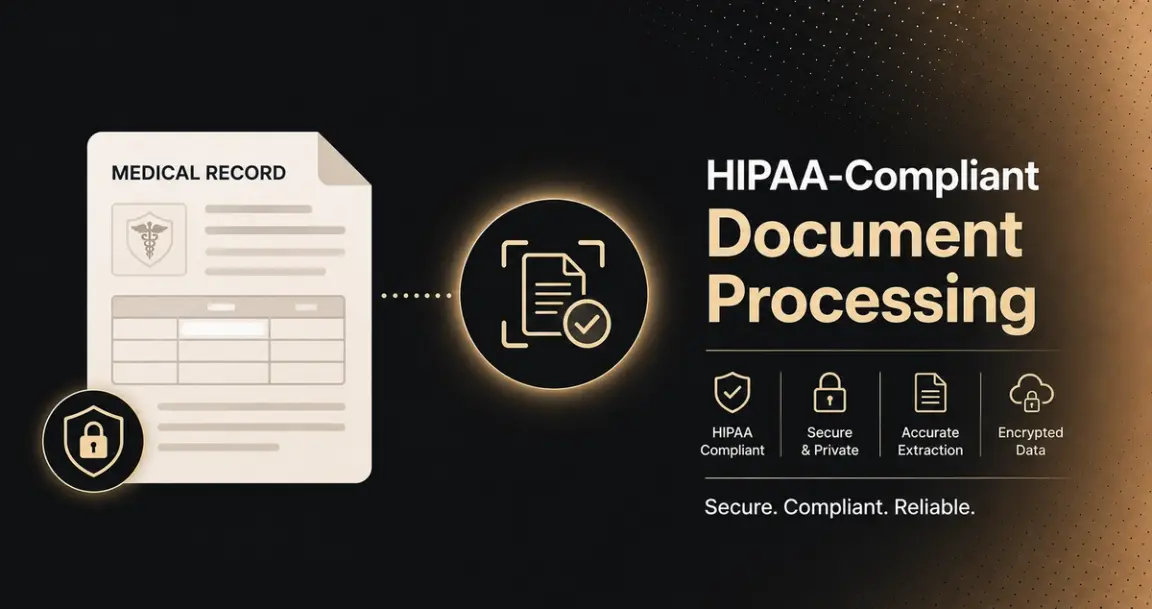
Any tool that processes a document containing Protected Health Information becomes subject to HIPAA's requirements the moment it touches that document — regardless of whether it was designed for healthcare or even aware it's handling PHI. This applies to medical records, intake forms, insurance claims, and lab requisitions, covering every stage a document passes through: capture, storage, transmission, and disposal.
What Is HIPAA Compliance?
HIPAA — the Health Insurance Portability and Accountability Act, passed in 1996, sets the national standard in the US for protecting sensitive patient health information. HIPAA compliance means an organization, and anyone it shares patient data with, follows the specific safeguards the law requires to keep that information private and secure, across every point it's created, received, maintained, or transmitted.
Two categories of organizations are directly bound by HIPAA. Covered entities are healthcare providers, health plans, and healthcare clearinghouses, the organizations that generate and hold patient health information as part of delivering or paying for care. Business associates are any vendor or contractor that handles PHI on a covered entity's behalf, which is exactly the category most document processing, OCR, and document management tools fall into the moment they're used to process a health document. This is the mechanism that pulls a general-purpose software tool into HIPAA's scope: it doesn't need to be a healthcare company itself; it just needs to touch PHI as part of a covered entity's workflow.
HIPAA compliance isn't a single certification or a one-time checkbox — it's an ongoing set of obligations spanning administrative, physical, and technical safeguards, reinforced by the contractual requirement (a Business Associate Agreement) that formally extends those obligations to any third party in the chain.
HIPAA's requirements split into two parts worth knowing by name: the Security Rule governs technical, physical, and administrative safeguards (encryption, access controls, audit logging); the Privacy Rule governs how PHI can be used and disclosed in the first place. Compliance requires both. HITECH, which extended HIPAA's requirements around breach notification, is typically part of the same conversation rather than a separate framework.
Why Healthcare Documents Are a Distinct Technical Challenge
Standard OCR tools are built to accurately read and structure text — they usually weren't built with HIPAA's data governance requirements in mind, and typically lack encryption, access controls, audit logging, and the BAA HIPAA mandates for any vendor handling PHI on a covered entity's behalf.
Healthcare adds a second layer of difficulty on top of the compliance requirement: it's one of the last industries where handwritten documents are routine — patient intake forms, physician annotations, a CMS-1500 with typed procedure codes alongside handwritten notes. Faxing is the third complication: providers, payers, pharmacies, and labs still fax constantly, and faxed documents carry low resolution, compression artifacts, skewed pages, and sometimes handwritten annotations added before faxing — arguably the worst input quality of any document category. Most general OCR tools either skip handwritten fields entirely or return unusable results on them.
The Core Safeguards Every Compliant Solution Needs
- Encryption at rest and in transit — AES-256 is the standard named repeatedly across compliant platforms.
- Role-based access controls and MFA, restricting access to authorized personnel by actual job function.
- Comprehensive, tamper-evident audit trails, logging every access and processing action in a way that can't be quietly altered.
- A signed Business Associate Agreement with any vendor touching PHI — non-negotiable, confirmed explicitly, not assumed.
- Data backup, recovery, and secure disposal, aligned with legal retention requirements.
- Clarity on model training — confirm directly whether your PHI-containing documents are used to train a vendor's underlying models; several compliant platforms state explicitly that they never do.
Real Benefits
- Fewer errors from reduced reliance on manual paper handling and re-keying.
- Audit readiness — detailed, demonstrable trails rather than reconstructing what happened after the fact.
- Faster processing, especially against genuinely messy inputs (faxes, handwriting) that manual review handles slowly.
- Secure, controlled PHI access across devices and locations without compromising the safeguards above.
Deployment as a Compliance Lever
Where processing happens is itself a compliance decision. On-premises or private cloud deployment keeps PHI inside a fully controlled environment, the strongest available control, relevant for the strictest data-residency requirements. Vendor-managed cloud with a signed BAA is the more common model and can be fully compliant, but requires trusting the vendor's own security practices. Automatic PHI detection and redaction for research or analytics use cases is an increasingly available middle path, so downstream systems that don't need raw PHI never receive it.
Named Platforms
Lido
Positions itself specifically around the two things that break most general OCR tools on healthcare documents: handwriting and fax quality.
- HIPAA compliant, SOC 2 Type 2 certified, signs BAAs with every healthcare customer, AES-256 encryption, and explicitly states it never trains models on patient data — a dedicated security reports page is available for teams needing to verify this directly during procurement.
- Handwriting handling is the core technical differentiator. Lido's own framing is specific: a CMS-1500 might have typed procedure codes alongside handwritten notes; an intake form might be half printed fields and half cursive. Most OCR tools either skip handwritten fields entirely or return unusable results — Lido's stated approach handles mixed printed/handwritten forms, cursive, abbreviations, and the rushed handwriting common on clinical documents specifically, rather than treating handwriting as an edge case.
- Fax quality is named as its own problem, not folded into general "scan quality." Providers, payers, pharmacies, and labs still fax constantly, and faxed documents carry lower resolution, compression artifacts, skewed pages, and sometimes handwritten annotations added before faxing — Lido's own description calls this "the worst input quality in any industry," and builds handling for it specifically rather than as a fallback case.
- Template-free across document type and source. States it processes any healthcare document type — claims, intake forms, lab requisitions, faxes, handwritten forms — from any payer or facility format, without requiring a template per format.
- A named, specific proof point: RelayHealth used Lido to process 16,000 Medicaid claims in 5 days, a task that previously took weeks of manual entry, reported up to 10x faster than manual entry generally.
- Best fit: healthcare organizations whose actual document mix is genuinely messy, handwritten fields, faxed intake, and inconsistent payer formats, rather than clean, digitally-native documents.
OdysseyGPT
Worth noting upfront: OdysseyGPT isn't a healthcare-only product; it maintains a broader compliance framework library (HIPAA, GDPR, SOX among others), positioning itself as a document intelligence platform that adapts to whichever regulatory framework applies, rather than a healthcare-first tool with compliance bolted on.
- Deployment control is the specific differentiator here: on-premises and private cloud options mean PHI never leaves an organization's controlled environment at all — a stronger guarantee than "encrypted in a vendor's cloud," relevant specifically for organizations whose risk tolerance or regulatory environment doesn't allow PHI to touch third-party infrastructure under any circumstance.
- Tamper-evident audit logging captures all system access, document processing, and user actions — the "tamper-evident" detail matters specifically because a log that can be quietly edited after the fact doesn't hold up as compliance evidence during an actual audit.
- BAAs are signed for cloud deployments specifically — worth confirming this applies to whichever deployment mode (cloud vs. on-prem) you're actually evaluating, since the two modes carry different contractual and technical postures.
- Automatic PHI detection and redaction is built in for research or analytics use cases specifically — relevant if extracted data needs to flow into a downstream system (a BI dashboard, a research dataset) that shouldn't receive raw PHI at all.
- Configurable data retention and secure disposal policies, rather than a fixed retention period applied uniformly regardless of your organization's actual record-keeping requirements.
- Best fit: organizations wanting the strongest possible deployment-level control (on-prem/private cloud specifically), or those managing compliance across multiple regulatory frameworks beyond HIPAA alone, not just healthcare.
Box for Healthcare
A cloud-based content management system with HIPAA-compliant storage and sharing, built around secure collaboration and file access from any device — positioned for document management rather than extraction or structured processing.
- Best fit: organizations whose primary need is a secure, shareable repository for health documents across teams and devices, not extracting structured data from documents at scale.
ShareFile (Citrix)
Secure file sharing and storage with built-in compliance features, positioned specifically around securely sharing files with patients, staff, and third parties — the patient-facing sharing use case is its clearest differentiator from a pure internal document store.
- Worth confirming directly, not assumed: HIPAA compliance requires a higher paid tier on ShareFile specifically — check that whatever plan you're actually pricing out includes the compliance tier, not the base product.
- Best fit: organizations whose document workflow regularly involves sharing files externally with patients or third parties, not just internal storage.
SmartVault
A cloud-based document management and storage solution with secure sharing and HIPAA-compliant PHI handling, positioned as a more accessible, lower-complexity option than enterprise platforms like DocuWare.
- Best fit: smaller healthcare practices wanting straightforward compliant storage and sharing without the implementation weight of a larger enterprise platform.
DocuWare
A comprehensive document management system used across hospital administration, medical group practices, and multi-department healthcare organizations, the most enterprise-scaled general platform in this comparison.
- Intelligent document capture with automated capture and classification from scanners, email, and mobile inputs, multiple intake channels handled natively, not just a single upload path.
- Configurable workflow automation for approval and routing across departments, relevant specifically for larger organizations where a document needs to move through multiple hands and departments before it's resolved.
- Best fit: larger, multi-department healthcare organizations wanting document management and cross-department workflow automation together in one platform, rather than a point solution for one specific document type.
Onymos DocKnow
Positioned as the intelligent intake layer purpose-built for healthcare and life sciences, specifically for the document-heavy workflows of diagnostic and clinical laboratories — a genuinely different use case than the general medical-records tools above.
- Built for lab accessioning, TRF (test requisition form) processing, and RCM (revenue cycle management) enablement specifically — intake through billing, not general document storage.
- HIPAA compliance built into the architecture from the start, according to Onymos's own positioning, rather than a compliance layer added on top of a general document platform.
- Named for scale specifically: positioned for labs processing test requisition forms, insurance cards, and clinical documents at high volume, up to labs scaling to 350,000+ specimens needing enterprise-wide compliance that holds at that volume.
- Audience named explicitly by the vendor: diagnostic and clinical laboratories processing TRFs and insurance cards at scale, and RCM teams or lab directors responsible for clean data flow from specimen intake through reimbursement.
- Best fit: labs and lab-adjacent RCM teams specifically — this isn't the right comparison point for general clinical document management, and none of the platforms above are built for the lab-intake-to-billing workflow this one targets.
Conclusion
HIPAA-compliant document processing isn't a feature a tool either has or doesn't — it's a specific set of safeguards spanning both the Security and Privacy Rules that any tool touching PHI needs to satisfy, regardless of extraction accuracy. The platforms above split into three real categories: extraction-focused tools built for messy healthcare inputs (Lido, OdysseyGPT), general document management platforms (Box, ShareFile, SmartVault, DocuWare), and lab-specific intake-to-billing tools (Onymos DocKnow). Confirm BAA availability, current certifications, and deployment model directly before real PHI reaches any of them.
FAQ
What is HIPAA compliance, and who does it apply to?
HIPAA compliance means following the safeguards the Health Insurance Portability and Accountability Act requires to protect patient health information. It applies to covered entities (providers, health plans, clearinghouses) and business associates — any vendor handling PHI on a covered entity's behalf, which includes most document processing tools the moment they touch a health document.
Does a document processing tool need to be "healthcare-specific" to be HIPAA-compliant?
No, compliance depends on the required technical and contractual safeguards (encryption, access controls, audit logging, a BAA), not marketing. A general-purpose tool with those safeguards can be compliant; a healthcare-marketed tool without them is not.
What's the difference between HIPAA's Security Rule and Privacy Rule?
The Security Rule governs technical, physical, and administrative safeguards. The Privacy Rule governs how PHI can be used and disclosed. Compliant document processing needs to satisfy both.
Is cloud-based document processing ever HIPAA-compliant?
Yes, provided the vendor signs a BAA and implements the required safeguards. On-premises or private cloud offers stronger direct control, relevant for the strictest data-residency needs, but it isn't the only compliant path.
Is lab document processing different from general healthcare document processing?
Yes, labs need high-volume TRF and insurance card intake flowing directly into revenue cycle management, a distinct workflow from general clinical records that purpose-built tools like Onymos DocKnow address specifically.
More articles
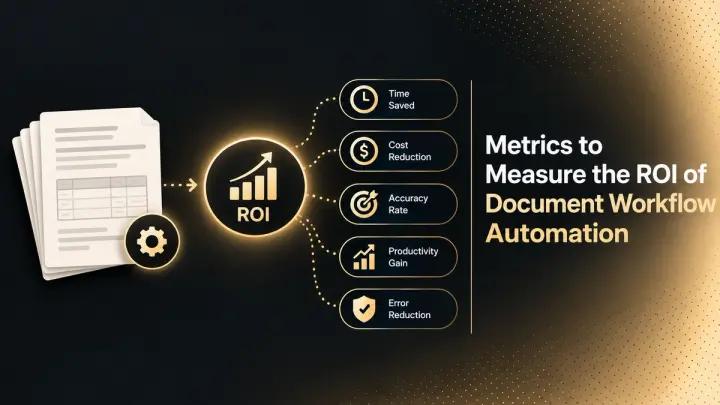
Metrics to Measure the ROI of Document Workflow Automation (2026)
The metrics that measure document workflow automation ROI: baselines, formulas, cost per document, STP rate, payback, and how to read the statistics.
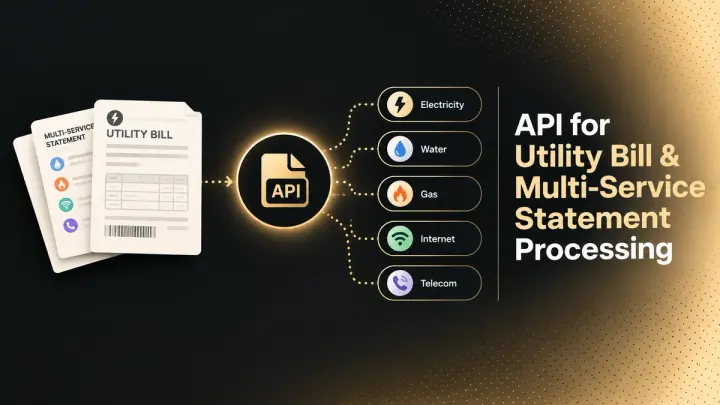
API for Utility Bill and Multi-Service Statement Processing (2026)
How document processing APIs handle utility bills and multi-service statements: how the market splits, schema design, validation, and named options.