%20{%20:root%20{%20--deepread-stroke:%20%23E5E7EB;%20}%20}%20.dark%20{%20--deepread-stroke:%20%23E5E7EB;%20}%20%3c/style%3e%3crect%20x='40'%20y='30'%20width='220'%20height='260'%20rx='28'%20ry='28'%20stroke='var(--deepread-stroke)'%20stroke-width='16'%20fill='none'/%3e%3cpath%20d='M180%2030v52c0%2010%208%2018%2018%2018h62'%20stroke='var(--deepread-stroke)'%20stroke-width='16'%20fill='none'/%3e%3cline%20x1='70'%20y1='130'%20x2='200'%20y2='130'%20stroke='var(--deepread-stroke)'%20stroke-width='16'%20stroke-linecap='round'/%3e%3cline%20x1='70'%20y1='165'%20x2='200'%20y2='165'%20stroke='var(--deepread-stroke)'%20stroke-width='16'%20stroke-linecap='round'/%3e%3cline%20x1='70'%20y1='200'%20x2='170'%20y2='200'%20stroke='var(--deepread-stroke)'%20stroke-width='16'%20stroke-linecap='round'/%3e%3c!--%20green%20download%20arrow%20in%20bottom%20right%20corner%20--%3e%3cpath%20d='M210%20202v58'%20stroke='var(--deepread-accent)'%20stroke-width='18'%20stroke-linecap='round'/%3e%3cpath%20d='M195%20245l15%2015%2015-15'%20fill='none'%20stroke='var(--deepread-accent)'%20stroke-width='18'%20stroke-linecap='round'%20stroke-linejoin='round'/%3e%3c/svg%3e)
AI Automation for Contracts and Compliance Documents: How It Works, Platforms Compared, and How to Choose (2026)
How AI automates contract extraction, search, review, and compliance tracking, with 9 platforms compared on pricing and limits and a pilot plan to test them.
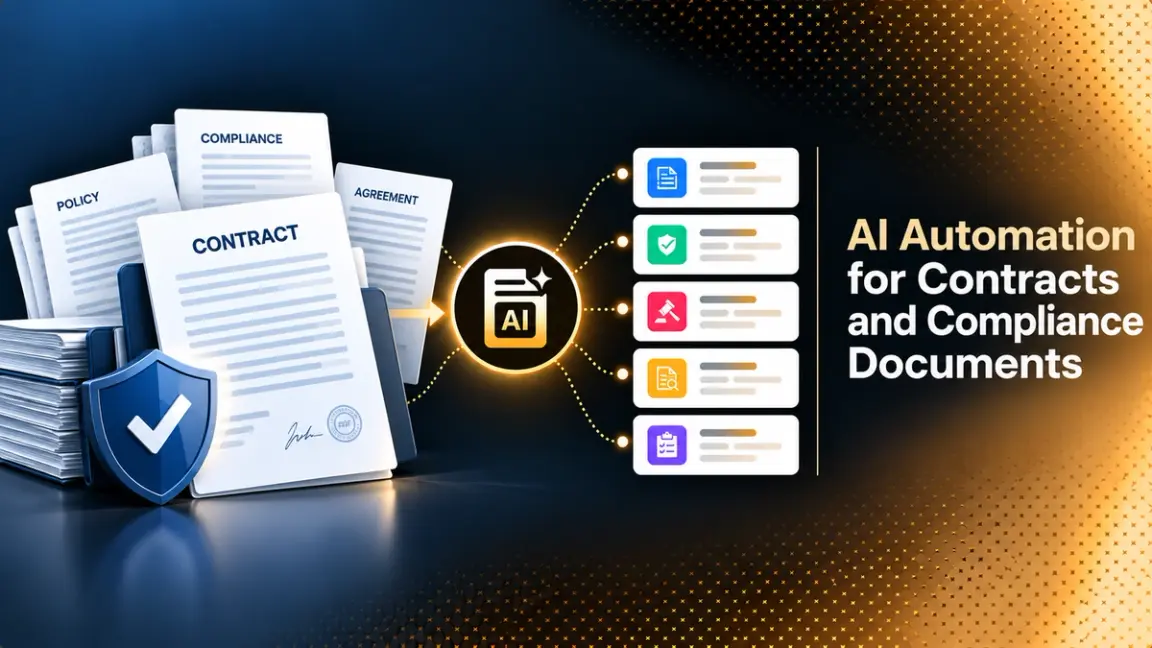
Contracts and compliance documents hold the commitments a business has made: what it must deliver, when it must renew, which data it may share, and which certifications it must keep current. Most of that information sits in PDFs, scans, and email attachments that nobody can query. When an auditor asks which vendor agreements include a data-breach notice clause, or a regulation changes and legal needs to know which contracts are affected, the answer takes weeks.
AI-powered automation changes that by turning documents into structured, searchable data and by monitoring what the data says. This guide explains how the technology works across the contract and compliance lifecycle, where it breaks, how to keep humans accountable for the output, and how to choose among contract lifecycle management platforms, e-signature suites, and extraction APIs. It compares nine products using their own published pricing and feature pages.
Who This Guide Is For
This guide is for legal operations teams, compliance leads, procurement and finance teams that manage vendor agreements, and engineers building contract data into their own systems. If you want the shortlist, go to the platform comparison. If you are still deciding whether to automate, start with the next section.
Why Contracts and Compliance Documents Are Hard to Manage
Several things make this document class difficult for people and for software.
- Volume and spread. Agreements live in shared drives, email, e-signature tools, and filing cabinets.
- Format variety. Contracts come as clean PDFs, scanned legacy paper, Word files with tracked changes, and photos of signed pages.
- Hidden obligations. Renewal dates, notice periods, liability caps, and reporting duties are buried in dense text and often in schedules and amendments.
- Documents that change. Amendments and side letters modify the original, so the current position depends on several files.
- Moving requirements. Regulations, policies, and certifications change, and each change can touch many agreements.
The cost of getting this wrong is large but hard to measure. World Commerce and Contracting's August 2025 white paper reports that poor contract management erodes about 9% of annual business value on average, with the best performers losing around 3% and the worst 15% or more. The paper's page does not describe the survey methodology, so treat the figure as a directional estimate.
What AI-Powered Automation for Contracts Covers
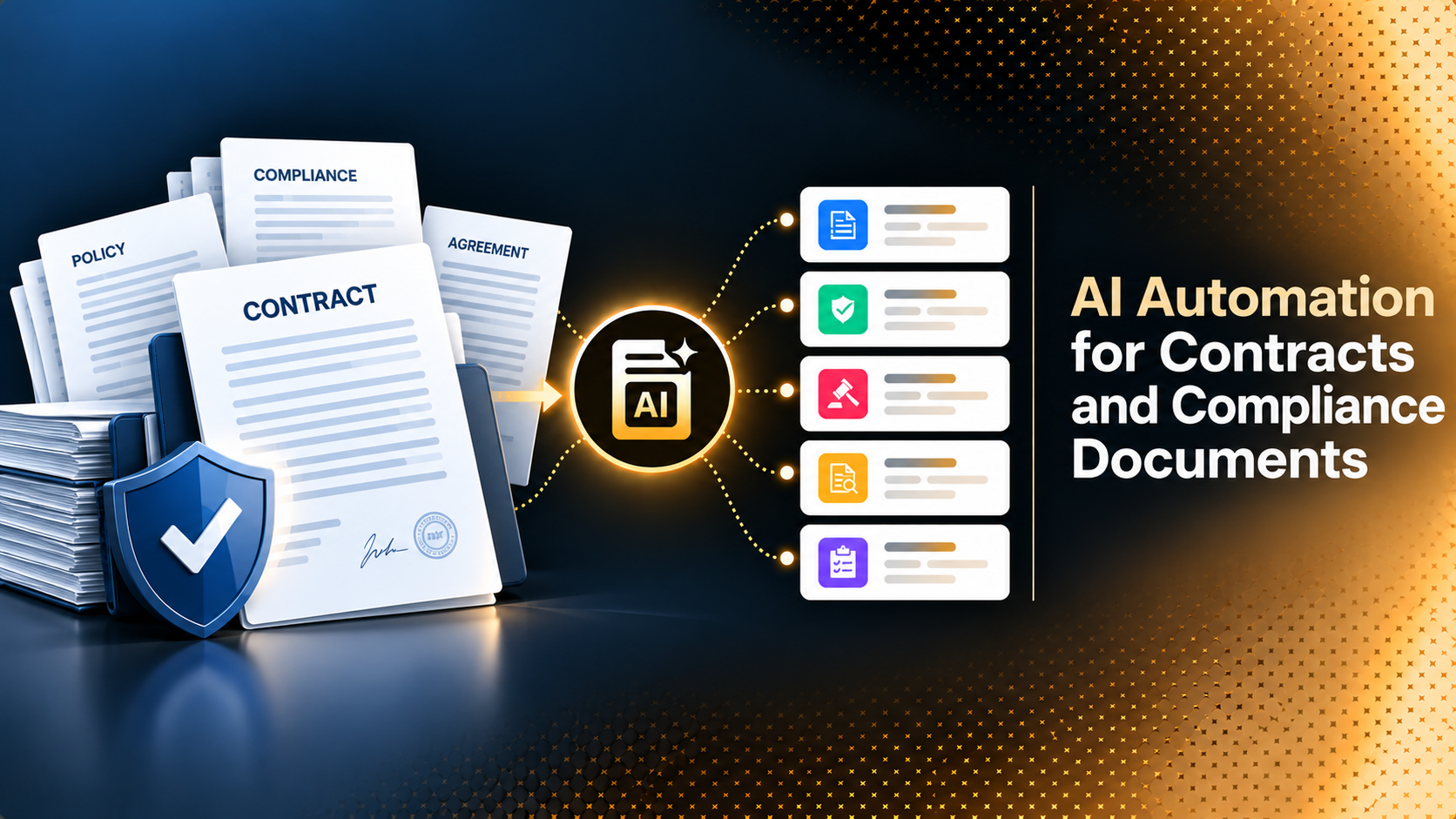
Automation spans the whole lifecycle, and different products cover different parts of it.
- Ingestion and OCR. Files are collected from drives, email, and e-signature tools, and scans are converted to text.
- Classification. Documents are sorted into types such as NDAs, master service agreements, data processing agreements, and policies.
- Extraction. Parties, effective dates, renewal terms, payment terms, clauses, and obligations are pulled into structured fields.
- Search and question answering. Users find agreements and clauses in natural language.
- Review against playbooks. Incoming or existing contracts are compared with approved positions or earlier versions, with deviations and risky or unusual clauses flagged, risk scored, and redlines suggested.
- Workflow and approvals. Requests, approvals, and signatures are routed by rules.
- Obligation and renewal tracking. Deadlines, service levels, and commitments are monitored after signature.
- Compliance mapping and audit readiness. Contracts and policies are checked against regulatory and internal requirements, with records of changes and approvals.
The diagram below condenses these steps into one flow, with human review sitting between validation and any downstream action.
Steps 1 to 3 are the data foundation. If extraction is wrong or incomplete, every later step inherits the error, and the problem grows with volume, as DeepRead's guide to scaling unstructured document processing explains. DeepRead's explainer on structured data extraction covers how documents become reliable fields.
AI Contract Document Search Automation
Search is often the first thing teams automate, and it is where the quality differences between products show up fastest.
From Keyword Search to Question Answering
Keyword search finds the words you typed. Semantic search finds passages with similar meaning, so a query for "who pays if a shipment is late" can surface a clause titled "Delay Remedies". Question answering goes a step further and writes an answer from the retrieved text. Sirion, for example, describes conversational search that answers questions about contract terms and cites source data.
What Makes Contract Search Reliable
- Precise retrieval. The system must find the exact clause, not just the right document. Research on legal retrieval makes the point directly: the LegalBench-RAG benchmark was built to measure how precisely a retriever can pinpoint minimal, relevant snippets, because whole-document or large-chunk retrieval can exceed model context limits and bury the answer.
- Citations. Every answer should link to the page and passage it came from, so a lawyer can verify it in seconds.
- Metadata filters. Search works best when combined with extracted fields such as counterparty, contract type, governing law, and expiry date.
- Access controls. Search must respect permissions, since contract repositories hold confidential terms.
- Version awareness. Results should reflect amendments and the latest executed version.
- Reasons for matches. The best tools show why a result matched, so a reviewer can judge it quickly. Spendflo's contract search agent, for example, returns the matching clause in context with a note on why it matched.
- Unreadable files flagged. Scans the system cannot read should be reported so someone can rescan them, instead of silently dropping out of results.
- Ambiguity handling and saved searches. When a term has several meanings, showing the variants and letting the user choose avoids wrong answers, and saved searches make common queries repeatable.
Where AI Search Fails
A fluent answer is not a correct one. A model can summarize a clause that does not exist, miss an amendment, or answer from the wrong version. Require citations, test with questions whose answers you already know, and keep a person in the loop for decisions with legal consequences.
Automating Compliance Documents
Compliance documents include policies, certifications, audit reports, data processing agreements, insurance certificates, and regulatory filings. Automation here is less about drafting and more about keeping a current, verifiable picture.
- Expiry and renewal tracking. Extract expiry dates from certificates and insurance documents, and alert owners ahead of lapses.
- Obligation extraction. Pull regulatory references, data transfer terms, security requirements, and reporting duties from agreements into a register.
- Gap detection. Compare extracted terms with required clauses and flag missing or non-standard language.
- Remediation workflows. Route flagged agreements to legal, apply standard fallback language, and record approvals.
- Audit trails. Keep a record of what was extracted, who reviewed it, what changed, and when.
Sirion's guidance on aligning contracts with new regulatory requirements describes a similar sequence: inventory and triage the portfolio, extract obligations and flag gaps, then remediate at scale with approvals and archived updates. The sequence is a sensible template whichever tool you use, though the article offers no measured results.
Compliance Documents and Contracts by Industry and Document Type
The mix of documents differs by sector, and it shapes which tool fits.
Document Types Commonly Automated
- Commercial agreements: NDAs, master service agreements, vendor and customer contracts, leases, licensing deals, and employment agreements.
- Data and privacy agreements: data processing agreements and security addenda.
- Compliance evidence: certifications, audit reports, insurance certificates, and policy acknowledgments.
- Regulated files: KYC documents, loan and account files, and qualification files that must contain specific documents.
Common Compliance Use Cases
- File completeness checks. Docsumo's guide describes checking each loan, account, or vendor file against the documents it must contain and flagging gaps while the file is still open.
- Insurance certificate checks. Compare limits, dates, and additional insured status with what the contract requires.
- Expiry windows. Flag a certificate or license that expires within a set period.
- Sensitive data handling. Find personal data such as account and identification numbers and redact it before sharing.
- Required contract terms. Check that agreements include clauses the law requires. Docsumo's examples include HIPAA business associate contract requirements (45 CFR 164.502(e)) and GDPR Article 28 processor contracts. Confirm the exact requirements for your situation with counsel.
How the Mix Varies by Industry
Sirion's guide on contract compliance AI gives examples across healthcare, construction, finance and banking, and retail and supply chain, where the rules in play include HIPAA, OSHA, Dodd-Frank, and PCI DSS. A healthcare team will care most about data-handling clauses, a construction firm about safety and subcontractor obligations, and a bank about customer identification and file completeness. Start with the use case where a missed obligation costs the most.
How the Technology Works Under the Hood
Most systems follow the same pipeline, and knowing it helps you ask better questions.
- Read the document. OCR converts scans and images to text, and layout analysis keeps headings, clauses, tables, and signature blocks in order.
- Segment. The contract is split into sections and clauses so each can be analyzed on its own.
- Extract and classify. Language models identify clause types and pull fields such as dates, parties, amounts, and obligations.
- Validate. Rules check dates, required fields, and consistency, and low-confidence items are flagged.
- Review. People confirm or correct the flagged output.
- Store and monitor. The structured data feeds search, alerts, and reports.
The reading step matters more than it appears. Legacy contracts are often scans, and a misread date or number passes silently into the repository. DeepRead's comparison of LLMs vs OCR software explains how modern models and classic OCR differ, and why checking one against the other catches errors.
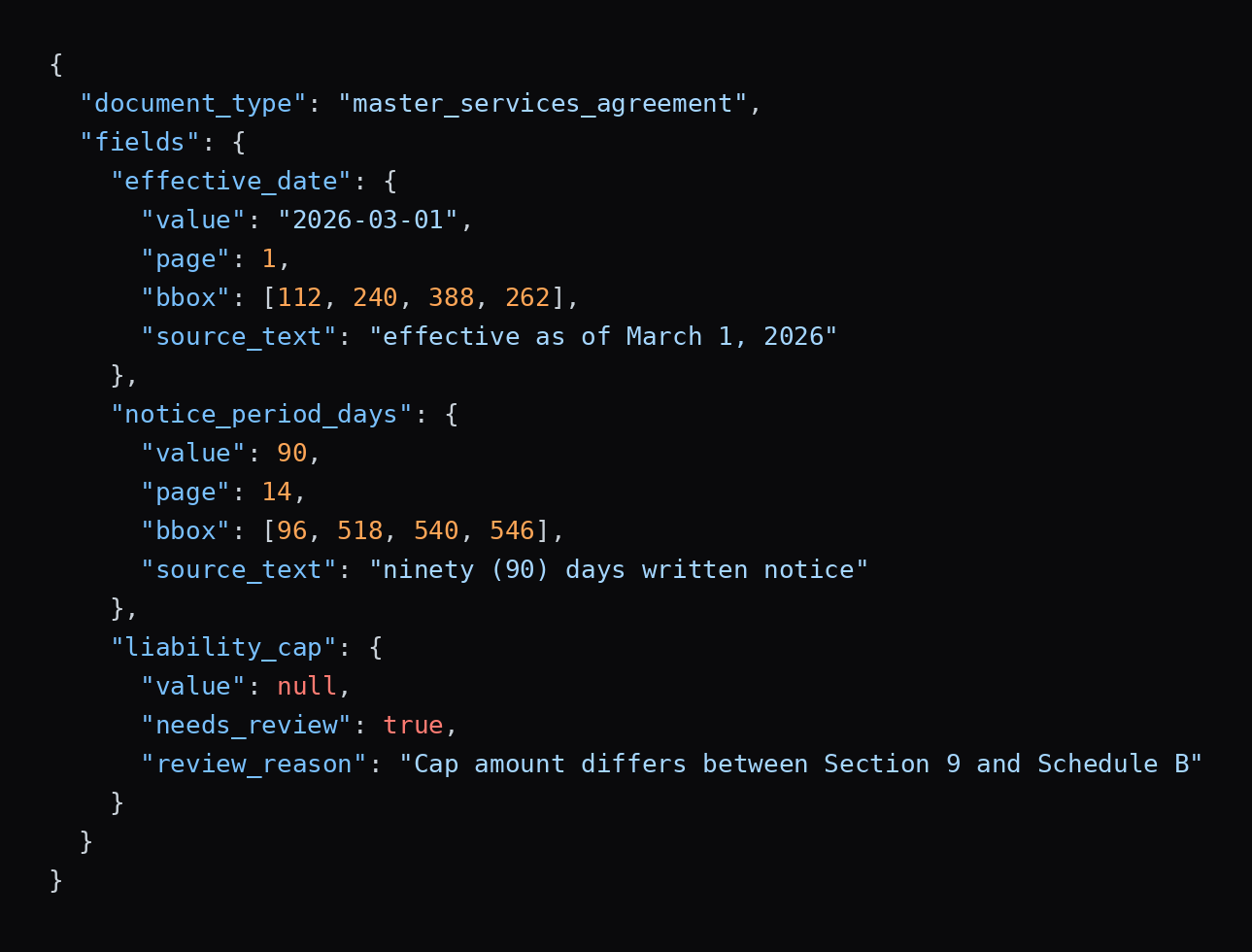
The output of the extract and validate steps should look something like the illustrative example below. Each value carries its page, position, and source text, and a value the system cannot settle comes back empty with a reason, instead of a guess. The shape is a generic example, not any one vendor's exact format.
Governance: Keeping People Accountable
AI output on legal documents needs controls.
- Human review for consequential fields. Renewal dates, liability caps, and termination rights should be confirmed by a person, at least until you have measured accuracy on your own documents.
- Source citations on every extracted value. A reviewer should be able to see the passage behind each field.
- Audit logs. Record who accepted, changed, or overrode each result.
- Confidentiality and residency. Confirm where documents are processed and stored, whether they are used for training, and who can access them.
- Playbook ownership. Legal owns the approved positions that the software enforces. The software should not define them.
- Ongoing testing. Re-run a fixed test set after model or configuration changes.
Contract Automation Options: Suite, Extraction API, or Custom Build
- CLM platforms cover the lifecycle from intake to renewal, usually with AI extraction, search, and review built in. They suit legal and procurement teams that want a finished system.
- E-signature and document suites add agreement analysis and workflows to signing products. They suit teams already standardized on that vendor.
- Extraction APIs return structured data from documents and leave workflow, storage, and search to you. They suit engineering teams building contract data into their own products or pipelines.
- Custom retrieval systems combine a document store, embeddings, and a language model. They offer control and demand the most engineering and testing.
Teams in the middle often start with a suite for the workflow and add an extraction API for document types the suite handles poorly. For the workflow side, DeepRead's overview of intelligent document workflow automation shows how extraction connects to approvals and downstream systems.
How to Evaluate AI Contract and Compliance Tools
- Accuracy on your documents: test your own agreements, including scans and amended contracts.
- Citations and explainability: every field and answer should point to its source.
- Playbook support: can legal define clauses and fallback language, and does the tool flag deviations?
- Search quality: test with known-answer questions and clause-level queries.
- Obligation tracking: renewals, notice periods, and service levels with alerts.
- Integrations: CRM, ERP, procurement, e-signature, storage and document management systems, and whether contract data can be reached from the AI assistants your team already uses, through connectors such as MCP.
- Languages and document size: supported languages for extraction and search, and page limits per document. Docusign, for instance, lists AI extraction in English, French, and German, while V7 Labs states support for over 50 languages and documents up to 200 pages, which is a vendor claim.
- Security and data handling: certifications, residency, retention, and training policy.
- Pricing model: per user, per contract volume, per workflow, or per page, and what implementation and migration cost.
- Implementation effort: weeks or months, and who does the work.
After launch, measure the outcome. DeepRead's guide to metrics to measure the ROI of document workflow automation lists the numbers to track.
How to Read Vendor Claims
Almost every contract AI page leads with a speed or accuracy figure, and almost none explain how it was measured.
- Sirion's site cites 90% faster contract centralization, 85% faster insights, and 99% on-time obligation compliance, and gives no method for them.
- SpotDraft's pricing page says its Word review is up to 15 times faster, without a baseline.
- Luminance's site reports a 75% reduction in repetitive review work, and says its model combines specialist legal models with contractual context, with few details on either.
These may be accurate for the customers measured. Ask what was compared, on how many contracts, and whether accuracy counts only fully correct fields. Then run your own sample.
AI Contract and Compliance Platforms Compared (2026)
The platforms below cover e-signature suites, CLM systems, contract intelligence tools, and an extraction API. Pricing comes from each vendor's own pages and is listed as quote-based where none was published. Confirm current pricing before you buy.
DeepRead
- What it automates: The document-to-data layer for teams building their own contract and compliance pipeline. Extract returns a contract as Markdown with layout blocks and bounding boxes, plus the fields you define as JSON when you send a schema, such as parties, effective date, renewal term, and notice period. Deep Extract is built for hard inputs such as scanned legacy contracts, photographed signature pages, and handwritten annotations, using two OCR engines, adjudicating disagreements, and running a verification pass on every value.
- Pricing: $15 per 1,000 pages for Extract and $35 per 1,000 pages for Deep Extract, chosen per request. The Free plan offers 2,000 pages a month with no card, Standard has no monthly page cap, and Enterprise is custom. A failed job costs nothing, and up to $1,000 in migration credits is available for teams moving from another processor.
- Limits: Free allows 50 pages per document, 15 MB per file, and 10 requests a minute. Standard allows 1,000 pages, 50 MB, and 100 requests a minute, which covers very long agreements. Enterprise raises limits to 2,000 pages and 500 MB and adds retention controls, PII redaction, bring-your-own model keys, EU and AU data residency, and SSO. Processing and storage default to US East; Free and Standard retain documents for up to three years by default, and there is no self-hosted option and no BAA on any plan. It is an extraction API, so it does not include a repository, playbooks, approvals, or obligation alerts.
- Best for: Engineering and legal operations teams that already have, or are building, a contract repository or workflow and need dependable field extraction with page-level citations.
- Pros: Field locations and citations (page, bounding box, and source text per field), review flags with reasons and a review UI on every plan, and published per-page pricing.
- Cons: It is not a CLM, it cannot be self-hosted, and teams that need a BAA will have to choose another vendor
Docusign Intelligent Agreement Management
- What it automates: Signing plus agreement management with AI search, management, and analysis, AI data extraction, AI-driven template creation, and workflow automation.
- Pricing: Docusign's IAM page lists Starter at $45 per user per month, Standard at $50 (3-user minimum), and Professional at $80 (3-user minimum), on annual terms billed monthly. Enterprise is by quote. Add-ons start at $0.36 per SMS or WhatsApp delivery and $2.40 per ID verification attempt.
- Limits: Plans cap workflows at 1, 3, and 10 for Starter, Standard, and Professional, with 100 envelope sends per user per year on Starter. AI data extraction is currently available in English, French, and German. AI-Assisted Review for redlining is Enterprise only. New IAM customers get a one-time allotment of 5,000 historical documents per user for Agreement Manager processing.
- Best for: Teams already using Docusign that want agreement search and extraction with signing.
- Pros: Published self-serve pricing, AI search and extraction on every plan, and unlimited processing of new documents.
- Cons: Language support for extraction is limited, and the deeper review features sit on the Enterprise tier.
Ironclad
- What it automates: Contract lifecycle management with a conversational Ironclad Agent and specialized agents for search, intake (extracting terms and pre-filling launch forms), AI redlining, workflow design, renewals, and analytics. It also offers clause and metadata extraction, bulk import of legacy contracts, and MCP connectors that make contract data available in other AI tools.
- Pricing: Not published. Ironclad's pricing page says cost is shaped by products, users, workflows, and growth, and directs buyers to a quote. The products include CLM, the AI assistant, and eSignature, alone or in combination.
- Limits: The pricing page does not say whether AI is included in base pricing or sold as an add-on, so confirm it in your quote. Support model, API, extra instances, and some integrations affect price. Results on its product page, such as a 96% cut in turnaround time, are customer-reported.
- Best for: Legal and revenue teams with complex approval workflows and large volumes of routine agreements.
- Pros: AI that draws on deal history and negotiation records, not only the document in front of it, stated SOC 2 Type II certification, and encryption that is not an upsell.
- Cons: Quote-only pricing makes early comparison difficult.
Sirion
- What it automates: CLM organized as Store (AI extraction, repository, conversational search), Create (drafting from playbooks, risk flags, redlines), and Manage (obligation and SLA monitoring, performance, governance, risk), with a custom agent builder.
- Pricing: Not mentioned on the pages reviewed. Buyers contact Sirion for a demo.
- Limits: Performance figures on the site are vendor-stated and unexplained, and its analyst recognition claims should be checked against the analyst's own publication.
- Best for: Enterprises that need post-signature obligation management and conversational search with citations.
- Pros: Strong focus on obligations and compliance after signature, and cited answers in search.
- Cons: Enterprise orientation and no published pricing.
SpotDraft
- What it automates: Contract drafting, AI review inside Microsoft Word, an AI repository that extracts over 1,000 types of contract metadata, contract analytics, and a newer feature that uses AI agents to track regulatory change.
- Pricing: Quote-based. SpotDraft says plans are priced on contract volume. In-house implementation, legacy contract migration, a dedicated customer success contact, and 24/7 support are included at no extra cost.
- Limits: More than 30 integrations are listed, including Salesforce, Slack, Microsoft Teams, and Word. Speed claims such as review up to 15 times faster are vendor-stated.
- Best for: In-house legal teams that want a quick rollout with migration and support included.
- Pros: Implementation and support are part of the price, Word-based review, and a regulatory change feature.
- Cons: Pricing requires a demo, and the regulatory feature is described as new.
Quick Comparison
- Signing plus agreement search from one vendor: Docusign IAM.
- Complex approval workflows and enterprise governance: Ironclad.
- Post-signature obligations and cited search: Sirion.
- Quick rollout with implementation included: SpotDraft.
- Large-volume review with playbooks: Luminance.
- Published small-team pricing with AI included: Concord, PandaDoc, and Zoho Contracts.
- Building your own pipeline and needing cited field extraction: DeepRead.
How to Run a Pilot
- Choose one use case. NDA review, renewal tracking, or a regulatory change check work well.
- Pull a representative sample. Collect 50 to 100 agreements including scans, amended contracts, and unusual templates.
- Define the fields and questions. List the clauses, dates, and obligations that matter, and write 20 test questions with known answers.
- Create ground truth. Have a lawyer or contract manager record the correct answers, with a second person checking.
- Run two or three candidates. Use each vendor's trial, demo environment, or free tier where available.
- Score extraction and search separately. Count wrong, missing, and flagged fields, and check whether search answers cite the right passage.
- Test the edge cases. Include amendments, scanned pages, and a clause phrased in an unusual way.
- Measure review effort and cost. Include license, implementation, migration, and review time.
- Decide by threshold. Set accuracy and review-load targets before you see the results.
Conclusion
AI makes contract and compliance programs tractable by turning unsearchable documents into data you can query, monitor, and audit. The risk is trusting output you cannot verify. Choose tools that cite their sources, keep legal in charge of playbooks and consequential decisions, and test on your own agreements, including the scanned and amended ones. Pick a full CLM suite if you want the workflow, an extraction API if you are building your own, and compare total cost across licenses, implementation, and review time.
Frequently Asked Questions
What is AI-powered automation for contracts and compliance documents?
It is the use of OCR, language models, and workflow software to read agreements and compliance documents, extract key terms and obligations, make them searchable, and monitor deadlines, deviations, and regulatory requirements.
How does AI contract document search work?
The system converts contracts to text, splits them into passages, indexes them by meaning as well as keywords, and retrieves the most relevant passages for a question. Better systems cite the source passage and combine search with extracted fields such as counterparty and expiry date.
How accurate is AI contract extraction?
It varies by document quality, contract type, and tool. Vendor accuracy figures are rarely explained, so test on your own sample and score fields separately, especially dates, amounts, and liability terms.
Can AI replace lawyers in contract review?
No. It speeds up reading, comparison, and tracking, but people should confirm consequential fields and make legal judgments.
What is the difference between a CLM platform and an extraction API?
A CLM platform covers intake, drafting, approval, signing, storage, and renewal tracking. An extraction API returns structured data from documents, and you build the workflow and storage around it.
How do I automate contract compliance checks?
Extract obligations and regulatory references into a register, compare them with required clauses, flag gaps, route fixes through approvals, and keep an audit trail of each change.
How much does contract automation software cost?
It ranges widely. Docusign IAM lists plans from $45 per user per month, Concord from $499 per month for five users, PandaDoc from $19 per seat per month, and Zoho Contracts has a free plan, while Ironclad, Sirion, SpotDraft, and Luminance quote prices individually. DeepRead charges $15 or $35 per 1,000 pages for extraction.
More articles
Invoice Digitization: How to Digitize Invoices, Tools Compared, and What to Check (2026)
Learn how invoice digitization works, from scanning and OCR to validation and archiving, with 9 tools compared on published pricing, limits, and best use.
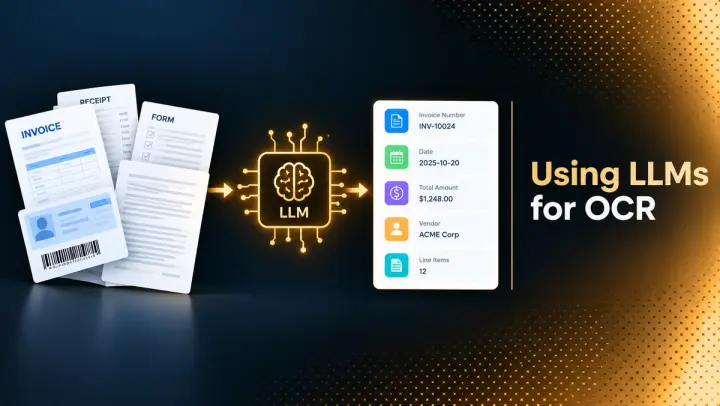
Using LLMs for OCR: Architectures, Prompts, Benchmarks, and Code (2026)
How to use LLMs for OCR: architectures, prompts, tested code, failure modes, benchmarks, and open-source tools compared with traditional OCR for PDFs and scans.