%20{%20:root%20{%20--deepread-stroke:%20%23E5E7EB;%20}%20}%20.dark%20{%20--deepread-stroke:%20%23E5E7EB;%20}%20%3c/style%3e%3crect%20x='40'%20y='30'%20width='220'%20height='260'%20rx='28'%20ry='28'%20stroke='var(--deepread-stroke)'%20stroke-width='16'%20fill='none'/%3e%3cpath%20d='M180%2030v52c0%2010%208%2018%2018%2018h62'%20stroke='var(--deepread-stroke)'%20stroke-width='16'%20fill='none'/%3e%3cline%20x1='70'%20y1='130'%20x2='200'%20y2='130'%20stroke='var(--deepread-stroke)'%20stroke-width='16'%20stroke-linecap='round'/%3e%3cline%20x1='70'%20y1='165'%20x2='200'%20y2='165'%20stroke='var(--deepread-stroke)'%20stroke-width='16'%20stroke-linecap='round'/%3e%3cline%20x1='70'%20y1='200'%20x2='170'%20y2='200'%20stroke='var(--deepread-stroke)'%20stroke-width='16'%20stroke-linecap='round'/%3e%3c!--%20green%20download%20arrow%20in%20bottom%20right%20corner%20--%3e%3cpath%20d='M210%20202v58'%20stroke='var(--deepread-accent)'%20stroke-width='18'%20stroke-linecap='round'/%3e%3cpath%20d='M195%20245l15%2015%2015-15'%20fill='none'%20stroke='var(--deepread-accent)'%20stroke-width='18'%20stroke-linecap='round'%20stroke-linejoin='round'/%3e%3c/svg%3e)
.NET PDF Form Processing API: A Technical Guide
.NET PDF form processing APIs compared - AcroForm vs. XFA, named SDKs, a common silent-failure bug, and PDF conversion for automation.
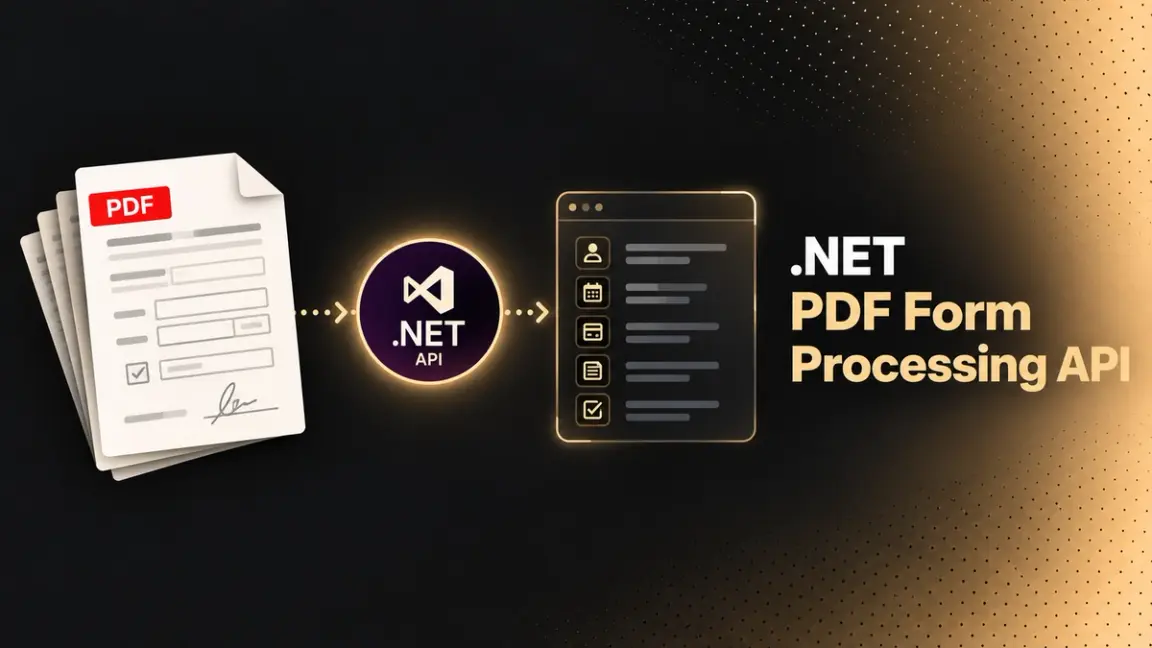
Filling a PDF form programmatically in .NET means working with one of two underlying standards, and the choice affects compatibility more than most developers expect going in. This is a guide to what a .NET PDF form processing API actually needs to do, the AcroForm/XFA distinction that determines whether your output opens correctly everywhere, named SDKs with real code-level detail, a specific bug worth knowing before it costs you debugging time, and where PDF conversion and AI-driven form automation fit alongside direct field manipulation. Form filling is usually one step in a larger pipeline, which is described in intelligent document workflow automation.
Who This Is For
- .NET developers building document automation, populating PDF forms from application data, a database, or an upstream structured data extraction step.
- Teams migrating from legacy XFA-based forms to a more broadly compatible format.
- Engineers evaluating PDF SDKs for a .NET project needing form filling, reading, flattening, or format conversion together.
- Anyone who's hit a silently failing form fill and needs to understand why.
AcroForm vs. XFA: The Compatibility Question That Matters Most
Two different standards exist for interactive PDF forms, and which one you're working with determines how your output behaves across viewers:
- AcroForms were introduced in the PDF 1.2 specification (1996, with Acrobat 3.0) and are the standard interactive form format supported universally: Adobe Reader, browser-based PDF viewers, and mobile apps all handle AcroForms without compatibility issues.
- XFA (XML Forms Architecture) is an XML-based dynamic form format introduced with PDF 1.5 and created with Adobe's LiveCycle Designer, offering richer features than AcroForms (changeable text fields, embedded JavaScript events) but with genuinely limited compatibility: many modern viewers, especially browser-based ones and mobile apps, don't render XFA forms correctly or at all. XFA was deprecated in PDF 2.0 (ISO 32000-2:2017) and isn't permitted in PDF/A.
The practical implication: if you're building new forms for a .NET automation pipeline, AcroForms are the safer default specifically because of that broad compatibility, and XFA's richer feature set isn't worth the rendering risk unless you're specifically working with legacy forms that already exist in that format. Several SDKs (Aspose.PDF specifically) support converting a dynamic XFA form into a standard AcroForm directly, which is worth knowing if you're inheriting XFA-based forms and want to modernize them rather than maintain compatibility risk indefinitely.
What a .NET PDF Form Processing API Actually Needs to Do
- Fill fields programmatically: set values on text fields, checkboxes, and radio buttons by field name, from application data or a database.
- Read existing field values: extract what's already filled in on a form, relevant for processing forms submitted by users or partners.
- Flatten forms: convert filled, interactive fields into static content, relevant when a form needs to become a permanent, non-editable record after completion.
- Validate field types correctly: text fields accept any string, checkboxes typically accept "Yes"/"No" string values rather than booleans, and radio buttons accept the string value of the selected option specifically, not an index or a boolean. (This reflects the underlying PDF spec's representation; check how any given library wraps this in its own API, since some expose it differently at the code level.)
- Handle both AcroForm and XFA where legacy compatibility requires it, ideally with the ability to convert XFA to AcroForm for forward compatibility.
- Convert between formats: PDF to Word, Excel, images, and back, relevant when a document automation workflow needs more than form filling alone. The wider landscape of conversion tools is compared in PDF conversion APIs for document processing.
A Specific Bug Worth Knowing Before It Costs You Debugging Time
Worth flagging directly, since it's a documented, real, and specific failure mode: field name matching in most .NET PDF SDKs is case-sensitive, and if a field name doesn't match exactly when you're populating a form from a database or another data source, the write silently fails: no exception, no error, the field just doesn't get filled. This is a genuinely common source of bugs, specifically when field names are generated or mapped programmatically rather than hardcoded, since a minor casing or whitespace mismatch produces no visible failure at all. Using a null-conditional pattern when reading field values (checking whether a field lookup returned null before acting on it) catches missing fields explicitly rather than letting a silent failure propagate downstream. Silent failures like this are one of the error categories automation can introduce as well as remove, which is covered in how AI automation minimizes human error.
Named .NET SDKs
A note on how to read this list: descriptions reflect each vendor's own documentation. Verify current API surface and licensing directly before committing to a specific library.
Nutrient (formerly PSPDFKit)
- Full AcroForm support across all standard field types, rendered consistently across web, mobile, and desktop, a broader platform reach than most .NET-specific libraries in this list.
- Server-side form filling and export via Document Engine (Docker-based), explicitly positioned for backend automation and batch processing.
- Form interactions follow permission-based access control via JWTs, relevant if form access needs per-user rules for viewing, filling, and editing.
- AI Document Processing (formerly XtractFlow) is a separate Nutrient SDK that combines large language models with key-value extraction and machine vision to classify documents and extract data from unstructured ones. It's delivered as a NuGet package, uses OpenAI or Azure OpenAI, requires a GdPicture.NET license key, and states that it doesn't store documents or extracted content. It's directly comparable to the AI-driven form automation angle covered later in this guide, but it comes from the same vendor as the .NET SDK itself rather than requiring a second, separate tool.
- Best fit: teams wanting one platform spanning viewing, form filling, and AI-driven extraction together, rather than combining a .NET SDK with a separate extraction API.
Apryse (formerly PDFTron)
- Full AcroForm support with official C# .NET Core sample code covering field creation, form filling, modifying existing values, form templating, and flattening, the most directly confirmed .NET-specific documentation among the platforms in this comparison.
- Robust server-side APIs extending beyond forms into conversion, third-party OCR integration, redaction, and optimization.
- Runs on a proprietary rendering engine that a competitor's comparison dates to 1998, rebranded from PDFTron to Apryse in 2023.
- Best fit: teams needing deep, confirmed .NET Core-specific sample coverage alongside broader document processing capability in one platform.
Aspose.PDF for .NET
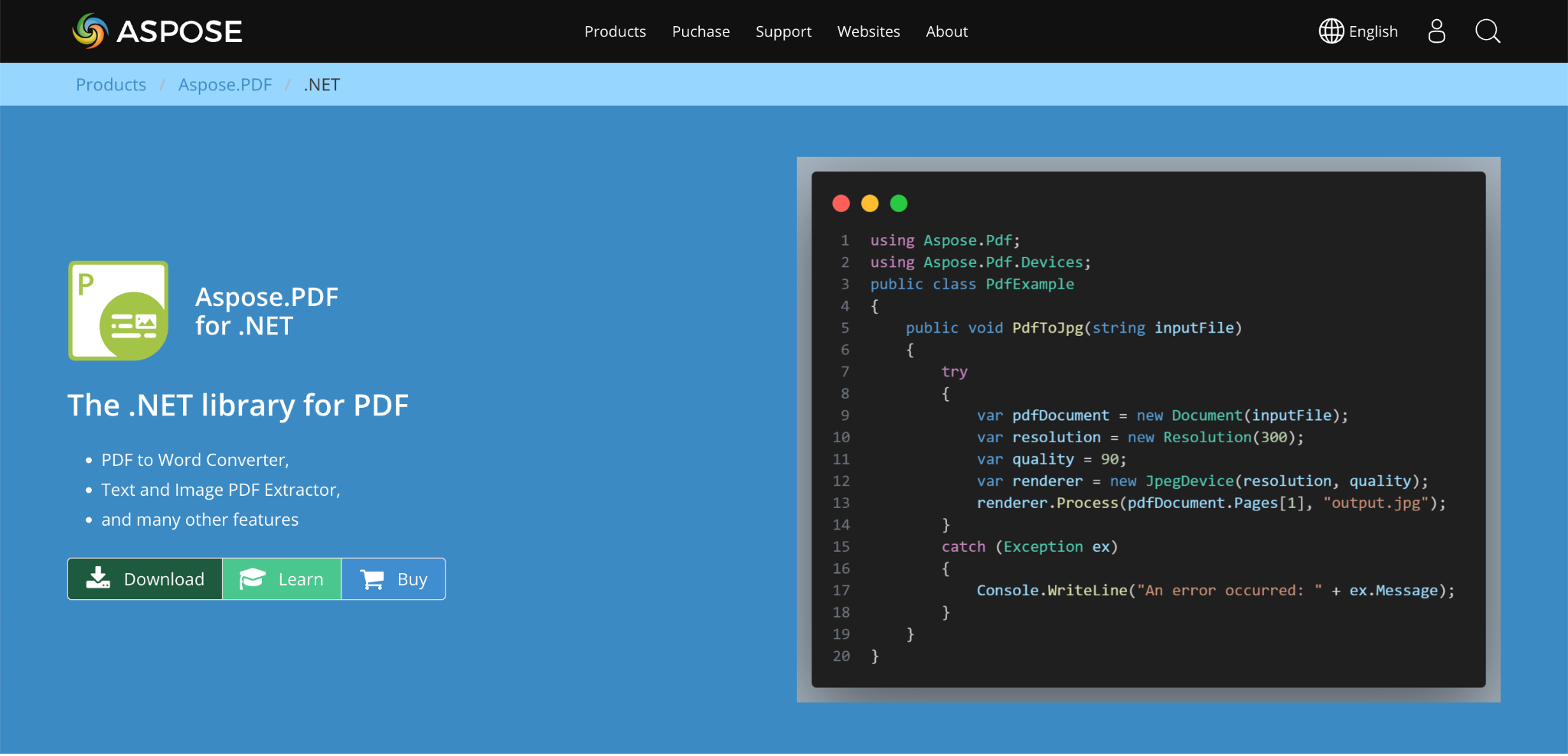
Creates, fills, and manipulates AcroForms, including adding new fields, filling form data, and extracting or removing fields programmatically, plus customizing field appearance (borders, background color).
- Full XFA support: fills XML-based XFA forms, and can convert XFA forms directly into standard AcroForms for broader compatibility.
- Broad format conversion built into the same package: PDF to Word, Excel, PowerPoint, HTML, images, and PDF/A, alongside document signing, metadata handling, and compression.
- Multi-platform support beyond just Windows: macOS, Linux, and Android are named explicitly, relevant if your .NET application needs to run cross-platform.
- Best fit: teams wanting one comprehensive package covering form processing, format conversion, and broader PDF manipulation together, rather than assembling separate libraries for each capability.
Syncfusion Essential PDF
- Supports filling both AcroForm and XFA forms through a single API: per Syncfusion's documentation, an EnableXfaFormFill property on the loaded form lets you fill an XFA form via the AcroForm interface directly, useful when a static XFA document contains both form types.
- Creates, edits, fills, and flattens both AcroForm and XFA fields.
- Supports creating accessible PDF (PDF/UA) from scratch, relevant if accessibility compliance is a requirement for your generated forms.
- Best fit: ASP.NET Web Forms applications specifically, or teams needing unified AcroForm/XFA handling through one consistent API.
IronPDF
- Focuses specifically on AcroForms, explicitly favoring them over XFA for the compatibility reasons covered above.
- A notably direct API: field access happens through the form on the document itself (pdf.Form.FindFormField("fieldName")) rather than requiring a separate helper class.
- Can generate AcroForm fields directly from HTML form elements when rendering HTML to PDF, provided a specific rendering option (CreatePdfFormsFromHtml) is set. Without it, HTML form elements render as static content rather than interactive fields.
- Images in form fields are handled without requiring manual base64 conversion, a small but real convenience difference from some other SDKs.
- Best fit: teams specifically avoiding XFA and wanting a direct, minimal-boilerplate API for AcroForm-only workflows.
Spire.PDF (e-iceblue)
- Specifically strong on XFA field filling in both C# and VB.NET, with direct support for traversing and filling XFA text fields by name.
- Best fit: teams specifically working with existing XFA-based forms who need reliable field-level access in either C# or VB.NET.
DynamicPDF Core Suite
- Fills AcroForm fields by field name and value through a MergeDocument instance, combining form filling with broader PDF creation and merging capability.
- Supports reorganizing form field names with prefixes specifically when merging multiple PDFs containing AcroForms, relevant if your workflow combines several form-based documents into one.
- Offers a free evaluation edition alongside flexible, royalty-free licensing options.
- Best fit: teams whose workflow combines form filling with document merging and report generation in one pipeline.
iText7
- The long-standing, industry-standard PDF library, with real AcroForm handling capability.
- Licensing caution: iText's open-source tier is licensed under the AGPL, which can carry copyleft obligations for your own application depending on how it's distributed. This is per publicly available licensing information, so confirm current terms directly with iText before adopting it commercially.
- Best fit: teams already comfortable with iText's ecosystem, or specifically evaluating open-source options with full awareness of the AGPL licensing implications.
Where AI-Driven Form Automation Fits
Everything above is about directly manipulating PDF form fields in code; you write the logic that maps data to specific field names. A related but distinct capability is AI-driven form automation: extracting structured data from an upstream document or data source and automatically populating a form from it, rather than a developer writing field-by-field mapping logic by hand.
Worth naming a more directly comparable option before getting to a separate-API approach: Nutrient's AI Document Processing (formerly XtractFlow), covered above, combines AI-driven extraction with the same vendor's native .NET SDK, meaning form filling and AI extraction run through one integrated platform rather than two separate tools. This is a meaningfully different proposition than pairing a .NET SDK with an external API.
DeepRead's skills repository describes AI-powered PDF form filling with visual QA, and its pricing page lists form fill, along with PII redaction, as an Enterprise-plan feature. Worth being precise about the distinction from the .NET SDKs above: DeepRead is a general REST API, not a native .NET SDK; it's callable from a .NET application over HTTP the same way it's callable from any language, and this guide hasn't confirmed an official .NET package, so plan on calling it over HTTP. It isn't a drop-in library the way Aspose.PDF or IronPDF are. Its role is complementary rather than competing: a .NET SDK gives you direct, granular control over PDF form fields in code; DeepRead is more suited to the upstream step, taking unstructured or semi-structured source documents and returning structured fields (each with its page, bounding box, and source text, and a needs_review flag with a reason for uncertain values), which you'd then write to the actual PDF form fields using a library like the ones above. Check its pricing page for which plan includes form fill, and confirm current API details and form-filling mechanics directly, since this isn't confirmed at the level of technical detail the .NET-native SDKs above are.
What to Evaluate
- AcroForm vs. XFA support, matched to what your actual forms use, and whether XFA-to-AcroForm conversion is available if you're modernizing legacy forms.
- Field-name matching behavior specifically: does the library throw on a missing field, or fail silently? This affects how much defensive code you need to write around form-filling logic.
- Flattening support, if generated forms need to become permanent, non-editable records after completion.
- Format conversion needs beyond forms: if your workflow also needs PDF-to-Word, Excel, or image conversion, a library bundling this (Aspose.PDF, Apryse) may be more efficient than assembling separate tools.
- Whether AI extraction is native or a separate integration: Nutrient's AI Document Processing bundles this with its SDK family; most others require pairing with an external API.
- Licensing model, especially for any AGPL-licensed open-source option, given the copyleft implications for a commercial .NET application.
- Cross-platform requirements, if your .NET application needs to run beyond Windows.
Conclusion
.NET PDF form processing comes down to a foundational choice: AcroForm for broad compatibility, XFA only where legacy forms require it (it was deprecated in PDF 2.0), layered with the specific mechanics of filling, reading, validating, and flattening fields correctly, and a real, documented bug (silent failure on field-name mismatch) worth defending against explicitly in code. Named SDKs split by strength: Nutrient and Apryse for the broadest platform coverage (with Nutrient uniquely bundling native AI extraction alongside its SDK), Aspose.PDF for comprehensive form-plus-conversion coverage, Syncfusion for unified AcroForm/XFA handling, IronPDF for a minimal, AcroForm-focused API, and DynamicPDF Core Suite for form filling combined with document merging.
Where general-purpose AI-driven automation like DeepRead fits is upstream of all of this, mapping unstructured source data into structured fields, complementary to, not a replacement for, the direct field-level control a .NET SDK provides, unless the platform (like Nutrient) bundles both together natively.
FAQ
What's the difference between AcroForm and XFA in PDF forms?
AcroForms are the standard interactive PDF form format, supported universally across Adobe Reader, browser-based viewers, and mobile apps since the PDF 1.2 specification. XFA is an older, XML-based Adobe format with richer features (dynamic fields, embedded JavaScript) but significantly limited compatibility: many modern viewers don't render XFA forms correctly, it was deprecated in PDF 2.0, and it isn't permitted in PDF/A.
Why does my .NET code fill a PDF form field with no error, but the field stays empty?
This is a documented, common bug: field name matching is typically case-sensitive, and a mismatched field name causes a silent failure with no exception raised. Use a null-conditional check when looking up fields to catch this explicitly rather than letting it fail silently.
Should I use AcroForm or XFA for new PDF forms in a .NET project?
AcroForm, in almost all cases, specifically because of its broad compatibility across viewers. XFA is only worth using if you're maintaining existing legacy XFA forms, and even then, several SDKs support converting XFA to AcroForm for forward compatibility.
Is DeepRead a .NET PDF form processing SDK?
No, it's a general REST API, callable from .NET over HTTP, with AI-powered PDF form filling listed as an Enterprise-plan feature. It's more suited to the upstream step of mapping unstructured documents into structured fields, complementary to a direct field-manipulation library like Aspose.PDF or IronPDF rather than a replacement for one. Nutrient's AI Document Processing is a notable exception in this comparison, bundling AI extraction with a native .NET SDK family.
Which .NET PDF SDK should I use if I need both form filling and format conversion?
Aspose.PDF and Apryse both bundle form manipulation with format conversion (PDF to Word, Excel, PowerPoint, HTML, and images) in one package, which is more efficient than combining separate libraries if your workflow genuinely needs both capabilities.
More articles
Document Workflow Automation at Mid-Sized Companies: Agencies, Platforms, and What Actually Changes by Size
How document workflow automation actually works for companies with 250–1,000 employees, including how implementation agencies operate.
Per-Document vs Per-Page Pricing in AI Extraction Services (2026)
Per-document vs per-page pricing for AI extraction: Google Document AI 2026 invoice and form parser rates, per-document vendors, and cost-by-length math.