%20{%20:root%20{%20--deepread-stroke:%20%23E5E7EB;%20}%20}%20.dark%20{%20--deepread-stroke:%20%23E5E7EB;%20}%20%3c/style%3e%3crect%20x='40'%20y='30'%20width='220'%20height='260'%20rx='28'%20ry='28'%20stroke='var(--deepread-stroke)'%20stroke-width='16'%20fill='none'/%3e%3cpath%20d='M180%2030v52c0%2010%208%2018%2018%2018h62'%20stroke='var(--deepread-stroke)'%20stroke-width='16'%20fill='none'/%3e%3cline%20x1='70'%20y1='130'%20x2='200'%20y2='130'%20stroke='var(--deepread-stroke)'%20stroke-width='16'%20stroke-linecap='round'/%3e%3cline%20x1='70'%20y1='165'%20x2='200'%20y2='165'%20stroke='var(--deepread-stroke)'%20stroke-width='16'%20stroke-linecap='round'/%3e%3cline%20x1='70'%20y1='200'%20x2='170'%20y2='200'%20stroke='var(--deepread-stroke)'%20stroke-width='16'%20stroke-linecap='round'/%3e%3c!--%20green%20download%20arrow%20in%20bottom%20right%20corner%20--%3e%3cpath%20d='M210%20202v58'%20stroke='var(--deepread-accent)'%20stroke-width='18'%20stroke-linecap='round'/%3e%3cpath%20d='M195%20245l15%2015%2015-15'%20fill='none'%20stroke='var(--deepread-accent)'%20stroke-width='18'%20stroke-linecap='round'%20stroke-linejoin='round'/%3e%3c/svg%3e)
Connecting an Invoice Scanner to Your Existing AP Automation Workflow
How to connect an invoice scanner to your existing AP automation workflow: integration methods, field mapping, matching, and accuracy benchmarks.
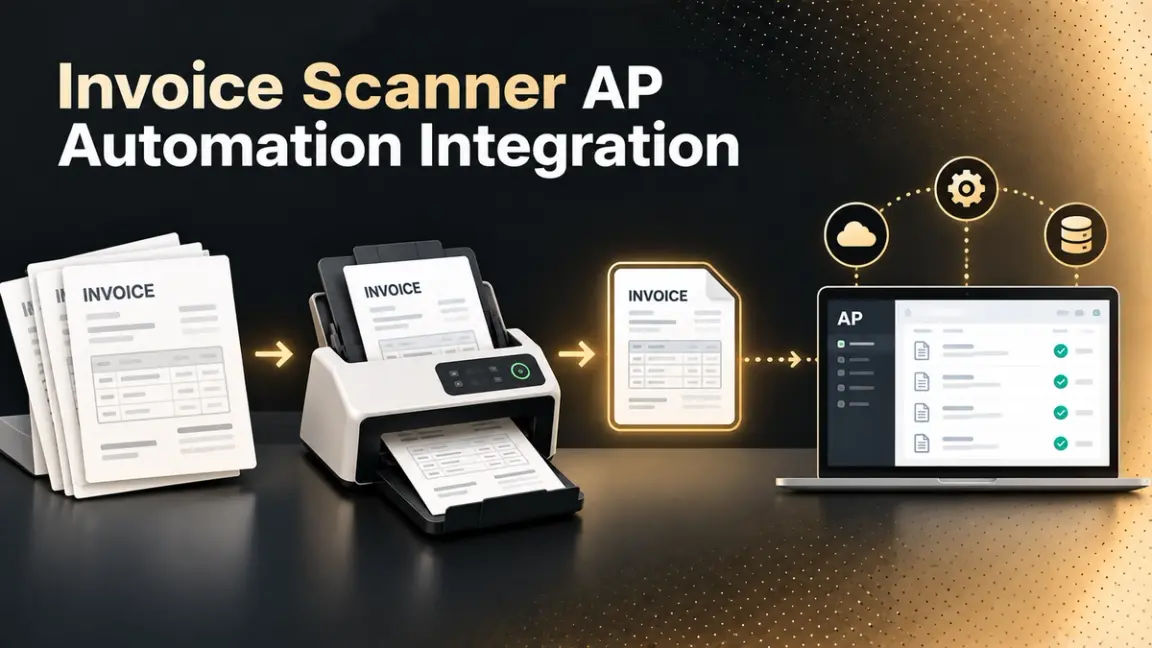
If you already have an invoice scanner and an AP automation system, the question isn't which tool to buy; it's how to get data moving reliably between the two. This guide covers the integration methods available, how to map fields and handle exceptions, what accuracy to actually expect, and how to roll the connection out without breaking the AP process you already run. If you'd rather have the extraction layer handled for you, DeepRead's accounts payable solution is a reasonable place to start.
Who This Is For
- AP teams with an existing scanner or OCR tool that isn't yet talking to their AP or ERP system.
- Finance and ops leads evaluating whether to connect via API, RPA, or a vendor's native integration.
- Anyone comparing an integration project's expected accuracy against benchmarks from published vendor data.
Map Your Current Workflow Before Touching Any Integration
Every source on this topic agrees on where to start, and it isn't the technical connection. Document the invoice's full current path first: how it arrives (email, upload portal, or a physical scanner feed), what happens to it today, who approves it, and where it posts. Define your approval rules and exception paths explicitly, since those rules are what the integration needs to trigger automatically. Skipping this step is the most common reason integrations under-deliver, not a technology limitation.
Four Ways to Connect a Scanner to an AP System
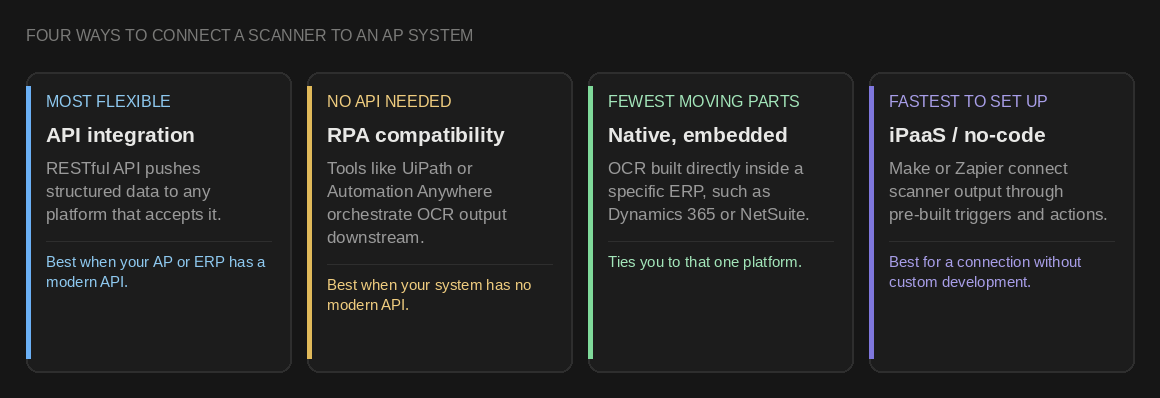
- API integration. A RESTful API pushes extracted invoice data to any platform that accepts structured input. This is the most flexible path and the one most modern OCR and AP platforms are built around.
- RPA compatibility. Robotic process automation tools such as UiPath or Automation Anywhere orchestrate OCR output into downstream systems, useful when your AP or ERP system has no modern API of its own.
- Native, embedded integration. Some OCR tools embed directly inside a specific ERP (for example, inside Microsoft Dynamics 365 or NetSuite) rather than connecting as a separate system, which reduces the number of moving parts but ties you to that specific platform.
- iPaaS or no-code connectors. Tools like Make or Zapier connect a scanner's output to accounting platforms through pre-built triggers and actions, a reasonable path when you want a connection without custom development.
For each option, verify what's actually configurable: authentication method, field mapping flexibility, webhook or polling support, and rate limits, before committing to one path.
What the Integration Actually Needs to Do
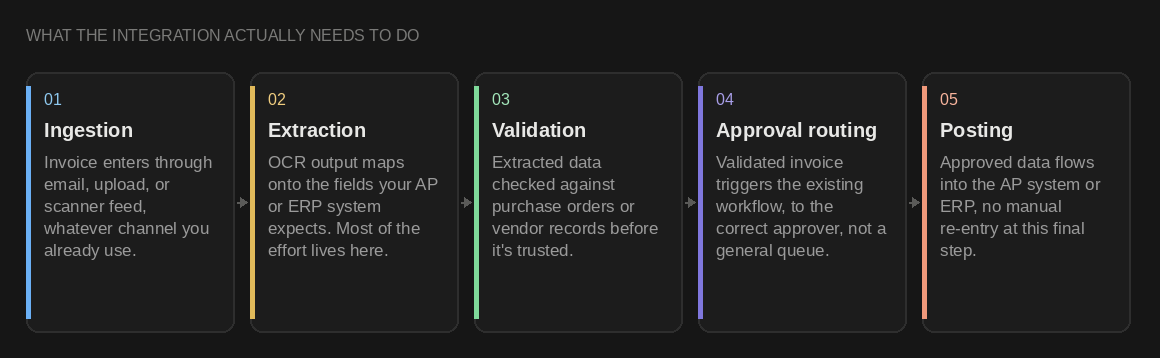
- Ingestion. The invoice enters through whatever channel you already use, email, upload, or scanner feed, and the integration needs to pick it up from there rather than requiring a new intake habit.
- Extraction. The scanner's OCR output (vendor, amount, line items, invoice number, date) needs to map cleanly onto the fields your AP or ERP system expects. This mapping step, not the extraction itself, is where most integration effort actually goes. Settling on the output fields and schema up front makes that mapping easier to build and test
- Validation against internal records. Extracted data gets checked against purchase orders or vendor records before it's trusted, the two-way or three-way matching step covered below.
- Approval routing. Once validated, the invoice needs to trigger your existing approval workflow automatically, routing to the correct approver rather than landing in a general queue.
- Posting. Validated, approved data flows into the AP system or ERP, triggering payment scheduling and reconciliation, without a manual re-entry step at this final stage.
Two-Way and Three-Way Matching
Matching is the validation layer that decides whether extracted data is trustworthy enough to act on automatically.
- Two-way matching compares the invoice against the purchase order.
- Three-way matching adds the receipt or goods-received record, catching overbilling and discrepancies a PO-only comparison would miss.
This is also where the two Ramp accuracy figures actually differ. Ramp states its OCR extracts invoice data (including line items) at up to 99% accuracy, and separately states its receipt-matching algorithm pairs receipts to transactions at 90%+ accuracy. These are different steps measuring different things: extraction accuracy is about correctly reading what's on the document, matching accuracy is about correctly pairing that document to the right transaction or PO, and a strong number on one doesn't guarantee a strong number on the other.
Worth being specific about what "OCR accuracy" is actually measuring, since it isn't one number: reading header fields (vendor, total, invoice date) is a different, generally easier task than correctly reading and coding every individual line item on a multi-line invoice. Ramp specifically states its OCR reads and applies accounting codes at the line-item level, not just the header, which is a meaningfully higher bar than document-level extraction alone. When comparing accuracy claims, confirm whether the figure covers header fields, line items, or both, and measure both extraction and matching separately on your own invoices rather than assuming a strong number on one implies the other. Line items are a specialty of their own, and approaches to invoice line-item extraction are worth reading about if your invoices run to many rows.
What Accuracy to Actually Expect
Published figures vary widely depending on what's actually being measured and what OCR generation produced it. One vendor's comparison frames it this way:
OCR generation
Reported accuracy
Traditional, pattern-matching OCR
~64%
AI-enhanced OCR (machine learning)
85-95%
LLM-based OCR (GPT, Claude, Gemini-class models)
97-99%
That table comes from a single vendor's buying guide, so treat it as directional rather than an industry consensus, but the shape is consistent with other sources: a separate guide reports AI-based receipt OCR reaching 95-99% on clean phone photos, with confidence-based review pushing effective accuracy above 99% by flagging uncertain fields for a person rather than passing them through.
Vendor-reported figures also vary by what's measured and how it's framed: one AP OCR guide states accuracy of 95% or higher on standard invoice formats, while Ramp's own site attaches "up to" to its 99% figure specifically. Treat any single percentage as a ceiling under good conditions, not a guaranteed floor, and confirm what document set and format a claimed number was actually measured against.
The gap between "OCR accuracy" and "effective accuracy after review" is the number that actually matters for an integration decision, since it tells you how much manual review your workflow will genuinely need.
A caveat worth stating plainly: the specific percentages in this guide come almost entirely from vendor-reported figures, mainly Ramp's own published numbers, and from vendor buying guides describing their own product categories. No independent, third-party benchmark for invoice OCR or receipt-matching accuracy turned up in this research. Use these figures to understand what's being claimed and how the categories differ, not as a neutral industry standard, and validate any number against your own invoices before building an exception-handling plan around it.
Field Mapping and Exceptions: Where Integrations Actually Break
- Field mismatches. Your scanner's output field names rarely match your AP system's field names exactly. Build the mapping explicitly rather than assuming a default mapping will work.
- Confidence scoring on extracted fields. Most AI invoice tools attach a confidence score to each extracted field, a percentage indicating how likely the value is correct. Your integration should route low-confidence fields to review rather than posting them as if they were certain. How those scores are calculated, and what to do when they're low, is covered in this breakdown of confidence scoring and fallback routing.
- Handling format variation. Invoices arrive as PDFs, scans, and email attachments, often from vendors with no consistent layout. AI-based extraction handles messy, non-templated invoices without per-vendor setup, a real advantage over legacy, template-based OCR when your vendor mix is large or changes often.
- Defining what "an exception" means before go-live. Decide explicitly what triggers manual review- a low confidence score, a matching discrepancy, a new vendor- before the integration runs live, not after the first failure.
A Practical Rollout Sequence
- Document your current AP workflow fully, including every approval rule and exception path, before configuring anything.
- Choose your integration method (API, RPA, native embedding, or iPaaS) based on what your existing AP and ERP systems actually support.
- Configure ingestion channels (email, portal, scanner feed) to match how invoices already arrive.
- Build the field mapping explicitly, testing it against real invoices from your actual vendor mix, not a clean sample set.
- Set confidence thresholds and exception rules, deciding what gets auto-approved and what routes to a person.
- Test matching logic (two-way or three-way) against real purchase orders and receipts before trusting it in production.
- Monitor accuracy, processing time, and exception rates after go-live, and continue optimizing. AI-based extraction tools specifically improve accuracy on a given vendor's invoices over time by learning from the corrections your team makes, so the confidence thresholds and exception rate you see in week one shouldn't be treated as the system's ceiling.
Conclusion
Connecting an invoice scanner to an existing AP workflow is fundamentally an integration and mapping problem, not an accuracy problem alone. The technical path (API, RPA, native embedding, or iPaaS) matters less than mapping fields correctly, setting confidence thresholds deliberately, and defining exception handling before go-live. Extraction accuracy and matching accuracy are separate metrics measured on different pipeline steps, and the specific numbers most available in this space come from vendors describing their own products, so measure both against your own invoices rather than assuming a headline OCR figure describes the whole pipeline.
FAQ
What's the difference between connecting via API versus RPA?
An API integration pushes structured data directly to a platform that accepts it, and is the more flexible, modern path. RPA orchestrates OCR output into downstream systems by simulating user actions, useful specifically when your AP or ERP system doesn't offer a modern API of its own.
What's the difference between OCR accuracy and matching accuracy?
OCR accuracy measures whether the scanner correctly read what's on the document. Matching accuracy measures whether that document was correctly paired to the right transaction, purchase order, or receipt. Ramp, for example, states 99% OCR accuracy and a separate 90%+ figure for receipt-to-transaction matching, two different measurements from two different pipeline steps.
Does "99% OCR accuracy" mean every field on the invoice, including line items?
Not necessarily. Header-field extraction (vendor, total, date) is generally easier than correctly reading and coding every individual line item on a multi-line invoice. Confirm whether a vendor's accuracy claim covers header fields, line items, or both before comparing it to another vendor's number.
Do I need three-way matching, or is two-way enough?
Two-way matching (invoice against purchase order) catches basic discrepancies. Three-way matching adds the receipt or goods-received record, which catches overbilling and quantity discrepancies a PO-only comparison would miss. The right choice depends on your fraud and error risk, not a universal rule.
Why does my integration keep failing on certain vendors' invoices?
Usually a field-mapping or format-variation issue rather than an extraction failure. Template-based OCR struggles with vendors whose invoice layout doesn't match a preconfigured template, while AI-based extraction handles varied layouts without per-vendor setup, though it still improves further on a given vendor's invoices over time as the system learns from corrections.
What accuracy should I expect after integration?
It depends heavily on OCR generation and document quality: reported figures range from roughly 64% for traditional pattern-matching OCR up to 97-99% for LLM-based systems on clean documents. Nearly all of these figures are vendor-reported rather than independently benchmarked, so the more reliable approach is to measure accuracy against your own invoices rather than trusting a single published number.
More articles
How to Choose a Document Automation Tool
Evaluate document automation tools based on accuracy, integration, audit readiness
Insurance Claim OCR: How It Works and Which Tools to Use (2026)
Insurance claim OCR for motor, health, pet, and travel claims: documents involved, missing-document detection, pricing, accuracy, and top platforms compared.