%20{%20:root%20{%20--deepread-stroke:%20%23E5E7EB;%20}%20}%20.dark%20{%20--deepread-stroke:%20%23E5E7EB;%20}%20%3c/style%3e%3crect%20x='40'%20y='30'%20width='220'%20height='260'%20rx='28'%20ry='28'%20stroke='var(--deepread-stroke)'%20stroke-width='16'%20fill='none'/%3e%3cpath%20d='M180%2030v52c0%2010%208%2018%2018%2018h62'%20stroke='var(--deepread-stroke)'%20stroke-width='16'%20fill='none'/%3e%3cline%20x1='70'%20y1='130'%20x2='200'%20y2='130'%20stroke='var(--deepread-stroke)'%20stroke-width='16'%20stroke-linecap='round'/%3e%3cline%20x1='70'%20y1='165'%20x2='200'%20y2='165'%20stroke='var(--deepread-stroke)'%20stroke-width='16'%20stroke-linecap='round'/%3e%3cline%20x1='70'%20y1='200'%20x2='170'%20y2='200'%20stroke='var(--deepread-stroke)'%20stroke-width='16'%20stroke-linecap='round'/%3e%3c!--%20green%20download%20arrow%20in%20bottom%20right%20corner%20--%3e%3cpath%20d='M210%20202v58'%20stroke='var(--deepread-accent)'%20stroke-width='18'%20stroke-linecap='round'/%3e%3cpath%20d='M195%20245l15%2015%2015-15'%20fill='none'%20stroke='var(--deepread-accent)'%20stroke-width='18'%20stroke-linecap='round'%20stroke-linejoin='round'/%3e%3c/svg%3e)
How to Choose a Document Automation Tool
Evaluate document automation tools based on accuracy, integration, audit readiness
"Document automation" gets used for software that does fairly different jobs: one tool assembles a contract from a template, another summarizes a folder of PDFs with an LLM, a third extracts structured data out of an invoice, and a fourth logs what an AI workflow did to a document for an auditor to review later. They all get marketed with the same label, which makes comparing them harder than it should be; you're rarely evaluating like against like.
This is a framework for cutting through that: the factors that matter regardless of which type of tool you're looking at, plus the ones specific to summarization pipelines, audit documentation, and LLM-based tools, since those three show up constantly in search results under this exact topic and deserve a direct answer rather than a generic checklist.
Who This Guide Is For
- Ops, legal, or RevOps teams evaluating document generation or assembly software and trying to separate real differentiators from feature-page noise.
- Data and engineering teams choosing a pipeline to summarize documents at volume, or a tool that uses LLMs to generate and maintain documentation automatically.
- Compliance and audit teams who need AI automation workflows documented well enough to survive a real audit, not just a dashboard that looks complete.
- Anyone who searched a version of "document automation tool" and found the results split between contract-assembly software and AI summarization tools and wants to know which one they actually need.
What "Document Automation Tool" Actually Covers
Before a feature comparison is useful, it helps to know which of these four categories you're actually shopping in, since the evaluation criteria shift meaningfully between them:
- Document generation and assembly. Software that builds finished documents, contracts, proposals, letters, from templates and structured input. The buying criteria here center on template flexibility, approval workflows, and e-signature or CRM integration.
- Document summarization pipelines. Tools, often LLM-based, that take long or numerous documents and produce condensed output: briefs, abstracts, meeting notes turned into action items. The buying criteria shift toward grounding, source traceability, and how the tool handles documents longer than a single context window.
- Data and documentation automation. Tools that use LLMs to generate or maintain documentation itself, API docs, dataset documentation, internal runbooks, usually by reading code, logs, or structured data and writing human-readable descriptions.
- Document extraction. Tools that pull structured data out of existing documents, invoices, forms, statements, into a schema a downstream system can use. The buying criteria here center on accuracy, confidence scoring, and what happens to the data the system isn't sure about.
A single company can need all four at once. What follows is a set of factors that apply across categories, plus specific guidance for the summarization, audit-documentation, and LLM-based cases, since those are where most of the confusion actually lives.
The Factors That Matter Across Every Category
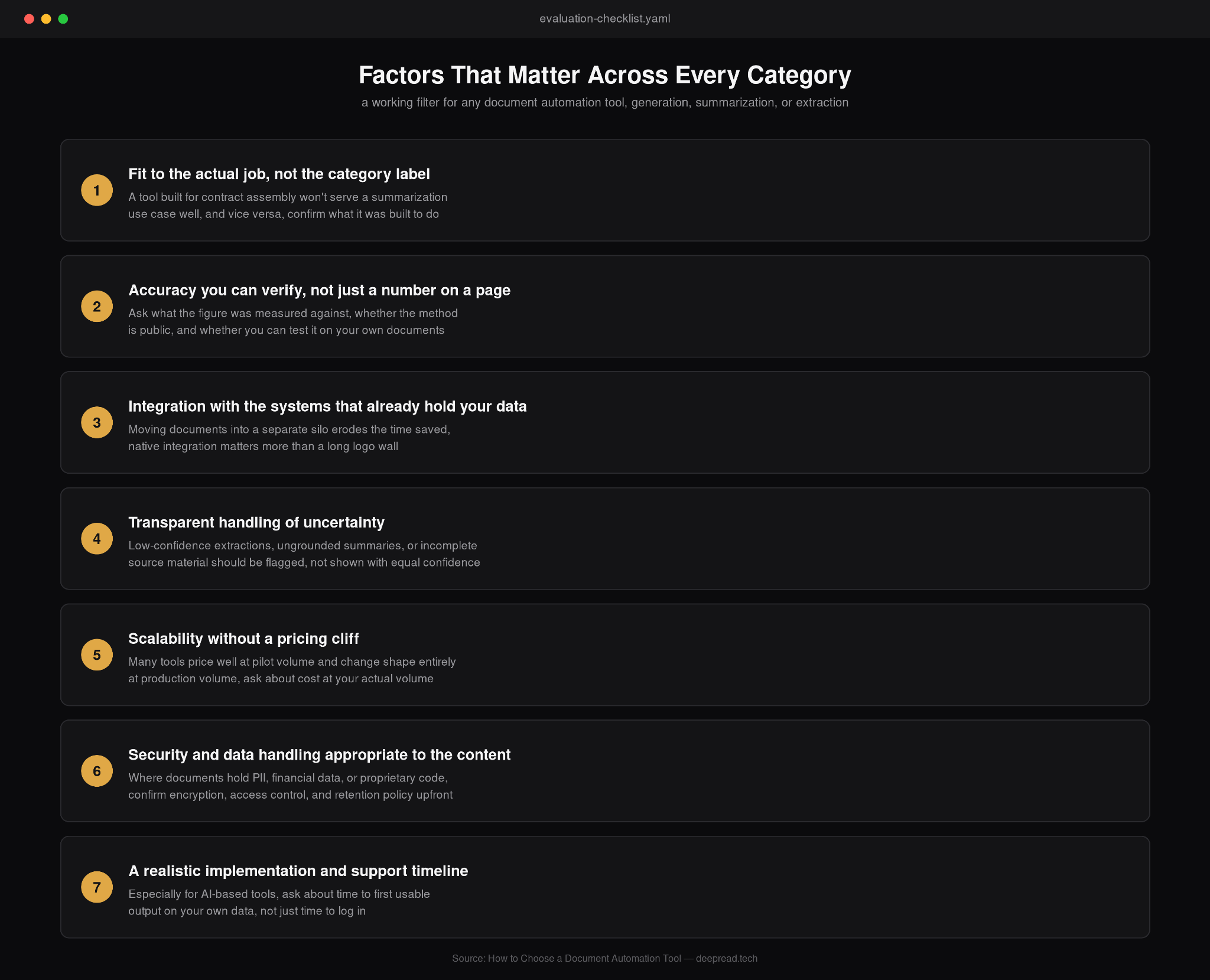
Regardless of which type of document automation tool is on the table, these hold up as genuine differentiators rather than feature-page checkboxes:
- Fit to the actual job, not the category label. A tool marketed as "document automation" that's really built for contract assembly won't serve a summarization use case well, and vice versa. Confirm what the tool was actually built to do before evaluating how well it does it.
- Accuracy you can verify, not just a number on a page. Ask what any stated accuracy or quality figure was measured against, whether the methodology is public, and whether you can test it on your own documents before committing. A number with no stated baseline is a marketing claim, not a benchmark.
- Integration with the systems that already hold your data. A tool that requires moving documents or data into a separate silo adds friction that erodes the time saved. Native integration with your CRM, ERP, document store, or codebase matters more than a long logo wall on a features page.
- Transparent handling of uncertainty. Whether it's a low-confidence extraction, a summary the model wasn't fully grounded on, or documentation generated from incomplete source material, the tool should flag what it's unsure about rather than presenting everything with equal confidence. In extraction tools, this usually shows up as per-field confidence scoring with fallback routing.
- Scalability without a pricing cliff. Many tools price attractively at pilot volume and change shape entirely at production volume. Ask what the cost and performance look like at your actual expected volume, not the volume in the demo.
- Security and data handling appropriate to what's in the documents. Where documents contain PII, financial data, or proprietary source code, confirm encryption, access controls, and data retention policy before documents ever touch the system.
- A realistic implementation and support timeline. Especially for AI-based tools, ask about time to first usable output on your own data, not just time to log in.
If You're Choosing a Tool for Document Summarization Pipelines
Summarization-specific tools and pipelines have a few additional factors worth checking directly, since this is where quality varies the most between products that look similar on a features page:
- Grounding and hallucination risk. Ask specifically how the tool prevents a summary from introducing information that wasn't in the source document; this is the single biggest quality gap between summarization tools.
- Source traceability. Being able to trace a specific line in a summary back to the page or passage it came from matters enormously for legal, research, or compliance use, and far fewer tools support this than they claim to.
- Long-document handling. Documents that exceed a single context window need to be chunked and recombined without losing cross-references between sections; ask how the tool handles a 200-page document specifically, not just a two-page one.
- Batch and pipeline support. A tool built for one person summarizing one document at a time behaves very differently from one built to run unattended across thousands of documents on a schedule; confirm which one you're actually evaluating. Running that kind of volume brings its own design questions, which the guide to scaling unstructured document processing works through.
Documenting AI Automation Workflows for Audit Readiness
A related but distinct need: not a tool that summarizes documents, but the practice of documenting what an AI automation workflow itself did, so it holds up under an audit. A few practices matter here regardless of which platform is involved:
- Log the full decision path, not just the output. What was processed, what was flagged, what a human changed, and when, reconstructable on demand rather than pieced together after the fact.
- Version everything that affects the outcome. Model versions, prompt or configuration changes, and any workflow logic updates, with a record of what changed and why, so a result from six months ago can still be explained today.
- Keep confidence or uncertainty data; don't discard it after the decision is made. A field that was flagged as low-confidence and then silently auto-approved is a harder thing to defend in an audit than one with a retained, reviewable flag.
- Separate what the AI did from what a human reviewed and changed. An auditor needs to see both, not a merged final record that erases the distinction.
This matters more than it might seem: the tools least likely to survive an audit cleanly are often the ones that produced accurate results but kept no usable record of how they got there. Teams running agent-style automation can borrow from the controls laid out in guardrails for autonomous AI agents, which cover much of the same ground from the control side.
Where LLMs Fit, and Where They Don't
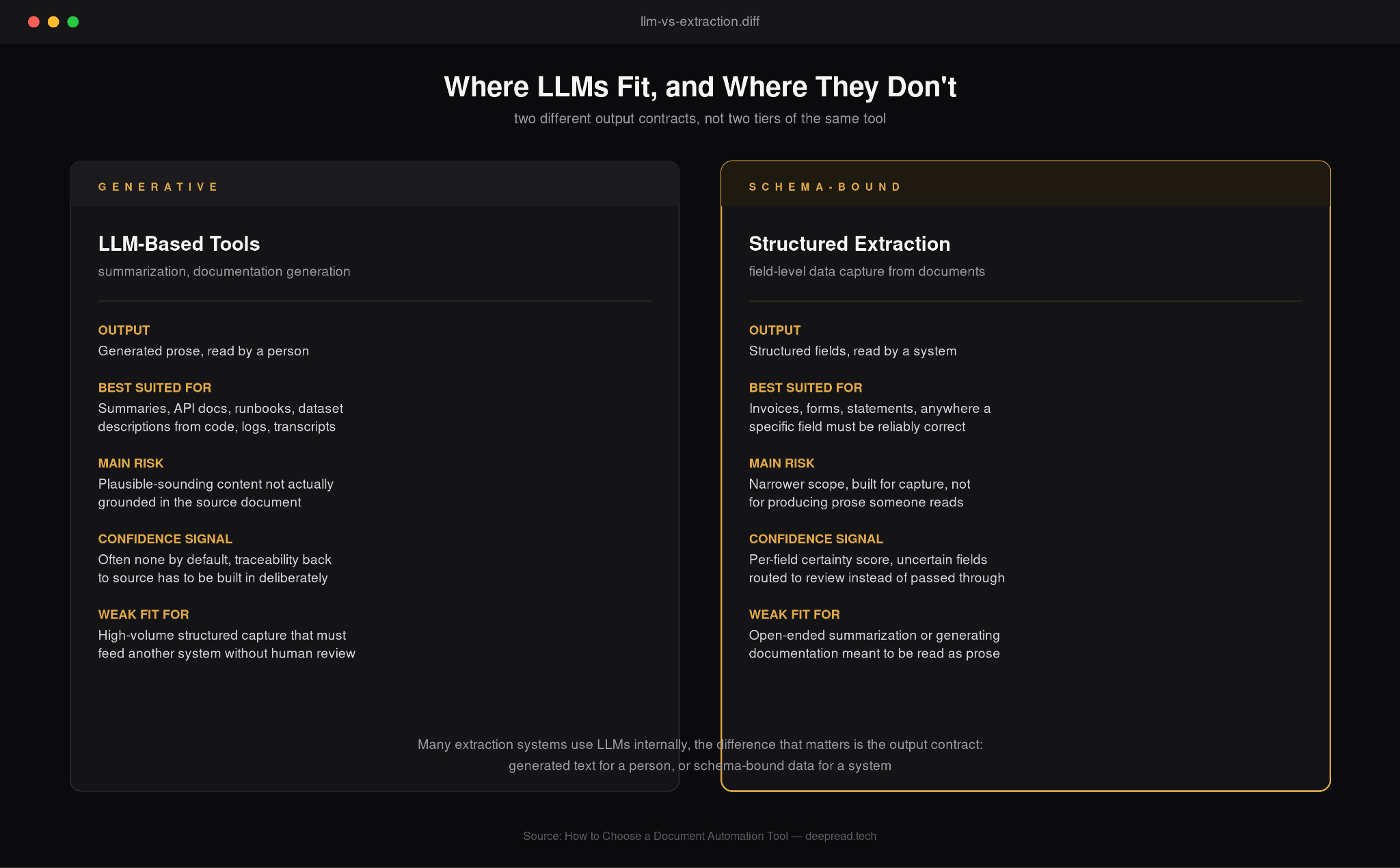
A good share of "AI automation" tools for documentation work are LLM-based: they read unstructured input and generate human-readable text, docs, summaries, descriptions. That's a genuinely different job from structured extraction, pulling specific fields like a total or a date out of a document into a schema, and it's worth being clear about which one a given task actually needs.
LLM-based tools are well suited to generating documentation from code, logs, or meeting transcripts, and to summarizing long or varied content where the output is meant to be read by a person. They're a weaker fit for high-volume structured data capture, where the output needs to be reliably correct field-by-field and feed directly into another system without a person checking it first, since generative output carries a real risk of plausible-sounding errors that a confidence score on a specific field doesn't always catch.
For that second job, a schema-driven extraction system with per-field confidence scoring is generally the better-suited tool, not because LLMs can't contribute to extraction accuracy- many extraction systems use them internally- but because the output contract is different: structured and schema-bound rather than generated prose.
Knowing which of these two you actually need before evaluating vendors saves a lot of mismatched demos.
Velocity and Error Reduction in Practice
The practical case for any of these tools comes down to two things: how much faster documents move through a process, and how many fewer errors make it through. This shows up clearly in marketing operations, where a campaign brief, a vendor contract, and a client approval document can each sit in a manual review queue for days; automating the extraction or summarization step at that point in the pipeline is often what actually shortens the cycle, not a faster meeting cadence. The same logic holds in martech stacks broadly: a documented, automated handoff between systems reduces the error rate that shows up later as a miskeyed field in a CRM or a misrouted approval, which is a more durable fix than catching the error after the fact.
A Note on the Extraction Layer Underneath
Whichever category of tool ends up in the stack- document generation, summarization, documentation automation, or extraction- it's worth remembering that any workflow built on top of inaccurate source data just produces confidently wrong output faster.
DeepRead is built specifically for the schema-bound side of that comparison: each field in the output carries its own certainty value, and anything below threshold gets routed to needs_review rather than written downstream as though it were settled. That accuracy is checked against named competitors on shared document sets at deepread.tech/benchmarks, and the free tier, 2,000 pages a month, no card needed, is there to run that check on your own documents before any of this turns into a procurement decision.
Conclusion
"Document automation tool" is broad enough as a category label that it's worth pausing on which job you're actually trying to solve before comparing vendors: generating documents, summarizing them, documenting an AI workflow for an audit, or extracting structured data out of them. Each has its own buying criteria, and the factors that hold up across all of them- verifiable accuracy, transparent handling of uncertainty, real integration depth, and a realistic implementation timeline- are a better filter than any single feature list.
FAQ
What are the key factors when choosing a documentation automation tool?
Fit to the actual task (generation, summarization, documentation, or extraction), verifiable accuracy rather than a stated number, integration depth with existing systems, transparent handling of uncertain output, scalability at real volume, appropriate security and data handling, and a realistic implementation timeline.
What's the best AI automation software for document summarization pipelines?
It depends more on grounding and traceability than general capability. Look specifically for how a tool prevents hallucinated content in summaries, whether it can trace a summary line back to its source passage, how it handles documents longer than one context window, and whether it supports unattended batch processing if that's the use case.
What are best practices for documenting AI automation workflows for auditing?
Log the full decision path rather than just the output, version every model and configuration change with a rationale, retain confidence and uncertainty data instead of discarding it after a decision, and keep a clear, separate record of what the AI did versus what a human reviewed and changed.
Are there tools that use LLMs to automate data documentation?
Yes, LLM-based tools are increasingly used to generate and maintain documentation from code, logs, datasets, and transcripts, producing API docs, runbooks, and dataset descriptions automatically. They're well suited to this kind of generative, read-by-a-person output, and a different fit than structured, schema-bound data extraction, which generally calls for a purpose-built extraction system instead.
How is document automation connected to marketing technology workflows?
Marketing operations deal with a steady flow of documents- campaign briefs, vendor contracts, client approvals- that often sit in manual review longer than the actual decision takes. Automating extraction or summarization at that handoff point is usually what improves velocity and reduces downstream errors, more reliably than process changes alone.
Is a document generation tool the same as a document extraction tool?
No, and the distinction matters when evaluating vendors. Generation tools assemble finished documents from templates and input data. Extraction tools do the reverse: pulling structured data out of existing documents. They solve opposite problems and are evaluated on different criteria, so it's worth confirming which one a given "document automation" product actually is before comparing it to others.
More articles
Connecting an Invoice Scanner to Your Existing AP Automation Workflow
How to connect an invoice scanner to your existing AP automation workflow: integration methods, field mapping, matching, and accuracy benchmarks.

Insurance Claim OCR: How It Works and Which Tools to Use (2026)
Insurance claim OCR for motor, health, pet, and travel claims: documents involved, missing-document detection, pricing, accuracy, and top platforms compared.