%20{%20:root%20{%20--deepread-stroke:%20%23E5E7EB;%20}%20}%20.dark%20{%20--deepread-stroke:%20%23E5E7EB;%20}%20%3c/style%3e%3crect%20x='40'%20y='30'%20width='220'%20height='260'%20rx='28'%20ry='28'%20stroke='var(--deepread-stroke)'%20stroke-width='16'%20fill='none'/%3e%3cpath%20d='M180%2030v52c0%2010%208%2018%2018%2018h62'%20stroke='var(--deepread-stroke)'%20stroke-width='16'%20fill='none'/%3e%3cline%20x1='70'%20y1='130'%20x2='200'%20y2='130'%20stroke='var(--deepread-stroke)'%20stroke-width='16'%20stroke-linecap='round'/%3e%3cline%20x1='70'%20y1='165'%20x2='200'%20y2='165'%20stroke='var(--deepread-stroke)'%20stroke-width='16'%20stroke-linecap='round'/%3e%3cline%20x1='70'%20y1='200'%20x2='170'%20y2='200'%20stroke='var(--deepread-stroke)'%20stroke-width='16'%20stroke-linecap='round'/%3e%3c!--%20green%20download%20arrow%20in%20bottom%20right%20corner%20--%3e%3cpath%20d='M210%20202v58'%20stroke='var(--deepread-accent)'%20stroke-width='18'%20stroke-linecap='round'/%3e%3cpath%20d='M195%20245l15%2015%2015-15'%20fill='none'%20stroke='var(--deepread-accent)'%20stroke-width='18'%20stroke-linecap='round'%20stroke-linejoin='round'/%3e%3c/svg%3e)
Best Tools for Invoice Line-Item Extraction (2026)
Comparing tools for invoice line-item extraction specifically — table handling, validation techniques, and what actually separates them.
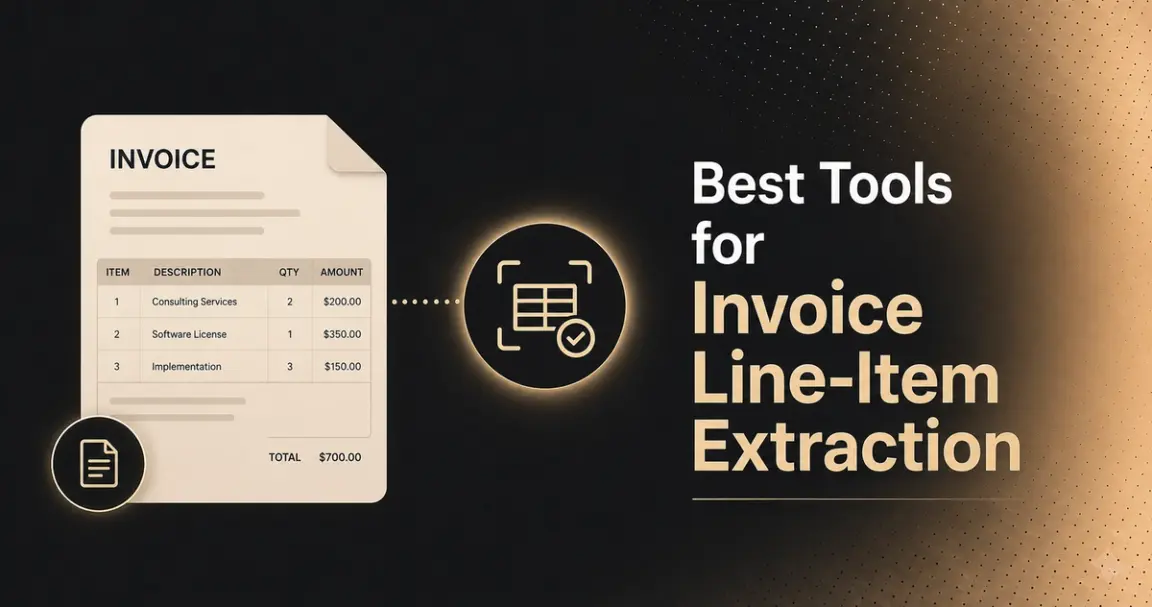
Extracting an invoice's header fields — vendor name, invoice number, total — is a comparatively easy problem: a fixed, small set of values that appear once, in roughly predictable positions. Line-item extraction is a different, harder problem: an invoice can have anywhere from one row to hundreds, the table can span multiple pages, cells can merge across a sub-item, and a line item's description, quantity, unit price, and total all need to stay correctly associated with each other, not just extracted as a pile of numbers.
This is a guide to line-item extraction specifically, why it matters beyond just totals, why it's technically distinct from general invoice OCR, the validation techniques that actually catch errors, and named tools evaluated on table-handling quality specifically.
Who This Is For
- AP and finance teams who've discovered their current invoice tool captures totals reliably but garbles or drops line items on complex invoices.
- Developers building invoice processing pipelines who need consistent, structured line-item output (quantity, unit price, tax, SKU) rather than just header fields.
- Procurement and spend-analytics teams who need line-item-level data specifically — SKU or product-level cost tracking isn't possible from invoice totals alone.
- Teams evaluating a switch from a tool that only captures headers to one that handles table extraction properly.
Why Line-Item Data Matters, Not Just Totals
Capturing an invoice total tells you what you paid. It doesn't tell you what you paid for, and that gap is where real business value gets lost:
- Spend visibility beyond the invoice level. A total alone gives you a single number per invoice; line-item data lets you analyze spend by product, category, or vendor across your entire purchasing history.
- Product- and SKU-level cost tracking. Without line items, there's no way to see how much a specific product or service actually costs over time, or to compare pricing for the same item across different invoices or vendors.
- Cost-center allocation. Finance teams needing to allocate costs to the correct department or project require line-level detail — a single invoice total often spans multiple cost centers and can't be split accurately without it.
- Catching price creep and overcharges. A vendor gradually raising the unit price on a specific SKU is invisible at the total level but immediately visible once you can compare line-item prices for the same item across invoices over time.
- Budget and procurement analysis. Identifying cost-saving opportunities — consolidating purchases, renegotiating specific line items, flagging unusual quantities — depends on data at the line-item level, not the invoice level.
This is the actual reason line-item extraction is worth the added technical complexity: the data it produces is meaningfully more useful than a total ever could be on its own.
What Data Gets Extracted From Invoice Line Items?
A line-item table typically needs to yield several distinct fields per row, not just one number:
- Item description — the product or service name as written on the invoice.
- Quantity — the number of units billed on that line.
- Unit price — the price per single unit, before quantity is applied.
- Line total — quantity multiplied by unit price (and the field cross-verification checks against).
- Tax or tax rate — either a per-line tax amount or rate, depending on how the invoice is structured; not every invoice applies tax at the line level.
- SKU or product code — a specific product identifier, critical for procurement and inventory-level cost tracking.
- Discount — a per-line discount amount or percentage, when applied.
- Unit of measure — relevant for physical goods (each, box, kg, hour), since quantity alone is ambiguous without it.
- GL or account code — some tools also map or suggest a general ledger code per line based on the item description, for AP teams coding invoices directly.
Not every invoice includes all of these, and not every tool captures all of them by default — confirm specifically which fields a tool returns versus which require custom configuration, since "line-item extraction" as a marketing term doesn't guarantee coverage beyond description, quantity, and price.
How Line Item Extraction From Invoices Works
The mechanics run through a few distinct stages, regardless of which specific tool is doing the work:
- Table detection — identifying where the line-item table sits on the page, distinguishing it from header, footer, and surrounding whitespace.
- Row and column segmentation — mapping individual rows and identifying which column is quantity, which is unit price, based on headers, position, and data patterns.
- Cell-level extraction — reading text within each identified cell via OCR.
- Field typing and normalization — typing extracted text appropriately (a quantity becomes a number) and normalizing format, since the same value appears differently across invoices ("10.00" vs. "10" vs. "10 units").
- Row reconstruction — reassembling individual field extractions into complete line-item records, keeping description, quantity, price, and total correctly grouped per row.
- Cross-page continuation handling — recognizing that a table continuing onto the next page is the same table, not a new, unrelated one.
- Validation — checking extracted line items for internal consistency, ideally including cross-verification against the invoice total.
Steps 1 and 2 — detecting the table and correctly segmenting rows and columns — are where most of the accuracy gap between tools actually shows up. A tool that gets OCR itself right (step 3) can still fail badly if it mis-detects table boundaries or misaligns which column a value belongs to.
AI vs. Template-Based Line Item Extraction
Three general approaches show up across tools in this category, each with a real trade-off.
Template-based (zonal) extraction
- Defines fixed coordinates on the page where specific fields are expected, based on a known invoice layout
- Works reliably for a single, unchanging invoice format from one vendor
- Breaks immediately when a new vendor, a reformatted invoice, or even a shifted layout shows up
- Every new format requires manually configuring a new template — doesn't scale across a vendor base with real format variety
Traditional ML-based extraction
- Uses models trained to recognize geometric and visual patterns — table borders, column alignment, typical field positions
- Doesn't require a fixed template per format, generalizing better than pure templates
- Adapts to layout variation it wasn't explicitly configured for
- Still fundamentally pattern-matching on visual structure, not understanding what the content actually means
LLM-based extraction
- Interprets the semantic meaning of text, not just its geometric position
- Identifies a charge as a shipping fee from context even when it isn't explicitly labeled as such, rather than only recognizing it because it sits in a column literally labeled "Shipping"
- Matters specifically for line items, since real invoices are inconsistent about labeling — a charge might be called "Freight," "S&H," "Delivery," or left unlabeled depending on the vendor
- Handles this label variation reliably without needing a rule written for every possible variant
The practical implication for evaluating tools: a tool marketed as "AI-powered" could mean either of the last two categories, which behave very differently on messy, varied invoice formats. Ask directly which approach a specific tool actually uses, rather than assuming "AI" implies the more capable, semantic-understanding category.
The Validation Technique That Actually Catches Errors
Worth calling out on its own, since it's specific and genuinely useful rather than generic advice: automated cross-verification, where the extraction system checks that the sum of all extracted line-item totals matches the invoice's stated total. This is a built-in sanity check most general accuracy claims don't account for; a tool can report high per-field accuracy while still occasionally missing a row or misreading one line item's amount, and cross-verification catches exactly that failure mode automatically without requiring a human to manually re-add every invoice.
Named Tools for Line-Item Extraction
A note on how to read this list: descriptions reflect public positioning and, where noted, independent testing, not a single controlled benchmark measuring all of them on identical invoices. Verify current capability directly.
LlamaParse
Purpose-built layout-aware parsing specifically addressing the table-handling problem this article is about.
- States line-item tables are captured with consistent rows and columns — including quantity, unit price, tax, discounts, and SKU — and explicitly handles multi-page tables and merged cells without requiring brittle post-processing rules
- Layout-aware parsing understands invoice structure (headers, footers, multi-column blocks, totals) to extract fields in correct reading order
- Free tier: 10,000 credits to start
- Best fit: teams specifically dealing with complex, multi-page, or merged-cell invoice tables where a general OCR tool has already proven unreliable
Docsumo
- Described as excellent for long, detailed invoices with complex table structures specifically, with strong validation tooling and an API-first design
- The independent tester's own trial reported clean extraction with accurate line-item recognition on a real test invoice
- Geared toward developer-led teams requiring technical setup — non-technical users may find configuration more involved than no-code alternatives
- Best fit: technical teams building document automation pipelines who need table-extraction depth
Nanonets
- Reported as particularly strong at extracting tables and line items automatically, with minimal configuration required and custom model training available if needed
- Integrates with QuickBooks, Xero, Slack, and Zapier among other tools, per third-party reporting
- Free tier available (100 documents/month); paid plans reported starting around $500/month for roughly 5,000 documents
- Best fit: teams wanting table extraction with less setup effort than a fully custom, API-first tool
DeepRead
A schema-driven document extraction API where line items would typically be represented as a structured array field within a user-defined schema, rather than a fixed template.
- Invoice extraction benchmarked at 97.8% overall field-level accuracy, measured against named competitors on identical documents against a manually verified ground truth — the one platform in this list with a fully public, checkable methodology, though the published number is overall invoice accuracy, not a separately broken-out line-item or table-specific metric
- Per-field confidence scoring with needs_review flagging applies to individual extracted values, relevant for catching a misread line-item amount specifically
- Honest limitation: no specific, published claims about multi-page table continuation or merged-cell handling the way LlamaParse makes explicitly — confirm this directly if these are a known pain point in your invoice mix
- Free tier — 2,000 documents/month, no credit card required
Veryfi
Specializes in real-time OCR for mobile invoice and receipt capture, built around a mobile SDK for field teams scanning documents on the go — a different use case (speed and mobile capture) than the table-structure depth the other tools here emphasize.
DocuClipper
- Purpose-built specifically for line-item extraction, converting invoices and receipts to Excel, CSV, or QBO, and compiling line items from many invoices into a single spreadsheet
- States template-free operation across varying invoice formats, with direct QuickBooks import support
- Reported trusted by over 10,000 professionals for financial document extraction (invoices, receipts, bank statements, purchase orders, tax forms)
- Best fit: finance and bookkeeping teams wanting line-item data delivered directly into spreadsheet or accounting-software format rather than raw structured JSON
Tofu
- Markets zero-configuration AI extraction with complete line-item extraction (descriptions, quantities, prices, taxes) and stated support for 200+ languages, including non-Latin scripts (Chinese, Japanese, Thai, Korean, Vietnamese)
- Positioned specifically against needing template building or rule setup, and against Western-market-only tools that claim broad language support but only work reliably in English and Western European languages
- Entity-based pricing model, distinct from most competitors' per-page or per-document pricing
- Best fit: teams with genuinely international invoice volume where non-Latin-script line-item extraction is a real, current gap in their existing tooling
What to Evaluate
- Test on your longest, messiest real invoices, not a clean single-page sample.
- Check whether the tool cross-verifies line-item sums against the invoice total as a built-in accuracy check.
- Confirm multi-page table handling explicitly — does a table continuing onto a second page get recognized as one table, or treated as two disconnected sets of rows?
- Confirm field-to-row association, not just field extraction — quantity, price, and description need to stay correctly grouped per line.
- Language and script coverage, if your invoice volume is genuinely international.
- Is the accuracy claim specific to line items, or just overall document accuracy? An overall accuracy number doesn't necessarily tell you how well a tool handles tables specifically — ask directly.
Common Pitfalls
- Assuming a tool that captures header fields well also handles line items well — different technical problems, and strength in one doesn't guarantee strength in the other.
- Not testing multi-page invoices specifically, since single-page test invoices don't reveal table-continuation handling.
- Trusting an overall accuracy number as a proxy for line-item accuracy, when the two can diverge significantly on complex, table-heavy documents.
- Skipping cross-verification as a validation step, relying entirely on the extraction tool's own confidence scores.
- Capturing line items without using them — extracting the data is only half the value; the spend visibility and cost-tracking benefits require actually building analysis on top of it, not just storing it.
Conclusion
Line-item extraction is worth the added technical complexity because the data it produces — spend visibility, SKU-level cost tracking, cost-center allocation, price-creep detection — simply isn't available from invoice totals alone. It's also a genuinely harder problem than header-field extraction: variable row counts, multi-page tables, merged cells, and field-to-row association all create failure modes a tool built only for totals never encounters.
Tools like LlamaParse and Docsumo have made table-structure handling a specific, named strength; DocuClipper and Tofu solve narrower, differently-scoped versions of the same problem. Whichever tool you evaluate, test on your longest and messiest real invoices, and build cross-verification against the invoice total into your validation process.
FAQ
Why does line-item data matter if I already have the invoice total?
The total tells you what you paid; line items tell you what you paid for. Without line-item detail, product-level cost tracking, cost-center allocation, and catching price increases on specific items are all impossible — that data only exists at the line level.
Why is line-item extraction harder than extracting invoice totals?
Line-item tables have a variable number of rows, can span multiple pages, and sometimes have merged cells — none of which a tool built only for fixed header fields needs to handle. Field-to-row association is also a specific challenge header extraction doesn't face.
What's the difference between AI-based and template-based line item extraction?
Template-based extraction uses fixed coordinates for a known layout and breaks when the format changes. AI-based approaches (ML or LLM-based) generalize across layout variation; LLM-based specifically understands the meaning of text, not just its position, which matters for inconsistently labeled charges like shipping fees.
What is cross-verification, and why does it matter for line-item extraction?
It's an automated check that the sum of all extracted line-item amounts matches the invoice's stated total. It catches a specific failure mode — a missed or misread row — that per-field accuracy scores don't reliably surface.
Does DeepRead handle multi-page or merged-cell line-item tables?
Not something confirmed by currently published materials — DeepRead's published benchmark measures overall invoice field accuracy (97.8%), not a separately broken-out line-item or table-structure metric. Confirm directly if multi-page or merged-cell handling is a specific requirement.
More articles
Metrics to Measure the ROI of Document Workflow Automation (2026)
The metrics that measure document workflow automation ROI: baselines, formulas, cost per document, STP rate, payback, and how to read the statistics.
API for Utility Bill and Multi-Service Statement Processing (2026)
How document processing APIs handle utility bills and multi-service statements: how the market splits, schema design, validation, and named options.