%20{%20:root%20{%20--deepread-stroke:%20%23E5E7EB;%20}%20}%20.dark%20{%20--deepread-stroke:%20%23E5E7EB;%20}%20%3c/style%3e%3crect%20x='40'%20y='30'%20width='220'%20height='260'%20rx='28'%20ry='28'%20stroke='var(--deepread-stroke)'%20stroke-width='16'%20fill='none'/%3e%3cpath%20d='M180%2030v52c0%2010%208%2018%2018%2018h62'%20stroke='var(--deepread-stroke)'%20stroke-width='16'%20fill='none'/%3e%3cline%20x1='70'%20y1='130'%20x2='200'%20y2='130'%20stroke='var(--deepread-stroke)'%20stroke-width='16'%20stroke-linecap='round'/%3e%3cline%20x1='70'%20y1='165'%20x2='200'%20y2='165'%20stroke='var(--deepread-stroke)'%20stroke-width='16'%20stroke-linecap='round'/%3e%3cline%20x1='70'%20y1='200'%20x2='170'%20y2='200'%20stroke='var(--deepread-stroke)'%20stroke-width='16'%20stroke-linecap='round'/%3e%3c!--%20green%20download%20arrow%20in%20bottom%20right%20corner%20--%3e%3cpath%20d='M210%20202v58'%20stroke='var(--deepread-accent)'%20stroke-width='18'%20stroke-linecap='round'/%3e%3cpath%20d='M195%20245l15%2015%2015-15'%20fill='none'%20stroke='var(--deepread-accent)'%20stroke-width='18'%20stroke-linecap='round'%20stroke-linejoin='round'/%3e%3c/svg%3e)
Best AI Document Extraction Tools for Fintech Onboarding and Compliance (2026–2027)
Discover the best AI document extraction tools for fintech onboarding and compliance in 2026–2027, with faster verification and accurate data processing.
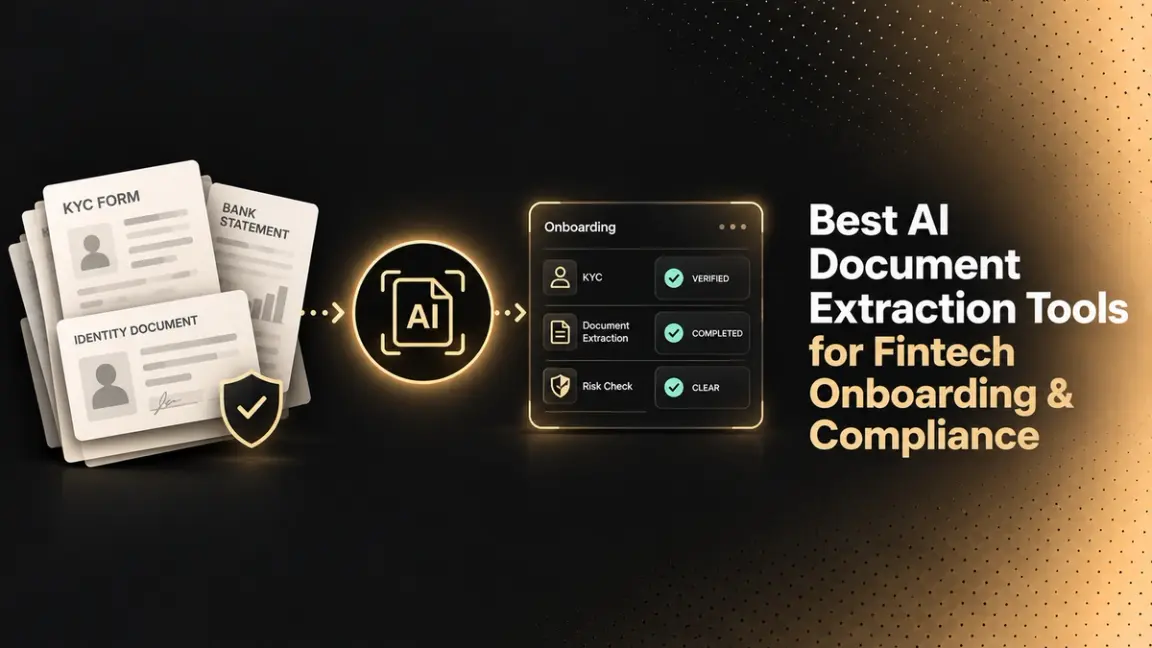
Most fintech onboarding stacks contain a layer nobody audits.
Identity verification gets scrutinised heavily. Sanctions screening gets scrutinised heavily. But the step in between, the one where a customer's bank statement, payslip, or W2 gets turned into fields your decision engine can read, usually runs on whatever OCR the team picked during the first integration sprint. It rarely gets revisited, and when it degrades, it degrades quietly.
This guide covers what document extraction does in an onboarding pipeline, why it is a distinct problem from KYC, how to read accuracy claims without being misled, and what to test before signing a contract. How the extraction step works underneath is covered in structured data extraction.
Document extraction and KYC are not the same purchase
Search for "AI KYC document extraction tools," and you get results spanning two categories that solve different problems. Conflating them is the most common and most expensive mistake in this evaluation.
Identity verification platforms answer one question: is this person who they claim to be? They check government ID authenticity, run liveness and biometric checks, screen against sanctions, PEP, and adverse media lists, and return a decision with an audit trail. Persona, Jumio, Entrust (which now includes Onfido), Socure, Sumsub, Trulioo, Veriff, and Alloy compete here. Persona is known for configurable, developer-friendly verification building blocks, Socure for US financial services fraud models, Sumsub for all-in-one KYC and AML popular with crypto, and Trulioo for breadth of identity and business verification data. Alloy is generally positioned as an orchestration layer across KYC, AML, and fraud rather than a single-point verification tool. The full verification pipeline is mapped out in how banks automate KYC and customer document verification.
Document data extraction tools answer a different question: what does this document actually say? They take a PDF or scan and return structured fields (account numbers, gross pay, employer name, transaction lines) as JSON your systems can act on.
The gap between the two is real, and it has consequences. A KYC platform can confirm the applicant is a genuine person with a valid licence, and still tell you nothing about whether the income on the payslip they uploaded matches what they typed into the form. As one lending-focused analysis puts it, KYC software answers whether a person is who they say they are, not whether the bank statement they uploaded is real, whether the tax return was altered, or whether the deposits look structured.
If you are shopping for AML screening, buy an AML tool. If you are shopping for a system that reads documents accurately at volume, that is a separate line item. Vendors that claim both are worth checking carefully, because many identity platforms orchestrate third-party partnerships for OCR rather than owning it, which means accountability fragments at the point of failure.
The documents that actually move through fintech onboarding
Extraction requirements vary by product, but a few document types show up almost everywhere:
- Government ID: driver's licences and passports, for name, DOB, address, and document number.
- Bank statements: balance and transaction history for account and funds verification.
- Payslips and W2s: income verification for lending, BNPL, and credit decisions.
- Offer letters: forward-looking income for applicants who recently changed jobs.
- Utility bills: proof of address.
- Tax returns: income verification for self-employed applicants.
- Business formation documents: KYB flows.
These differ enormously in difficulty. A W2 has a fixed federal layout. A bank statement does not; every institution formats differently, transaction tables break across pages, and PDFs are frequently scans of printouts. Any vendor demo that runs only on clean invoices is not telling you what you need to know.
How to read an accuracy number
Accuracy claims in this category are close to meaningless without three pieces of context. Ask for all three.
- What counts as correct. Character-level accuracy measures whether the OCR read the glyphs. Field-level accuracy measures whether the extracted value exactly matches ground truth. These produce very different numbers on the same document. A vendor can post an impressive character-level figure while getting the account number wrong, because one wrong digit out of sixteen barely moves a character-level score and completely breaks the field.
- Which documents. Averages across a benchmark hide the variance that matters to you. If bank statements are 80% of your volume, a blended figure across ten document types tells you very little. Ask for per-type numbers.
- Who built the ground truth. Vendor-run benchmarks are not worthless, but they are not independent either. The useful question is whether the methodology, datasets, and per-field diffs are published so you can inspect them. A benchmark you can audit is worth more than a benchmark with a bigger number.
Apply this to every vendor you evaluate, including the ones whose numbers you like.
Silent failure is the real risk
Extraction errors are not distributed like other software bugs. A failed API call is loud: it throws, you alert, someone fixes it. A misread field is silent. The pipeline returns gross_pay: 5200 with the same shape as it returns a correct value, and that number flows into a credit decision with nothing marking it as suspect.
At meaningful volume, this is the failure mode that matters. If a system processes 10,000 income documents a month and 5% contain at least one wrong field, roughly 500 documents carry an error. Field-level accuracy makes the picture worse than it looks, because errors compound across fields: at 95% field-level accuracy on a 20-field document, and treating errors as independent, only about 36% of documents would be fully correct. The question is not whether errors happen; they will. It is whether you find out.
This is why confidence scoring and review routing deserve more weight in an evaluation than headline accuracy. A system that flags uncertain extractions (with a confidence score, or a review flag and reason) turns an invisible error rate into a visible work queue. Manual review stops being "check everything" or "check nothing" and becomes "check the 6% the system is unsure about." How that routing works in practice is explained in review flags and fallback logic.
For a compliance function, this is also an audit artefact. Being able to show a regulator which extractions were auto-accepted, which were flagged, who reviewed them, and when, is a materially different position from asserting that the vendor is accurate.
Practical questions to ask any vendor:
- Do you return uncertainty at the field level (a confidence score or a review flag with a reason), or only per document?
- What proportion of fields get flagged in typical production use?
- Can I set the threshold myself?
- Is the flag in the API response, or only in your dashboard?
The best AI document extraction tools for fintech onboarding in 2026–2027
These are not ranked one to ten, because they are not substitutes for each other. A hyperscaler API and an enterprise IDP platform solve different problems for different teams, and a list that pretends otherwise is not useful. They are grouped by what each is genuinely best suited to, with the trade-off that matters most for onboarding work.
One caution before the list. Almost every accuracy figure published in this category comes from the vendor publishing it, measured on datasets the vendor chose. Self-reported benchmarks across these tools routinely contradict each other. Treat all of them, including the one further down this list, as a starting point for your own test rather than a finding.
1. DeepRead: Best for extraction with review routing built in
An API that returns structured JSON where uncertain fields come back marked needs_review with a review_reason in the response itself, so low-confidence extractions arrive as a work queue instead of passing through unmarked. Each field also returns its page, bounding box, and source text, and values inside tables are located individually, which gives a reviewer a place to look. DeepRead doesn't return a numeric confidence score. It's schema-driven, so new document types are defined by naming the fields rather than by training a model first.
DeepRead's published benchmark reports accuracy on five document types that map directly onto fintech onboarding: 96.9% on bank statements, 96.7% on driver's licences, 96.9% on W2s, 96.6% on payslips, and 95.0% on offer letters, scored as exact-match field accuracy against a manually verified ground truth and measured against Nanonets, Reducto, and Landing AI on identical datasets. Full per-type results and methodology are on the DeepRead benchmarks page.
Read those numbers with two things in mind. The benchmark is DeepRead's own, not third-party. And the margins are not uniform: on driver's licences, arguably the most important document in an onboarding flow, the published gap over Landing AI is under three points, and Nanonets scores above 92% on both payslips and W2s. The wider gaps appear on variable-layout documents like offer letters and bank statements, consistent with the general pattern that fixed-layout documents are close to solved across the category.
- Best for: teams whose main problem is undetected extraction errors rather than raw throughput.
- Data handling: the Enterprise plan adds retention controls, incognito processing, bring-your-own model keys, and EU and AU data residency.
- Trade-off: narrower workflow tooling than a full IDP platform (Standard includes a review UI for flagged fields), and not an identity or AML product.
- Getting started: a free tier of 2,000 pages a month (up to 50 pages per document), no credit card, which is enough to run a genuine test on your own documents. Standard is pay per page, from $10 per 1,000 pages for Parse and $20 for Extract.
2. Reducto: Best for long, complex, unstructured documents
Positions itself around agentic document workflows, with parse, extract, split, classify, redact, and form-fill endpoints producing structured JSON with optional bounding-box citations, aimed at feeding LLM and RAG systems with minimal post-processing. Bounding-box citations are genuinely useful for compliance, because they tie an extracted value back to a location on the page.
- Best for: dense multi-page documents, nested tables, and mixed document packets.
- Trade-off: built for AI engineering teams; heavier than needed if you process a handful of predictable form types.
3. Nanonets: Best for no-code operational workflows
Now positioned around AI agents that run whole business processes, with per-block usage pricing, built for operations teams rather than engineers. Its strength is speed to first automation when documents match a prebuilt model. A watch-out that reviewers have historically raised is reliance on training models per document variant, so ask how an untrained layout is handled.
- Best for: ops-led teams that want to configure rather than code.
- Trade-off: ask early how long a new document type takes to reach production accuracy, and model the per-block cost against your workflow.
4. Amazon Textract: Best for AWS-native pipelines
Fits naturally into event-driven S3 and Lambda architectures. The important framing: it is a building block rather than a finished product. You get extracted fields, not validation, workflow, exception routing, or an audit trail, and building those yourself is the hidden cost behind the low per-page price. That gap matters more in regulated onboarding than in most use cases.
- Best for: engineering teams already on AWS with capacity to build the surrounding workflow.
- Trade-off: the audit and review layer is yours to build.
5. Google Document AI: Best for GCP-native pipelines with prebuilt processors
Offers both prebuilt and custom processors, and makes most sense when the rest of the workflow already lives in Google Cloud. The same building-block caveat applies as with Textract.
- Best for: GCP-committed teams processing reasonably standard document types.
- Trade-off: test irregular tables and long documents specifically before committing.
6. Azure AI Document Intelligence: Best for Microsoft-centric enterprises
Prebuilt and custom extraction models integrated with the Azure stack, well suited to Microsoft-centric engineering teams and infrastructure rather than a finished product. Often the path of least resistance where procurement and data residency are already settled on Azure.
- Best for: enterprises where the Microsoft relationship decides the architecture.
- Trade-off: ecosystem fit, not extraction specialisation, is the reason to choose it.
7. Rossum: Best for accounts payable and transactional document operations
An operations platform centred on transactional documents, particularly AP, with a validation workspace that is valuable when people stay in the loop. Reviewers note the review interface is a real strength, since accounts payable and operations staff are the primary users rather than engineers. Coupa announced it had acquired Rossum on May 12, 2026, so confirm the roadmap if you're not a Coupa customer.
- Best for: invoice-heavy finance operations with a standing review team.
- Trade-off: built around AP workflows rather than onboarding document sets.
8. ABBYY Vantage: Best for large enterprises with a wide document estate
A mature enterprise IDP platform with deep multi-language support and a marketplace of pre-trained document skills, suited to large organisations with IT capacity to run it. Setup and tuning are non-trivial, and it expects an enterprise rollout rather than a quick start.
- Best for: multinational operations with many document types and internal IT.
- Trade-off: scope and timeline; not a fast pilot.
9. Landing AI: Best for visually complex and image-heavy documents
Rooted in computer vision rather than text parsing, which shows on documents where layout and imagery carry meaning. Included here because it appears in DeepRead's published benchmark, where it scores closest on driver's licences.
- Best for: document sets where visual structure matters more than text density.
- Trade-off: narrower fit for high-volume transactional flows.
10. Mistral OCR: Best for multilingual and cost-sensitive volume
A natively multilingual OCR API that outputs structure-preserving Markdown, with OCR 3 listed at 2per1,000pages(1 through the Batch API and a self-hosting option for organisations with strict data-privacy requirements. Worth evaluating where document language coverage is the binding constraint or where per-page cost dominates the decision.
- Best for: multilingual document sets and high-volume, lower-stakes extraction.
- Trade-off: thinner workflow and review tooling than platform products.
An evaluation checklist
Testing on your own documents is the only evaluation that predicts production behaviour. Vendor demos run on documents chosen to demo well.
- Assemble a representative sample. Include your worst inputs: phone photographs, faxed scans, documents in your second-most-common language, the regional bank whose statement format breaks everything.
- Build ground truth by hand. Key the correct values for every field you care about. This is tedious, and there is no substitute.
- Score at field level. Exact match per field, then report per document type rather than blended.
- Measure the review burden. How many documents would a human have to touch? That number, times your loaded hourly cost, is the real running cost, usually larger than the API bill.
- Test failure behaviour. Feed it a rotated page, a page from a different document type, a corrupted file. Does it fail loudly or invent plausible values?
- Check the audit trail. Can you reconstruct, six months later, why a given field was accepted?
- Confirm data handling. Retention, residency, sub-processors, and whether your documents train the vendor's models. Get this in writing.
What changes in 2026–2027
Two shifts are worth planning around.
Regulatory expectations are tightening. The EU's AML Regulation (Regulation (EU) 2024/1624), the single rulebook, applies from 10 July 2027, and the new EU AML Authority (AMLA) begins direct supervision of about 40 high-risk cross-border institutions on 1 January 2028. Firms operating across jurisdictions should expect more scrutiny of how automated decisions are documented, not just how accurate they are.
Fraud is adapting to automation. Document forgery has become easier and cheaper, which means extraction systems are increasingly reading documents that were generated to be read. Extraction accuracy and document authenticity are separate problems, and a system that reads a forged payslip perfectly has still produced a wrong answer at the business level. Authenticity checks sit in the identity stack, as covered in automated ID document verification with scanning. Plan for both.
Conclusion
The extraction layer is often the least examined and most consequential part of an onboarding pipeline. Evaluate it as its own decision: test on your own documents, score at field level per document type, weight review routing at least as heavily as headline accuracy, and keep identity verification as a separate vendor question. Whichever vendor you choose, ask for the kind of evidence the benchmark described above provides: published methodology and per-document diffs you can inspect yourself.
FAQ
Is document extraction the same as KYC?
No. KYC verifies identity- that a person is who they claim to be- using ID authentication, biometrics, and sanctions screening. Document extraction converts documents into structured data. Most fintechs need both, from different vendors.
What accuracy should I expect?
It depends entirely on document type and how accuracy is measured. Fixed-layout documents like W2s score higher than variable-layout documents like bank statements across essentially every vendor. Treat any single blended number with suspicion and ask for per-type, field-level figures.
Can these tools read handwritten documents?
Partially, and quality varies significantly by vendor and by handwriting. If handwritten input is common in your flow, test it specifically rather than relying on general accuracy claims.
How do I handle PII in documents?
Establish where documents are stored, how long, in which jurisdiction, and whether they are used for model training. Automated redaction can remove PII from documents before they move into downstream systems, which reduces the number of systems holding sensitive data. Some platforms offer redaction directly; DeepRead, for example, lists PII redaction as an Enterprise-plan feature.
What is the best AI document extraction tool for fintech onboarding?
There is no single answer, because the tools solve different problems. If undetected extraction errors are your main risk, prioritise tools that flag uncertain fields and route them to review. If you are committed to a cloud provider, the native service is usually the cheapest starting point but leaves you to build validation and audit trails. If you have a large document estate and internal IT, an enterprise IDP platform fits better. Shortlist three, test on your own documents, and score at field level.
Should I build this in-house?
An initial version is straightforward with modern models. The cost sits in the long tail: new formats, edge cases, calibrating when to flag, review tooling, and ongoing maintenance as models change. Build if document processing is your product; buy if it supports your product.
More articles
Document Workflow Automation at Mid-Sized Companies: Agencies, Platforms, and What Actually Changes by Size
How document workflow automation actually works for companies with 250–1,000 employees, including how implementation agencies operate.
Per-Document vs Per-Page Pricing in AI Extraction Services (2026)
Per-document vs per-page pricing for AI extraction: Google Document AI 2026 invoice and form parser rates, per-document vendors, and cost-by-length math.