%20{%20:root%20{%20--deepread-stroke:%20%23E5E7EB;%20}%20}%20.dark%20{%20--deepread-stroke:%20%23E5E7EB;%20}%20%3c/style%3e%3crect%20x='40'%20y='30'%20width='220'%20height='260'%20rx='28'%20ry='28'%20stroke='var(--deepread-stroke)'%20stroke-width='16'%20fill='none'/%3e%3cpath%20d='M180%2030v52c0%2010%208%2018%2018%2018h62'%20stroke='var(--deepread-stroke)'%20stroke-width='16'%20fill='none'/%3e%3cline%20x1='70'%20y1='130'%20x2='200'%20y2='130'%20stroke='var(--deepread-stroke)'%20stroke-width='16'%20stroke-linecap='round'/%3e%3cline%20x1='70'%20y1='165'%20x2='200'%20y2='165'%20stroke='var(--deepread-stroke)'%20stroke-width='16'%20stroke-linecap='round'/%3e%3cline%20x1='70'%20y1='200'%20x2='170'%20y2='200'%20stroke='var(--deepread-stroke)'%20stroke-width='16'%20stroke-linecap='round'/%3e%3c!--%20green%20download%20arrow%20in%20bottom%20right%20corner%20--%3e%3cpath%20d='M210%20202v58'%20stroke='var(--deepread-accent)'%20stroke-width='18'%20stroke-linecap='round'/%3e%3cpath%20d='M195%20245l15%2015%2015-15'%20fill='none'%20stroke='var(--deepread-accent)'%20stroke-width='18'%20stroke-linecap='round'%20stroke-linejoin='round'/%3e%3c/svg%3e)
AI Document Classification by Business Vertical
How AI document classification by business vertical works: OCR, ML, and LLM techniques, vertical examples, hierarchy design, accuracy checks, and tools.
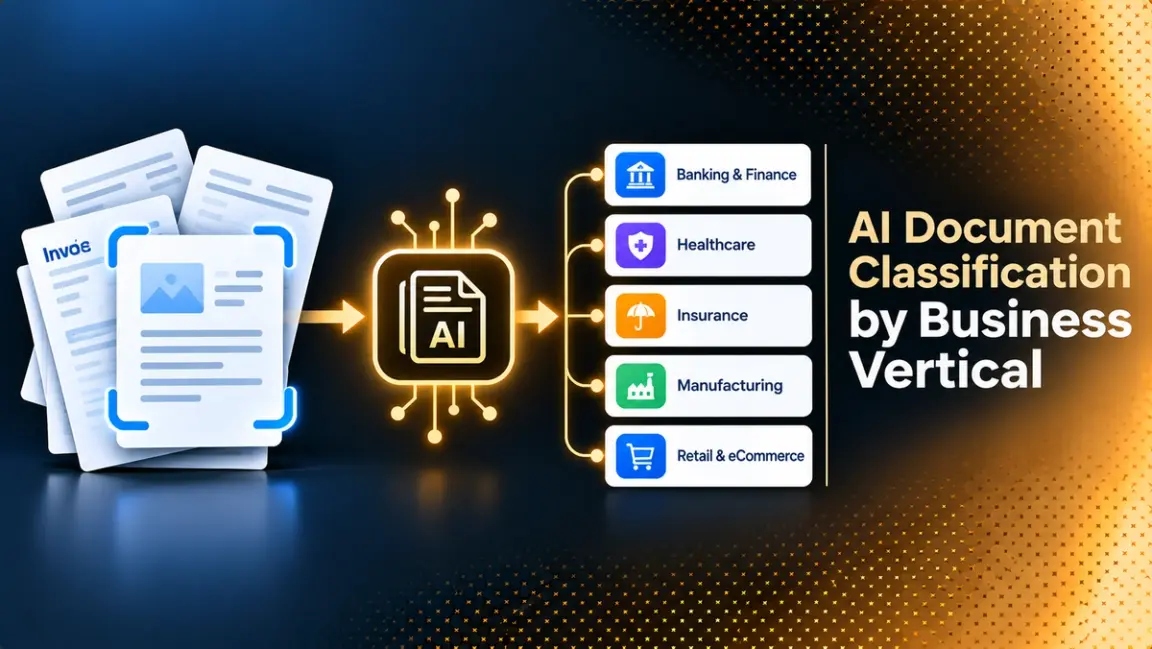
Every business receives a mix of files, and the first decision about any of them is what it is. An invoice, a claims form, a bill of lading, and a contract each need different fields pulled out, different checks, and a different owner. Document AI business vertical classification is the step that makes that decision automatically, using OCR, machine learning, and increasingly language models to label each file by its industry context and document type before extraction begins. This guide explains how the technique works, how classification differs across verticals such as finance, insurance, healthcare, legal, logistics, and government, how to measure it, and how to run a pilot on your own documents. DeepRead's guide to document workflow automation shows where classification sits in the wider flow from intake to export.
What Document Classification by Business Vertical Means
Document classification assigns each incoming file to one of a set of predefined categories. A business vertical adds context to that decision. The same word, such as "statement", means a bank statement in banking, an explanation of benefits in healthcare, and a statement of work in professional services, so the right label often depends on the industry the document belongs to.
It helps to separate three layers:
- Vertical: the industry or function the document belongs to, such as insurance, healthcare, or logistics.
- Document family: a group of related documents inside that vertical, such as claims paperwork or shipping documents.
- Document type: the specific document, such as a first notice of loss form, a bill of lading, or a W-9.
Some teams classify only at the type level and let the vertical follow from the type. Others classify the vertical first, because it decides which models, schemas, and compliance rules apply. Either way, the label is a routing instruction, not an end in itself.
Why Classification Comes Before Extraction
Extraction needs to know what it is reading. A schema that asks for an invoice number and a due date returns nothing useful on a lab report. Classification chooses the right schema, the right validation rules, and the right queue, and it keeps unsupported files from entering a workflow that cannot handle them.
Good classification also sets the human review path. A low-stakes document can flow straight through, while a document type tied to a regulated process can go to a named reviewer. DeepRead's overview of AI document processing in logistics shows how mixed shipping paperwork depends on this routing step.
How Document AI Classifies Documents
Classification uses several techniques, and production systems usually combine more than one.
OCR and text classification
OCR converts scans and images into text, and a classifier then predicts a label from the words. For image-based files, OCR quality limits classification quality, since a misread page gives the classifier poor input. This approach works well when document types differ clearly in vocabulary, such as a lease versus a tax form.
Rule-based classification
Rules use keywords, form titles, barcodes, or fixed layouts to assign a type. They are fast, transparent, and easy to audit, and they work best when formats are consistent. They break when layouts change or when documents from many senders look different.
Machine learning classifiers
Supervised models learn from labeled examples. Classic approaches use text features and algorithms such as logistic regression or support vector machines, and neural networks learn patterns automatically and can capture subtler meaning. They need a labeled set for each category and retraining when categories change.
Image and layout-aware models
Some documents are recognizable by how they look. Image classifiers treat the page as a picture, and layout-aware transformers such as the LayoutLM family combine OCR text, word positions, and visual features. The standard benchmark for this task is RVL-CDIP, which contains 400,000 grayscale images in 16 classes such as letters, forms, invoices, and resumes. Hugging Face's documentation reports 95.64% for LayoutLMv2 on it, but the classes are generic document types and not business verticals, so a high score there does not show how a model handles your industry's documents.
LLM and zero-shot classification
Large language models can classify a document from a plain-language description of the categories, without a labeled training set. That makes it quick to add a new class, and it handles unusual documents better than fixed rules. The trade-offs are cost per document, run-to-run variation, and the need to test on your own files.
Hybrid and human-in-the-loop
Most vendors describe a hybrid. ABBYY, for example, presents rules, purpose-built AI, and reviewer feedback as one framework, where uncertain or rule-required cases go to people, and their corrections improve the system. This is the pattern most teams end up with.
Designing a Vertical Classification Hierarchy
A flat list of 200 labels is hard to train and harder to maintain. A hierarchy works better.
- Classify the vertical or function first, where it is not already known from the sender or channel.
- Classify the document family inside it, such as claims, underwriting, or billing.
- Classify the document type, which selects the extraction schema.
- Allow multiple labels when one file serves two purposes, and a catch-all "other" class so unknown files are not forced into the wrong bucket.
- Split packets before classifying when one PDF holds several documents, and classify each part.
- Keep a versioned label list so changes are tracked and results stay comparable over time.
Document Types by Business Vertical
These examples show how the label set changes with the industry. They are starting points, since every organization has its own mix.
Financial services and banking
Loan applications, bank statements, pay stubs, tax documents, invoices, and transaction records. ABBYY describes classifying loan and credit application sets for compliance checks before routing them for approval. For payables work, DeepRead's guide to AI document processing for AP automation covers invoices and their related documents.
Insurance
Claims forms, policy documents, loss runs, medical records attached to claims, and underwriting submissions. Classification is especially useful here because one submission can contain many document types. DeepRead's guide to AI document extraction for insurance underwriting covers the extraction step that follows.
Healthcare
Patient records, intake forms, clinical notes, and insurance documents. ABBYY cites classifying electronic health record documents so patient charts update faster, and says 3M uses its technology to assign standardized codes to clinical documents for billing. Healthcare documents often contain protected health information, so check a tool's compliance terms before sending any.
Legal and compliance
Contracts, case files, compliance documents, and discovery materials. Classification separates contract types, such as NDAs and service agreements, so the right clauses are extracted and the right reviewer sees them.
Logistics, trade, and customs
Bills of lading, commercial invoices, packing lists, customs entries, and certificates. These arrive in mixed batches from many parties, so classification decides which fields to read and which compliance checks to run. DeepRead's guide to automated trade documentation tools covers this document family.
Government and public sector
Permit applications, public records, regulatory filings, and correspondence. ABBYY points to routing high volumes of correspondence and supporting data migration during records modernization.
Human resources
Resumes, offer letters, performance reviews, onboarding forms, and employment contracts. Many of these hold personal data, so access controls matter as much as accuracy.
From Classification to Extraction
Once a document has a type, the extraction step runs against a schema for that type. Many teams keep classification and extraction separate so each can be tested and improved on its own. Others let one extraction call return a document type field along with the other values, which is simpler for small label sets.
An extraction API can support this pattern even if it is not a dedicated classifier. DeepRead, for example, returns the fields you define as JSON, so a schema can include a document type field, and each value comes back with its page, bounding box, and source text. It marks uncertain values needs_review with a reason, and it does not return a numeric confidence score. It does not provide its own routing, approvals, or workflow, so those remain your system's job.
Measuring Classification Accuracy
- Per-class precision and recall: overall accuracy can hide a rare class that is always wrong.
- A confusion matrix: shows which classes get mistaken for each other, such as invoices and purchase orders.
- Coverage of unknowns: how many files fall into "other", and whether that is correct.
- Cost of errors: a misrouted claim costs more than a misfiled newsletter, so weight the classes.
- Stability over time: rerun the test when you add classes, retrain, or change models.
Do not rely on a vendor's headline accuracy. Ask what documents it was measured on, how many classes there were, and how unknowns were counted.
Human Review and Confidence Handling
Classification should never be a one-way door. Send a file to a person when the classifier is unsure, when two classes score closely, when the document is a high-stakes type, or when it fails a downstream check. A reviewer needs to see the file, the proposed label, and the reason it was flagged. Sample a small share of automatically classified files regularly to catch errors that never raised a flag.
Tools That Support Document Classification
Pricing for several classification products is quoted rather than published, so those entries say so. Confirm current details with each vendor.
DeepRead
- What it automates: Reads a document into Markdown with layout blocks and bounding boxes, then returns the fields you define as JSON, including a document type field if you add one to the schema. Deep Extract adds two OCR engines, adjudication where they disagree, and a verification pass on every value.
- Pricing: $15 per 1,000 pages for Extract and $35 per 1,000 pages for Deep Extract. Free covers 2,000 pages a month with no card; Standard has no monthly page limit, and Enterprise is custom. A failed job costs nothing.
- Limits: Free allows 50 pages and 15 MB per document and 10 requests a minute. Standard allows 1,000 pages, 50 MB, and 100 requests a minute. Enterprise adds retention controls, PII redaction, EU and AU residency, and SSO. Processing defaults to US East, with no self-hosting and no BAA on any plan.
- Best for: Teams that classify upstream or through a schema and want each extracted value traced to its place on the page.
- Pros: Each field returns its page, bounding box, and source text, values inside tables are located individually, and uncertain values are flagged with a reason. A review UI is included on every plan.
- Cons: It is an extraction API and not a dedicated classification, routing, or workflow product, and it has no self-hosting or BAA, which rules it out for strict on-premises or PHI requirements.
ABBYY Vantage
- What it automates: Document classification and splitting, with custom classification models trained from a few examples of each document type and a framework that combines rules, purpose-built AI, and human feedback.
- Pricing: Not published on the pages reviewed.
- Limits: No explicit limits on the pages reviewed. ABBYY says it processes documents in any format and supports more than 100 pre-trained document types, which are capability claims, so confirm formats and volume with ABBYY.
- Best for: Enterprises that want a full document processing platform with classification built in.
- Pros: Combines rule-based, AI, and human-in-the-loop approaches, and documents healthcare, banking, HR, and public sector use cases.
- Cons: Pricing is not public, and the pages reviewed give few technical limits.
Newgen
- What it automates: Layout-based, content-based, and object-based classification using a neural network that combines content and visual classification, offered as a web API that integrates with business applications and content management platforms.
- Pricing: Not published on the pages reviewed.
- Limits: No numeric limits on the brochure reviewed, which says users can import documents in bulk.
- Best for: Organizations that want classification as an API inside an existing content or workflow platform.
- Pros: Several classification modes and an API design for integration.
- Cons: The source material is vendor marketing, and pricing and limits are not public.
Google Document AI
- What it automates: Enterprise Document OCR, Form Parser, custom extractors, and prebuilt parsers such as an invoice parser, plus procurement document splitting and classification processors.
- Pricing: Enterprise Document OCR is $1.50 per 1,000 pages after a free first 1,000. Form Parser and custom extractors are $30 per 1,000 pages, and the invoice parser is $0.10 per count of up to 10 pages. Google's pricing page says you are not billed when the procurement splitter and classifier labels a document "other". I did not confirm the classifier's own rate.
- Limits: Batch processing allows up to 200 pages per document for the invoice parser. Check limits for the processor you choose.
- Best for: Teams on Google Cloud that want classification and extraction in one platform.
- Pros: Public pricing for several processors and no charge for failed requests.
- Cons: You build review, storage, and workflow around it, and processor choice affects both price and limits.
How to Run a Classification Pilot
- Define the labels. Write the vertical, family, and type list, with a short definition and an example for each.
- Collect 200 to 500 real documents, including packets, poor scans, and files that fit no class.
- Label them twice, with a second person resolving disagreements.
- Run two or three approaches on the same set, such as rules, a trained classifier, and an LLM.
- Score per class, using precision, recall, and a confusion matrix.
- Measure review load: how many files reach a person and how long each takes.
- Test the downstream step: confirm the right schema runs for each label.
- Set thresholds in advance, so the decision is not argued afterward.
Common Mistakes to Avoid
- Building one flat label list instead of a hierarchy.
- Forcing unknown files into the nearest class.
- Judging a model by a generic benchmark such as RVL-CDIP and not by your own documents.
- Skipping a review path for low-confidence or high-stakes types.
- Ignoring packets that contain several documents.
- Never rechecking accuracy after adding classes or changing models.
Conclusion
Classifying documents by business vertical turns a mixed inbox into labeled, routable work. The reliable approach is a hierarchy of vertical, family, and type, built from a mix of rules, trained models, and language models, with a review path for uncertain or high-stakes files. Because public benchmarks test generic document types, the evidence that matters comes from a pilot on your own documents, scored per class.
Frequently Asked Questions
What is AI document classification?
It is the automatic assignment of documents to predefined categories, using techniques such as OCR, machine learning, layout-aware models, and language models, so each file reaches the right extraction schema and workflow.
What does business vertical classification mean?
It means labeling a document by the industry or function it belongs to, such as insurance, healthcare, or logistics, along with its document type, because the right handling often depends on the industry context.
How does document AI classify documents?
It reads the file with OCR where needed, then predicts a label from the text, the page layout, the image, or a combination. Many systems add rules and human review for uncertain cases.
What is the difference between classification and extraction?
Classification decides what a document is. Extraction pulls specific fields out of it. Classification usually comes first, because it selects the schema extraction uses.
Can LLMs classify documents without training data?
Yes, by describing the categories in a prompt. This is quick to set up and flexible, but cost, consistency, and accuracy need testing on your own documents.
How accurate is document classification?
It varies by documents, classes, and scan quality. Published results for layout-aware models such as LayoutLMv2 are around 95% on RVL-CDIP, but its 16 classes are generic, so test on your own files and score each class.
Does DeepRead classify documents?
DeepRead is an extraction API and not a dedicated classifier. You can add a document type field to your schema, and each value comes back with its page, bounding box, and source text. Uncertain values are flagged needs_review with a reason, and it does not return a numeric confidence score.
More articles
AWS Textract Alternatives
Looking for an AWS Textract alternative? Compare 8 options on published pricing, limits, and best use, plus why teams leave Textract and how to switch.

Top AI Tools for HR Document Processing
Compare top AI tools for HR document processing: payslip and onboarding extraction, document generation, e-signature routing, and RPA, with pricing and limits.