%20{%20:root%20{%20--deepread-stroke:%20%23E5E7EB;%20}%20}%20.dark%20{%20--deepread-stroke:%20%23E5E7EB;%20}%20%3c/style%3e%3crect%20x='40'%20y='30'%20width='220'%20height='260'%20rx='28'%20ry='28'%20stroke='var(--deepread-stroke)'%20stroke-width='16'%20fill='none'/%3e%3cpath%20d='M180%2030v52c0%2010%208%2018%2018%2018h62'%20stroke='var(--deepread-stroke)'%20stroke-width='16'%20fill='none'/%3e%3cline%20x1='70'%20y1='130'%20x2='200'%20y2='130'%20stroke='var(--deepread-stroke)'%20stroke-width='16'%20stroke-linecap='round'/%3e%3cline%20x1='70'%20y1='165'%20x2='200'%20y2='165'%20stroke='var(--deepread-stroke)'%20stroke-width='16'%20stroke-linecap='round'/%3e%3cline%20x1='70'%20y1='200'%20x2='170'%20y2='200'%20stroke='var(--deepread-stroke)'%20stroke-width='16'%20stroke-linecap='round'/%3e%3c!--%20green%20download%20arrow%20in%20bottom%20right%20corner%20--%3e%3cpath%20d='M210%20202v58'%20stroke='var(--deepread-accent)'%20stroke-width='18'%20stroke-linecap='round'/%3e%3cpath%20d='M195%20245l15%2015%2015-15'%20fill='none'%20stroke='var(--deepread-accent)'%20stroke-width='18'%20stroke-linecap='round'%20stroke-linejoin='round'/%3e%3c/svg%3e)
GPT-Powered AP Automation Software: A 2026 Guide
GPT-powered AP automation explained - what to trust GPT with, what needs human control, real adoption data, and how to measure ROI.
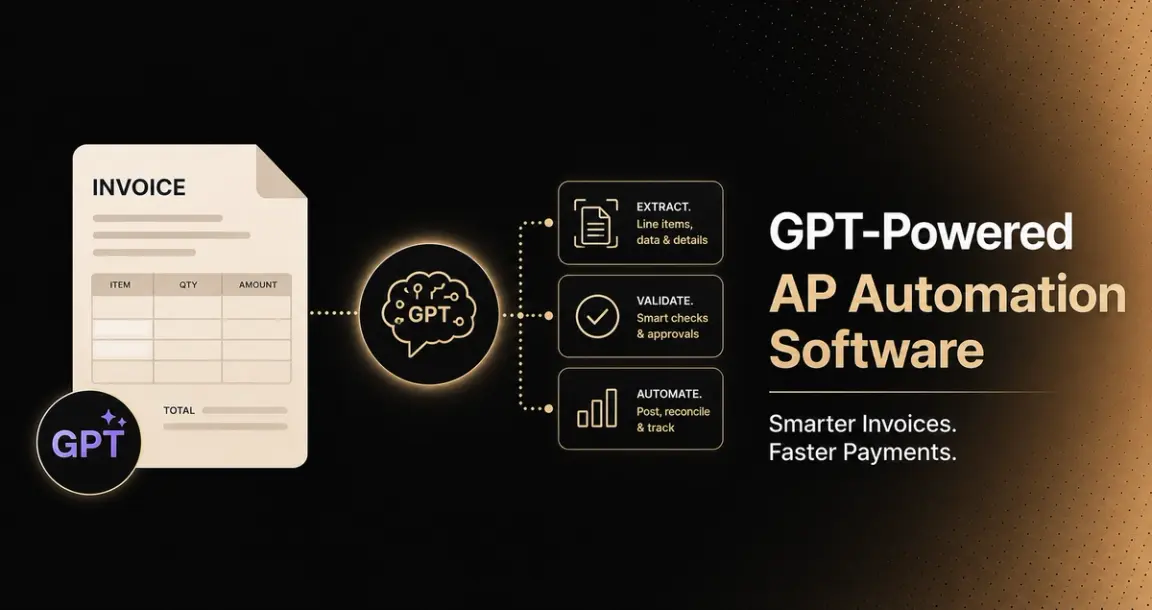
"GPT-powered AP automation" is a narrower, more specific claim than general "AI-powered" AP software; it means the system uses large language models, often with multimodal vision capability, to read and reason about invoices rather than relying on rules-based extraction with AI bolted on for a few specific tasks. This guide covers what that architecture actually changes, a framework for deciding what to trust GPT-based automation with versus what needs to stay under explicit control, named platforms, and how to actually measure ROI once you've implemented one.
For the broader AI-powered AP category — including non-GPT-specific platforms like BILL, Ramp, and Tipalti — see our AI-powered AP automation tools comparison, which covers that ground in more depth.
Who This Is For
- AP directors evaluating AI-powered platforms who want to understand what "GPT-powered" actually changes versus general AI marketing language.
- Finance technology architects designing a custom GPT-based AP integration rather than buying a finished platform.
- CFOs and finance leaders trying to separate genuine capability from inflated vendor claims in a category full of both.
- ERP implementation partners building AP automation for clients on top of GPT-class models.
What Is Accounts Payable Automation Software?
Accounts payable automation software handles the invoice-to-payment workflow with reduced manual intervention: capturing incoming invoices, extracting the data they contain, matching them against purchase orders and receiving records, routing them for approval, and processing payment, replacing the manual version of that same sequence (someone opening an email attachment, retyping fields into a spreadsheet or ERP, physically routing an invoice for sign-off).
"AI-powered" and "GPT-powered" are both modifiers on this same underlying category, not separate products. The core job of moving an invoice from receipt to paid, with fewer manual touches along the way, is the same regardless of what technology handles the extraction and decisioning steps.
What varies by generation is how much of that sequence actually runs without a human re-keying or re-checking each step: older rules-based automation handled the workflow logic but often left extraction brittle against format variation; AI and GPT-based platforms extend automation further into the extraction and judgment-call steps that used to require a person specifically because the input was too inconsistent for a fixed rules engine to handle reliably.
Benefits of Adopting AP Automation
Grounded in the verified adoption and performance data covered later in this guide, the real, evidenced benefits are:
- Faster processing cycles. Best-in-class automated AP operations process an invoice end to end in 3.1 days, against a 9.2-day average and 17.4 days for organizations still on paper (Ardent Partners, 2025) — a difference that directly affects cash flow visibility and the ability to capture early-payment discounts before they expire.
- Lower manual labor cost. Manual invoice keying costs $3–8 per invoice in labor alone (IOFM), a cost that scales linearly with volume under manual processing and doesn't under automation.
- Fewer transcription errors. Manual entry carries a 1–3% error rate; automated capture removes most transcription errors at the source, since data is read rather than retyped.
- Reduced exception cost. Each exception costs an estimated 3–5x a straight-through invoice to resolve (Ardent Partners), meaning even a modest reduction in exception rate has an outsized effect on total processing cost, not just processing time.
- Staff redeployed to higher-value work. Organizations that automate report shifting AP staff time away from manual keying toward supplier management, discount capture, fraud review, and exception resolution- work that actually benefits from human judgment rather than work that exists only because extraction wasn't automated.
- Better audit and compliance posture. Automated processing creates a structured, reconstructable record of what happened to an invoice and when, rather than requiring manual reconstruction during an audit.
Worth repeating the honest caveat from later in this guide: these benefits scale with how comprehensive the automation actually is. Partial automation (some steps still manual) captures a fraction of this value, which is exactly why only 22% of organizations reach best-in-class performance despite 73% using some form of automation.
The Task-by-Task Trust Framework
This is the single most useful lens for evaluating any GPT-powered AP tool, and it's worth internalizing before comparing platforms: accounts payable is not one task; it's a sequence of tasks with very different risk profiles, and GPT-based automation deserves a different level of trust at each one.
- Reading a supplier PDF is not the same as approving the invoice.
- Suggesting a cost center is not the same as posting to the general ledger.
- Flagging a possible duplicate is not the same as deciding whether funds leave the bank.
What GPT-based tools are genuinely good at: extracting invoice fields from varied, non-standard layouts; normalizing line items; suggesting GL coding; summarizing exceptions in plain language; recommending an approval routing path. Specifically, a consistent structured extraction should include supplier name, invoice number, invoice date, due date, currency, tax fields, totals, PO or reference numbers, line descriptions, quantities, unit prices, and line totals — the full set AP teams actually need, not just a header summary.
What should stay under explicit control regardless of how confident the model appears: duplicate checks, source-document traceability, tax review, final approval authority, ERP posting, and payment release. The output of a GPT-based extraction is only trustworthy when a reviewer can trace any given data point back to its source document — this is the practical test worth applying to any platform's claims, not the model's stated confidence alone.
Red Flags an Extraction Isn't Reliable Enough to Trust Yet
Worth watching for specifically, since these are the concrete signals underneath the abstract framework above: low-confidence rows the system itself flags as uncertain, unreadable or degraded scans, conflicting totals between a line-item sum and a stated invoice total, missing tax IDs, and duplicate invoices slipping through. Any of these on a given invoice is a reason to route to human review, not a reason to override the model's own uncertainty signal.
What GPT-Based Extraction Actually Changes
AP automation has historically relied on OCR and rules-based extraction, which broke down on unstructured and semi-structured documents — invoices from new vendors, handwritten fields, non-standard layouts, multi-currency formats. Multimodal vision-capable models process invoice images and PDFs directly, rather than requiring a separate OCR step feeding a downstream language model, a genuine architectural difference, not just a marketing distinction. In practice, this means the system is interpreting varied invoice layouts rather than matching them against rigid templates, which is exactly the case that broke older rules-based engines every time a vendor changed their invoice format.
Architectural Patterns Underneath GPT-Powered AP Tools
Beyond extraction itself, three architectural patterns show up consistently in how GPT-based AP platforms are actually built:
- LLM-powered three-way matching. Instead of a rigid rules engine comparing invoice data against purchase order and goods-receipt records field by field, an LLM-based matching layer can reason about whether a discrepancy is a genuine mismatch or an acceptable variance (a slightly different unit price due to a negotiated adjustment, for instance), flagging true discrepancies for review rather than every minor variance.
- Direct ERP integration versus middleware. Some platforms connect directly to systems like NetSuite, SAP, and Dynamics via REST API rather than routing through a middleware connector layer. The architectural pattern here matters as much as which underlying model is used — a platform that writes matched, approved invoices directly into the ERP avoids the manual upload or batch-sync step that erodes efficiency at the final stage of the process.
- AI-categorized exception routing. Rather than every exception landing in one undifferentiated queue, the system categorizes what kind of exception it is (a PO mismatch, a missing goods receipt, a tax variance) and routes it to whichever reviewer is actually equipped to resolve that specific type — a meaningfully faster path than a generalist queue where every exception gets the same treatment regardless of what's actually wrong.
The Real State of AP AI Adoption (Not the Inflated Version)
Worth being precise here, since this category is full of vendor numbers that don't trace to an actual source. Pulling from Ardent Partners' own research (State of ePayables 2025, 310 AP and finance executives) and corroborating industry benchmarking data:
- 73% of AP departments now use some form of automation, up from 64% in 2023 and 56% in 2022 — genuine, tracked growth. But Ardent Partners itself distinguishes partial automation (some steps still manual) from comprehensive automation, and only 22% qualify as "best-in-class" — meaning touchless invoice rates above 75% and top-quartile processing benchmarks.
- A separate figure from Medius illustrates exactly how soft "uses automation" can be: Medius reports 75% of AP departments use "some form" of AI or automation in their invoice workflows, but a team using a basic PDF reader plus a Zapier workflow to move data into a spreadsheet technically counts under that definition. The number is real; what it actually measures is looser than it sounds.
- Touchless processing sits at 32.6% industry average, 49.2% for best-in-class teams (Ardent Partners, 2025) — a large gap between the median and the leaders, and nowhere near a headline "90%+ touchless" figure some vendor marketing implies.
- Average invoice processing time is 9.2 days end to end, versus 3.1 days for best-in-class teams, and 17.4 days for organizations still on paper.
- Exception rates run 14% on average, 9.0% for top performers, and this is the point most vendor marketing skips: most exceptions are not extraction failures. They're PO mismatches, missing goods receipts, tax and freight variances, duplicate checks, and vendor master data problems, meaning a better GPT-based parser alone will never get an organization to zero exceptions. Each exception costs an estimated 3–5x the cost of a straight-through invoice (Ardent Partners).
- Manual invoice entry remains genuinely expensive where it persists: $3–8 per invoice in labor alone (IOFM), with a 1–3% error rate that triggers its own rework cycles.
- Gartner's November 2025 survey found AP automation is the second most common AI use case actually running in production across finance teams, cited by 37% of respondents — more widely deployed than forecasting tools (31%), less common than knowledge management (49%).
- A real, named barrier: IOFM's 2025 survey found 58% of AP departments still receive a meaningful share of invoices as unstructured PDFs, paper, or email attachments with no machine-readable data, and even strong AI extraction degrades against low-quality scans and non-standard layouts, regardless of how the model is marketed.
- ERP integration gaps limit end-to-end automation in 47% of organizations (Ardent Partners), directly connected to the direct-API-vs-middleware architectural point above; a tool that can't write matched, approved invoices directly into the ERP loses efficiency at the final, most consequential step.
The honest summary: adoption of some automation is genuinely high and growing; adoption of comprehensive, best-in-class automation remains a minority position, and the gap between vendor demo numbers and median real-world performance is significant.
Named Platforms
A note on how to read this list: several specific accuracy and ROI figures circulating in this category (particular percentage claims tied to specific named research reports) could not be independently traced to their cited source during research for this piece and are excluded rather than repeated. Descriptions below reflect verified public positioning.
Hypatos (AccountingGPT)
Positioned specifically and explicitly around GPT-based AI for AP and back-office finance — one of the few products in this category branding itself directly around the GPT/generative-AI framing rather than using it as a feature line.
- Integrates with major ERP, CRM, and workflow systems, with named add-ons for SAP (S/4HANA and ECC), Workday, and Coupa
- States its AI models can be customized and trained automatically using an organization's own transaction and document history, rather than relying solely on a generic pretrained model
- Best fit: enterprises wanting a GPT-branded AP tool with deep, named ERP integration and the ability to train on internal document history specifically
HighRadius
Markets AI-driven invoice management going beyond OCR to understand context and intent, using historical data to automate GL coding and predict approval routing, with natural language processing extended to vendor communication specifically.
- States a 60–80% touchless processing range for high-performing implementations — a figure consistent in direction with Ardent Partners' best-in-class benchmark above, though the specific number is vendor-stated rather than independently verified for this piece
- Best fit: larger AP organizations wanting NLP extended beyond extraction into vendor-facing communication and dispute resolution
ExFlow
Delivers AI-enhanced AP automation natively inside Microsoft Dynamics (Business Central and Finance & Operations), rather than as a standalone platform requiring separate integration.
(Note: SignUp Software, the company behind ExFlow, is in the process of rebranding to Truvio; worth confirming the current site/name after that transition completes.)
- Best fit: organizations already running Microsoft Dynamics wanting AP automation embedded directly in that ecosystem rather than a separate best-of-breed tool
What to Evaluate
- Which specific tasks the GPT-based model actually handles, mapped against the trust framework above — extraction and suggestion versus autonomous approval and posting are different claims.
- Source-document traceability — can a reviewer trace any extracted or suggested value back to the exact place in the source document it came from?
- Whether the system flags its own uncertainty, and how it behaves on the specific red-flag conditions named above (conflicting totals, missing tax IDs, low-confidence rows).
- Real touchless rate on your actual invoice mix, benchmarked against the honest industry range (32.6% average, 49.2% best-in-class) rather than a vendor's best-case demo figure.
- How the platform handles unstructured, non-standard-format invoices specifically — this is where GPT-based vision models are supposed to differentiate from older rules-based OCR, and it's worth testing directly rather than assuming.
- Direct ERP integration versus middleware dependency, since this architectural choice affects real end-to-end automation more than model quality alone.
- Whether any accuracy or ROI claim is independently traceable to a named, checkable source — not just attributed to a report title without a verifiable link.
How to Measure Your GPT-Powered AP Automation Software's ROI
The task-by-task trust framework earlier in this guide applies to ROI measurement too: don't measure GPT-powered AP automation with one aggregate "AI ROI" number, since different tasks contribute value in different ways and at different rates. Track these specifically:
- Cost per invoice, before and after. Compare your actual pre-automation cost per invoice (labor, error correction, exception handling) against the post-implementation figure, using your own numbers, not an industry benchmark, since the honest range varies significantly by volume, industry, and invoice complexity.
- Touchless processing rate on your real invoice mix. Track what percentage of invoices move from receipt to approval with zero manual touches, benchmarked against the honest industry figures in this guide (32.6% average, 49.2% best-in-class) rather than a vendor demo number, and watch this over time, since it should improve as the system encounters more of your specific vendor formats.
- Exception rate and exception resolution time, separately. A lower exception rate means fewer invoices need manual attention at all; faster resolution time on the exceptions that remain means less staff time consumed per exception. These are different metrics and can move independently.
- Cycle time, from invoice receipt to payment, is directly tied to early-payment discount capture and supplier relationship quality, not just an internal efficiency number.
- Extraction accuracy specifically on fields that matter most, not an aggregate accuracy score; a wrong total or tax figure is more consequential than a minor formatting variance in a line-item description, and ROI tracking should weight errors accordingly.
- Staff time reallocation, measured concretely: hours previously spent on manual keying now spent on supplier management, discount capture, or fraud review is real ROI, but it only shows up if someone actually tracks where that freed-up time goes.
- ERP integration efficiency, specifically whether matched, approved invoices post directly or still require a manual upload or batch-sync step, since ERP integration gaps limit end-to-end automation in 47% of organizations even where extraction itself works well.
The practical discipline worth applying: measure each of these against your own pre-automation baseline, not an industry benchmark or a vendor's demo figure, and revisit them at intervals (30/60/90 days, then quarterly) rather than treating implementation as a one-time event with a single before/after snapshot.
Common Pitfalls
- Trusting a headline touchless-processing or accuracy number without checking what it's measured against; vendor demo conditions rarely match real invoice mix.
- Assuming GPT-based extraction eliminates exceptions, when most exceptions in real AP data are matching and data-quality problems, not extraction failures a better parser would fix.
- Letting model confidence substitute for source-document traceability — a fluent, confident-sounding extraction is not the same as a verifiable one.
- Treating a soft "uses AI/automation" statistic as evidence of maturity — as the Medius figure shows, a basic script counts under a loose enough definition.
- Citing vendor statistics that reference a research report by name without a working link to it — a strong signal the figure may not trace to what it claims to.
- Underestimating ERP integration effort, a commonly cited real bottleneck independent of how good the underlying extraction model is.
- Measuring ROI once at launch and never again, rather than tracking it at intervals as the system encounters more of your actual vendor formats and volume.
Conclusion
"GPT-powered" is a real, meaningful distinction in AP automation; multimodal vision-capable models genuinely handle non-standard invoice formats better than older rules-based OCR, and architectural patterns like LLM-powered matching, direct ERP integration, and categorized exception routing represent genuine progress over rigid rules engines. But the category is also full of unverifiable vendor statistics dressed up as research citations.
The honest state of adoption, per Ardent Partners' own tracked data, is genuine growth in some automation (73% of AP departments) alongside a much smaller share of organizations (22%) actually reaching best-in-class performance. The task-by-task trust framework, paired with concrete red flags and a disciplined ROI measurement plan, is the more durable evaluation approach than any single accuracy number: know specifically what you're trusting a GPT-based system to do autonomously, what needs to stay under explicit human or system control, and how you'll actually verify the investment paid off.
FAQ
What's the difference between "AI-powered" and "GPT-powered" AP automation?
"AI-powered" is a broad category that includes rules-based systems with AI features added for specific tasks. "GPT-powered" specifically means the system uses large language models, often multimodal, capable of processing document images directly, for reading and reasoning about invoices, a meaningfully different underlying architecture.
What should GPT-based AP automation be trusted to do autonomously?
Field extraction, line-item normalization, GL coding suggestions, exception summarization, and approval routing recommendations are reasonable to automate. Duplicate checks, source-document traceability, tax review, final approval authority, ERP posting, and payment release should stay under explicit human or system control regardless of model confidence.
What are the warning signs that a GPT-based extraction shouldn't be trusted on a specific invoice?
Low-confidence rows the system itself flags, unreadable or degraded scans, a conflicting total between the line-item sum and the stated total, missing tax IDs, and duplicate invoices slipping through. Any of these should trigger human review rather than being overridden.
How much of AP is actually automated in 2026?
Genuinely more than a few years ago — 73% of AP departments use some form of automation, per Ardent Partners' 2025 research. But only 22% qualify as best-in-class (touchless rates above 75%), and industry average touchless processing sits at 32.6%, well below what vendor marketing often implies.
How do I actually measure ROI after implementing GPT-powered AP automation?
Track cost per invoice, touchless processing rate, exception rate and resolution time separately, cycle time, field-specific extraction accuracy, staff time reallocation, and ERP integration efficiency, each against your own pre-automation baseline, revisited at intervals rather than measured once at launch.
Does GPT-based extraction eliminate invoice exceptions?
No, most exceptions in real AP data are PO mismatches, missing goods receipts, tax and freight variances, and vendor master data issues, not extraction failures. A better parser alone doesn't resolve these, since they're matching and data-quality problems upstream of extraction accuracy.
More articles
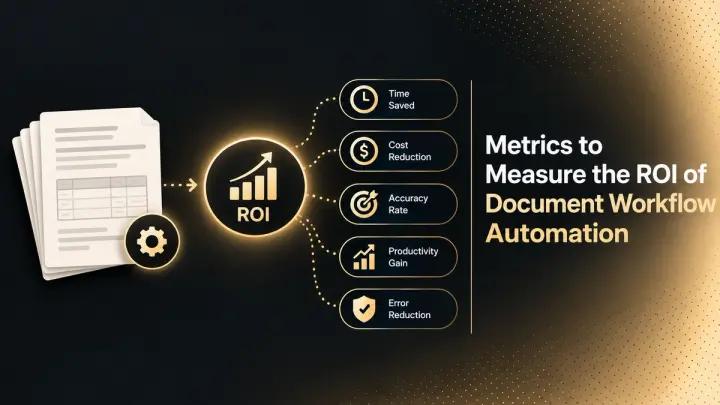
Metrics to Measure the ROI of Document Workflow Automation (2026)
The metrics that measure document workflow automation ROI: baselines, formulas, cost per document, STP rate, payback, and how to read the statistics.
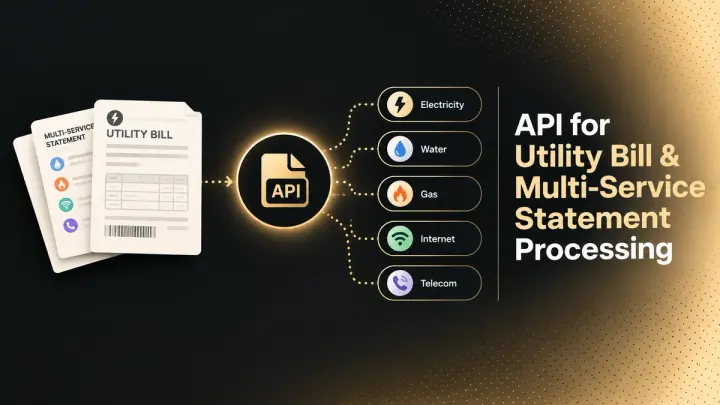
API for Utility Bill and Multi-Service Statement Processing (2026)
How document processing APIs handle utility bills and multi-service statements: how the market splits, schema design, validation, and named options.