%20{%20:root%20{%20--deepread-stroke:%20%23E5E7EB;%20}%20}%20.dark%20{%20--deepread-stroke:%20%23E5E7EB;%20}%20%3c/style%3e%3crect%20x='40'%20y='30'%20width='220'%20height='260'%20rx='28'%20ry='28'%20stroke='var(--deepread-stroke)'%20stroke-width='16'%20fill='none'/%3e%3cpath%20d='M180%2030v52c0%2010%208%2018%2018%2018h62'%20stroke='var(--deepread-stroke)'%20stroke-width='16'%20fill='none'/%3e%3cline%20x1='70'%20y1='130'%20x2='200'%20y2='130'%20stroke='var(--deepread-stroke)'%20stroke-width='16'%20stroke-linecap='round'/%3e%3cline%20x1='70'%20y1='165'%20x2='200'%20y2='165'%20stroke='var(--deepread-stroke)'%20stroke-width='16'%20stroke-linecap='round'/%3e%3cline%20x1='70'%20y1='200'%20x2='170'%20y2='200'%20stroke='var(--deepread-stroke)'%20stroke-width='16'%20stroke-linecap='round'/%3e%3c!--%20green%20download%20arrow%20in%20bottom%20right%20corner%20--%3e%3cpath%20d='M210%20202v58'%20stroke='var(--deepread-accent)'%20stroke-width='18'%20stroke-linecap='round'/%3e%3cpath%20d='M195%20245l15%2015%2015-15'%20fill='none'%20stroke='var(--deepread-accent)'%20stroke-width='18'%20stroke-linecap='round'%20stroke-linejoin='round'/%3e%3c/svg%3e)
Receipt Scanning OCR Software: A 2026 Comparison
Comparing receipt scanning OCR software - bookkeeping tools and developer APIs, with verified features, accuracy claims, and what to evaluate.
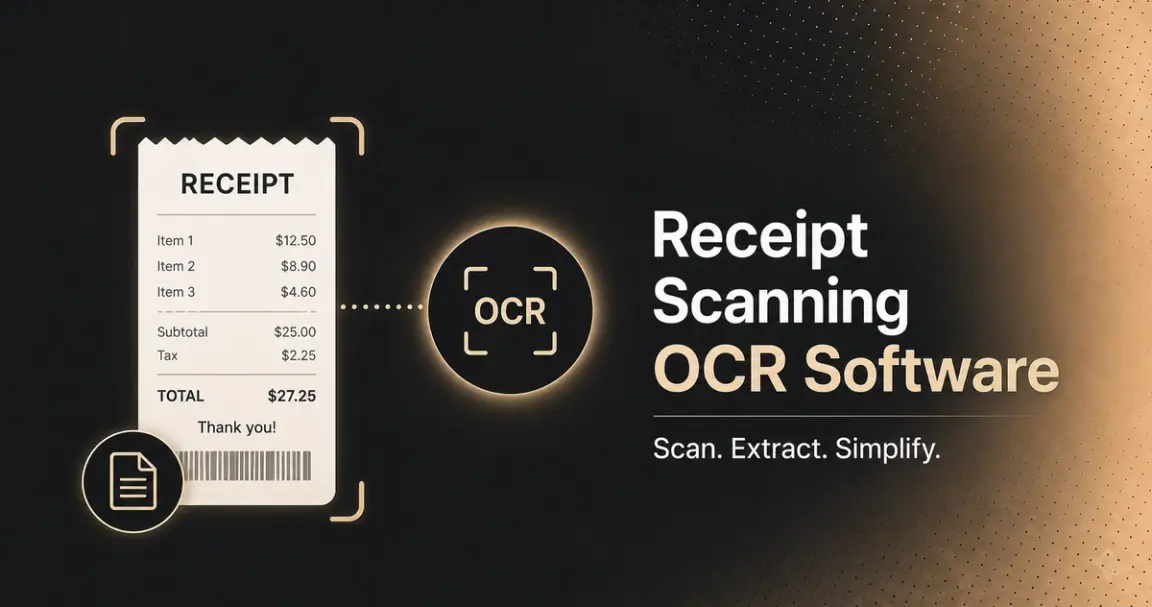
"Receipt scanning OCR software" covers two different purchases. Bookkeeping and expense-tracking tools are built for scanning a pile of receipts, categorizing them, and pushing the data into accounting software or an expense report — the audience is accountants, bookkeepers, and small business owners, not developers. Receipt OCR APIs are built for integrating receipt extraction directly into a product or pipeline — the audience is engineering teams building expense apps, fintech products, or automated bookkeeping tools of their own.
This covers both, how receipt OCR actually works, the real benefits of automating it, what makes receipts a genuinely distinct OCR challenge, and named tools across both categories.
Who This Is For
- Accountants, bookkeepers, and small business owners wanting to digitize receipts for tax prep and expense tracking without a technical setup.
- Finance and expense teams processing employee expense reports at volume.
- Developers building expense management, fintech, or bookkeeping products who need receipt extraction as an API, not a finished app.
- Teams evaluating a switch from manual receipt entry to automated OCR.
How Receipt OCR Actually Works
The mechanics run through a consistent sequence regardless of which specific tool is doing the work:
- Capture — a receipt image arrives via phone photo, flatbed scan, PDF, or forwarded email, in whatever quality it happens to be in.
- Image preprocessing — the image is cleaned up: deskewed if photographed at an angle, contrast adjusted, and in the more capable tools, quality-checked with automatic improvement or a flag if the image is too degraded to process reliably.
- Text and layout recognition — OCR reads the text on the receipt while layout analysis identifies which region is the merchant header, which is the line-item table, and which is the totals section.
- Field extraction — structured fields (merchant name, date, line items, subtotal, tax, tip, total, payment method) are pulled out and typed appropriately.
- Cross-validation — in the better tools, extracted totals are checked against each other (does subtotal plus tax plus tip equal the stated total) before the data is finalized.
- Categorization and export — for bookkeeping tools specifically, the receipt is auto-categorized by expense type and exported to accounting software, a spreadsheet, or an expense report.
Steps 2 and 3 are where receipt-specific performance actually diverges most between tools, since receipts arrive in worse physical condition and more varied formats than most other document types a general OCR engine is tuned on.
Benefits of Using OCR Software for Receipt Scanning
- Eliminates manual data entry. Retyping merchant names, dates, and totals from a stack of receipts is slow and error-prone; OCR pulls that data directly from the image, removing the retyping step entirely.
- Speeds up expense reporting and reimbursement. Employees can submit an expense the moment they have the receipt, a phone photo, rather than saving physical receipts for a batch entry session later, which shortens the entire reimbursement cycle.
- Reduces errors that cost money downstream. A transposed digit in a manually entered total is exactly the kind of mistake that surfaces later as a reconciliation problem or a tax-filing discrepancy, not at the point of entry; automated extraction with cross-validation catches this before it propagates.
- Scales without proportional headcount. A business processing a hundred receipts a month and one processing ten thousand don't need proportionally different amounts of manual entry staff if the extraction is automated — this is where the real cost savings compound at volume.
- Improves tax and audit readiness. Digitized, structured receipt data is searchable and exportable on demand, rather than requiring someone to physically dig through a shoebox of paper receipts when a tax filing or audit needs supporting documentation.
- Enables better spend visibility. Once receipt data is structured rather than sitting in a pile of images, it becomes possible to analyze spending by category, vendor, or employee, something a folder of scanned images alone doesn't support.
- Reduces physical storage and loss risk. Paper receipts fade (especially thermal-printed ones) and get lost; digitized, structured data doesn't degrade over time or disappear when someone cleans out a desk drawer.
What Makes Receipt OCR a Distinct Challenge
- Physical condition is worse than most document types. Receipts get crumpled, faded (thermal-printed receipts fade over weeks), folded, and photographed at odd angles far more often than a typical business document; this is a genuine image-quality problem before extraction even starts.
- Merchant format variety is enormous. Unlike invoices, which follow relatively standardized business conventions, receipts vary wildly by merchant — a grocery receipt, a restaurant check, a gas station receipt, and a hotel folio all look completely different, with no shared template.
- Tip and tax handling adds a validation layer invoices don't need. Restaurant receipts specifically often have a tip line added after the fact, sometimes handwritten, which needs to be captured alongside subtotal, tax, and total — and the arithmetic relationship between all four needs to actually check out.
- Volume and speed matter differently than for invoices. A business processing thousands of employee expense receipts a month needs fast, cheap per-receipt processing more than deep, slow analysis of one complex document.
- Input channels are more varied. Paper photographed on a phone, flatbed scans, PDF receipts, emailed digital receipts — a receipt OCR tool needs to handle all of these as normal input, not edge cases.
The Validation Technique Worth Knowing
The same principle that matters for invoice line items applies here, with one addition specific to receipts: cross-validating that subtotal plus tax plus tip equals the stated total, flagging any discrepancy before the data is exported. This catches a specific, common failure mode — a misread tip amount or a missed tax line — automatically, without requiring a human to manually check every receipt's arithmetic.
A Compliance Note Worth Flagging
Receipts routinely display partial payment card numbers, and sometimes fuller transaction details depending on the merchant's printed format — a genuine data-sensitivity consideration that's easy to overlook for a document type that feels informal. If receipt data is stored or processed at any real volume, confirm how a tool handles this: whether card-adjacent data is detected and can be masked or excluded from extraction, what the data retention policy is, and whether relevant certifications (SOC 2, GDPR, and PCI-adjacent handling practices) are in place — the same diligence worth applying to any financial document, even one as everyday as a receipt.
Bookkeeping and Expense-Tracking Tools
Dext
Positioned specifically for accounting firms and bookkeepers, with over 700,000 customers worldwide.
- Combines receipt and invoice capture, business expense management, a dedicated receipt scanner app, and direct accounting software integrations in one platform
- Includes an AI bookkeeping assistant feature alongside core OCR capture
- Serves specific verticals directly (construction, professional services, hospitality, multi-entity businesses/franchises, retail) rather than positioning as fully generic
- Best fit: accounting firms and bookkeepers wanting receipt capture built into a broader practice-management and client-data workflow, not a standalone extraction tool
- Pricing not independently confirmed for this piece; the vendor offers an ROI calculator rather than published self-serve rates — confirm directly
ReceiptsAI
- Accepts photos, PDF, JPG, or PNG uploads, one at a time or in bulk, plus a forward-to-email intake option for digital receipts
- States it reads even crumpled or faded paper specifically — a direct answer to the physical-condition challenge named above
- Extracts merchant, date, line items, tax, and totals, then automatically renames and categorizes each receipt before export to Excel, CSV, or Google Sheets
- Best fit: individuals or small businesses wanting a straightforward, low-friction tool for tax prep and expense tracking without an accounting-firm-scale platform
MMC Receipt
A mobile-first receipt scanner app extracting merchant name, address, date, currency, line items, tax, and total directly from a photo, with a one-click push to connected accounting software (FreshBooks named specifically).
- Best fit: field teams or individuals wanting mobile-first expense submission with direct accounting software sync, rather than a desktop-first workflow
Wondershare PDFelement
A general-purpose PDF editing tool with OCR capability applied to receipts as one supported use case, rather than a dedicated receipt-first product.
- Lets users perform OCR on specific text or images within a receipt and make the result editable, alongside broader PDF file management and organization
- Best fit: users who already need a general PDF tool and want basic receipt OCR as one feature among many, rather than a team whose primary need is dedicated receipt processing at volume
Developer-Focused Receipt OCR APIs
Tabscanner
Positioned specifically for scale and developer integration, built for up to 5 million receipt scanner API calls per day.
- Parses full line-item data across 200 languages, with a free starter plan and volume-based pricing for high-volume use
- States 99% baseline accuracy, with an optional human-in-the-loop (HITL) add-on reported to boost accuracy to 99.99%
- Holds SOC 3, GDPR, and ISO 27001 certifications
- Provides code samples across Node.js, Ruby, PHP, C#/.NET, Go, and Python
- Best fit: engineering teams needing a receipt-specific API built for genuine scale, with compliance certifications already in place
Klippa (Doxis AI.dp)
- Includes built-in image quality detection — either improving image quality automatically for processing, or flagging when a document can't be improved further
- Supports Latin-alphabet languages broadly (English, Dutch, French, Spanish, German, and others), with Hebrew in beta and additional languages available on request
- Offers both API and SDK integration, with the SDK specifically built for real-time mobile receipt scanning
- Pricing depends on document volume and field count; a pay-as-you-go option is available on the broader AI.dp platform, with custom quotes for higher volume
- Best fit: teams wanting a receipt OCR API with genuine multi-language coverage and built-in image quality handling, not just extraction
OCR.space
A free, general-purpose OCR API with a dedicated "receipt scanning mode" that sorts recognized text line by line to match how it actually appears on a receipt, rather than returning unstructured text.
- Best fit: developers wanting a free, no-signup way to test receipt OCR quickly, though this is a general-purpose OCR API with a receipt-formatted output mode, not a purpose-built receipt extraction engine with dedicated fields
DocuClipper
- Supports paper receipts photographed on a phone, flatbed scans, PDF receipts, emailed digital receipts, and specific formats like restaurant checks, hotel folios, and gas station receipts, with no templates required
- Extracts full line-item detail — individual item descriptions, quantities, and prices — alongside subtotal, tax, tip, and total
- Explicitly cross-validates that subtotal plus tax plus tip matches the stated total, flagging discrepancies before export
- Distinguishes clearly between "receipt OCR" (the extraction layer) and "receipt scanning software" (the full workflow — upload, extraction, categorization, review, export), offering both
- Offers a free 14-day trial
- Best fit: teams wanting the cross-validation and line-item depth built in specifically, with export to accounting software or spreadsheet formats
What to Evaluate
- Whether you need a finished app or an API — bookkeeping tools (Dext, ReceiptsAI) suit non-technical users wanting a complete workflow; developer APIs (Tabscanner, Klippa) suit teams building their own.
- Performance on genuinely degraded receipts — crumpled, faded thermal print, poor phone-camera lighting — not a clean sample receipt.
- Whether the tool cross-validates subtotal, tax, tip, and total, catching arithmetic mismatches automatically.
- Data sensitivity and retention handling, given how routinely receipts carry partial payment card details.
- Language and format coverage, if your receipt volume spans multiple countries or merchant types.
- Volume-based pricing and rate limits, if you're processing at real scale rather than occasional use.
Common Pitfalls
- Testing only on clean, flat, well-lit sample receipts — real-world receipts are crumpled, faded, and photographed at odd angles far more often than other document types.
- Assuming invoice OCR performance transfers directly to receipts — the format variety and physical condition challenges are genuinely different, even though the underlying technology overlaps.
- Skipping cross-validation on tip and tax, missing a common, specific error source unique to receipts with an added tip line.
- Overlooking that receipts carry sensitive payment data, treating them as a lower-stakes document type than they actually are from a privacy standpoint.
- Choosing a consumer bookkeeping app when the actual need is an API, or vice versa — these solve different problems despite both being called "receipt OCR."
Conclusion
Receipt scanning OCR software splits cleanly into bookkeeping tools built for non-technical users managing expenses and tax prep, and developer APIs built for teams integrating receipt extraction into their own product. The case for automating this in the first place is straightforward — less manual entry, faster reimbursement, fewer downstream errors, better audit readiness, but receipts are also a genuinely distinct OCR challenge: worse physical condition, wider format variety, and a tip/tax/total arithmetic check that other document types don't need.
That's why purpose-built receipt tools differentiate specifically on handling crumpled or faded input and cross-validating totals, not just general extraction accuracy. Whichever category fits your need, test on receipts that actually resemble the messy, real ones you'll process, not a clean sample.
FAQ
What's the difference between a receipt scanning app and a receipt OCR API?
A scanning app (Dext, ReceiptsAI) is a complete, non-technical workflow — upload, extract, categorize, export. A receipt OCR API (Tabscanner, Klippa, OCR.space) is a component for developers to build their own extraction workflow into a product or pipeline.
What are the actual benefits of switching from manual receipt entry to OCR?
Less time spent on manual data entry, faster expense reimbursement cycles, fewer downstream errors from mistyped totals, better tax and audit readiness through searchable structured data, and improved spend visibility that a folder of scanned images alone can't provide.
Why is receipt OCR harder than invoice OCR?
Receipts are more physically degraded on average (crumpled, faded thermal print, phone-camera photos), have far more merchant format variety with no shared convention, and often include a tip line that needs to be cross-validated against subtotal, tax, and total; a check invoices don't typically need.
What is cross-validation in receipt OCR, and why does it matter?
It's an automated check that subtotal plus tax plus tip equals the stated total, flagging any mismatch before the data is exported. It catches a specific, common error — a misread tip or missed tax line — that per-field accuracy scores don't reliably surface on their own.
Is receipt data sensitive from a privacy standpoint?
Yes, more than it might seem — receipts routinely display partial payment card numbers and transaction details. Worth confirming how any tool handles data retention and whether card-adjacent data can be masked, the same diligence you'd apply to any financial document.
Is there a genuinely free receipt OCR API?
OCR.space offers a free, no-signup API with a receipt-formatted output mode. Several other tools (Tabscanner, DocuClipper) offer free tiers or trials with volume or time limits rather than being free without limit — confirm current terms directly.
More articles
Metrics to Measure the ROI of Document Workflow Automation (2026)
The metrics that measure document workflow automation ROI: baselines, formulas, cost per document, STP rate, payback, and how to read the statistics.
API for Utility Bill and Multi-Service Statement Processing (2026)
How document processing APIs handle utility bills and multi-service statements: how the market splits, schema design, validation, and named options.