%20{%20:root%20{%20--deepread-stroke:%20%23E5E7EB;%20}%20}%20.dark%20{%20--deepread-stroke:%20%23E5E7EB;%20}%20%3c/style%3e%3crect%20x='40'%20y='30'%20width='220'%20height='260'%20rx='28'%20ry='28'%20stroke='var(--deepread-stroke)'%20stroke-width='16'%20fill='none'/%3e%3cpath%20d='M180%2030v52c0%2010%208%2018%2018%2018h62'%20stroke='var(--deepread-stroke)'%20stroke-width='16'%20fill='none'/%3e%3cline%20x1='70'%20y1='130'%20x2='200'%20y2='130'%20stroke='var(--deepread-stroke)'%20stroke-width='16'%20stroke-linecap='round'/%3e%3cline%20x1='70'%20y1='165'%20x2='200'%20y2='165'%20stroke='var(--deepread-stroke)'%20stroke-width='16'%20stroke-linecap='round'/%3e%3cline%20x1='70'%20y1='200'%20x2='170'%20y2='200'%20stroke='var(--deepread-stroke)'%20stroke-width='16'%20stroke-linecap='round'/%3e%3c!--%20green%20download%20arrow%20in%20bottom%20right%20corner%20--%3e%3cpath%20d='M210%20202v58'%20stroke='var(--deepread-accent)'%20stroke-width='18'%20stroke-linecap='round'/%3e%3cpath%20d='M195%20245l15%2015%2015-15'%20fill='none'%20stroke='var(--deepread-accent)'%20stroke-width='18'%20stroke-linecap='round'%20stroke-linejoin='round'/%3e%3c/svg%3e)
Extract Data From Any PDF in 5 Minutes
A practical guide to extracting structured data from PDFs using the DeepRead API. Real code, real output, no setup required.
This guide walks through extracting structured, typed JSON from a PDF using the DeepRead API, from first API call to production-ready output with human-in-the-loop. The code examples are copy-paste ready.
What you need: A DeepRead API key (free at deepread.tech) and a PDF file.
Step 1: Get Your API Key
You can create an account at deepread.tech and generate an API key from the dashboard.
Step 2: Send a Document
The API accepts a PDF as a multipart file upload. The only required header is your API key:
curl -X POST https://api.deepread.tech/v1/process \
  -H "X-API-Key: YOUR_API_KEY" \
  -F "file=@/path/to/your/document.pdf"
import requests
response = requests.post(
"https://api.deepread.tech/v1/process",
headers={"X-API-Key": "YOUR_API_KEY"},
files={"file": open("/path/to/your/document.pdf", "rb")},
)
print(response.json())const formData = new FormData();
formData.append("file", fileInput.files[0]);
const response = await fetch("https://api.deepread.tech/v1/process", {
method: "POST",
headers: { "X-API-Key": "YOUR_API_KEY" },
body: formData,
});
const job = await response.json();
console.log(job);const formData = new FormData();
formData.append("file", fileInput.files[0]);
const response = await fetch("https://api.deepread.tech/v1/process", {
method: "POST",
headers: { "X-API-Key": "YOUR_API_KEY" },
body: formData,
});
const job = await response.json();package main
import (
"bytes"
"fmt"
"io"
"mime/multipart"
"net/http"
"os"
)
func main() {
file, err := os.Open("/path/to/your/document.pdf")
if err != nil {
panic(err)
}
defer file.Close()
var body bytes.Buffer
writer := multipart.NewWriter(&body)
part, err := writer.CreateFormFile("file", "document.pdf")
if err != nil {
panic(err)
}
if _, err := io.Copy(part, file); err != nil {
panic(err)
}
if err := writer.Close(); err != nil {
panic(err)
}
req, err := http.NewRequest("POST", "https://api.deepread.tech/v1/process", &body)
if err != nil {
panic(err)
}
req.Header.Set("X-API-Key", "YOUR_API_KEY")
req.Header.Set("Content-Type", writer.FormDataContentType())
resp, err := http.DefaultClient.Do(req)
if err != nil {
panic(err)
}
defer resp.Body.Close()
respBody, err := io.ReadAll(resp.Body)
if err != nil {
panic(err)
}
fmt.Println(string(respBody))
}Processing is async, so you get a job ID back immediately:
{
  "id": "550e8400-e29b-41d4-a716-446655440000",
  "status": "queued"
}
Under the hood, DeepRead runs a multi-step pipeline that cross-validates results before returning a consensus output. This is why we decided to make processing async rather than synchronous. The multi-pass approach takes longer but catches errors that single-pass extraction misses.
Step 3: Get the Results
Poll the job ID until processing completes. The response headers include rate limit info so you can tune your polling interval:
curl https://api.deepread.tech/v1/jobs/YOUR_JOB_ID \
  -H "X-API-Key: YOUR_API_KEY"
import requests
response = requests.get(
"https://api.deepread.tech/v1/jobs/YOUR_JOB_ID",
headers={"X-API-Key": "YOUR_API_KEY"},
)
print(response.json())const response = await fetch("https://api.deepread.tech/v1/jobs/YOUR_JOB_ID", {
headers: { "X-API-Key": "YOUR_API_KEY" },
});
const result = await response.json();
console.log(result);const response = await fetch("https://api.deepread.tech/v1/jobs/YOUR_JOB_ID", {
headers: { "X-API-Key": "YOUR_API_KEY" },
});
const result = await response.json();
console.log(result);package main
import (
"encoding/json"
"fmt"
"net/http"
)
func main() {
req, err := http.NewRequest("GET", "https://api.deepread.tech/v1/jobs/YOUR_JOB_ID", nil)
if err != nil {
panic(err)
}
req.Header.Set("X-API-Key", "YOUR_API_KEY")
resp, err := http.DefaultClient.Do(req)
if err != nil {
panic(err)
}
defer resp.Body.Close()
var result map[string]interface{}
if err := json.NewDecoder(resp.Body).Decode(&result); err != nil {
panic(err)
}
fmt.Println(result)
}Without a schema, the API returns the full document text in markdown format, which is useful for search indexing, RAG pipelines, or feeding directly into an LLM:
{
  "id": "550e8400-e29b-41d4-a716-446655440000",
  "status": "completed",
  "result": {
    "text": "# PURCHASE ORDER\n\n**Company:** Northwind Traders\n**PO Date:** 2026-02-10\n**Amount:** $2,340.00"
  },
  "metadata": {
    "pipeline": "standard",
    "page_count": 1
  },
  "preview_url": "https://preview.deepread.tech/abc1234"
}
The preview_url links to a visual overlay showing exactly where each piece of text was extracted from on the original document, which is useful for debugging and verification.
This can work well for simpler use cases. But if you need specific fields as typed values (not just raw text), you might want to use a predefined schema.
Step 4: Define What to Extract
A schema tells the DeepRead API exactly which fields to pull and what types to return. It uses standard JSON Schema, the same format used by OpenAPI and most validation libraries:
curl -X POST https://api.deepread.tech/v1/process \
  -H "X-API-Key: YOUR_API_KEY" \
  -F "file=@/path/to/your/invoice.pdf" \
  -F 'schema={
    "type": "object",
    "properties": {
      "vendor": {
        "type": "string",
        "description": "Company name of the vendor"
      },
      "date": {
        "type": "string",
        "description": "Invoice date"
      },
      "total_due": {
        "type": "number",
        "description": "Total amount due"
      },
      "line_items": {
        "type": "array",
        "items": {
          "type": "object",
          "properties": {
            "description": { "type": "string" },
            "quantity": { "type": "number" },
            "price": { "type": "number" }
          }
        }
      }
    }
  }'
import json
import requests
schema = {
"type": "object",
"properties": {
"vendor": {
"type": "string",
"description": "Company name of the vendor",
},
"date": {
"type": "string",
"description": "Invoice date",
},
"total_due": {
"type": "number",
"description": "Total amount due",
},
"line_items": {
"type": "array",
"items": {
"type": "object",
"properties": {
"description": {"type": "string"},
"quantity": {"type": "number"},
"price": {"type": "number"},
},
},
},
},
}
with open("/path/to/your/invoice.pdf", "rb") as f:
response = requests.post(
"https://api.deepread.tech/v1/process",
headers={"X-API-Key": "YOUR_API_KEY"},
files={"file": f},
data={"schema": json.dumps(schema)},
)
print(response.json())const schema = {
type: "object",
properties: {
vendor: {
type: "string",
description: "Company name of the vendor",
},
date: {
type: "string",
description: "Invoice date",
},
total_due: {
type: "number",
description: "Total amount due",
},
line_items: {
type: "array",
items: {
type: "object",
properties: {
description: { type: "string" },
quantity: { type: "number" },
price: { type: "number" },
},
},
},
},
};
const formData = new FormData();
formData.append("file", fileInput.files[0]);
formData.append("schema", JSON.stringify(schema));
const response = await fetch("https://api.deepread.tech/v1/process", {
method: "POST",
headers: { "X-API-Key": "YOUR_API_KEY" },
body: formData,
});
const job = await response.json();
console.log(job);const schema = {
type: "object",
properties: {
vendor: {
type: "string",
description: "Company name of the vendor",
},
date: {
type: "string",
description: "Invoice date",
},
total_due: {
type: "number",
description: "Total amount due",
},
line_items: {
type: "array",
items: {
type: "object",
properties: {
description: { type: "string" },
quantity: { type: "number" },
price: { type: "number" },
},
},
},
},
};
const formData = new FormData();
formData.append("file", fileInput.files[0]);
formData.append("schema", JSON.stringify(schema));
const response = await fetch("https://api.deepread.tech/v1/process", {
method: "POST",
headers: { "X-API-Key": "YOUR_API_KEY" },
body: formData,
});
const job = await response.json();
console.log(job);package main
import (
"bytes"
"encoding/json"
"fmt"
"io"
"mime/multipart"
"net/http"
"os"
)
func main() {
schema := map[string]interface{}{
"type": "object",
"properties": map[string]interface{}{
"vendor": map[string]string{
"type": "string",
"description": "Company name of the vendor",
},
"date": map[string]string{
"type": "string",
"description": "Invoice date",
},
"total_due": map[string]string{
"type": "number",
"description": "Total amount due",
},
"line_items": map[string]interface{}{
"type": "array",
"items": map[string]interface{}{
"type": "object",
"properties": map[string]interface{}{
"description": map[string]string{"type": "string"},
"quantity": map[string]string{"type": "number"},
"price": map[string]string{"type": "number"},
},
},
},
},
}
schemaJSON, err := json.Marshal(schema)
if err != nil {
panic(err)
}
file, err := os.Open("/path/to/your/invoice.pdf")
if err != nil {
panic(err)
}
defer file.Close()
var body bytes.Buffer
writer := multipart.NewWriter(&body)
filePart, err := writer.CreateFormFile("file", "invoice.pdf")
if err != nil {
panic(err)
}
if _, err := io.Copy(filePart, file); err != nil {
panic(err)
}
if err := writer.WriteField("schema", string(schemaJSON)); err != nil {
panic(err)
}
if err := writer.Close(); err != nil {
panic(err)
}
req, err := http.NewRequest("POST", "https://api.deepread.tech/v1/process", &body)
if err != nil {
panic(err)
}
req.Header.Set("X-API-Key", "YOUR_API_KEY")
req.Header.Set("Content-Type", writer.FormDataContentType())
resp, err := http.DefaultClient.Do(req)
if err != nil {
panic(err)
}
defer resp.Body.Close()
var job map[string]interface{}
if err := json.NewDecoder(resp.Body).Decode(&job); err != nil {
panic(err)
}
fmt.Println(job)
}The description field helps DeepRead understand what to look for. For example, "Total amount due" gives more context than just "total", which tends to improve extraction accuracy.
With a schema, the response includes an extraction.fields list where each field is extracted individually with its own metadata:
{
  "status": "completed",
  "schema_version": "dp02",
  "extraction": {
    "fields": [
      {
        "key": "vendor",
        "value": "Acme Corp",
        "needs_review": false,
        "location": { "page": 1 }
      },
      {
        "key": "date",
        "value": "2024-03-15",
        "needs_review": false,
        "location": { "page": 1 }
      },
      {
        "key": "total_due",
        "value": 877.50,
        "needs_review": false,
        "location": { "page": 1 }
      },
      {
        "key": "line_items",
        "value": [
          { "description": "Widget A", "quantity": 50, "price": 12.00 },
          { "description": "Widget B", "quantity": 25, "price": 8.50 }
        ],
        "needs_review": false,
        "location": { "page": 1 }
      }
    ]
  },
  "review": {
    "fields_total": 4,
    "fields_needing_review": 0,
    "review_rate": 0.0
  }
}
Three things to notice: value is already typed, so strings come back as strings and numbers as numbers. location.page shows where on the document the value was extracted from. And needs_review indicates whether a human should take a look at the extraction.
The per-page text result from Step 3 is still available when using a schema, so you get both the structured fields and the full document text.
Step 5: Stay in the Loop
The needs_review (human-in-the-loop) flag is how DeepRead communicates uncertainty. When it's false, DeepRead is confident. When it's true, it extracted a value but isn't sure, and the review_reason field explains why:
{
  "key": "total_due",
  "value": 877.50,
  "needs_review": true,
  "review_reason": "Handwritten, partially visible",
  "location": { "page": 1 }
}
Reasons include handwritten text, low image quality, ambiguous layout, overlapping elements, or a field that wasn't found on the document.
This is useful for production workflows. Instead of reviewing every extraction, you can route only the flagged fields to human review and process the confident results automatically. The review.review_rate value gives you the ratio at a glance.
To learn more about webhooks, blueprints, and the full API reference, check out the docs.
You can get started at deepread.tech.
More articles
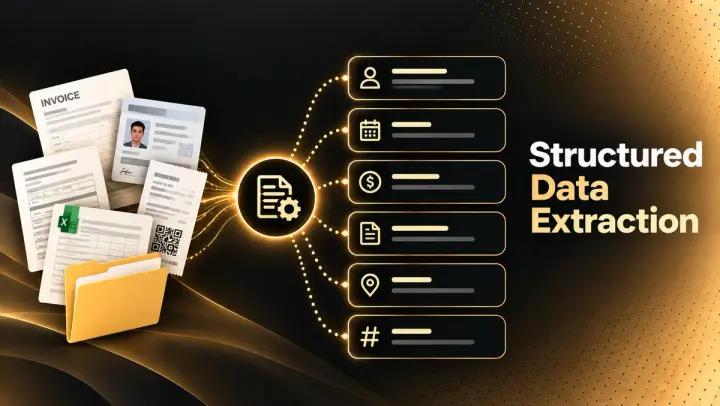
Structured Data Extraction: A Technical Guide
How to extract structured data from documents using an AI API, the architecture, grounding, and named tools compared.

Key Features of AI Document Workflow Automation
AI document workflow automation features, governance, prioritization framework, and real examples with measurable benefits for 2026.