%20{%20:root%20{%20--deepread-stroke:%20%23E5E7EB;%20}%20}%20.dark%20{%20--deepread-stroke:%20%23E5E7EB;%20}%20%3c/style%3e%3crect%20x='40'%20y='30'%20width='220'%20height='260'%20rx='28'%20ry='28'%20stroke='var(--deepread-stroke)'%20stroke-width='16'%20fill='none'/%3e%3cpath%20d='M180%2030v52c0%2010%208%2018%2018%2018h62'%20stroke='var(--deepread-stroke)'%20stroke-width='16'%20fill='none'/%3e%3cline%20x1='70'%20y1='130'%20x2='200'%20y2='130'%20stroke='var(--deepread-stroke)'%20stroke-width='16'%20stroke-linecap='round'/%3e%3cline%20x1='70'%20y1='165'%20x2='200'%20y2='165'%20stroke='var(--deepread-stroke)'%20stroke-width='16'%20stroke-linecap='round'/%3e%3cline%20x1='70'%20y1='200'%20x2='170'%20y2='200'%20stroke='var(--deepread-stroke)'%20stroke-width='16'%20stroke-linecap='round'/%3e%3c!--%20green%20download%20arrow%20in%20bottom%20right%20corner%20--%3e%3cpath%20d='M210%20202v58'%20stroke='var(--deepread-accent)'%20stroke-width='18'%20stroke-linecap='round'/%3e%3cpath%20d='M195%20245l15%2015%2015-15'%20fill='none'%20stroke='var(--deepread-accent)'%20stroke-width='18'%20stroke-linecap='round'%20stroke-linejoin='round'/%3e%3c/svg%3e)
Enterprise-Scale Document Automation Software: What Actually Changes at Scale
Learn how to evaluate enterprise document automation software, compare platforms vs APIs, manage compliance, integrations, and scale successfully.
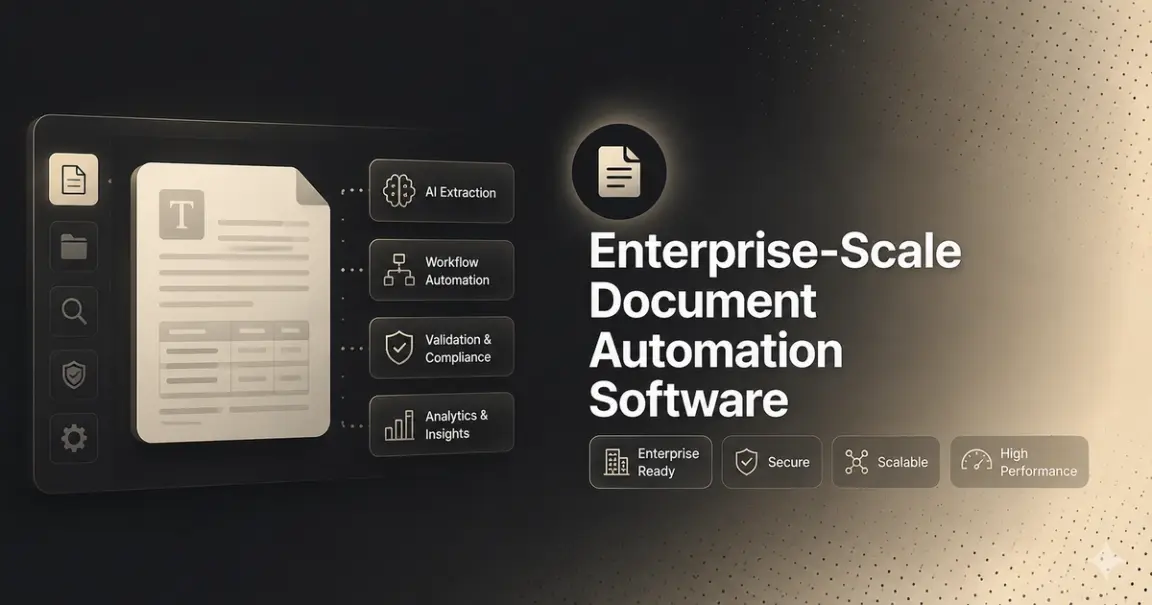
A document automation tool that performs well in a pilot with fifty sample documents doesn't automatically perform the same way when processing two hundred thousand documents a month across twelve business units in six countries. The extraction technology isn't usually what breaks first; it's everything around it: exception queues that no longer have a clear owner, integration points that assumed one ERP instance instead of four, and a procurement process that takes longer than the implementation itself.
This is a guide to what changes when document automation has to operate at enterprise scale, what to evaluate that a standard feature comparison misses, and how to think about the decision between an enterprise platform and building on a document extraction API when your organization's documents don't fit either cleanly.
Who This Guide Is For
- IT and operations directors at BFSI, healthcare, insurance, or real estate organizations evaluating platforms like Rossum or UiPath Document Understanding, trying to understand what separates them beyond the sales deck.
- Enterprise architects and engineering leads scoping whether an off-the-shelf platform fits the organization's document mix, or whether a custom build on top of an extraction API is the more durable path.
- Compliance and information security teams who get pulled into document automation evaluations late and need a clear list of what to screen for before a vendor gets near production data.
- Procurement and finance stakeholders trying to understand why enterprise document automation timelines and costs vary as widely as they do between vendors.
If you're earlier in the process and still mapping the category broadly, a higher-level guide to AI document processing solutions covers that ground. This one assumes you already know you're buying at enterprise scale and need to know what that actually changes.
What "Enterprise Scale" Actually Changes
Vendors use "enterprise-ready" as a label almost as loosely as "AI-powered." What actually changes at scale is more specific than a bigger number on an invoice:
- Volume that exposes exception handling, not just accuracy. A tool that's 95% accurate sounds fine at a thousand documents a month. At two hundred thousand documents a month, that remaining 5% is ten thousand documents needing review, and if nobody planned for that queue's staffing, the automation just relocated the bottleneck instead of removing it.
- Multi-entity, multi-currency, multi-region complexity. Large organizations rarely run one instance of one ERP. Document automation that assumes a single entity, currency, or region can break down quickly against subsidiaries, regional business units, and cross-border operations, each often with different document formats and compliance requirements.
- Integration depth, not just integration existence. A vendor listing "Salesforce integration" on a feature page is different from a native connector that handles your specific configuration, custom fields, and data volume without a professional services engagement to make it actually work.
- Governance and audit requirements that assume scrutiny. At enterprise scale, especially in regulated industries, "we can reconstruct what happened to a document" isn't optional; it's assumed and needs to be true by default rather than something IT builds after the fact.
- A procurement and implementation timeline measured in quarters, not weeks. Security review, legal review, data processing agreements, and phased rollout across business units all add real time before a platform is actually live, and that timeline is frequently the actual deciding factor between two enterprise vendors with comparable capability.
The Enterprise Document Automation Landscape
At the enterprise end of this category, a handful of platforms come up repeatedly in evaluations: Rossum and UiPath Document Understanding market themselves specifically around document intelligence and understanding within a broader automation suite, aimed at large organizations with dedicated implementation budgets. Cloud infrastructure providers, AWS Textract and Google Document AI, offer document extraction as part of a much larger platform, appealing to enterprises already standardized on that cloud ecosystem, though they're general-purpose extraction services rather than specialized document-automation platforms with built-in workflow and review tooling.
A note on how to read that list: it reflects how these vendors publicly position themselves, not an independent, apples-to-apples benchmark. Extraction accuracy is the one claim in this category that's actually measurable against a common dataset, and it's worth asking any vendor in an enterprise evaluation, platform or extraction API, whether their accuracy number is something you can verify yourself or something you're being asked to take on faith.
What Enterprise Buyers Should Actually Evaluate
A standard feature checklist gets a vendor through the first call. What actually separates enterprise deployments that work from ones that stall in production:
- Touchless processing rate on your actual document mix at your actual volume, not a pilot batch of clean samples. Ask specifically what happens to the percentage that isn't processed touchless, and who owns reviewing it.
- Security certifications, confirmed directly, not assumed. SOC 2, ISO 27001, and GDPR support are standard asks; get current documentation rather than relying on an "enterprise-grade" label.
- SSO, SCIM, and access control depth that matches how your organization actually manages identity and permissions across business units.
- Data residency and cross-border handling, particularly relevant for multi-region operations under different regulatory regimes.
- Multi-entity and multi-currency support confirmed against your actual organizational structure, not a generic demo environment.
- Integration depth with your specific systems, tested against your configuration, not just a logo on the vendor's integrations page.
- Uptime SLAs and support response commitments appropriate to a production system your operations depend on, not a self-serve tier's default terms.
- A realistic implementation timeline, sourced from the vendor's own recent enterprise deployments of comparable complexity, not the number on the initial sales call.
- Total cost of ownership, including professional services, integration work, and ongoing exception-handling headcount — not just the license or per-document rate. Published pricing structures (where they exist) are a starting reference point, not the full cost picture.
The single most useful question to ask any vendor in this category, platform or API: what does evaluation on our actual documents, at something close to our actual volume, look like before we sign anything? A vendor confident in their accuracy will make that easy. One that isn't will steer you back toward the demo.
Compliance and Governance at Enterprise Scale
Regulated enterprises evaluating document automation often assume the compliance bar is higher and more uniform than it actually is. Frameworks like the EU AI Act apply obligations based on risk classification and specific use case, not a blanket rule that every document automation deployment is automatically high-risk. A standard document-extraction workflow is treated differently than a system making automated decisions about credit, employment, or identity verification, and obligations under the Act are phasing in over several years rather than all at once.
That said, at enterprise scale, a few things are worth requiring from any vendor regardless of current regulatory classification, because retrofitting them after a multi-business-unit rollout is far more expensive than requiring them upfront:
- Audit logging by default across every business unit and document type, reconstructable on demand without a support ticket.
- Confidence scores retained, not just used transiently at decision time and then discarded.
- Decision traceability at the individual document level — for any document, in any entity, the ability to show exactly why it was auto-processed or routed to review.
- PII detection as a first-class step, especially relevant across healthcare, insurance, and BFSI document types where sensitive data is the norm, not the exception.
If a vendor's answer to any of these is "we'd need to build a custom report for that," treat that as a real signal about what production support will actually look like.
Build vs. Buy at Enterprise Scale
Every platform in this category is built around a reasonably standard document workflow. Most enterprises should buy rather than build; an established platform with proven implementation experience is almost always faster and lower-risk than building equivalent tooling from scratch.
The gap shows up for organizations whose documents genuinely don't fit a standard template: non-standard formats across multiple business units, legacy or heavily customized ERP systems without a clean native connector, or document types specific enough to the business that no platform has built dedicated support for them. For these organizations, the constraint usually isn't the platform's workflow logic; it's the extraction layer underneath being tuned for standard formats rather than the organization's actual documents.
This is where enterprise engineering teams sometimes route around a monolithic platform and build a custom document workflow on top of a document extraction API instead, feeding structured, schema-driven data directly into existing enterprise systems rather than adapting documents to fit a vendor's template. At enterprise volume, that approach depends on two things a lot of extraction layers don't handle well: asynchronous processing that doesn't buckle under large batch runs, and webhook-driven delivery that scales across many downstream consumers without a polling architecture becoming its own operational burden.
Where the Extraction Layer Fits
Underneath a platform, or underneath a custom build, the same dependency holds: nothing downstream is more accurate than the extraction feeding it. An enterprise workflow with sophisticated routing and approval logic built on top of unreliable extraction just produces confidently wrong data at enterprise volume instead of small-batch volume.
For the subset of organizations weighing a custom build, or simply wanting to pressure-test a platform's accuracy claim before signing, DeepRead is one example of an extraction layer built for that kind of scrutiny; accuracy is benchmarked against Nanonets, Reducto, and Landing AI on identical document sets, with the methodology public on the benchmarks, rather than asserted as a number on a slide.
Conclusion
Enterprise-scale document automation fails less often because the extraction technology is weak and more often because the surrounding requirements- exception ownership at volume, multi-entity support, integration depth, governance, and a realistic implementation timeline- weren't built into the evaluation from the start. The vendor landscape at this end of the category is capable across the board; what actually separates a deployment that works from one that stalls in a pilot is whether it was evaluated against your real documents, your real volume, and your real organizational structure, not a demo environment.
Whether the answer ends up being an established platform or a custom build on an extraction API, the evaluation questions are the same: does it hold up at your scale, can you verify the accuracy claim yourself, and does the compliance and governance model match what your organization will actually be audited against?
FAQ
What makes document automation software "enterprise-scale" versus standard?
Volume is only part of it. Enterprise-scale implies multi-entity and multi-currency support, integration depth with complex or legacy systems, governance and audit requirements that assume regulatory scrutiny, and security certifications and access controls that match how large organizations actually manage identity and compliance.
Is Rossum or UiPath Document Understanding better for enterprise document automation?
Both are established, enterprise-oriented platforms, and the better fit depends on your specific document types, existing systems, and implementation resources rather than a general capability ranking. Evaluate both against your own documents and integration requirements directly rather than relying on public marketing positioning alone.
How long does enterprise document automation implementation actually take?
Longer than the initial sales conversation suggests in most cases. Security review, legal and compliance review, and phased rollout across business units typically add months beyond the technical implementation itself. Ask any vendor for timelines from comparable recent enterprise deployments, not a best-case estimate.
Does the EU AI Act require extensive explainability for enterprise document automation?
Not universally. Obligations are risk- and use-case-based, not a blanket requirement for every document workflow, and they phase in over several years. A standard extraction workflow is treated differently than a system making automated decisions about credit, employment, or identity. Enterprises should still build in audit logging and decision traceability by default, since regulatory scope in this area continues to expand.
When does it make sense for an enterprise to build instead of buying a platform?
When document formats, ERP configuration, or business-unit structure don't fit any platform's standard template well — common with legacy systems, heavily customized ERPs, or industry-specific document types. In that case, an accurate, async-capable extraction API as the foundation for a custom-built workflow often outperforms forcing enterprise documents into an off-the-shelf template.
What's the highest hidden cost in enterprise document automation?
Exception-handling headcount at scale. A tool's accuracy number determines how many documents fall into manual review, and at enterprise volume, even a small exception rate translates into a meaningful ongoing staffing cost if it isn't planned for during evaluation.
More articles
Structured Data Extraction: A Technical Guide
How to extract structured data from documents using an AI API, the architecture, grounding, and named tools compared.
Key Features of AI Document Workflow Automation
AI document workflow automation features, governance, prioritization framework, and real examples with measurable benefits for 2026.